Você está no 3DFinder
Buscamos em Thingiverse, MakerWorld e Printables ao mesmo tempo para te dar o melhor de cada uma.
Descrição
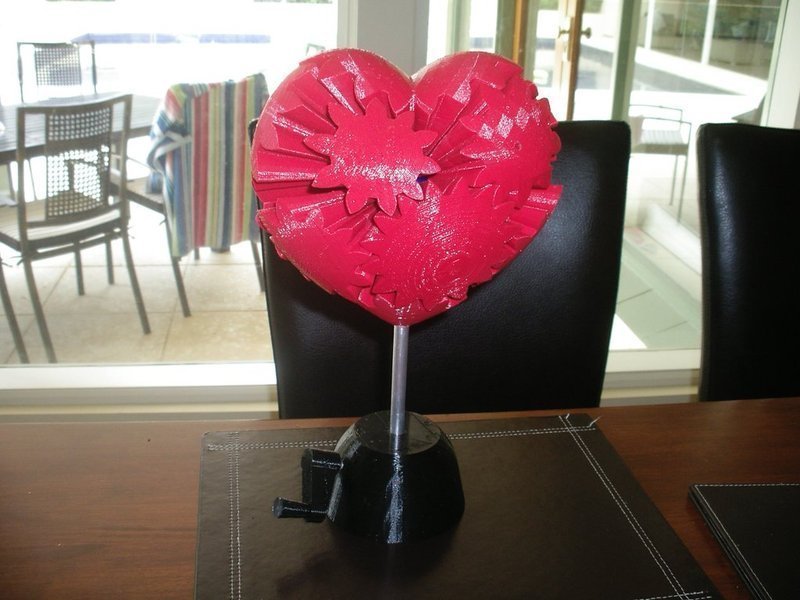
A kinetic sculpture made using my parametric bevel gear script inspired by this: http://www.brainblog.to/item/2008/11/herz-aus-zahnraedern
I modeled the entire thing from scratch in OpenSCAD, starting with the Parametric Involute Bevel and Spur Gear script I posted some time ago. I have added an additional complexity to the movement because not only do the gears spin, but the axes of the gears rotate too.
Being a kinetic sculpture, you really need to see it in motion: http://www.youtube.com/watch?v=Zx28cHA4_KI
Be warned that before you attempt to print this, an improved technique for attaching the gears to the central mount is really needed.
I have the openscad files for everything, although there are so many parts that it is a bit of a process generating the STLs from them.
If someone wants to collaborate on a better way to mount the gears, let me know.
Instruções
Vitamin Parts: 3/16 threaded rod, nuts and washers M4x40 cap screws, and half nuts. 10mm aluminium tube.
Assembly: trap 5 nuts between heart_centre_middle and heart_center_top parts. Repeat and screw both of these onto the threaded rod. Attach 10 and 15 tooth inner gears to the centre pieces with the M4 cap screws. I also put a nut on the outside of the centre to clamp the screw in place. This is the bit that I am least happy with because the screws can wiggle loose and after you have glued the outer parts of the gear in place you cant tighten them again. I would strongly suggest modifying the design somehow before attempting to build this. Any ideas on how to better attach the gears in the centre? Then glue all of the gear outers in place. Cut a slot at the top and bottom of the aluminium tube so that it can grip the bottom gear and the top drive gear. Slide the walls over the tube. Add the top drive gear (10 teeth) so that it engages with the aluminium tube and screw a nut on to hold it up. Install the crossmount. Install the drive gear shaft (again using 3/16th threaded rod) and the drive gear with nuts either side of it. The shaft goes into the crossmount to hold the drive gear at the right angle. This is a bit fiddly. Add the last gear (15 tooth gear). Screw the handle onto the driver shaft. Attach the knob to the handle. I used a bearing for this so that the knob spins nice and smoothly.