Você está no 3DFinder
Buscamos em Thingiverse, MakerWorld e Printables ao mesmo tempo para te dar o melhor de cada uma.
Descrição
The installation of this is fairly straight forward but you'll need to use slightly longer screws than the ones that are currently attaching your light switch cover. 6-32 x 1 inch machine screws with a round head should work fine.
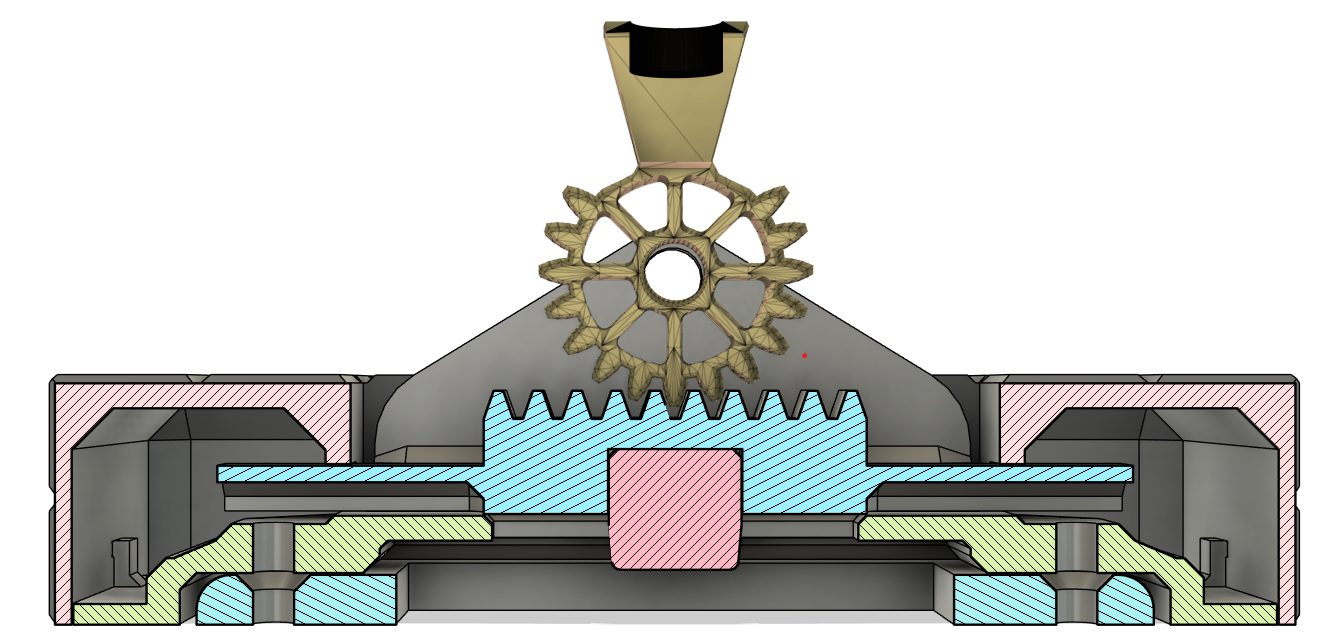
- Slide the “RAIL-GEAR” into the “BASE-PLATE”.
- Insert the “KEY” in the “RAIL-GEAR”, it should fit snuggly into it.
- Remove the screws from the existing light switch cover. (You can either keep the cover in place or remove it.)
- Screw the “BASE-PLATE” over the light switch. You'll need to slide the “RAIL-GEAR” up or down to gain access to the screws. Validate that the “RAIL-GEAR” still slides easily, if not try loosening up the screws a little bit.
- Install the “COVER-PLATE” over the “BASE-PLATE”.
- Glue the 3 parts for the lever together (Gear/Handle/Wood)
- To install the lever, place “RAIL-GEAR” and Lever as shown below then use the Pin and Clip to secure it in place.
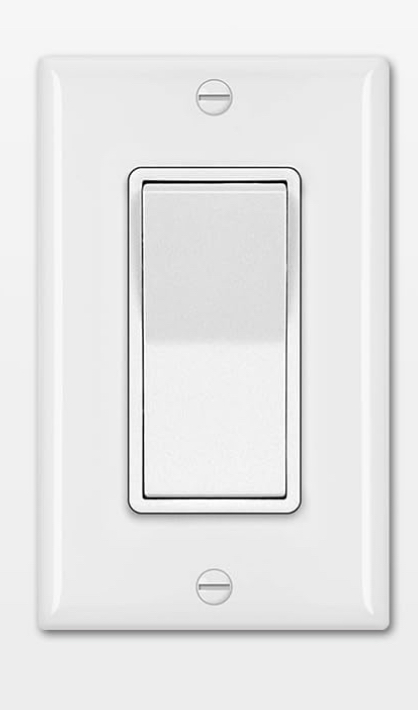
It works for this type of switch:
Here’s the list of filaments I used to make this:
- Bambu PLA Sparkle Slate Grey
- Bambu PLA Sparkle Onyx Black
- Polylite PLA Steel Grey
- Bambu PLA Matte Dark Brown
Printables
Minecraft Geared Lever Switch (Flat switch)

Publicado em 1 de jan de 2025
261
Curtidas
691
Downloads
2
Impressões
Categoria
Wall-mounted
Tags
light
minecraft
lever
switchplatecover
switchcover
Licença
Creative Commons — Attribution — Noncommercial — Share Alike
Arquivos (13)
COVER-PLATE.stl
94.6 KB
KEY.stl
21.8 KB
BASE-PLATE.stl
77.4 KB
RAIL-GEAR.stl
13.9 KB
PIN_CLIP.stl
63.2 KB
COVER-PLATE.step
723.8 KB
KEY.step
28.1 KB
BASE-PLATE.step
244.9 KB
RAIL-GEAR.step
110.1 KB
PIN_CLIP.step
1.1 MB
Wood.stl
564.2 KB
Handle.stl
288.9 KB
Gear.stl
439 KB