Description
Please give it a 💖 if you like it 🥰
Edit 2024-07-28 :
- Flavor updated
Edit 2024-07-13 :
- Added a “Quality Profile”
- Added the thumbnails to preview models on the printer
👉 Link to my Ender 3 V3 SE Profile
👉 Link to my Ender 3 V3 Profile
👉 My other Slicer Profiles & Models
Please leave a comment if you have any possible improvements to make to these profiles 😉👍
How import profiles?
In PrusaSlicer
Here is the link on how to do it: [https://help.prusa3d.com/article/how-to-import-and-export-custom-profiles-in-prusaslicer_382766](https://help.prusa3d.com/article/how-to-import-and-export-custom-profiles-in-prusaslicer_382766)
In Cura
- 🪧 Don't use the profiles listed in Cura for 'Ender 3 V3 KE" 👉 Create a new printer instead
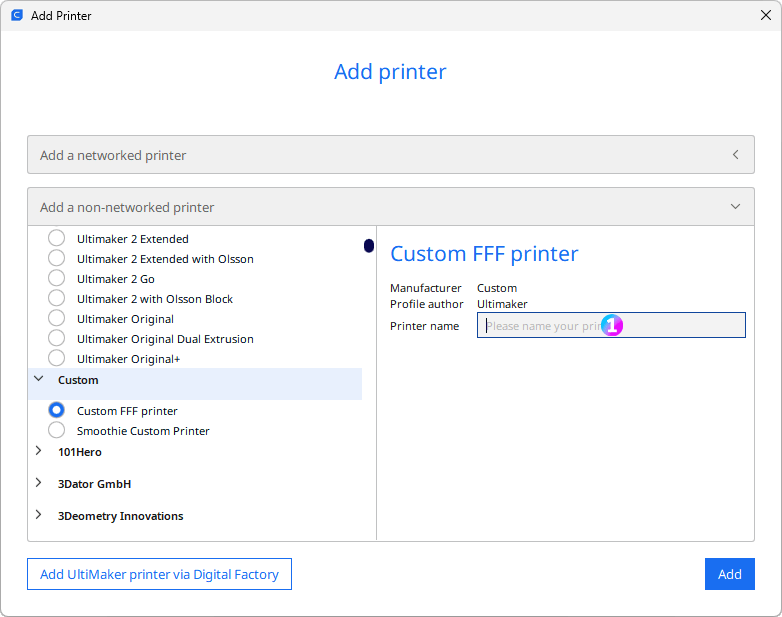
1 - “Creality Ender 3 V3 KE”
- Set the printer parameters
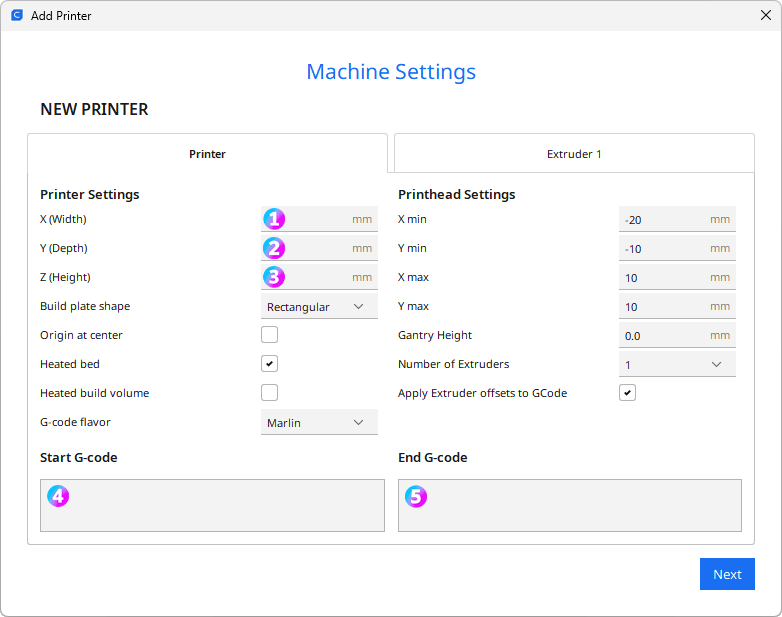
1 - X (Width): 220
2- Y (Depth): 220
3 - Z (Height) : 250
4 - Start Gcode
M220 S100 ; Reset Feedrate M221 S100 ; Reset FlowrateG28 ; Home
G92 E0 ; Reset Extruder G1 Z2.0 F3000 ; Move Z Axis up G1 X-2.0 Y20 Z0.28 F5000.0 ; Move to start position M109 S{material_print_temperature_layer_0} G1 X-2.0 Y145.0 Z0.28 F1500.0 E15 ; Draw the first line G1 X-1.7 Y145.0 Z0.28 F5000.0 ; Move to side a little G1 X-1.7 Y20 Z0.28 F1500.0 E30 ; Draw the second line G92 E0 ; Reset Extruder G1 E-1.0000 F1800 ; Retract a bit G1 Z2.0 F3000 ; Move Z Axis up G1 E0.0000 F1800
5 - End Gcode
G91 ; Relative positionning G1 E-2 F2700 ; Retract a bit G1 E-2 Z0.2 F2400 ; Retract and raise Z G1 X5 Y5 F3000 ; Wipe out G1 Z5 ; Raise Z more G90 ; Absolute positionningG1 X2 Y218 F3000 ; Present print M106 S0 ; Turn-off fan M104 S0 ; Turn-off hotend M140 S0 ; Turn-off bed
M84 X Y E ; Disable all steppers but Z
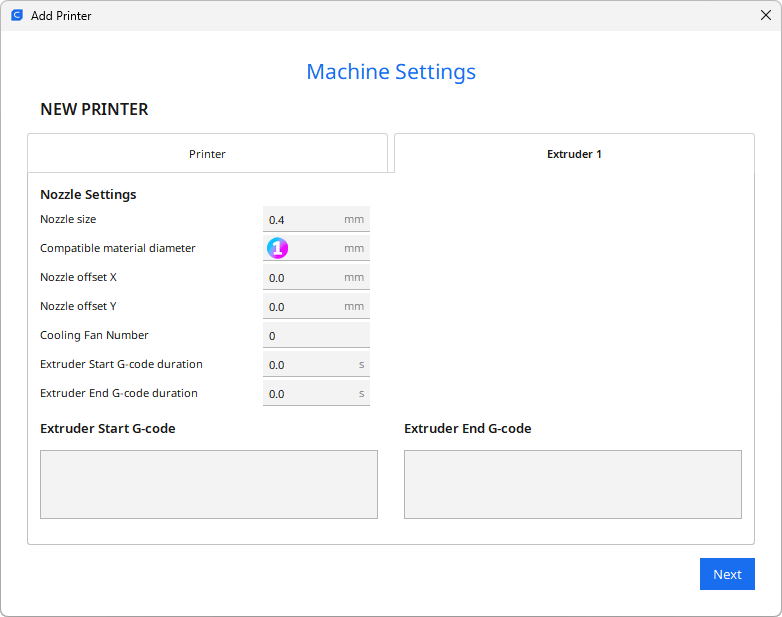
1 - Compatible material diameter: 1.75
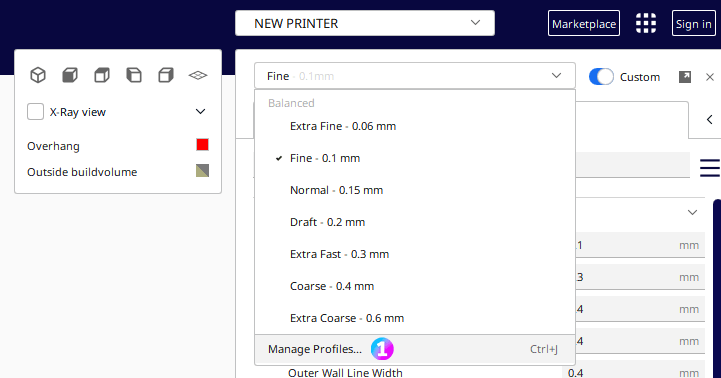
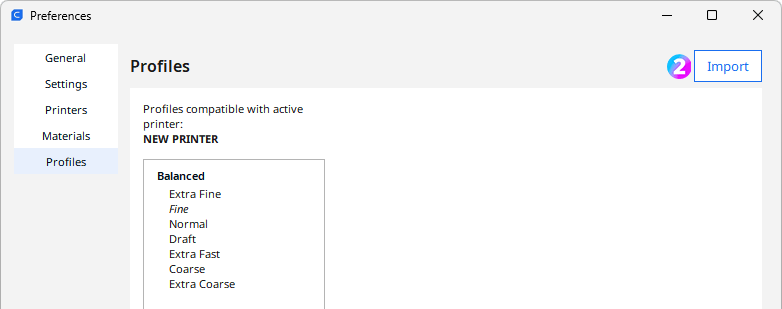
- Unzip the *-KaminoKGY-Cura.zip file and import the profile file (Manage profiles > Import)
Please give it a 💖 if you like it 🥰
Creality Ender 3 V3 KE Slicer profiles for PrusaSlicer & Cura

Published on Nov 13, 2025