Você está no 3DFinder
Buscamos em Thingiverse, MakerWorld e Printables ao mesmo tempo para te dar o melhor de cada uma.
Descrição
Here is a very parametric and ✨ now Configured✨ Gridfinity Base Grid and Bin Fusion 360 file with 3MF's. I'll keep adding and updating as we develop new items. See our collection.
Now Standard 3MF Files – Rev 2
14 Oct 2023
- All F3D and 3MF files are now to Gridfinity spec.
- Reduced Grid Base Material needs – Shorter Z height, smaller magnet areas
- Included options for Bins
Mag= Magnets - much faster and less material use to print without magnet holes.BF= Bin Fillet - easier to get yourSOLID= Solid Bin so you can modify to your likin
18 Sep 2023 – Fusion 360 file CONFIGURED-v10.f3z has fixes for the non-specification Gridfinity that a few pointed out. None of the 3MF files have been fixed yet.
If you need a non-configured version (free users) use the -v10.f3d.
This is an actually parametric Grid and Bin model generator
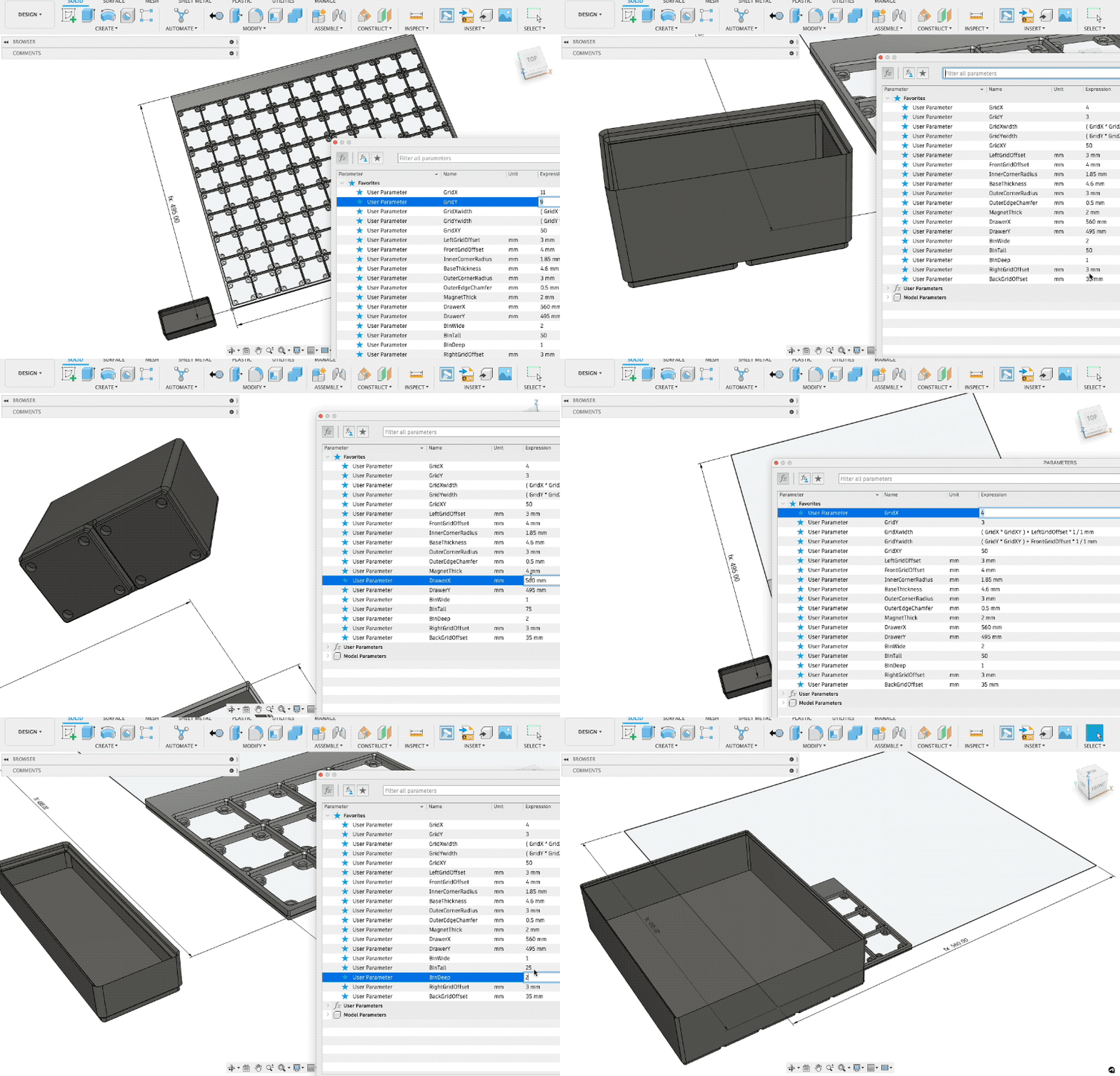
Parametric Fusion 360
- Upload and open F3D file in Fusion 360 (free) and then open parameters.
- Modify > Change Parameters.
- Edit any field and watch it update.
- Sometimes things will break, so scale back your change and see if it works that way.
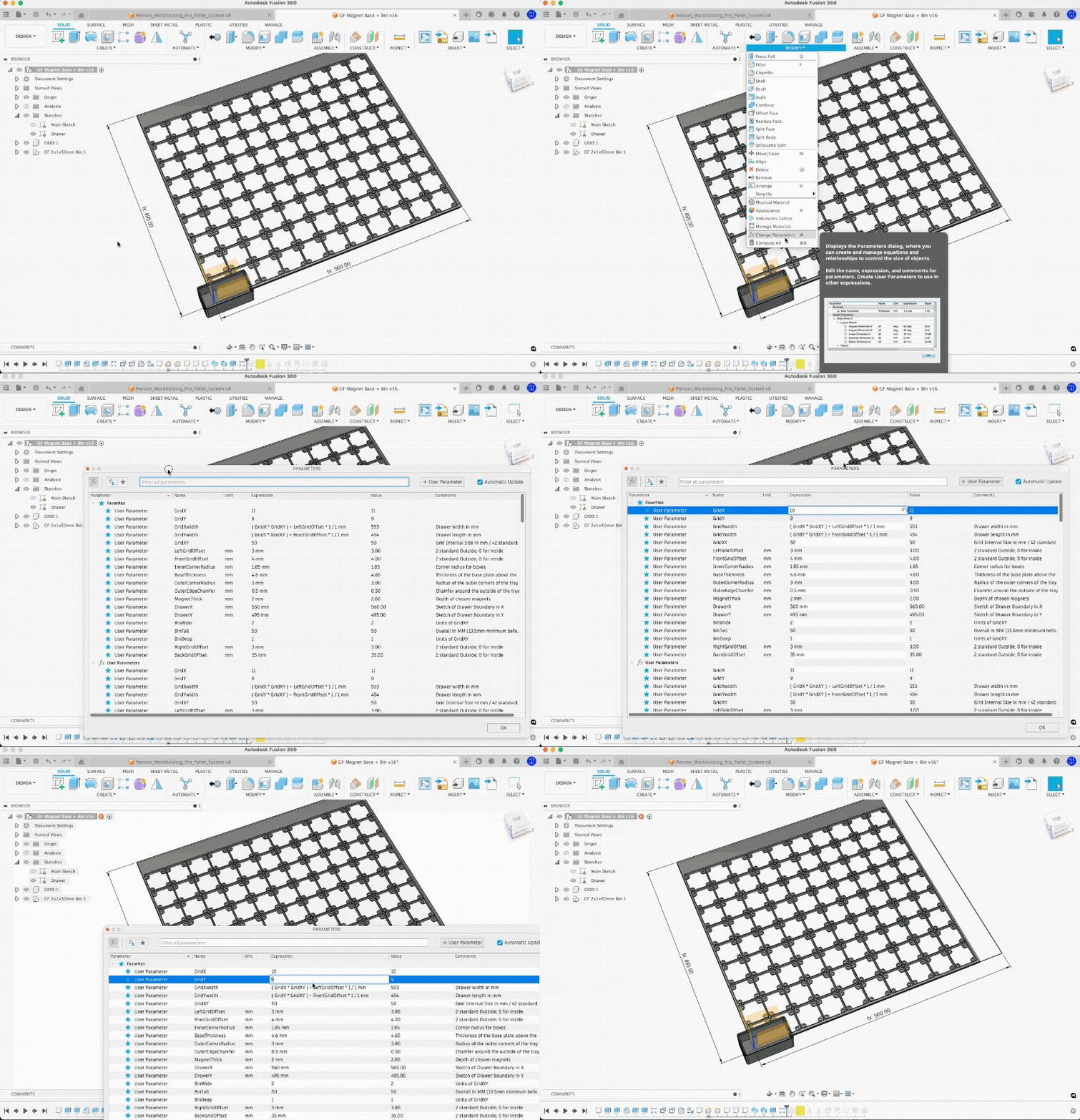
Key Parameter Fields:
- GridX: Number of Cells in X (Base Grid)
- GridY: Number of Cells in Y (Base Grid)
- GridXY: Grid Internal Cell Size in MM. 42mm is standard. affects Grid Bases and Bin sizing.
- BinTall: Height in MM
- BinWide: Unit of GridXY (cell size)
- BinDeep: Unit of GridXY (cell size)
Bins 1x1 will cause a warning but shouldn't affect the model.
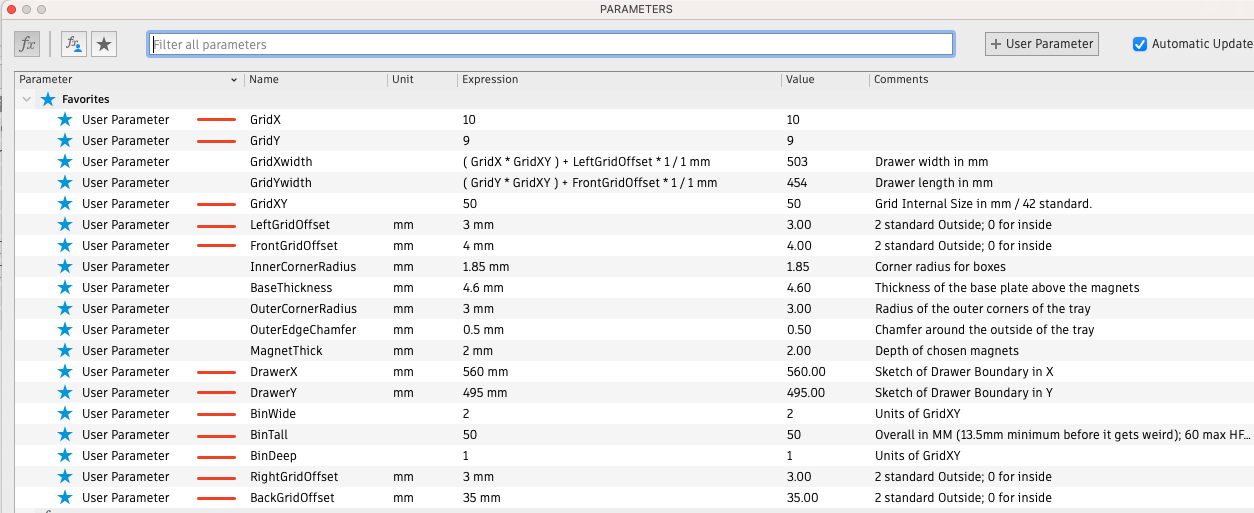
Parameters in Fusion 360 (red lines are key parameters to change for customizations.
Grids Types
NESTABLE GRID BASES - Simply mirror in slicer to get the other sides.
Change the [Side]GridOffset to 0mm for nestable sides on the Grid Bases. Pre-made 3MF are named as such:
-0S– Nestable Grid-2S– Has two adjacent thickened outer walls and two nestable (mirror one way to get other side)-4S– All four outer walls are "outside walls"
Configured options in Fusion 360
The CONFIGURED-V10.f3z file now has configured options to make it easier to change common features that are tricky otherwise.
See our video on the new Configurations feature.
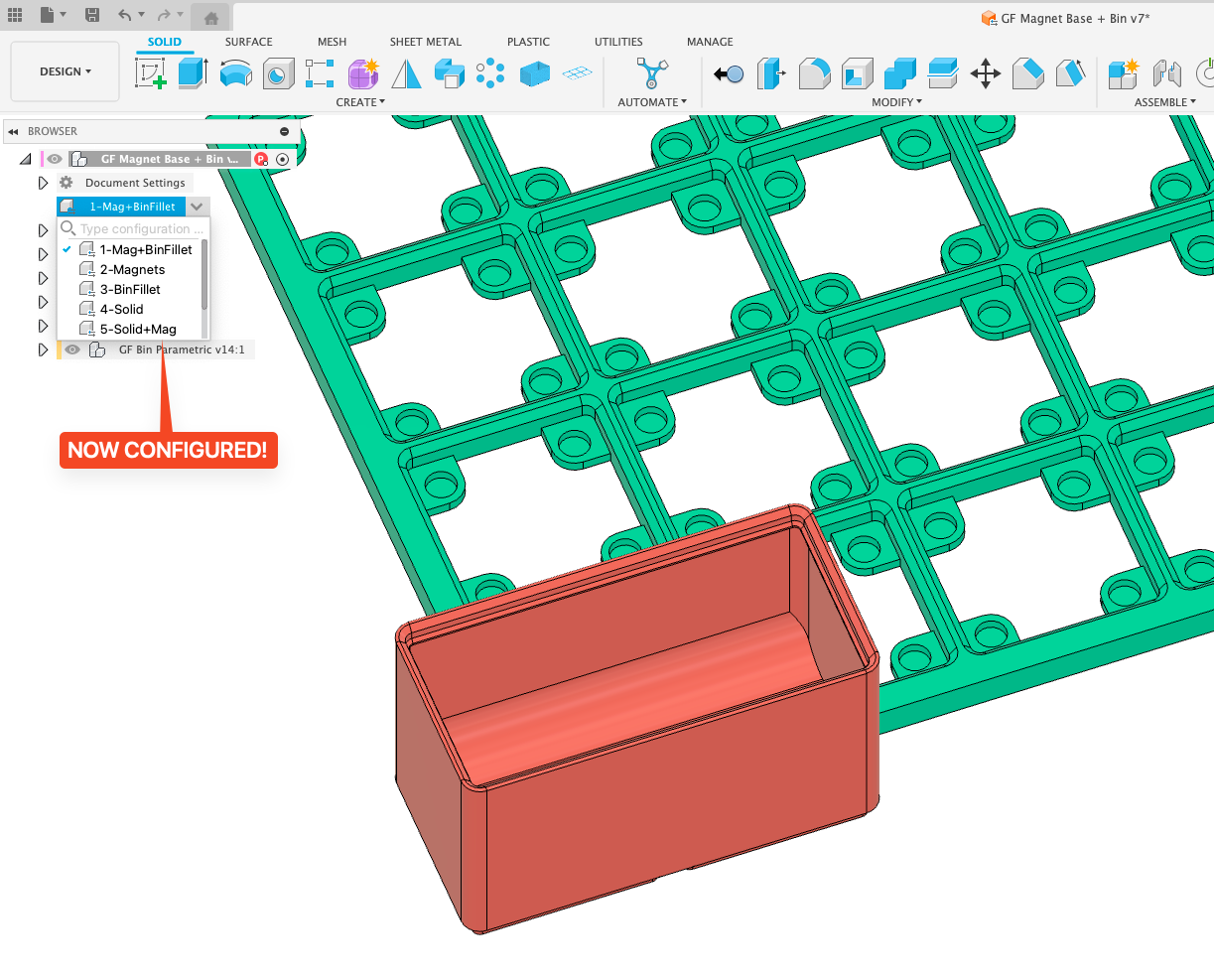
Print Settings
- PLA - 8-10% infill, Support Cubic.
- No support or Brim is Needed.
- 0.2mm Layer Height
Tools and Useful Items:
Links below contain affiliate
- 3D printers Prusa MK3S+ or Bambu X1C printer
- PLA or PETG we like (we use PLA for GF Bins and Bases)
- 6mm Magnets
- Deburring Tool for Plastic - clean up plastic edges (brims)
- Nano Adhesive - Stop using glue sticks - this is 1000% better 😉
Known Problems
- The pattern feature will throw an error if the Bin is not more than 1x1. It shouldn't affect anything, however.
- See notes in parameters for known limits
Future Projects
Feel free to collaborate and I'll add it here.
- Bin Labels - I'm working on two options here that should be parametric as well:
- Snap-in - for adding after-printing bins (also removable)
- Built-in - built-in labels (printed solid)
- Divided Bins
Actually Parametric Gridfinity – Base Grid + Bins

Publicado em 19 de nov de 2023
Gostou deste modelo? Crie uma conta grátis para salvar seus favoritos e voltar a eles depois.
Criar conta