Você está no 3DFinder
Buscamos em Thingiverse, MakerWorld e Printables ao mesmo tempo para te dar o melhor de cada uma.
Descrição
New (September 2023): For those who don't want to use Fusion360 - there are now .step files for all boxes from 1x1 to 10x10 available.
This is a remix of the original bins by Zack Freedman that you can find here: [https://bit.ly/ZFGridfinityDividerBins](https://bit.ly/ZFGridfinityDividerBins)
Outer dimensions of the bins are exactly the same as the original bins, so you have full compatibility to the gridfinity system.
Improvements of this remix over the original model
- The model is completely empty. This is great when you want to design your own custom bin.
- The magnet holes have an improved design. They now print clean without support. I found that the magnet holes of the original bins did not print great and I had to clean a lot of them manually before being able to put in the magnets.
- A completely redone parametric Fusion 360 file is included, that enables you to easily create the basis for your own bin design.
- For ease of use of the Fusion 360 files dividers are not supported.
Magnets
- The provided stl files come either with holes for 6x2mm magnets or 6x3mm magnets. Both versions have advantages and disadvantages.
- The 6x2mm magnets are usually a bit more expensive and hold less strong to the baseplates, however they don't interact that easily with the contents of your bins, when stacked on top of each other.
- The 6x3mm magnets are usually a bit cheaper to get and when using only 2 of them on a bin you can get roughly the same holding force as with 4 6x2mm magnets. However they also interact more with the contents of your bins, when the content is magnetic or ferromagnetic.
Accessories
- The bins with the magnets go great with my version of the modular baseplates that can be equipped with ferromagnetic screws. This is cheaper than having to put magnets on the baseplate and you don't have to get the polarity of the magnets right. You can find the baseplates here: [https://www.printables.com/model/360046-gridfinity-modular-baseplates](https://www.printables.com/model/360046-gridfinity-modular-baseplates)
- The bins with also go great with my gridfinity tray. When using it you have a separating layer between the bins, that prevents the stronger 3x6mm magnets of interacting with magnetic content of the tray below. You can find the tray here: [https://www.printables.com/model/361287-gridfinity-tray-for-ikea-samla](https://www.printables.com/model/361287-gridfinity-tray-for-ikea-samla)
Parametric source file
New: You can choose between two parametric source files. One with magnet holes and one without magnet holes.
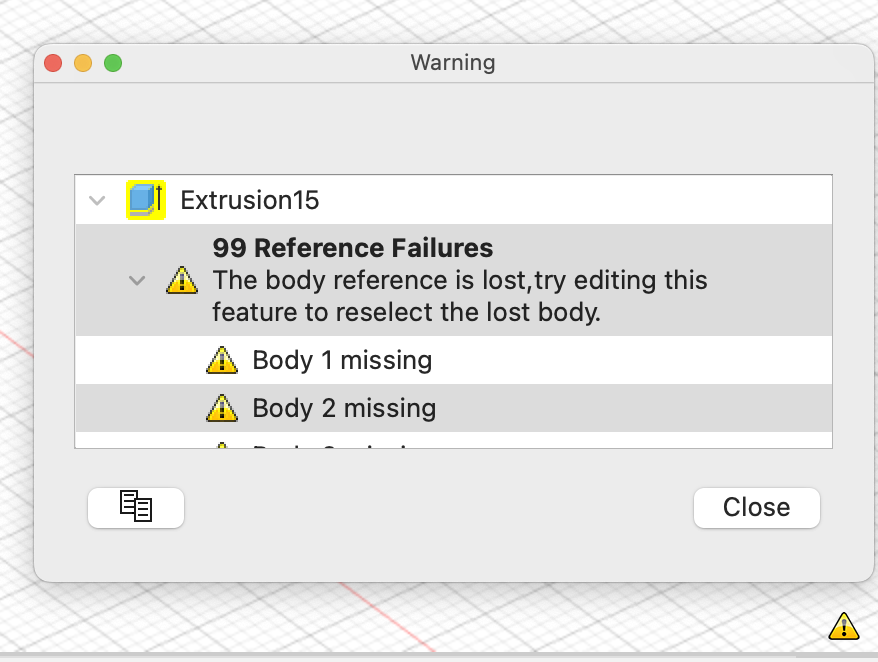
The original parametric fusion360 file that Zack created did not work for me for bigger bins. I got errors and the final bin consisted of several objects. After hours of searching for the reason I found out that this is a bug/missing feature in fusion360. Fusion360 can only combine as many objects as were existing during the initial creation. The original file seems to be created with a 1x3 bin. That means there are problems for all bigger bins. So I re-created the fusion360 file with a bin size of 10x10. This means you will be able to create bins from 1x1 to 10x10 without errors. I decided to have the same parameters as in the original file to make it easy for users of the existing file from Zack to use this.
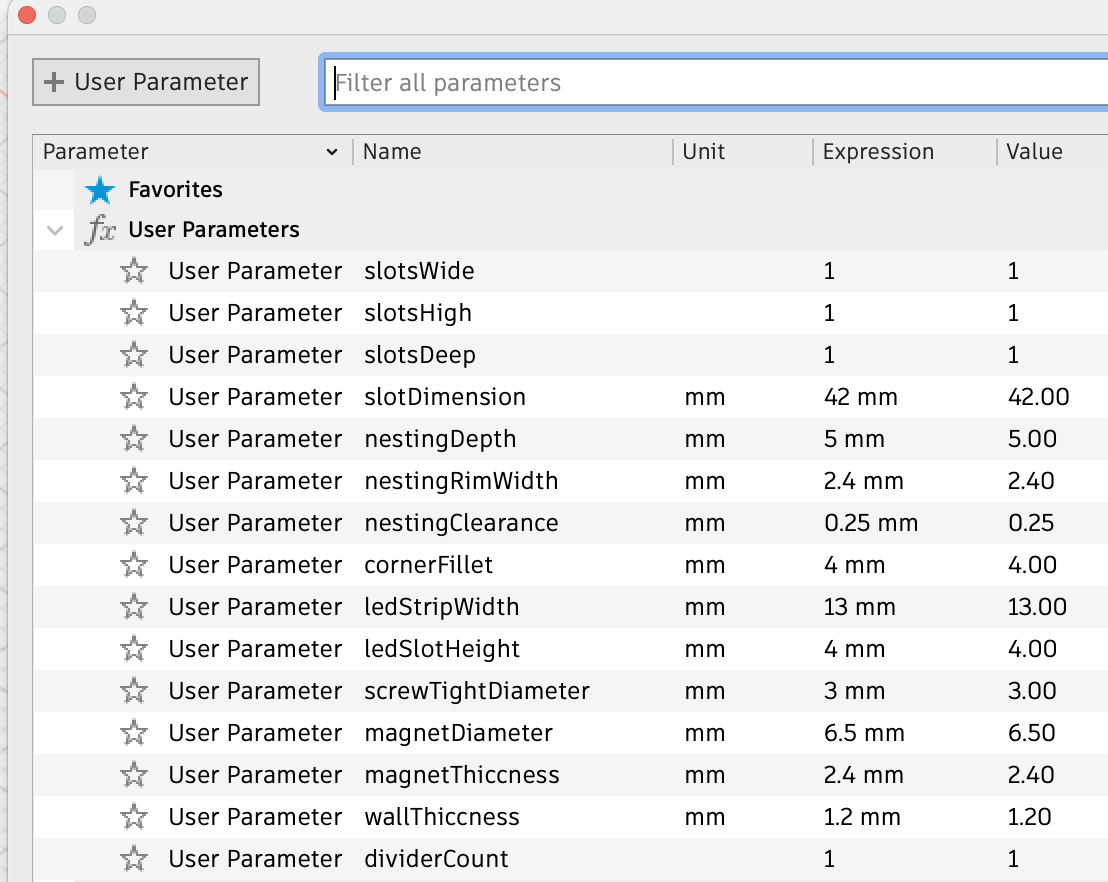
Parameters to change without problems
The following parameters can be changes within the given value ranges without causing problems with the provided fusion360 file.
Note that you not only can add nubmers, but also fractions as parameters. This is useful for the slotsHigh parameter. In the original fusion360 file slotHigh “1” creates a 6U high bin. So if you want to easily have a bin with a specific gridfinity xU hight, you can just put in x/6 as the parameter.
Changing other parameters than in the table below might work, but I did not test it.
Fusion360 might need a while when you go for huge bins.
| Parameter | Value | Description |
| slotsWide | 1-10 | width of the bin |
| slotsDeep | 1-10 | depth of the bin |
| slotsHigh | 2/6 - no limit (x/6) | height of the bin |
| magnetThiccness | 2.4 - 3.4 | 2.4 for 6x2mm magnets 3.4 for 6x3mm magnets |
Remove Magnet holes
If you do not want magnet holes on the bottom of the bin there is an easy way to remove them:
Set the parameters screwTightDiameter and magnetDiameter to 0.01. This will not cause errors in the parametric file and make the holes so small your slicer will not recognize the holes any more.
How to change parameters in fusion360
- Click on Modify>Change Parameters

- In the column Expression change the value of the parameter
Warnings
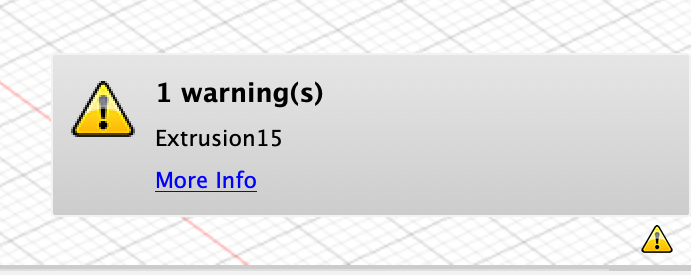
The file will give you a warning for bins with a size less than 10x10. This is normal and expected.
Gridfinity empty bins for customization + parametric file
Publicado em 29 de dez de 2023