Você está no 3DFinder
Buscamos em Thingiverse, MakerWorld e Printables ao mesmo tempo para te dar o melhor de cada uma.
Descrição
If you're into electronics, this keychain's for you!
It is designed to be printed in two colors with a manual filament change during the print, so you don't need a fancy multi-material printer.
Printer Settings
- Layer Height - 0.2mm works fine, but 0.12 looks better ;)
- Filament - I used Fillamentum PLA Traffic Black, Mellon Yellow and Rapunzel Silver
How Do I Change the Filament During the Print?
If you've never used the filament change command, here's how you do it in Cura (other slicers should be similar):
- Slice the model with your preferred layer height and go to the preview mode where you can see the individual layers.
- Use the slider on the right to find out which layer is the first one that contains the flash sign (e.g. layer 18 when you slice it with 0.12mm layer height).
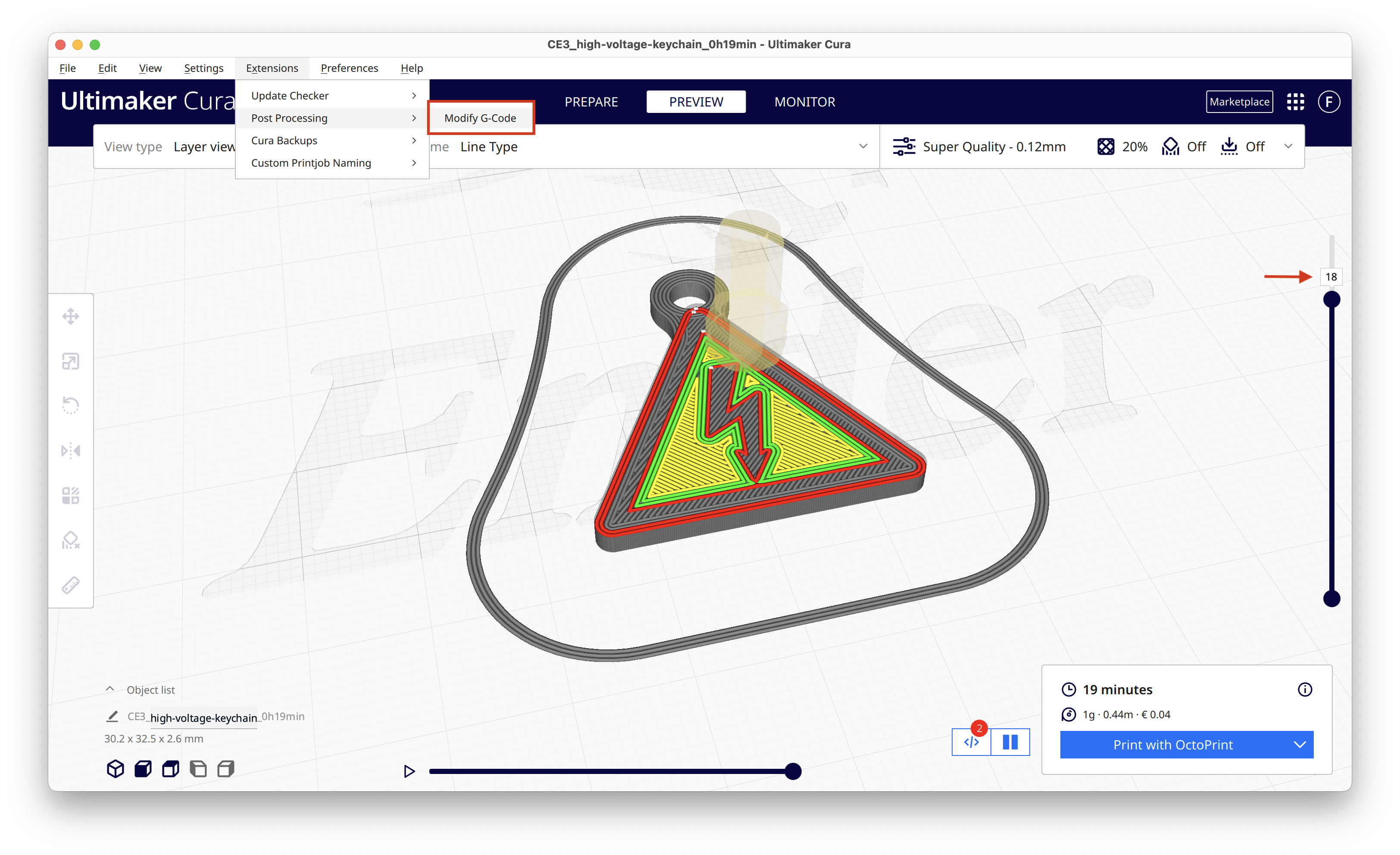
- Go to Extensions → Post Processing → Modify G-Code (as you see in the picture above) A new window pops up:
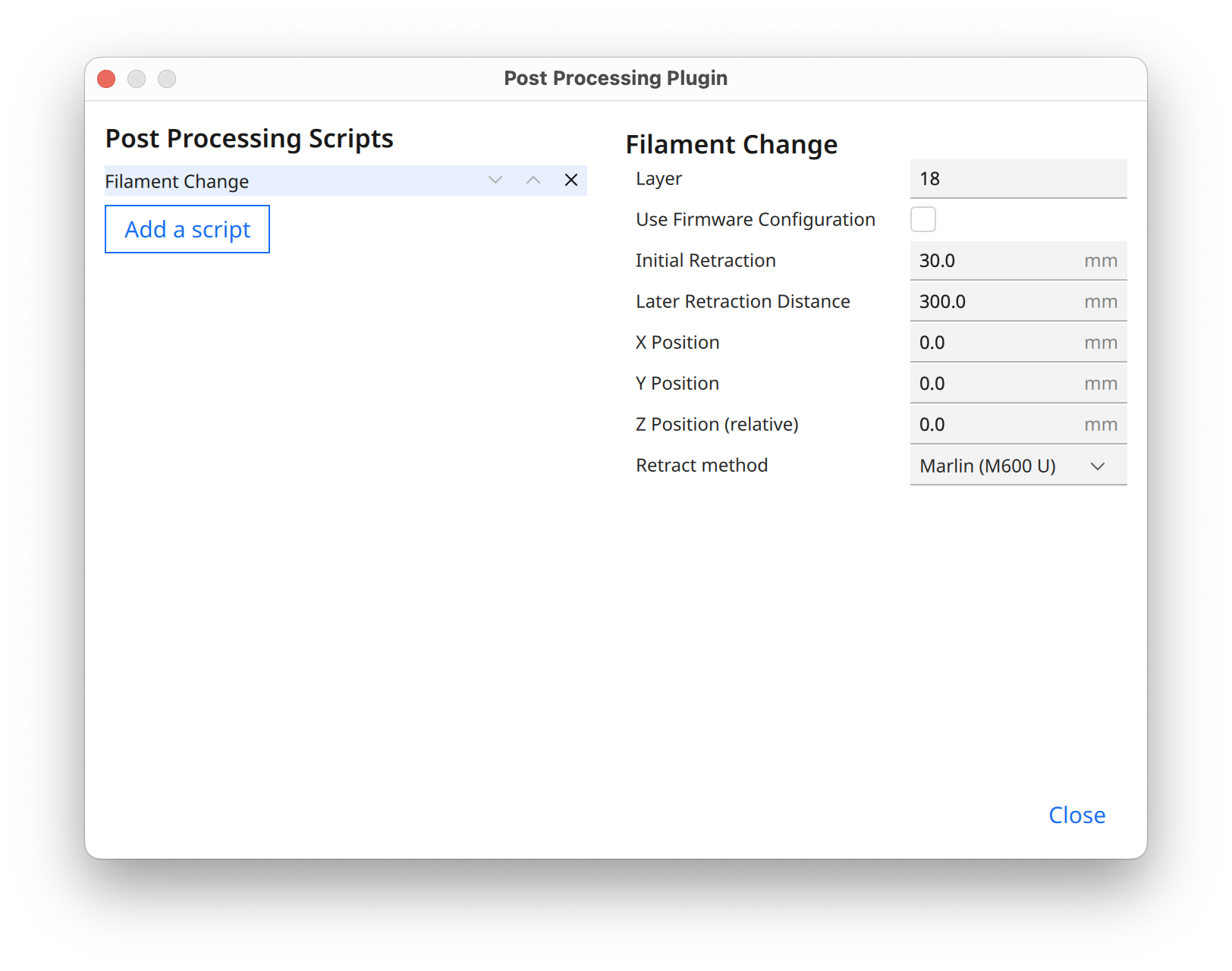
- Click “Add a script” and select “Filament Change” from the list.
- Use the layer number you figured out before and type it into the first box.
- If your printer firmware supports the filament change command, you can check the box “Use Firmware Configuration”. Otherwise, the default values worked pretty well for me.
- That's it! Your printer should pause mid-print and unload the black filament. You can then load the yellow filament and the printer continues the print by itself.
Pro Tips
- I added a second filament change after the first few layers so I have three colors in total. The silver bottom looks like a metal base if you change “Bottom Pattern Initial Layer” to "Concentric".
- I suggest printing more than one keychain at a time. The printer often doesn't extrude nicely directly after the filament change, so one keychain might not look perfect. Plus, if you need more keychains in the future, you don't have the hassle with the filament change procedure again.
- Don't forget to remove the filament change for the next print! Otherwise, your printer will pause while you're waiting for your print to finish. Don't ask me how I learned that ;)

47
Curtidas
227
Downloads
3
Impressões
Categoria
2D Plates & Logos
Tags
electricity
electronics
electric
keychain
keyring
highvoltage
warninghighvoltage
Licença
Creative Commons — Attribution — Noncommercial — Share Alike
Arquivos (1)
high-voltage-keychain.stl
61.9 KB