Estás en 3DFinder
Buscamos en Thingiverse, MakerWorld y Printables al mismo tiempo para darte lo mejor de cada una.
Descripción
CaseBuilderLib
Design 3D printed cases for random things!
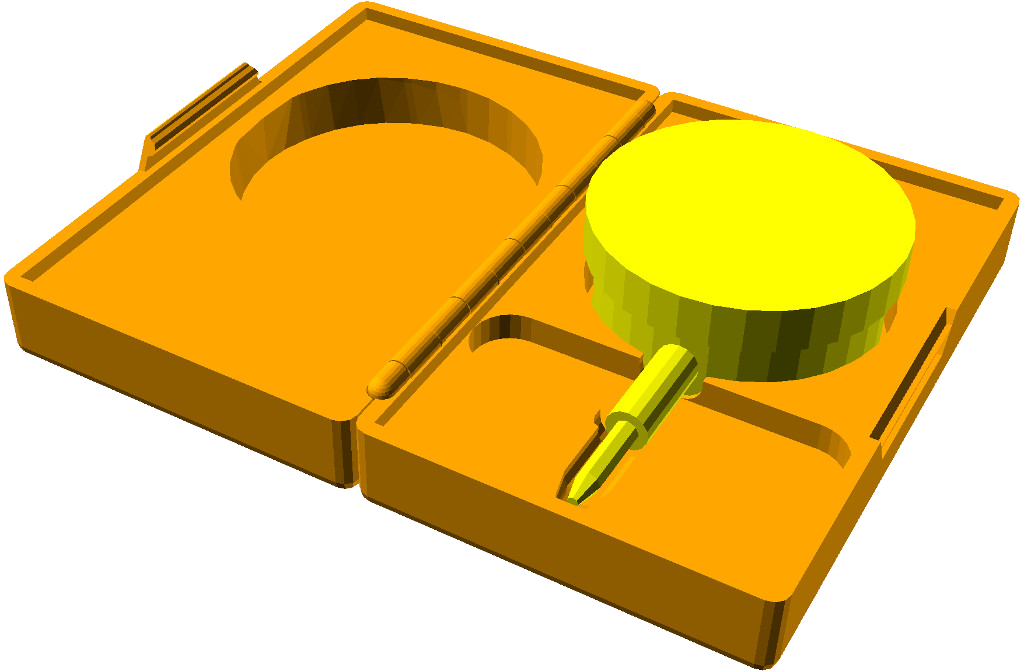
How to use this library:
- Preparation
- Make a copy of the CaseBuilderLib project template (CaseBuilderTemplate.scad). The template is intended to be used with the OpenSCAD Customizer.
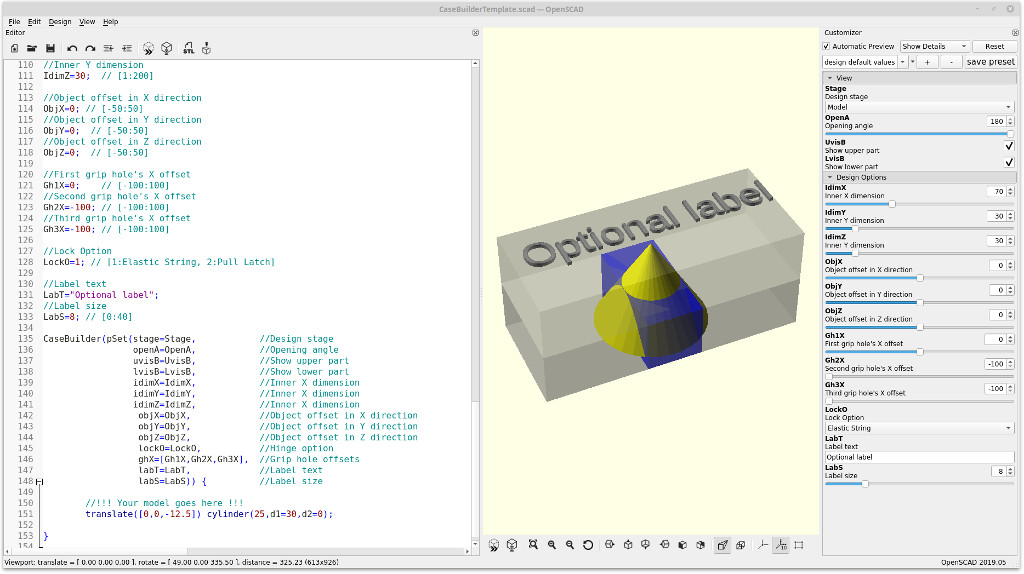
The design of a customized case is done in three stages. Start by setting theStagevariable to "Model" (value = 1).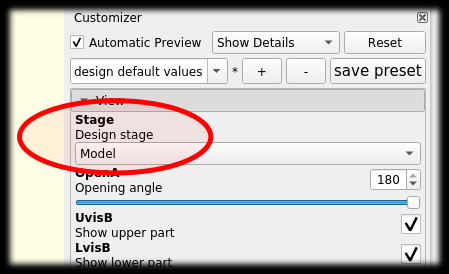
- Make a copy of the CaseBuilderLib project template (CaseBuilderTemplate.scad). The template is intended to be used with the OpenSCAD Customizer.
- Model Stage
- Design a model of the parts of your case content as children of the
CaseBuilder()module. Construct each part of the content using primitive shapes. Complex shapes will be wrapped in a hull. Use exact measures. Slack will be added to the cavities automatically.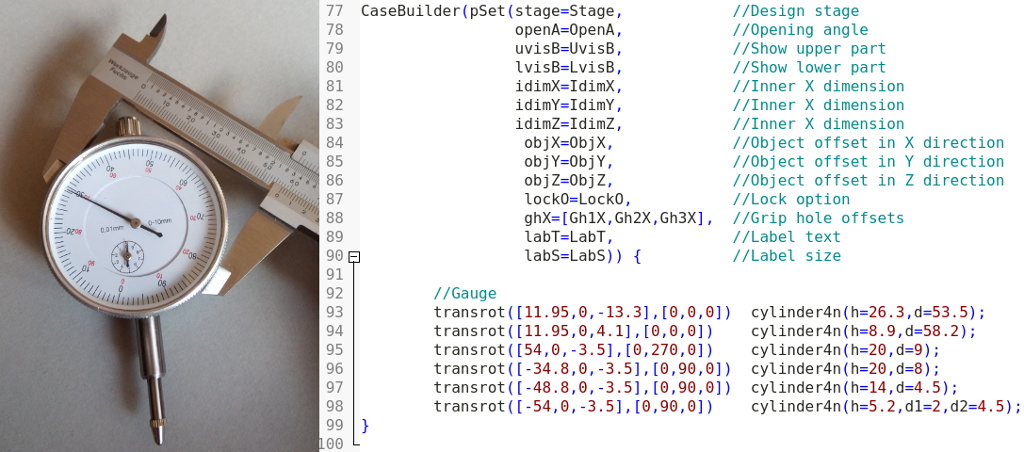
- Configure the inner dimensions of the case by setting the
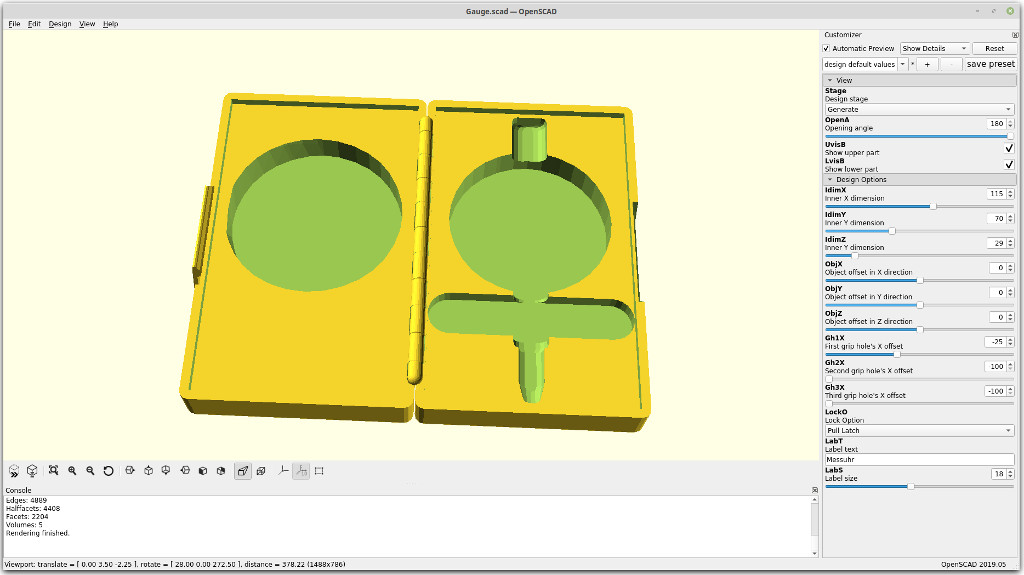
IdimX,IdimY, andIdimZvariables. If necessary, adjust the position of the content through theObjX,ObjY, andObjZvariables.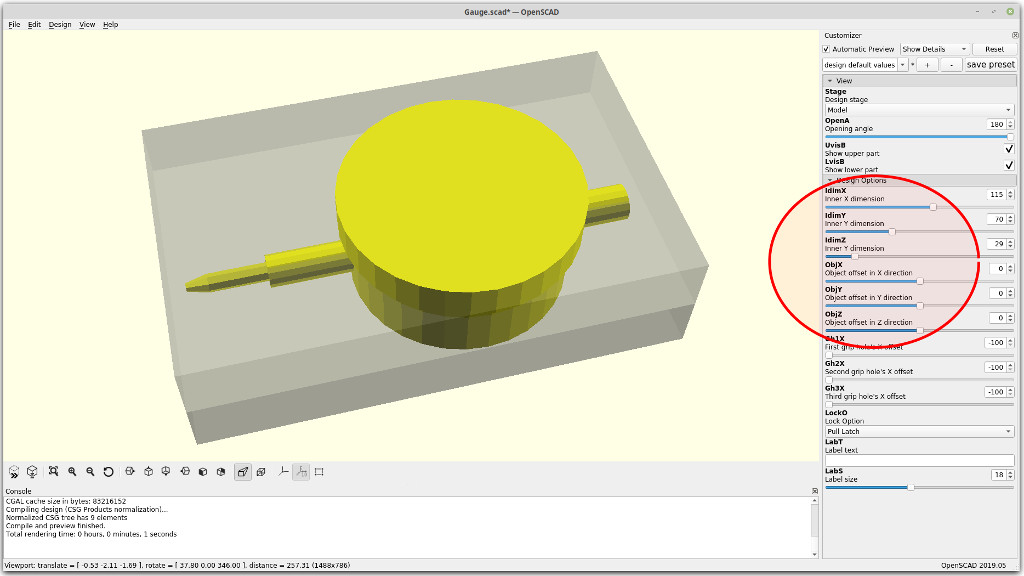
- If needed, add some grip holes by setting the variables
Gh1X,Gh2X, orGh3Xto a value within the inner X dimension. Further grip holes can be added by manually extending theghXarray within the instantiation of theCaseBuilder()module.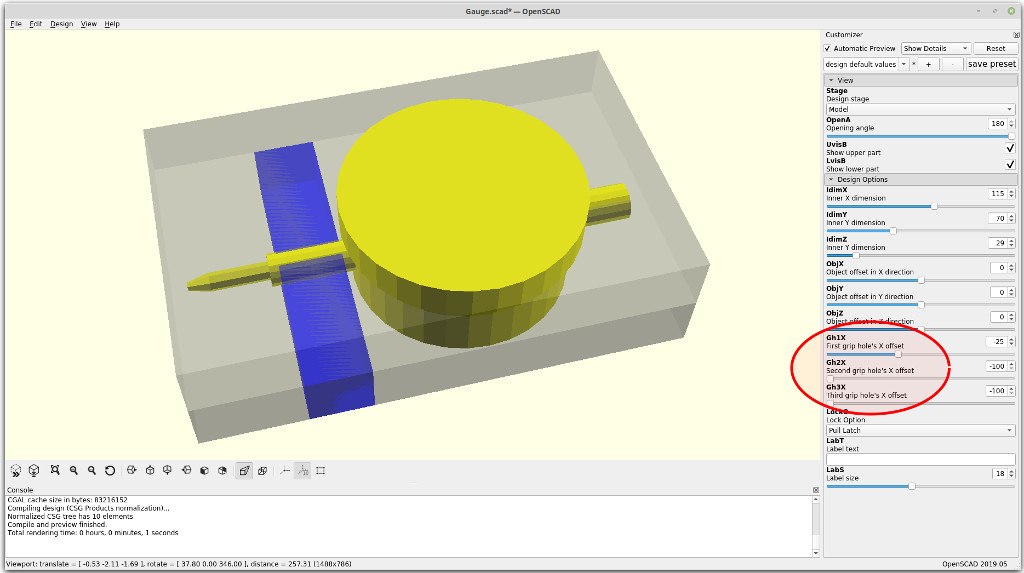
- Select a lock option through the
LockOvariable. Options Are:
- No lock (LockO= 0)
- Elastic string (LockO= 1)
- Pull Latch (LockO= 2)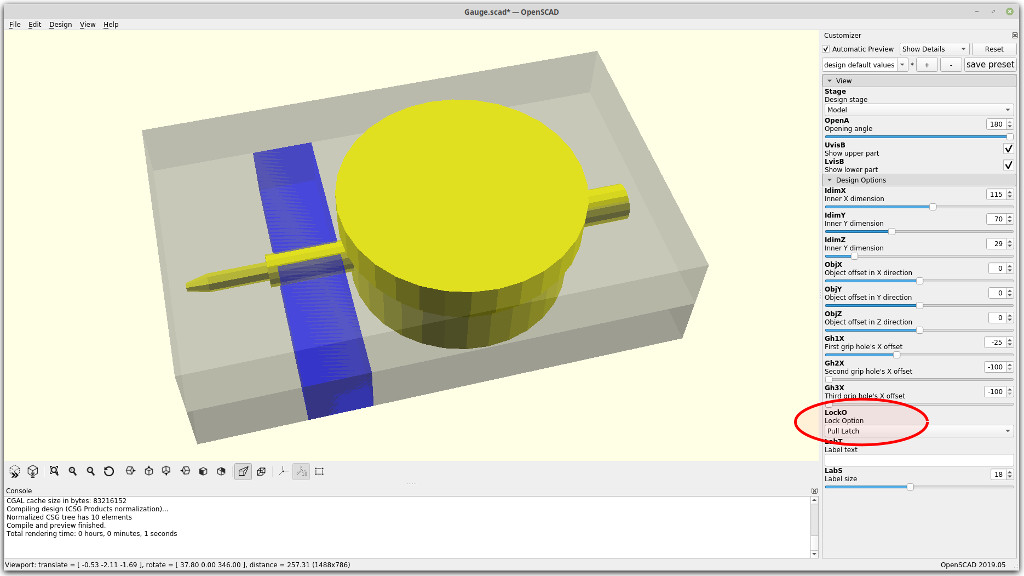
- Add an optional label to the case by setting the string variable
LabT. The font size can be adjusted through the variableLabS.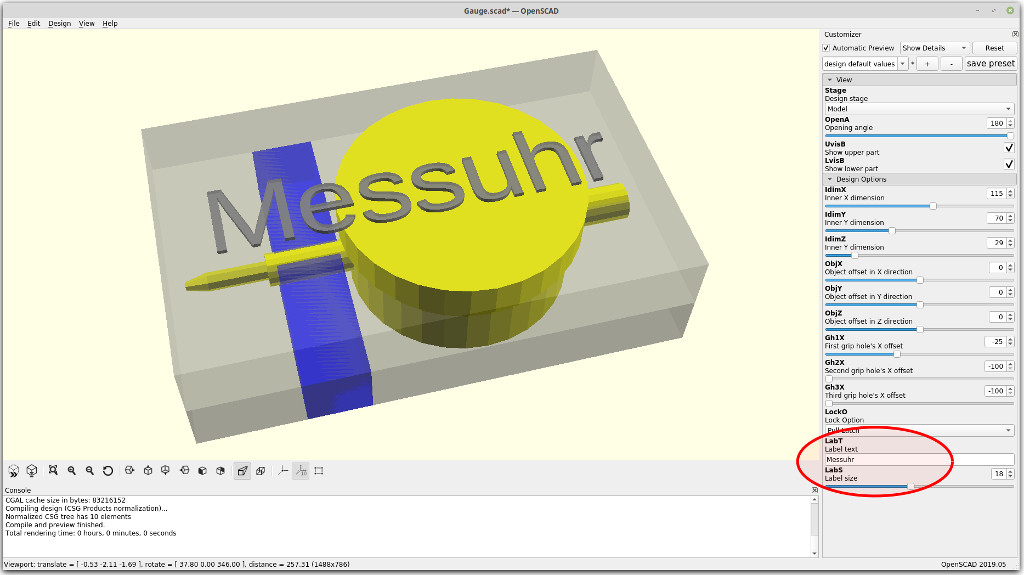
Continue by setting theStagevariable to "Check" (value = 2).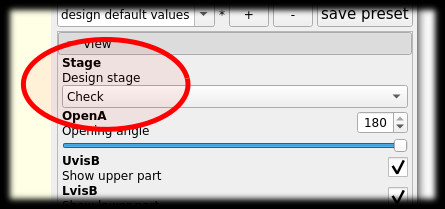
- Design a model of the parts of your case content as children of the
- Check Stage
- Review the design. Make sure to resolve all problems highlighted in red. The case can be opened or closed by adjusting the angle in the
openAvariable.
The upper part of the case can be eclipsed through theUvisBvariable.
The lower part of the case can be eclipsed through theLvisBvariable.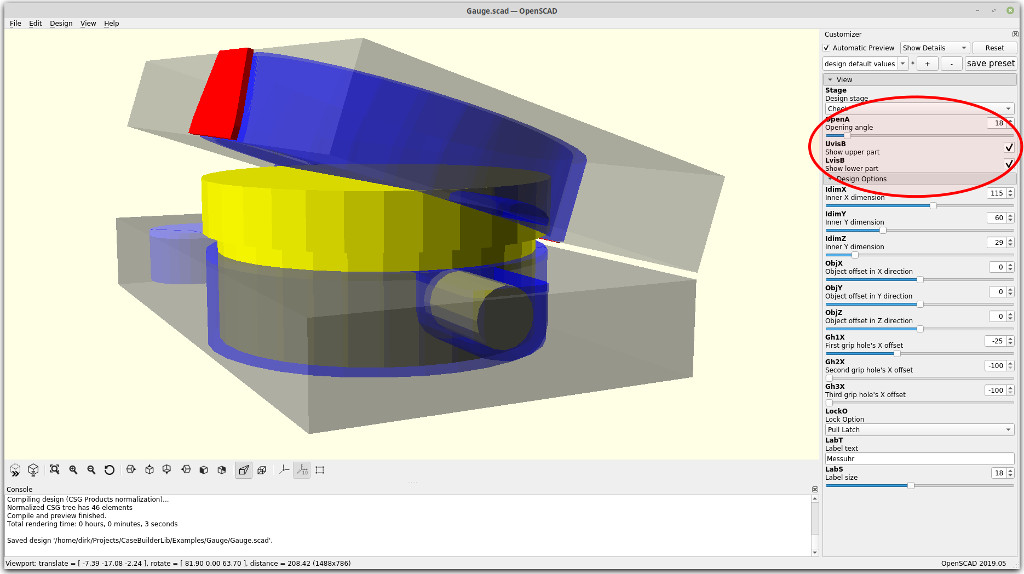
Continue by setting theStagevariable to "Generate" (value = 3).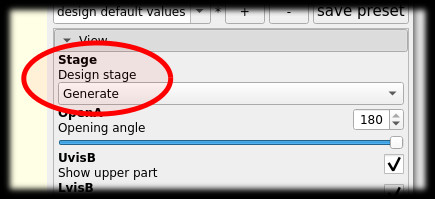
- Review the design. Make sure to resolve all problems highlighted in red. The case can be opened or closed by adjusting the angle in the
- Generate Stage
- Do a final review of the design. Use the
OpenA,UvisB, andLvisBvariables for a detailed inspection.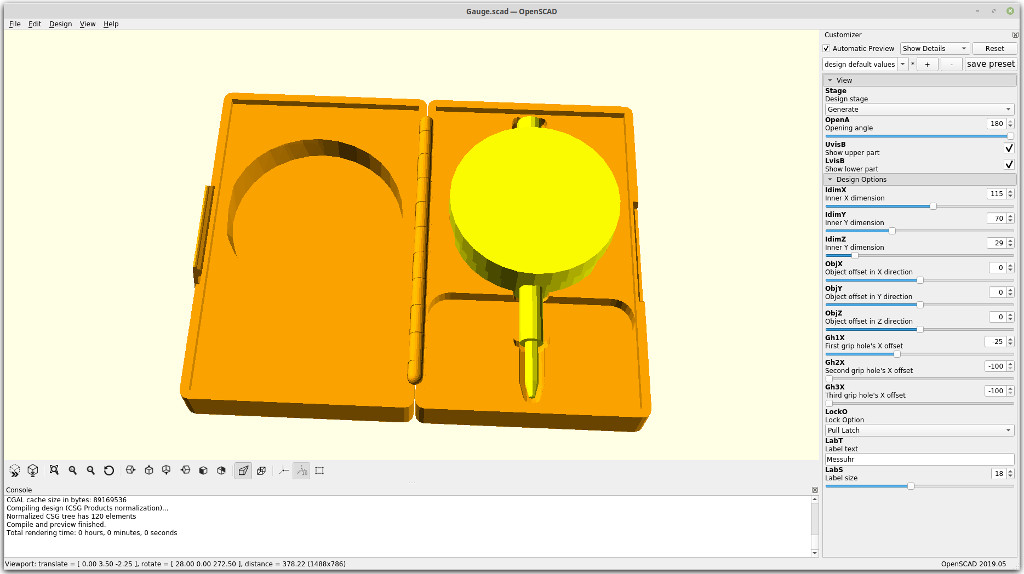
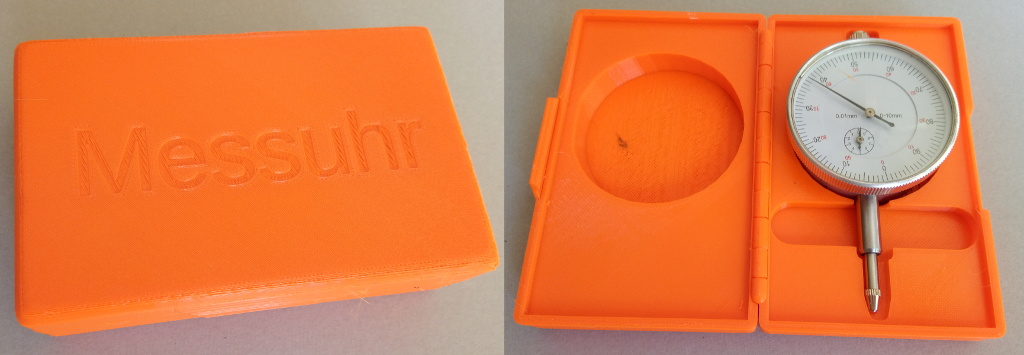
- Render the design and generate a STL file.
- Slice and print.
- Do a final review of the design. Use the
The CaseBuilderLib source code is maintained at GitHub.
27
Me gusta
63
Descargas
Categoría
Organizers
Etiquetas
printinplace
protective
customizable
customizer
openscad
cases
Licencia
Creative Commons — Attribution
Archivos (19)
EOBottles.stl
558.5 KB
EOBottles.scad
4.1 KB
Chalk.scad
4.1 KB
Chalk.stl
213.4 KB
Gauge.scad
4.4 KB
Gauge.stl
864.8 KB
Thermometer.stl
221.8 KB
Thermometer.scad
4.7 KB
CaseBuilderTemplate.scad
9.1 KB
CaseBuilderLib_Hinge.scad
15.6 KB
CaseBuilderLib_Shell.scad
4 KB
CaseBuilderLib_Lock.scad
8.2 KB
CaseBuilderLib_GripHole.scad
4.6 KB
CaseBuilderLib_Boundary.scad
10.8 KB
CaseBuilderLib_Common.scad
12.4 KB
CaseBuilderLib_Cavity.scad
4.2 KB
Example.scad
4.4 KB
CaseBuilderLib_Label.scad
3.3 KB
CaseBuilderLib.scad
9 KB