Você está no 3DFinder
Buscamos em Thingiverse, MakerWorld e Printables ao mesmo tempo para te dar o melhor de cada uma.
Descrição
Can you believe that the picture frame in the image is only 2 layers high?
It really is!
You can print it flat on your printed and then fold it in a couple of seconds to get a nice, solid picture frame.
Being so thin it prints really fast, really cheap and is really light!
It is so light you can stick it to your fridge with a tiny magnet or some double sided tape and you can print a ton of them!
Updates:
- 2021-03-09: Added better renderings.
- 2021-03-10: Uploaded .f3d files for customization.
- 2021-03-11: Updated images and added folding guide. Added more stl sizes.
- 2021-03-16: Added more sizes to fit instax cameras films, let me know if they are correct as I took the measurments from the internet. Added an assembly note.
Print istructions:
Printing is super easy: choose the model you prefer from the download list or create your custom one using the .f3d file and the guide below.
Use the coarse profile to speed the print up and make sure that the “first layer height” is set to 0.2mm.
Assembly istructions:
- Slightly fold the outer tabs up with the help of a ruler.
- Fold the other other marked folds up to give structure to the frame.
- (Optional) Insert a small magnet in the poket formed by the folds.
- Insert the tabs in the holes and fold the fully to lock everything in place.
- Insert the picture in the frame, if it does not fit tightly enough use a small piece of double sided tape.
- Hang and enjoy!
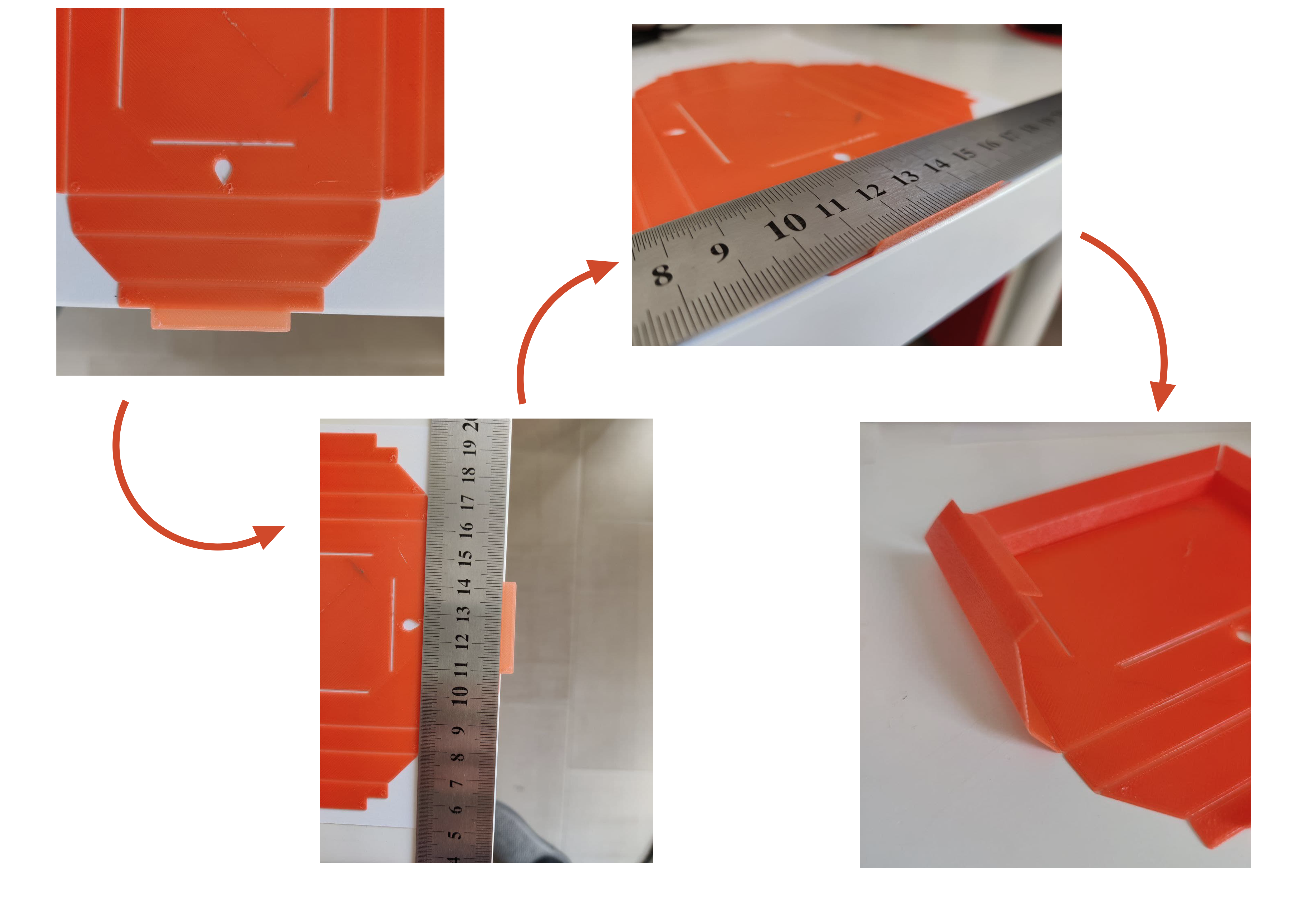
Edit: It might be better to bend the tabs downwards (only the tabs), it is a bit more difficult to insert them but it looks like they stay in place better after assembly. Let me know what you think.
Customization:
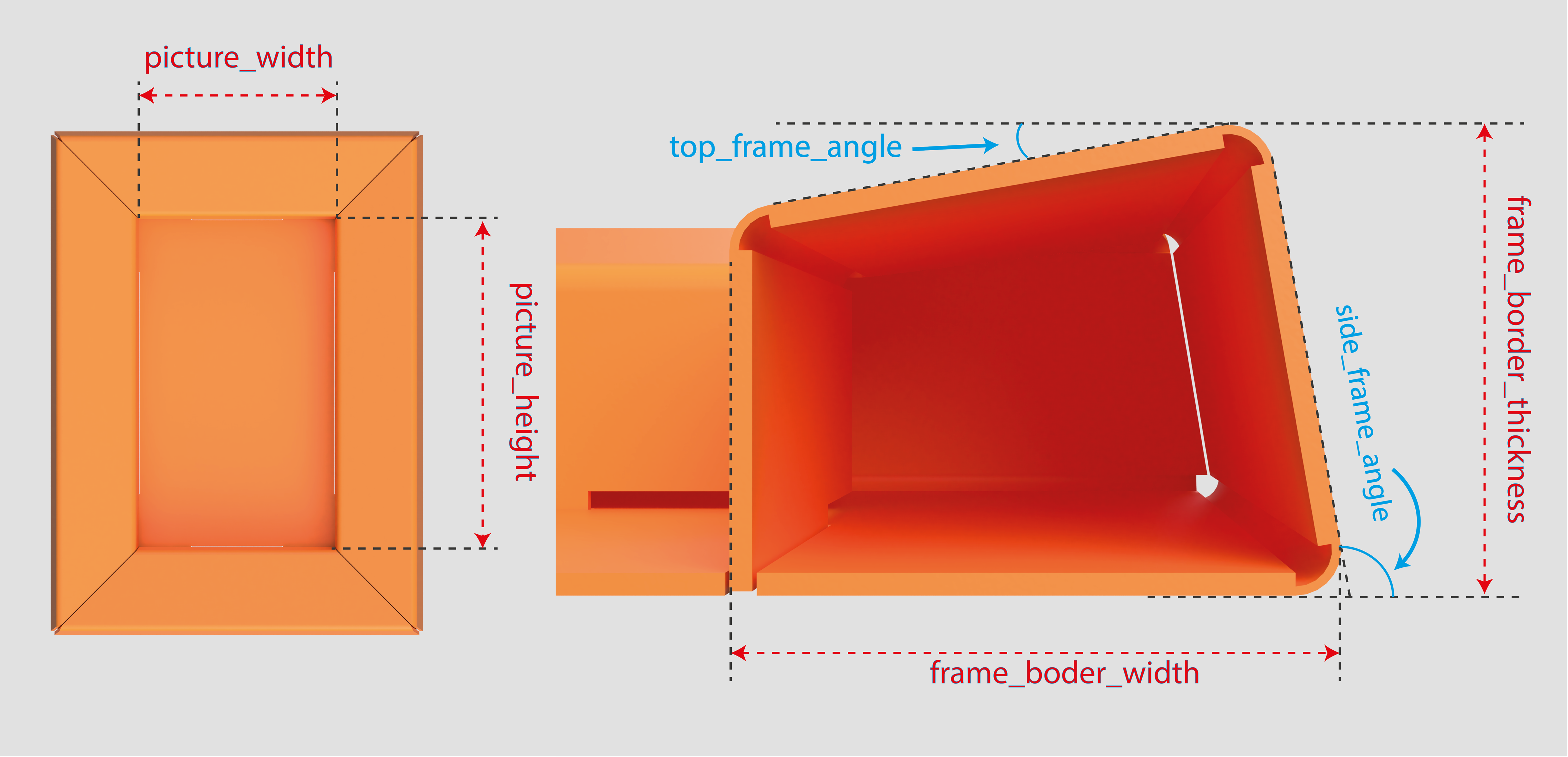
If you want to change any parameter of the frame download the .f3d file, go to the “Change parameters” menu and adjust following the notes in the images below. Please beware that changing the parameter too much (specially the one relative to the frame) could break the model.
The only parameters meant to be changed are the one in the “Favourites” section.
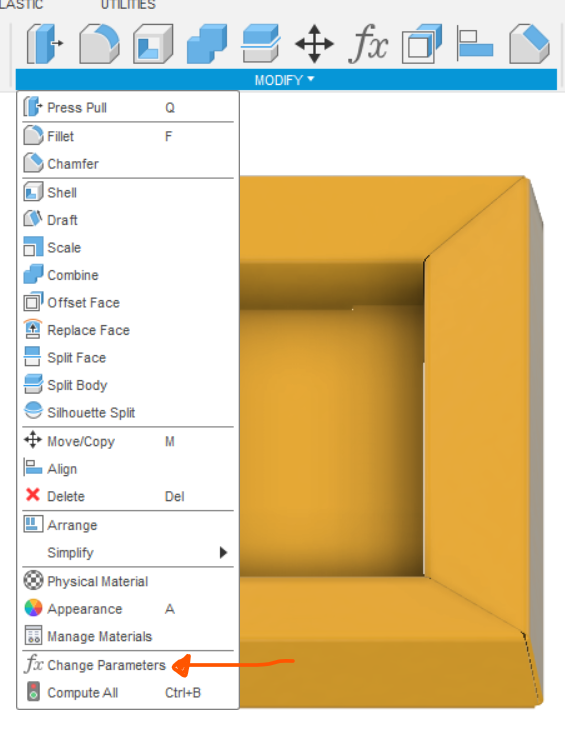
Variables guide:
Design:
To design this model I used the “Sheet metal” feature in Fusion 360 and some basic trigonometry for the frame angles. Check the .f3d file for more details!
Coming soon…
Post a comment in the comment section and I will let you know when I update this print
Folding Picture Frame (Parametric)
Publicado em 8 de mar de 2022
Gostou deste modelo? Crie uma conta grátis para salvar seus favoritos e voltar a eles depois.
Criar conta