Você está no 3DFinder
Buscamos em Thingiverse, MakerWorld e Printables ao mesmo tempo para te dar o melhor de cada uma.
Descrição
This Cake Pop stand prints without supports in two separate halves that have to be manually joined together with printed dovetail joints. It is designed to use minimal material while still feeling solid.
Printing
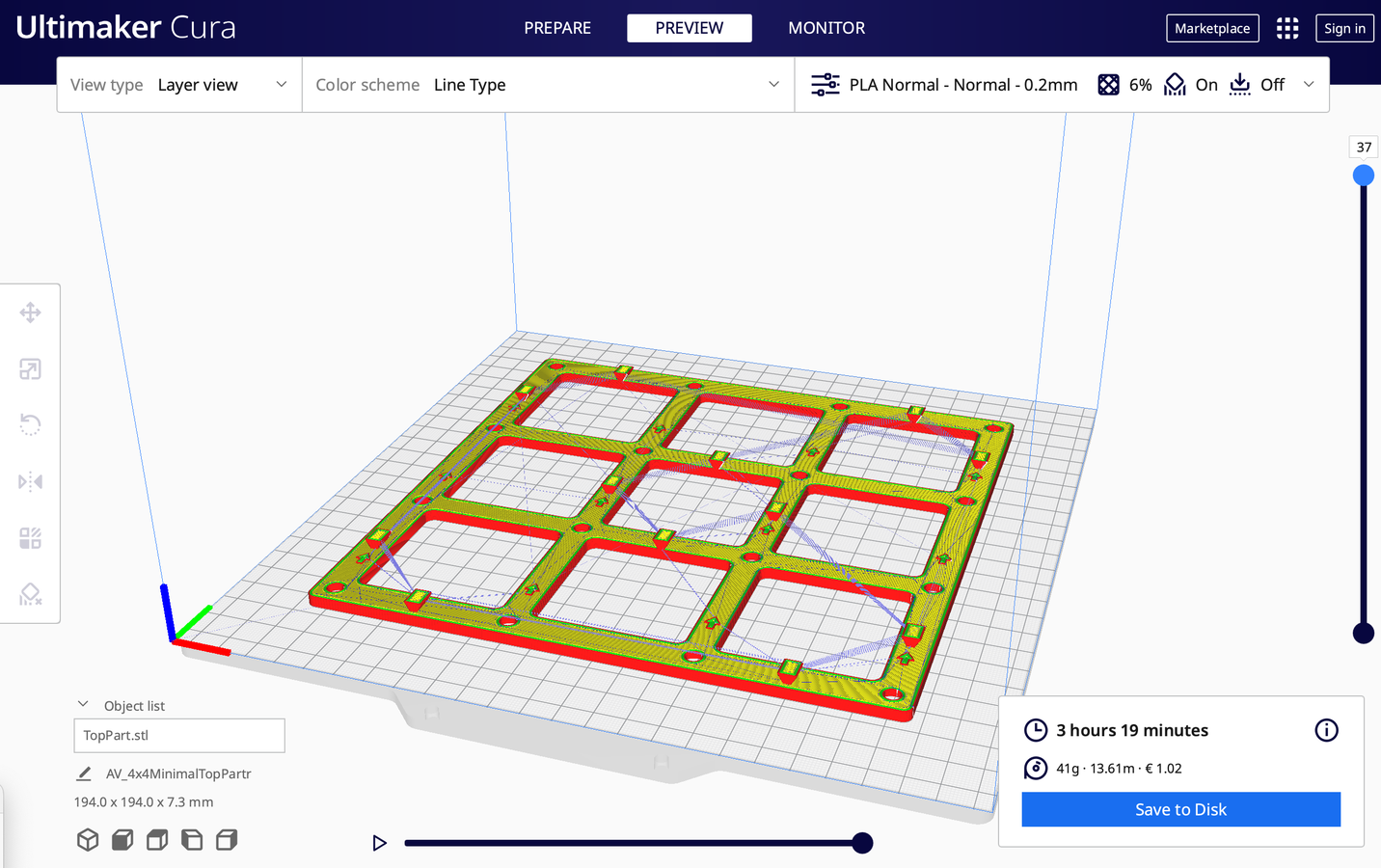
You can 3D print everything using your default settings but make sure that you don't use supports. They are not needed and I try to design everything without the need for support. You do need to flip the (n)x(n)TopPart model around (see picture) for it to print properly without supports.
Assembly
The assembly is pretty self explanatory and does not require glue nor fasteners.
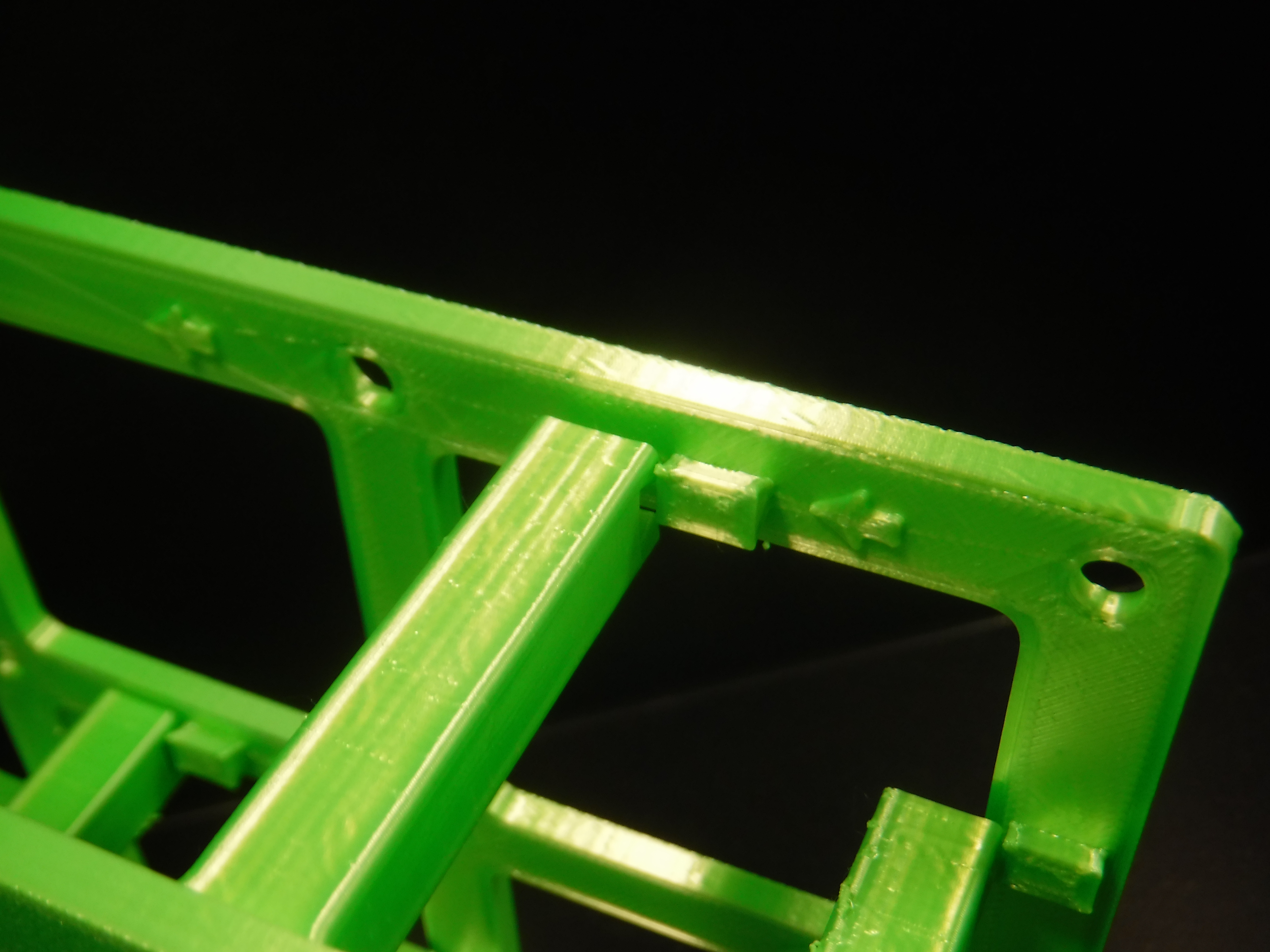
- Align the top piece with the bottom piece, making sure to not have the top piece rotated 180 degrees. The arrows help you and in case you ever do try to put it on backwards they also physically stop you from doing so.
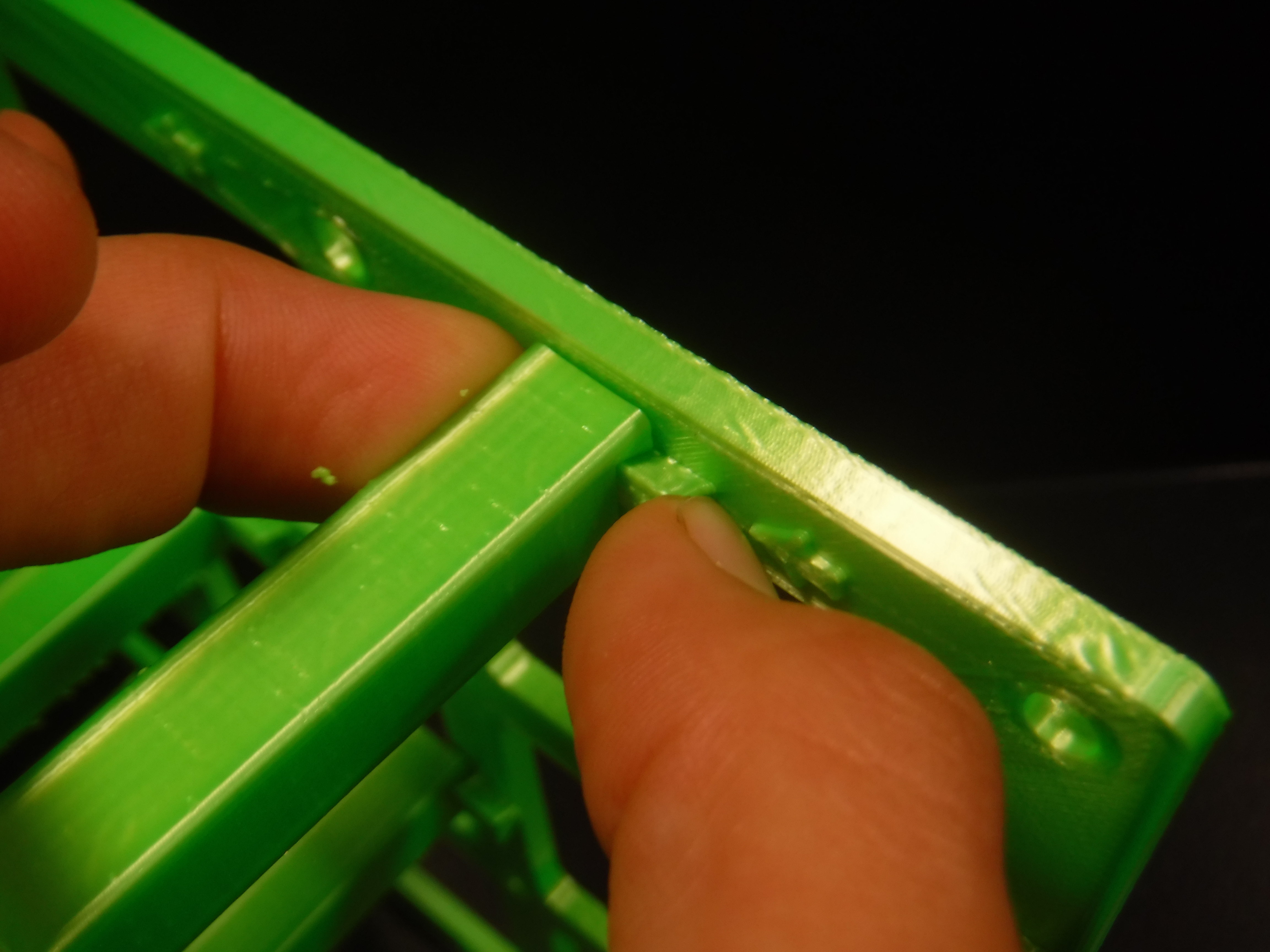
- Now slide the top plate in. It it is stuck and won't budge, gently nudge one the posts onto the corresponding dovetail a tiny bit (not fully in or you'll risk breaking something). Go post by post and after doing this with all the posts for 4-5 times the plate should be fully inserted
- In case you ever do decide that the fitment is too loose and fragile, you can simply use glue to permanently hold everything in place. I did not have to use it but your printer could have different clearances
Couldn't find the right size to match your needs?
- Open the f3d file provided in fusion
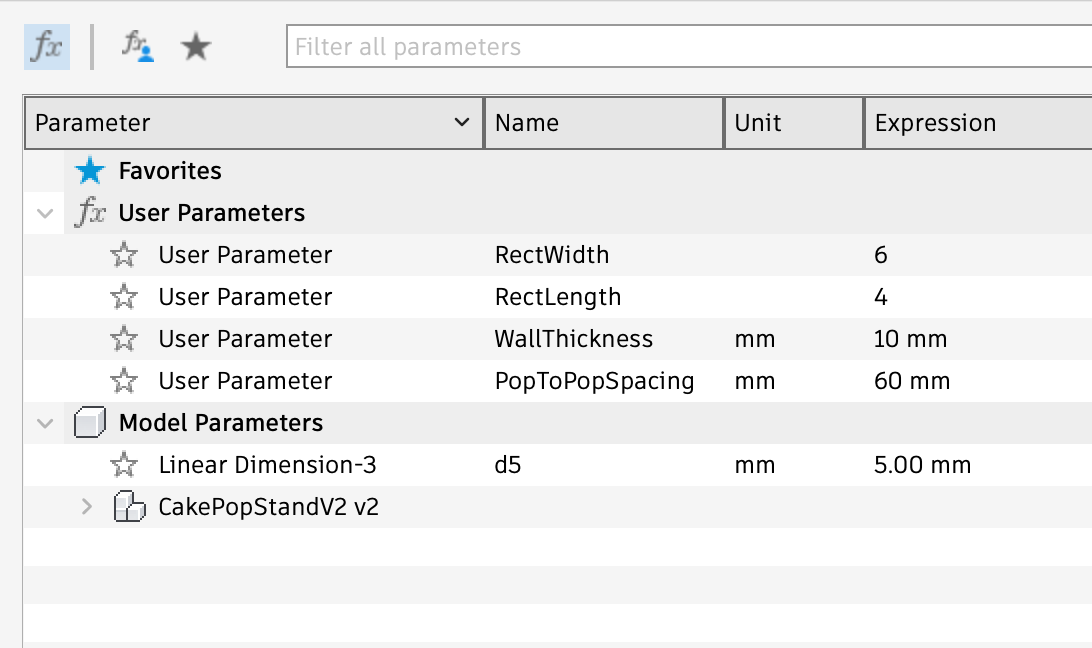
- Go to Solid > Modify > Change parameters
- You will see a small separate tab open labelled Parameters (img. 1 in this section)
- There are two parameters RectWidth and RectLength. Enter your required values into these fields (note that on smaller computers large values will take a while to compute and I don't recommend going much above 15 by 15) You CAN NOT input values smaller than 2 by 2! Features will start breaking!
- Press ok to see your changes applied
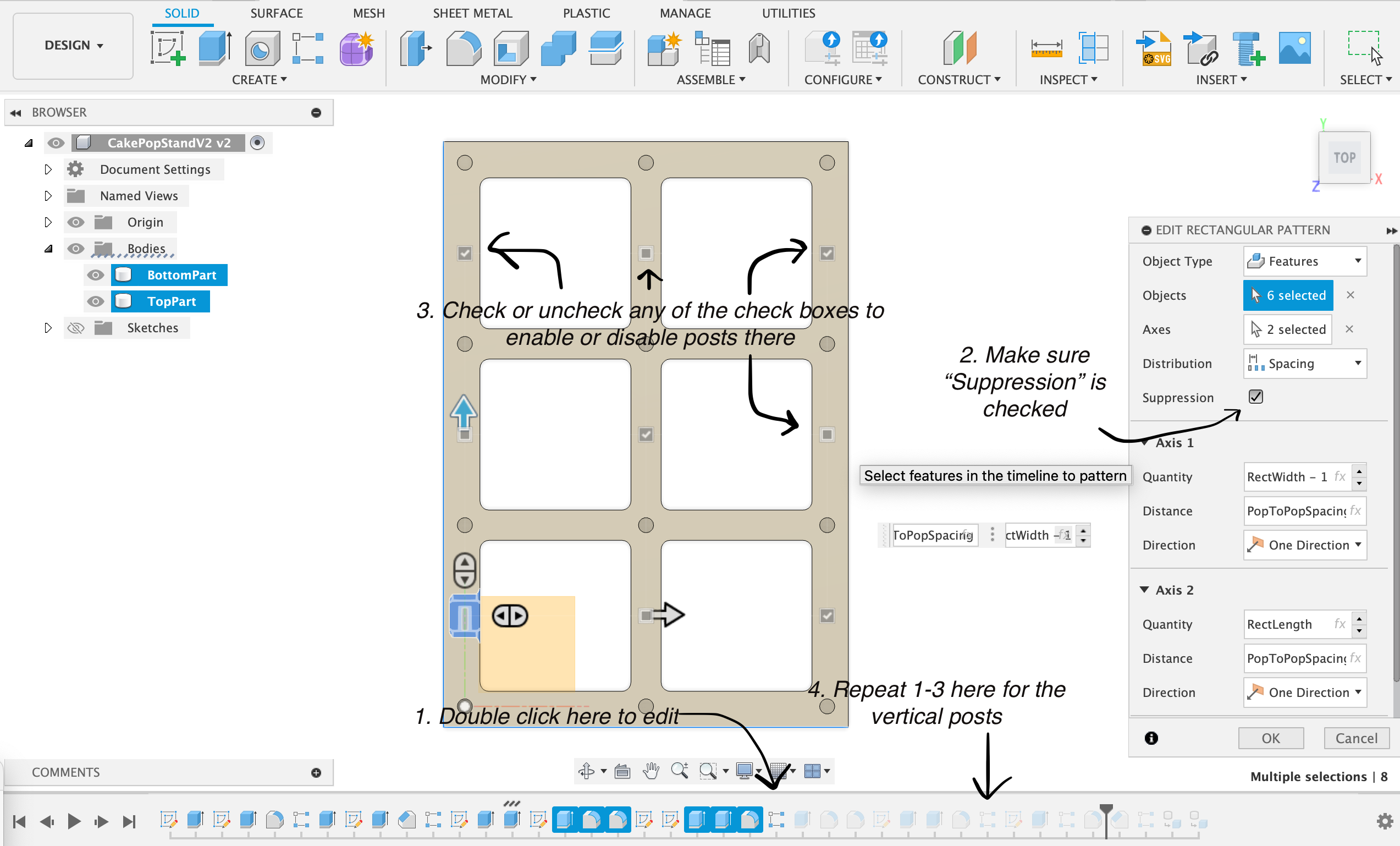
- In case you want to reduce the amount of posts in your design, you have to edit the features on the timeline and use suppression to enable or disable certain posts. For extra clarity you can use the instructions on img. 2
- Now for 3D printing got to the very top File > 3D print and select the top plate and export it to the slicer of your choice
- Do the same with the bottom plate
You don't have Fusion or don't know how to use it?
You can always ask me via the comments to create a variant for you. I will try to get back to you as soon as possible.
Cake Pop Stand (Parametric)
Publicado em 12 de dez de 2025
Gostou deste modelo? Crie uma conta grátis para salvar seus favoritos e voltar a eles depois.
Criar conta