Você está no 3DFinder
Buscamos em Thingiverse, MakerWorld e Printables ao mesmo tempo para te dar o melhor de cada uma.
Descrição
Background Information
I've always liked small form factor builds. Most small cases however are not very flexible and tend to run hot. When I needed more computing power for a recent project, I decided to cobble together whatever parts I had sitting around to build as many systems as possible while buying as little additional hardware as possible.
My design was constrained by the size om my printbed (220mm x 220mm), which makes it compatible with many printers. Additionally this “limitation” resulted in excellent thermals as the exhausts and intakes are placed very close to ventilation openings.
I came up with a modular approach that allows for various PSU sizes, up to 200mm dual slot GPUs and tower CPU coolers of up to 135mm high (higher with an optional riser).
The case runs exceptionally cool while requiring no additional fans apart from the CPU cooler and the fan in the power supply. Thanks to the design the systems can be stacked (make sure to flip around the PSU when stacking) to save space and parts (only one top cover and on base is required, when stacking systems).
The stacked approach results in surprisingly easy cable management as excess cabling can be stored in the PSU module and the front panel module.
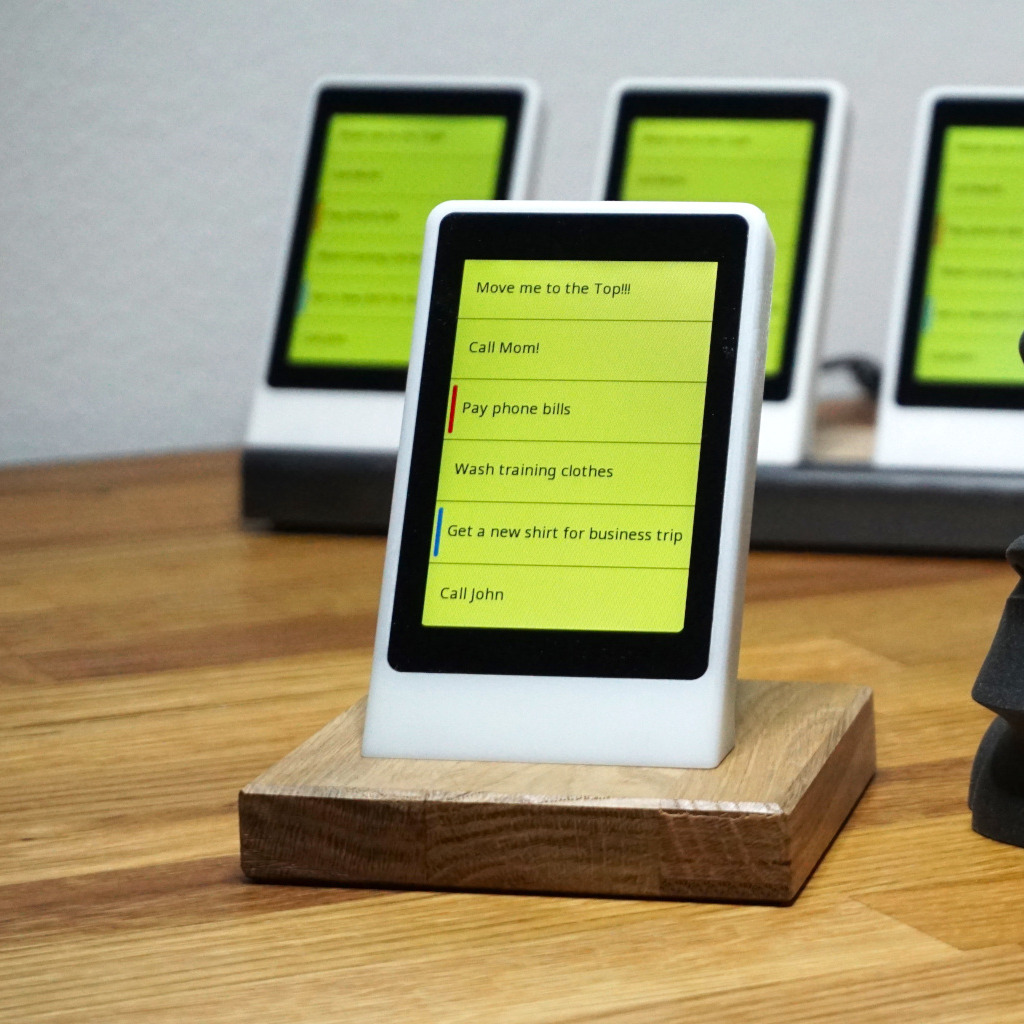
Later I added an optional display to monitor CPU temperature and load. I plan to extend this to show additional statistics as well as system information (such as IP, hostname, uptime, …). If anyone is interested, I can share the source code of what I have available so far.
I also added a front panel module, when I got annoyed reaching for the USB ports on the back. Another advantage of the modular design is, that you can rotate the modules as you see it fit (for example move the front panel to the side). You can also change the order of the components (not so many options here however).
I will keep adding modules as I see it fit. Planed is a RGB-Strip, a NAS module (with 4 drive bays) as well as additional designs for the top cover and more PSU options (and variations: with or without display, with or without air intake at the bottom, …)
Parts
In addition to the usual PC components you will need following:
1x Power button (16mm diameter)
5x Heat set inserts (M3)
5x M3 screws for mainboard and GPU lock
?x 10mm x 4mm x 2mm neodimium magnets (depending on the number of modules)
Optional Parts:
- For front panel: [https://de.aliexpress.com/item/1005005589520861.html](https://de.aliexpress.com/item/1005005589520861.html) or similar
- For Display WT32-SC01 Plus (you can get it from various places, here for example
[https://www.digikey.ch/en/products/detail/seeed-technology-co-ltd/104990762/17180805](https://www.digikey.ch/en/products/detail/seeed-technology-co-ltd/104990762/17180805) )
Filament Choice
Even though there are many critical voices out there saying: don't print a computer case in PLA, I tried it anyways (I used Ploymaker's PolyTerra filamentI used Ploymaker's PolyTerra filament). So far I did not encounter any problems, despite running my systems (2x Ryzen 5950x, 1x Ryzen 5900x and 1x Ryzen 5700x) for several days non stop at 100% CPU load and room temperatures close to 35 degrees Celsius. About six moths have passed since then and I have yet to see any deformation on any of my cases.
Printing Instructions
In case you also use a 220mm x 220mm printbed, you might want to consider clamping you magnetic built plate down with paper clips. Even though PLA is not very prone to warping, the parts are rather large and while bed adhesion was not a problem, the edges of the magnetic buildplate started lifting.
To speed things up I used a 0.6mm nozzle and 0.3mm layer height.
I do use support for the overhangs. If your printbed is not larger than 220mm x 220mm you need to tune your support settings in order for this to work, as the support structures will otherwise extend beyond the build volume. If using Orca set the following options in the Support section:
- Type: Normal(manual), I paint supports as I see it fit
- Style: Snug
- First layer expansion: 0
- Normal support expansion: 0
The dust filters are printed with:
- Wall loops: 6
- Top shell layers: 0
- Bottom shell layers: 0
- Sparse infill 25%
- Sparse infill pattern: Honeycomb
What More?
If you like this project, have a look at [https://friendlystack.com](https://friendlystack.com) and maybe consider supporting me…
FriendlyStack Mini-ITX PC Case With Excellent Thermals
Publicado em 9 de dez de 2025
Gostou deste modelo? Crie uma conta grátis para salvar seus favoritos e voltar a eles depois.
Criar conta