Você está no 3DFinder
Buscamos em Thingiverse, MakerWorld e Printables ao mesmo tempo para te dar o melhor de cada uma.
Descrição
I really liked Thomas H. design, and since I have a Multi-Material printer I didn't do the colour changing method, instead I used the Multi-Material painting feature on PrusaSlicer.
That printed nicely, leaving the parts with multiple colours without the usual colour change on the sides.
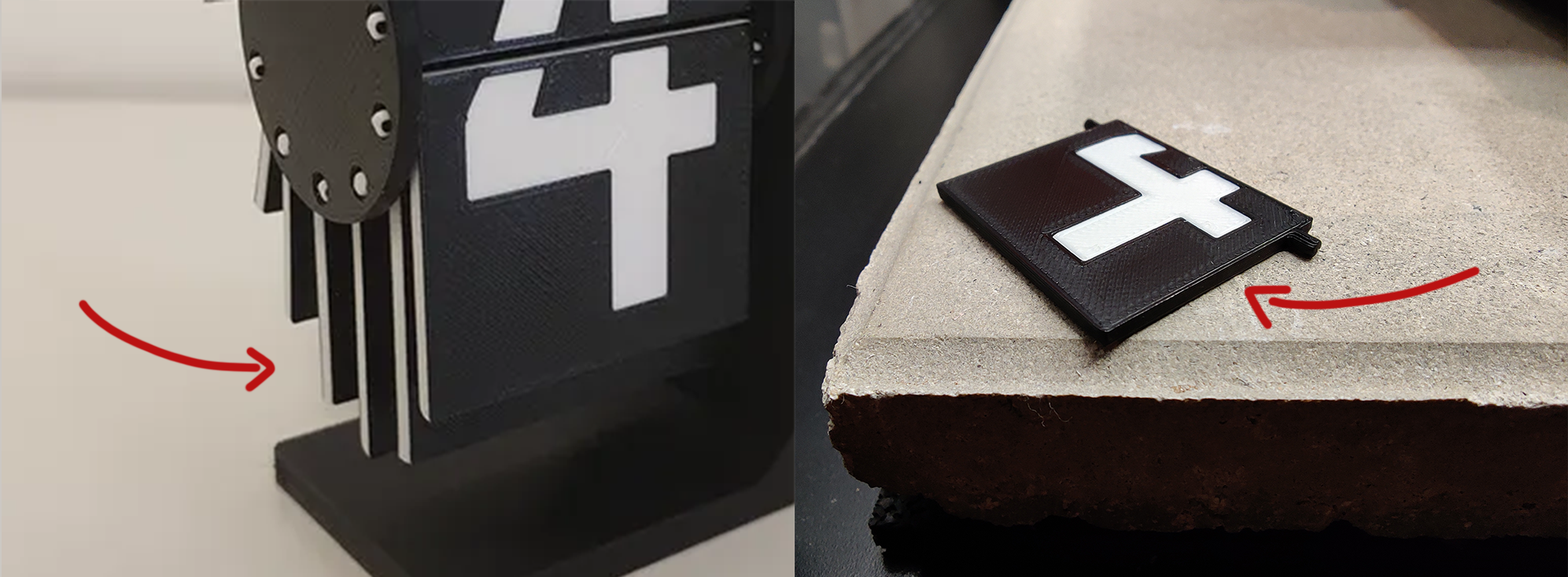
↳ Colour change feature (Left) vs Multi-Material painting feature (Right)
However, since the model was designed for the colour change method, i.e. having the number appear at a different layer height, that meant that there was a gap when printing the number on the bottom (0.2mm) and that layer wouldn't end up very pretty.
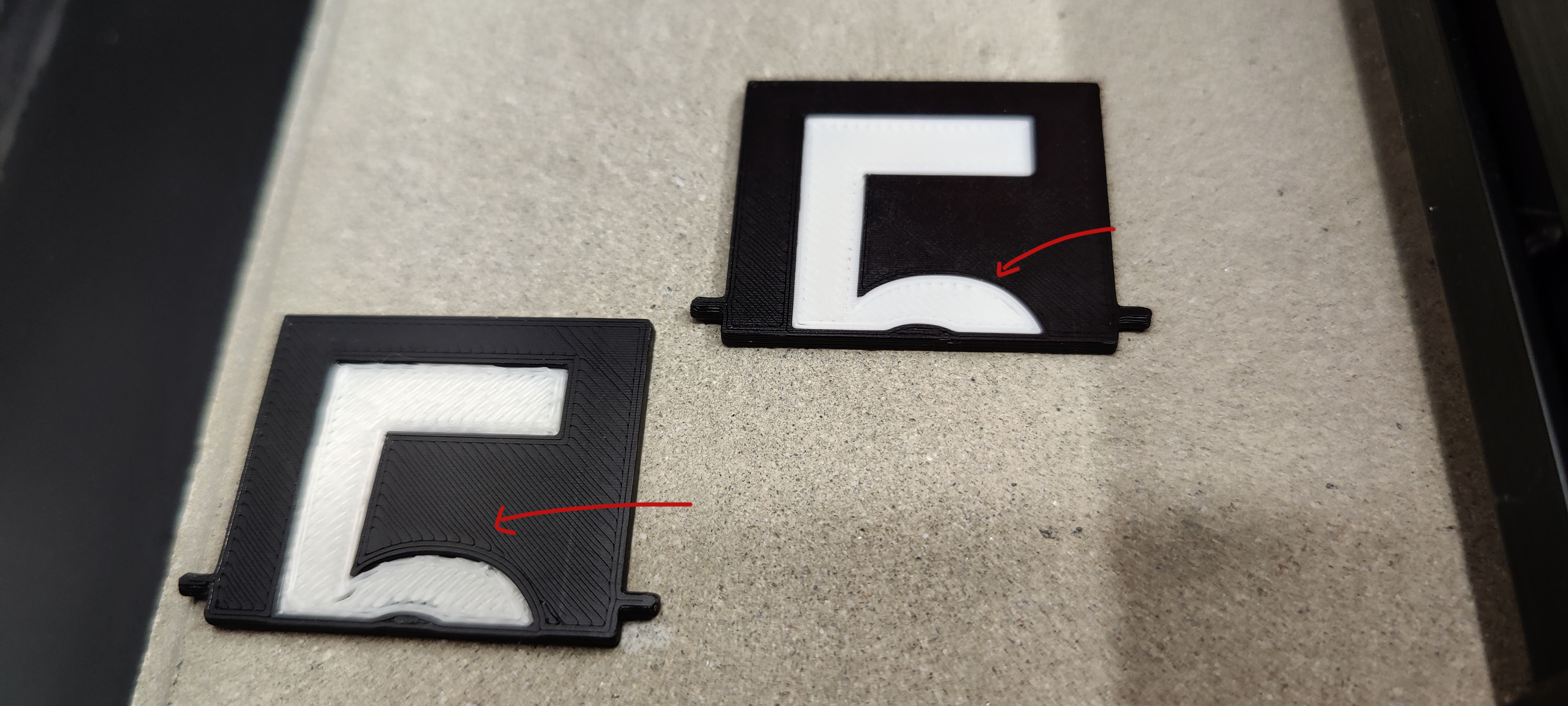
↳ Original model with 0.2mm gap (Left) vs Multi-Material model without gap (Right)
In order to avoid that I remixed the flaps part.
Changes
- Removed the gap (0.2mm) - Better first layer, no longer possible normal colour change
- Separated the numbers from the flaps as new objects - Possibility to add different colours to objects on Multi-Material mode.
Credits
Multi Material Flaps for Split-flap counter

Publicado em 12 de fev de 2022