Você está no 3DFinder
Buscamos em Thingiverse, MakerWorld e Printables ao mesmo tempo para te dar o melhor de cada uma.
Descrição
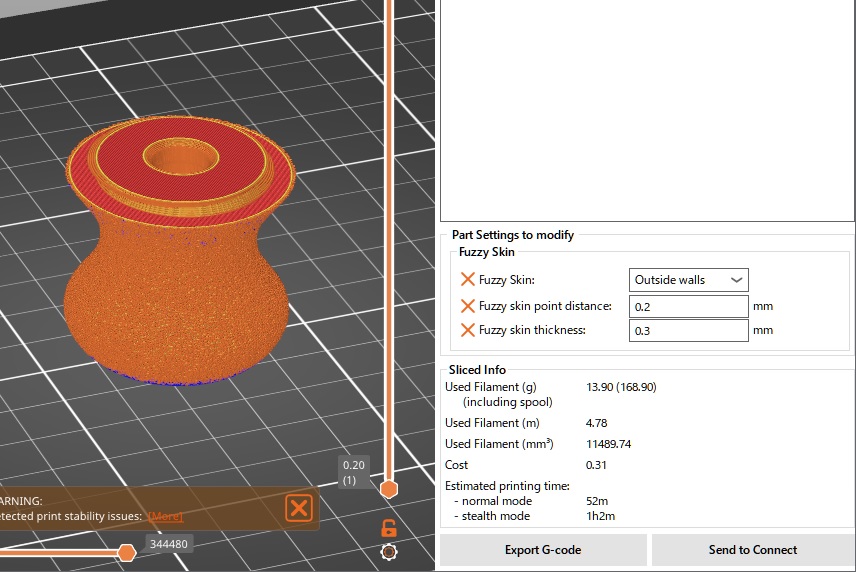
A round bed scraper with a replaceable blade. Great for popping off thin prints like purge lines without messing up your nails. If you like, you can apply fuzzy skin to achieve a gorgeous texture like the one shown in the cover image.
Print Settings Grip Parts:
- Material: PLA
- Nozzle: 0.4mm
- Layer height: 0.20mm
- Supports: no
- Perimeters: 2
- Fuzzy Skin: yes (optional, You don't necessarily need to use fuzzy skin.)
Print Settings Blade:
- Material: PLA
- Print Sheet: Smooth PEI
- Nozzle: 0.4mm
- Layer height: 0.20mm
- Supports: no
- Perimeters: 3
- Elephant foot compensation: 0mm
Fuzzy Skin Tips:
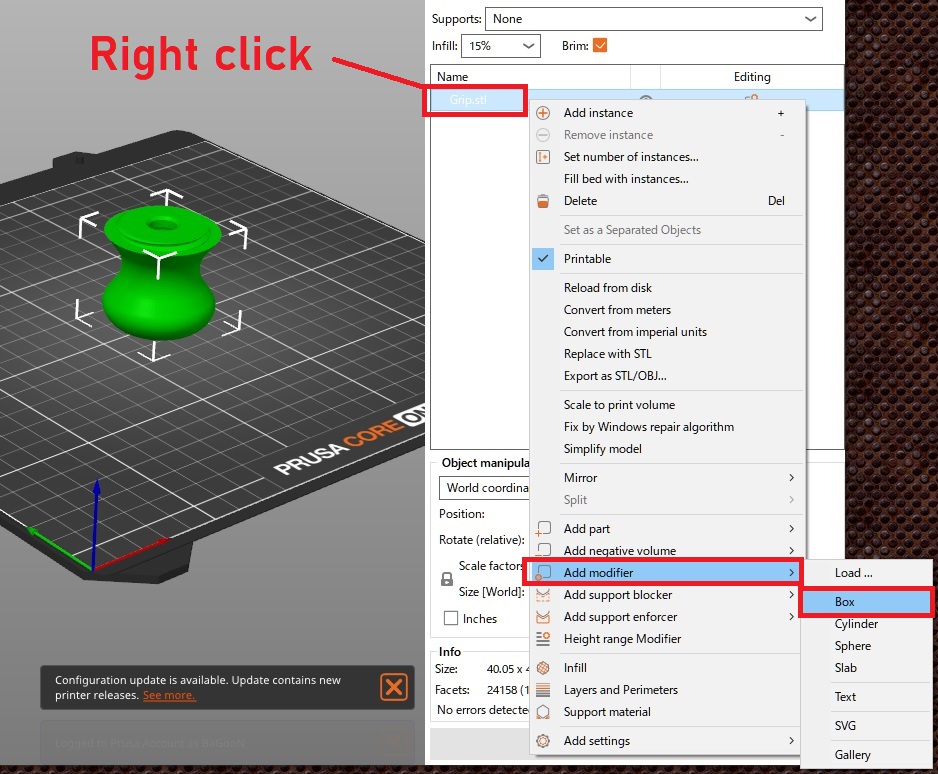
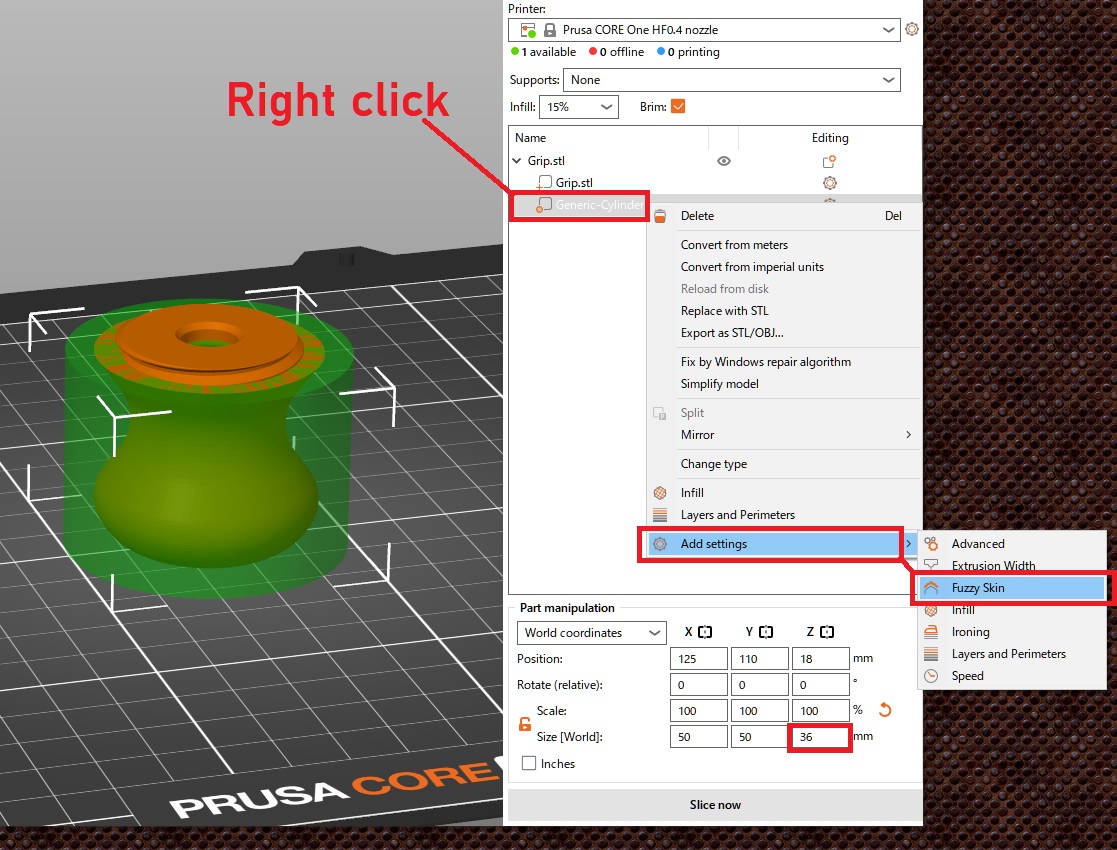
You need to avoid the screw threads and apply Fuzzy Skin only to specific areas. This can be done by using a modifier region to limit where the effect is applied. For this model, you’ll need to define the region up to a height of 36 mm.
- Load the model.
- Select the model, right-click → Add Modifier → Box (or Cylinder, etc.).
- Adjust the created modifier region so it covers the area where you want to apply Fuzzy Skin.
- With the modifier selected, enable Fuzzy Skin in the settings panel on the right.
Note:
- Please make sure to print the blade on smooth PEI. Textured PEI is not recommended.

33
Curtidas
114
Downloads
2
Impressões
Categoria
Accessories
Tags
scraper
bedscraper
Licença
Creative Commons — Attribution — Share Alike
Arquivos (3)
Blade.stl
658.3 KB
Grip.stl
1.2 MB
Grip_BiS.stl
1.2 MB