Você está no 3DFinder
Buscamos em Thingiverse, MakerWorld e Printables ao mesmo tempo para te dar o melhor de cada uma.
Descrição
This parametric slide box came about because I was sick of re-designing the same box for different projects. Its based in FreeCAD and you can just open up the VarSet and change pretty much anything you want. When you open the design in FreeCAD open the VarSet (pointed out below), there you can change all the design parameters. The text on the box in the pictures was engraved using a fiber laser but you can easily embed text in a different color filament if you have a filament changer/AMS system.
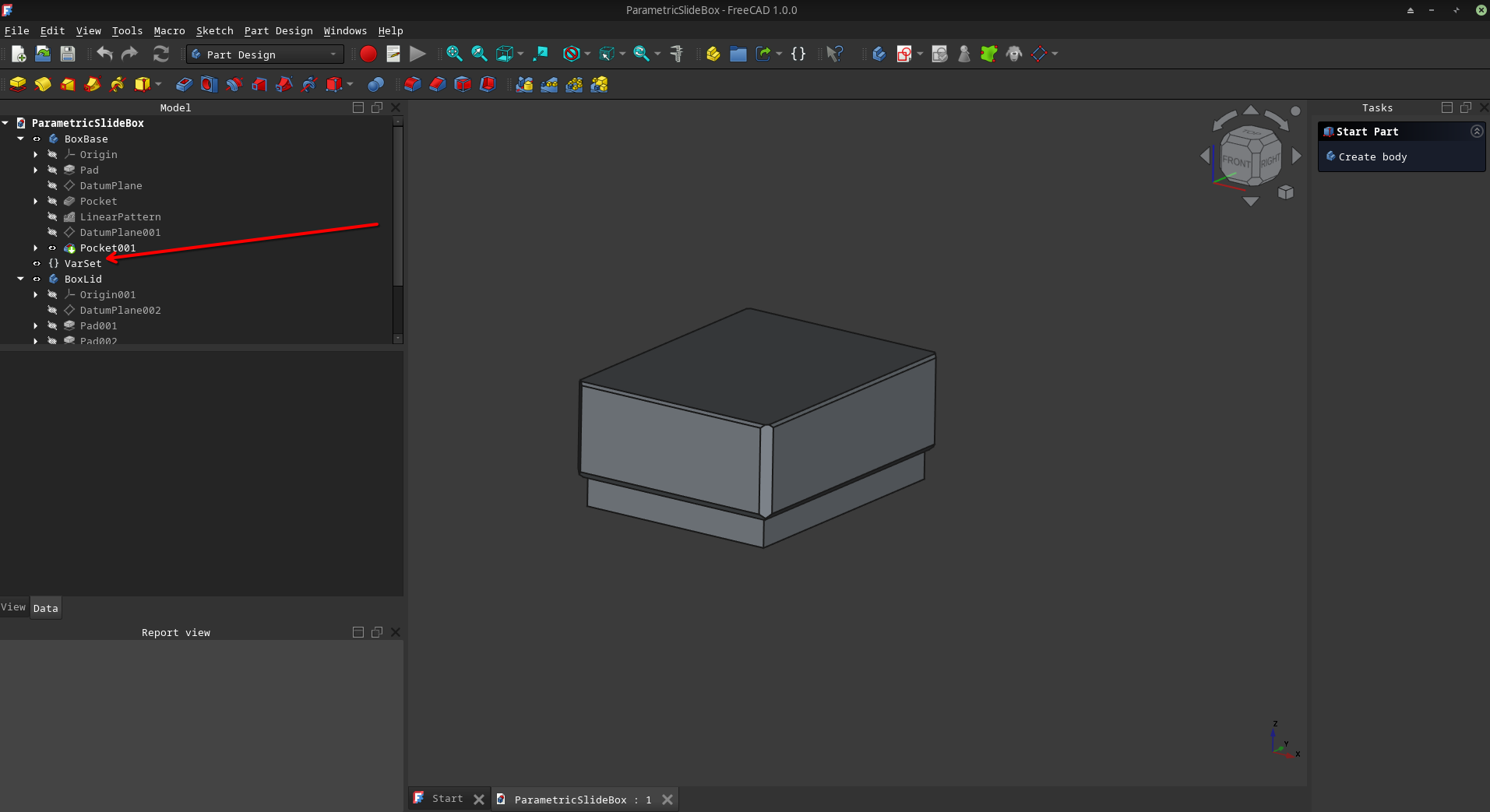
Inside VarSet you'll find the following variables:
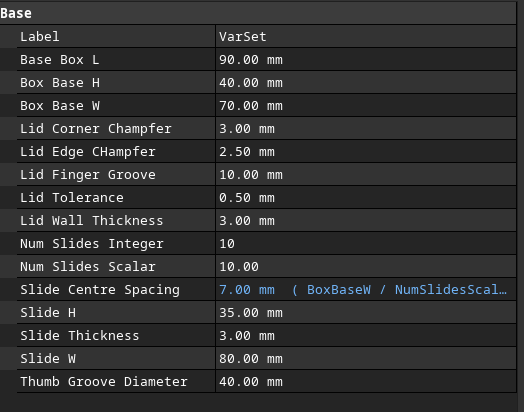
You can safely ignore quite a few of them but the important ones are:
- Box Base L = Length of the Box
- Box Base H = Height of Box
- Box Base W = Width of the Box
- Lid Wall Thickness = Thickness of the lid, increase if you want to embed text in a different color as you print.
- Lid Tolerance = The tolerance gap between the base and lid, make bigger if the lid is too tight, smaller if too loose.
- Num Slides Integer = One of the two slide generation variables, this one controls the number of slide slots generated.
- Num Slides Scalar = The other slide generation variable, it controls the spacing of the slides. For best results leave these two as equal to each other.
- Slide H, Slide Thickness, Slide W == the Height, thickness and width of your slides respectively.
- Thumb Groove Diameter = The diameter of the circular groove down the center of the base to make it easier to get the slides out.
Parametric Microscope Slide Box

Publicado em 24 de fev de 2025