Você está no 3DFinder
Buscamos em Thingiverse, MakerWorld e Printables ao mesmo tempo para te dar o melhor de cada uma.
Descrição
If you’ve ever been captivated by the immersive glow of Ambilight, you know just how much it can elevate your TV-watching experience. Ambilight isn’t just a feature; it’s an ambiance creator that extends the colors on your screen to the walls of your living space, making movies, shows, and even gaming more immersive than ever. The dynamic backlighting adapts to what’s on screen, drawing you deeper into the action and adding a new dimension to your entertainment.
But if, like me, you don’t own a Philips TV, achieving this experience may seem like an expensive dream. Philips has released standalone Ambilight boxes, but their price can be a deterrent. That’s where the beauty of DIY comes in, with HyperHDR and Hyperion.
There is 2 versions:
Classic case
Why I chose the DIY Route
Having always been fascinated by Ambilight but owning a non-Philips TV, I decided to create my setup with HyperHDR. This DIY journey gave me control over the design and functionality, allowing me to craft a unique 3D enclosure for the components. The result? A mesmerizing viewing experience that rivals high-end solutions without the hefty price tag.
Getting started is not as complex as it seems. With helpful guides and an enthusiastic community ready to assist, you’ll find that building your Ambilight system is a rewarding project that just takes a bit of patience and enthusiasm.
Required Hardware
An ESP32 WROOM
A solid 5V-100W power supply
A C14 adapter + 2 M3*8 screws
A thin 30cm HDMI cable
For cable management, ensure that you have the following type of connectivity:
Print instructions
I recommend using the 3mf file to print the bottom part of the case. However, if you prefer to set it up manually, use the following settings:
Fill pattern: Gyroid
Infill: 15%
Layer height: 0.2mm
Material: PLA or PETG
Supports: Enabled for horizontal sections
Preparation
WLED needs to be installed on the ESP32.
The USB cables from the HDMI splitter and the power supply for the Raspberry Pi should be stripped, and crimp connectors should be attached to them.
Additionally, the cables should be connected and crimp connectors attached to the C14 connector.
The Raspberry Pi should be set up with either HyperHDR or Hyperion.
Create the required cables for the LED strip which will be connected to the power supply.
Cabling part
Here is how I made it:
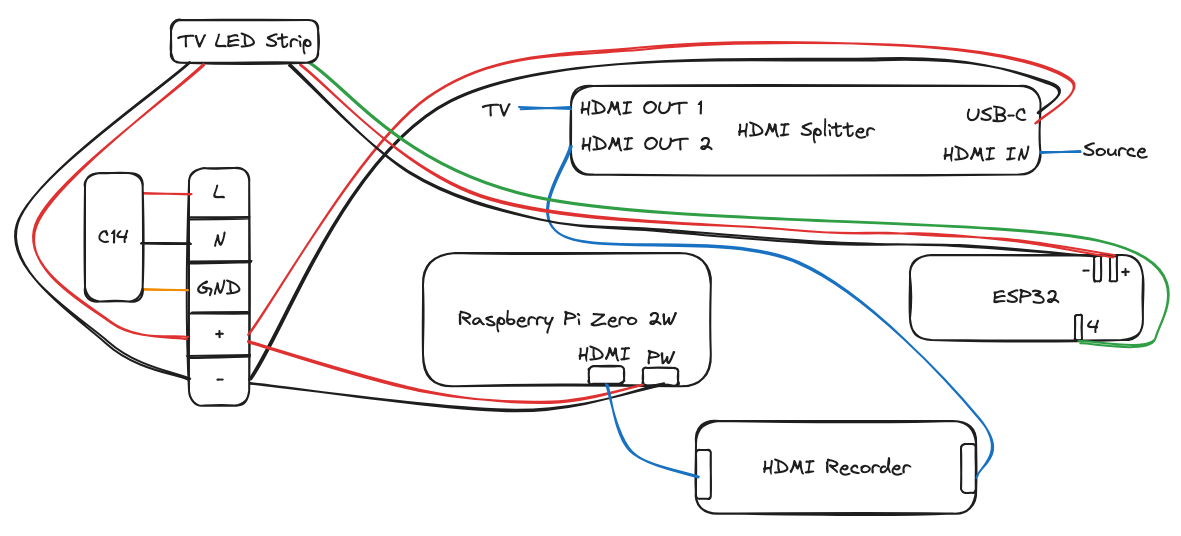
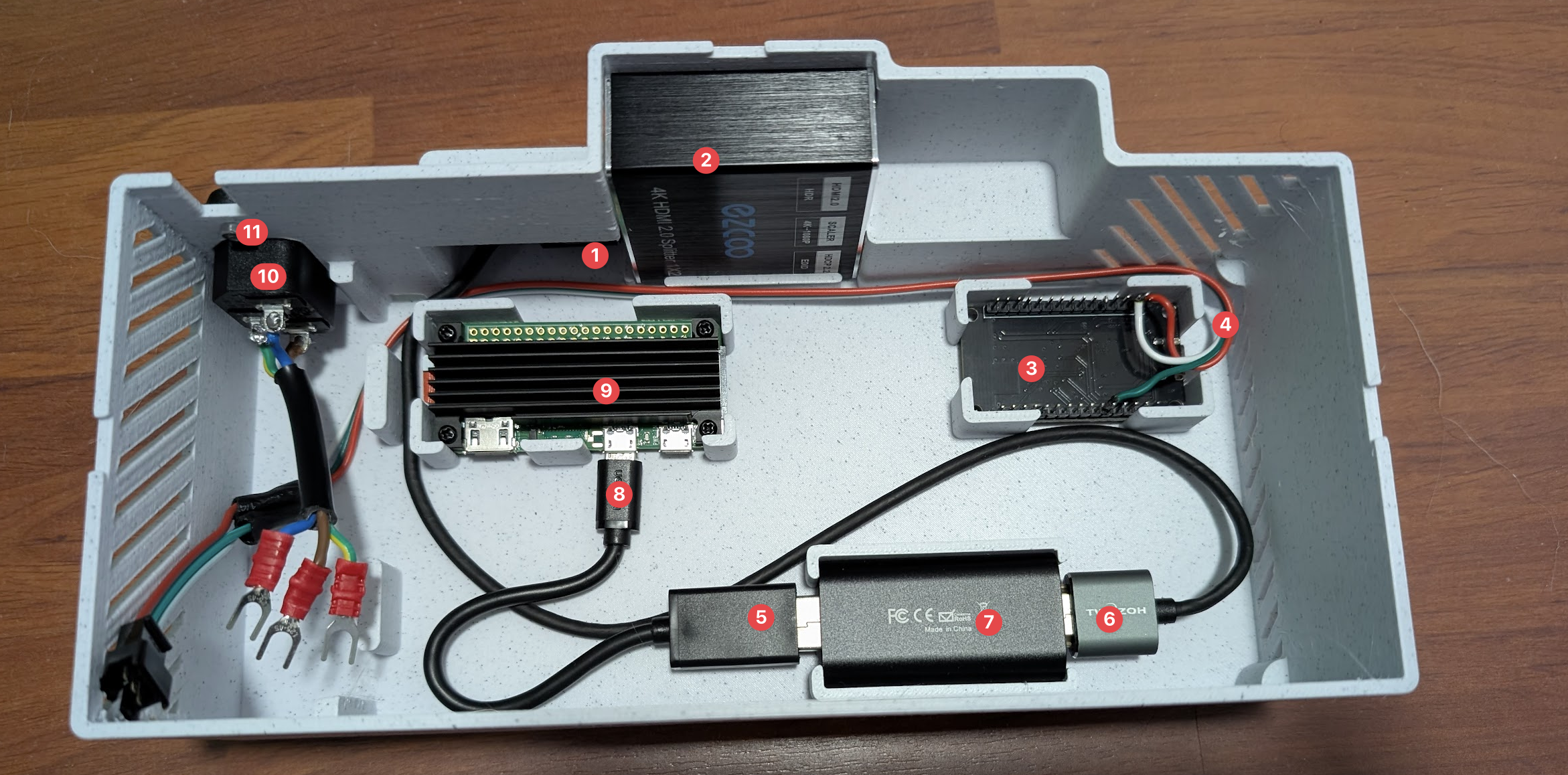
Connect the HDMI cable to the second HDMI port of the splitter.
Insert the splitter diagonally, then straighten it to ensure it is properly seated and aligned.
Place the ESP32 into its designated slot.
route the cable connected from the ESP32 to the left, positioning it above the C14 connector.
Connect the USB to mini USB adapter to the HDMI recorder.
Connect the HDMI cable from port 2 of the splitter to the HDMI recorder.
Insert the recorder into its designated slot.
Connect the mini USB to the Raspberry Pi (use the left port).
Place the Raspberry Pi into its designated slot.
Insert the C14 connector into its designated port.
Secure the connector to the case using the two M3 screws.
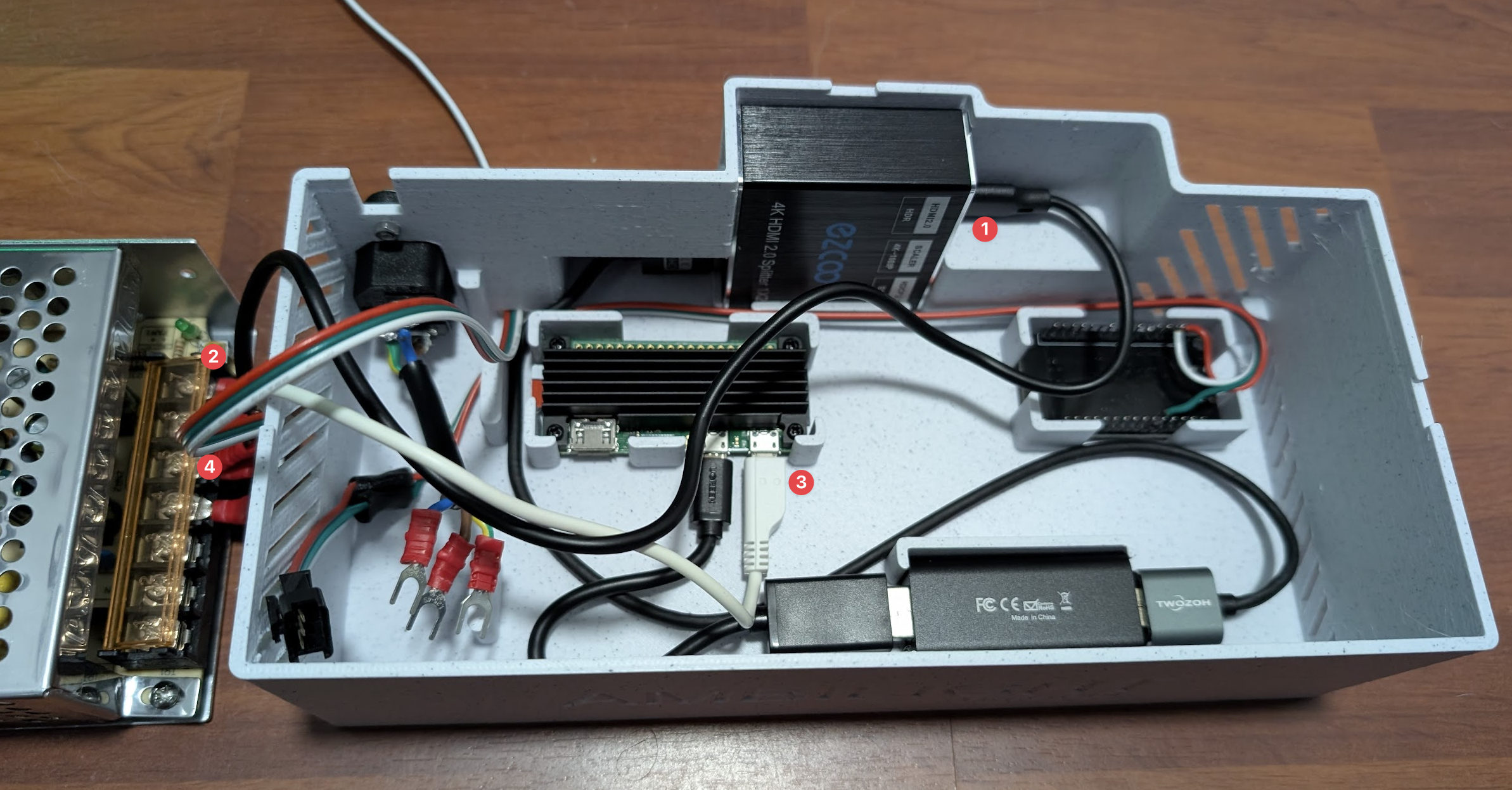
Plug both USB cables (1, 2 and 3) into the power supply. Then connect the TV LED power strip to the power supply (4).
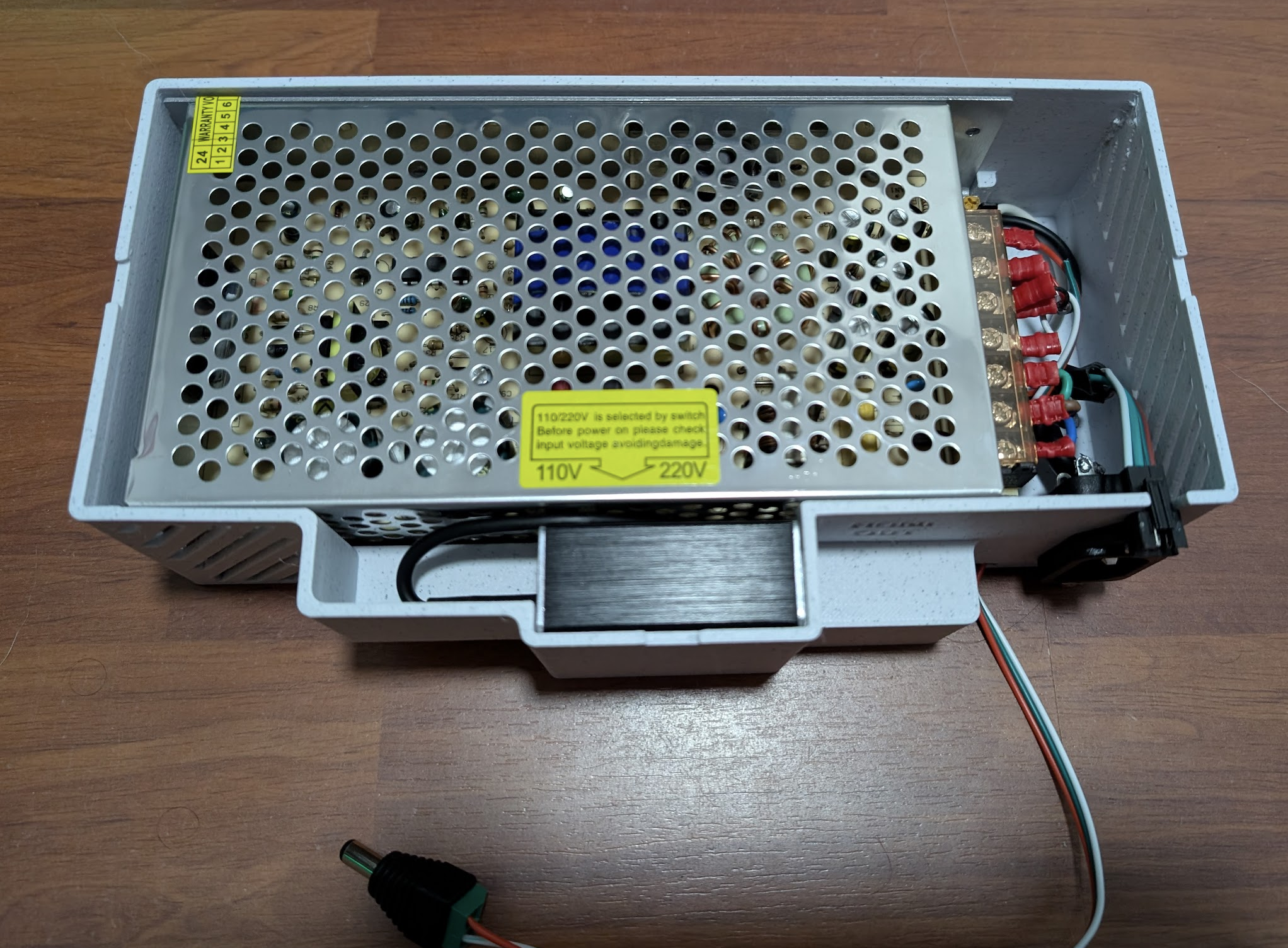
Add the power supply on top of it. Place the power supply on top, ensuring it is held securely by the built-in stops. Finally, connect the C14 connector to the power supply.
Plug the ESP32 connector and the dedicated power plug to the LED strip. And now you're ready to go!!!
Finalize with the HyperHDR/Hyperion setup, plug the HDMI cables into the back of the case, and enjoy :)
Ambilight case for HyperHDR/Hyperion

Publicado em 16 de jan de 2026
Gostou deste modelo? Crie uma conta grátis para salvar seus favoritos e voltar a eles depois.
Criar conta