Você está no 3DFinder
Buscamos em Thingiverse, MakerWorld e Printables ao mesmo tempo para te dar o melhor de cada uma.
Descrição
Need a workbench for your 3d printer? Don't want to spend an arm and a leg? Need something lightweight and sturdy enough to hold up to 4 printers, 24 rolls of filament and all your printer tools and accessories? Well here it is!
I created this model after receiving several requests for build plans of my 3d printer desk/workbench I use in my office.
Instead of creating a typical woodworking build plan, I had the idea to put the plans directly into a 3d model. My hope is that this will not only aid in building/assembling the workbench but also allow you to learn more about 3 modeling in the process.
By creating this as a 3d model you are also able to print an exact replica of the workbench you will be building at 1/20th scale so you can get an idea of what the final product will look like and make modifications as needed.
I have included 3 profiles for this project.
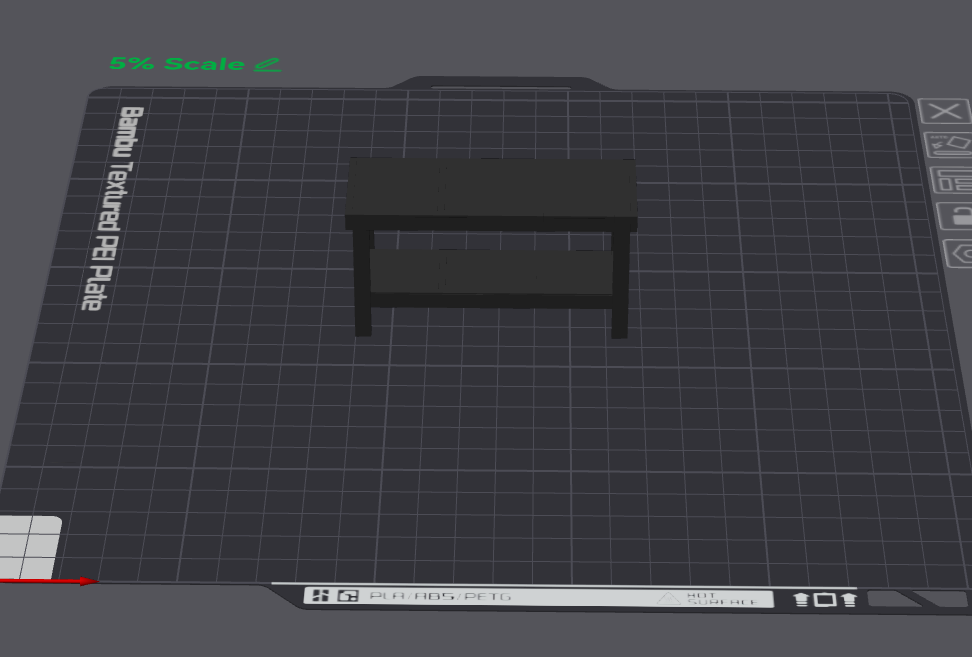
Workbench 5pct: This is a 1/20th scale model of the workbench that can be easily printed directly from here so you can evaluate the workbench before building it.
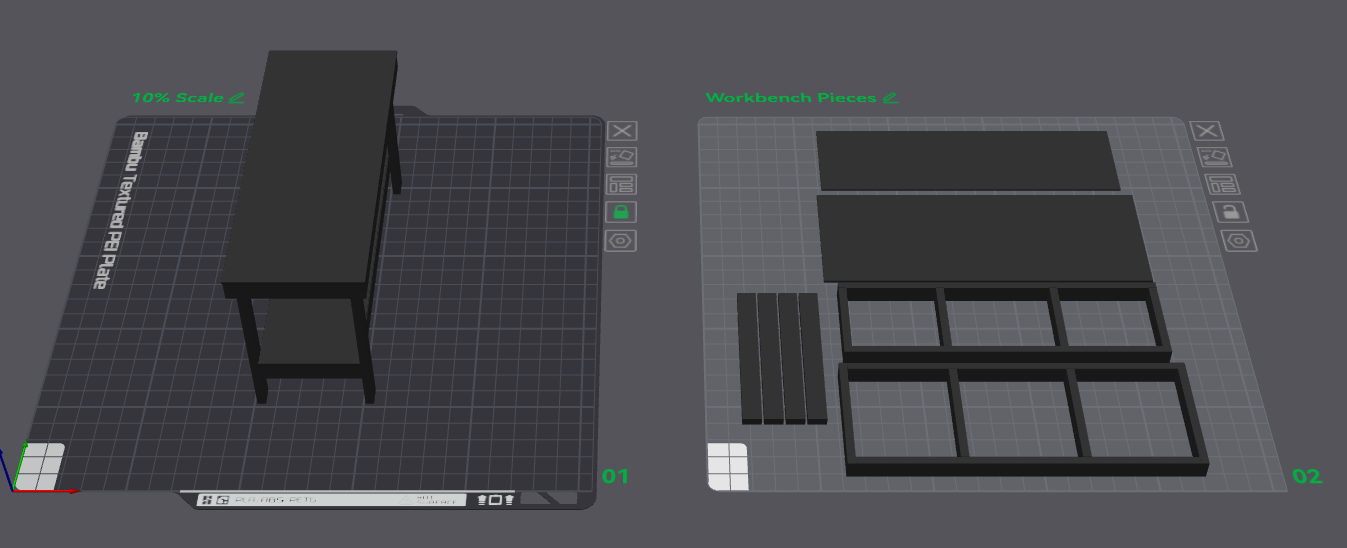
Workbench Pieces: There are 2 plates here. The first is a 1/10th scale model that can be printed in place just like the 5% model. The second plate is the main workbench pieces (frames,surfaces,legs) that can be printed and assembled using glue. This allows you to do a dry run of the actual assembly process so you can adequately prepare for building the real thing.
Workbench Assembly: This is a collection of 9 plates that are not intended to be printed but more to illustrate the build stages of the workbench. You can open this in Bambu Studio or the slicer of your choice and use it as a detailed visual aid in the building process.
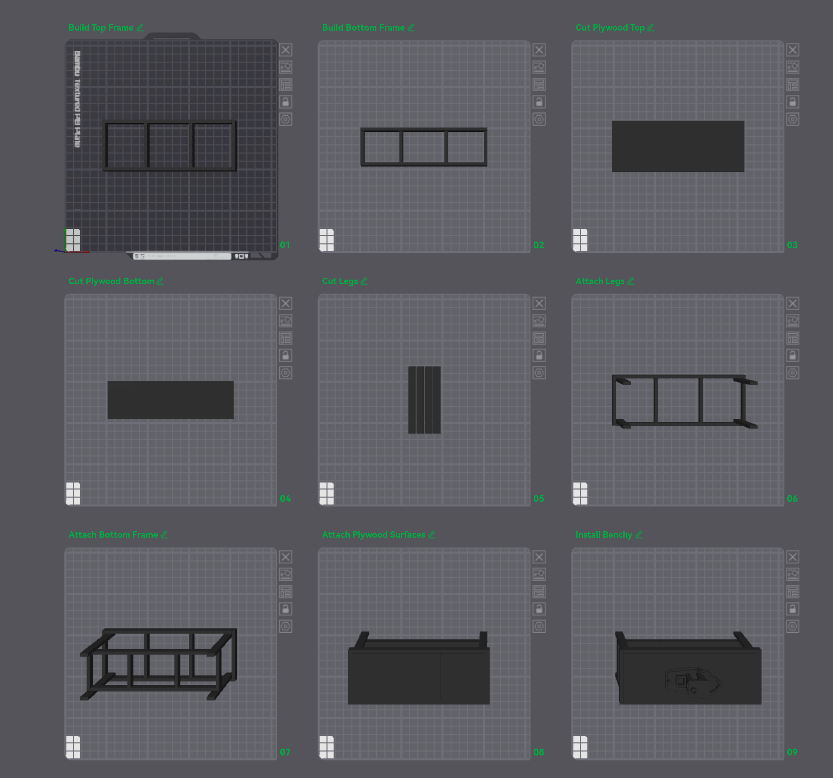
Instructions for using the slicer to plan your build.
- Open the workbench assembly or workbench pieces profiles in Bambu Studio.
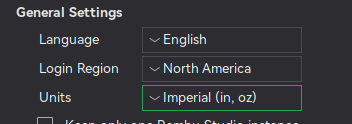
- Go to “Preferences” and modify the units to be “Imperial” (if desired).
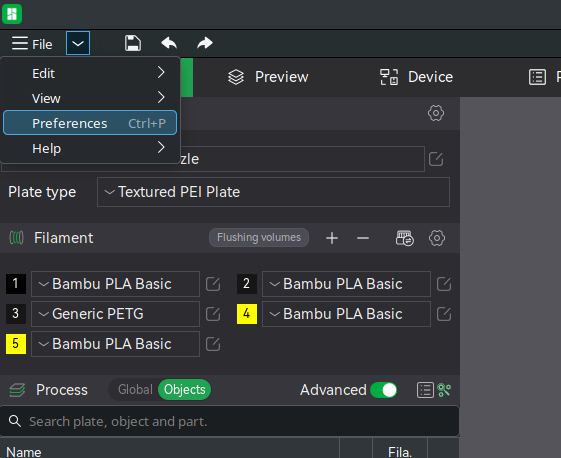
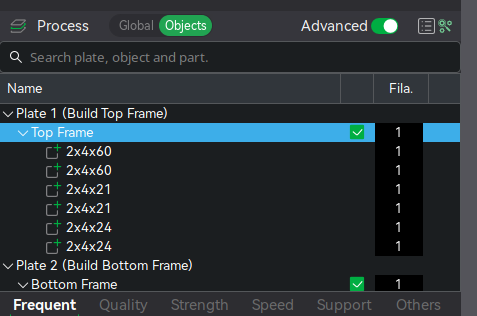
3. Go to the “Objects” tab on the left pane under the “Process” subsection.
4. Select the object you would like to begin building (i.e. “Top Frame”)
5. To get the real life dimensions of the pieces, scale the object to 1000% (10x size). Scaling is not necessary as you can always simply multiply the sizes by 10 and get the actual dimensions of the pieces
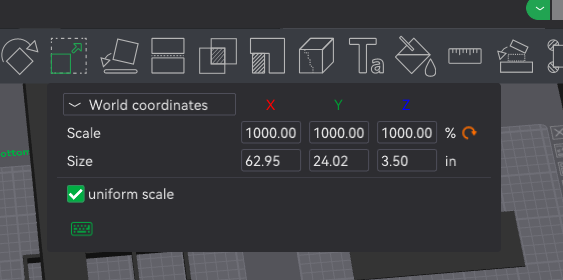
6. Select the individual pieces of the object to get the dimensions and the assembly points. Please note that the mm to in conversion sometimes causes minor discrepancies in actual dimensions. You can simply round to the nearest number (ex. 63x24x3.5in as seen in the image above).
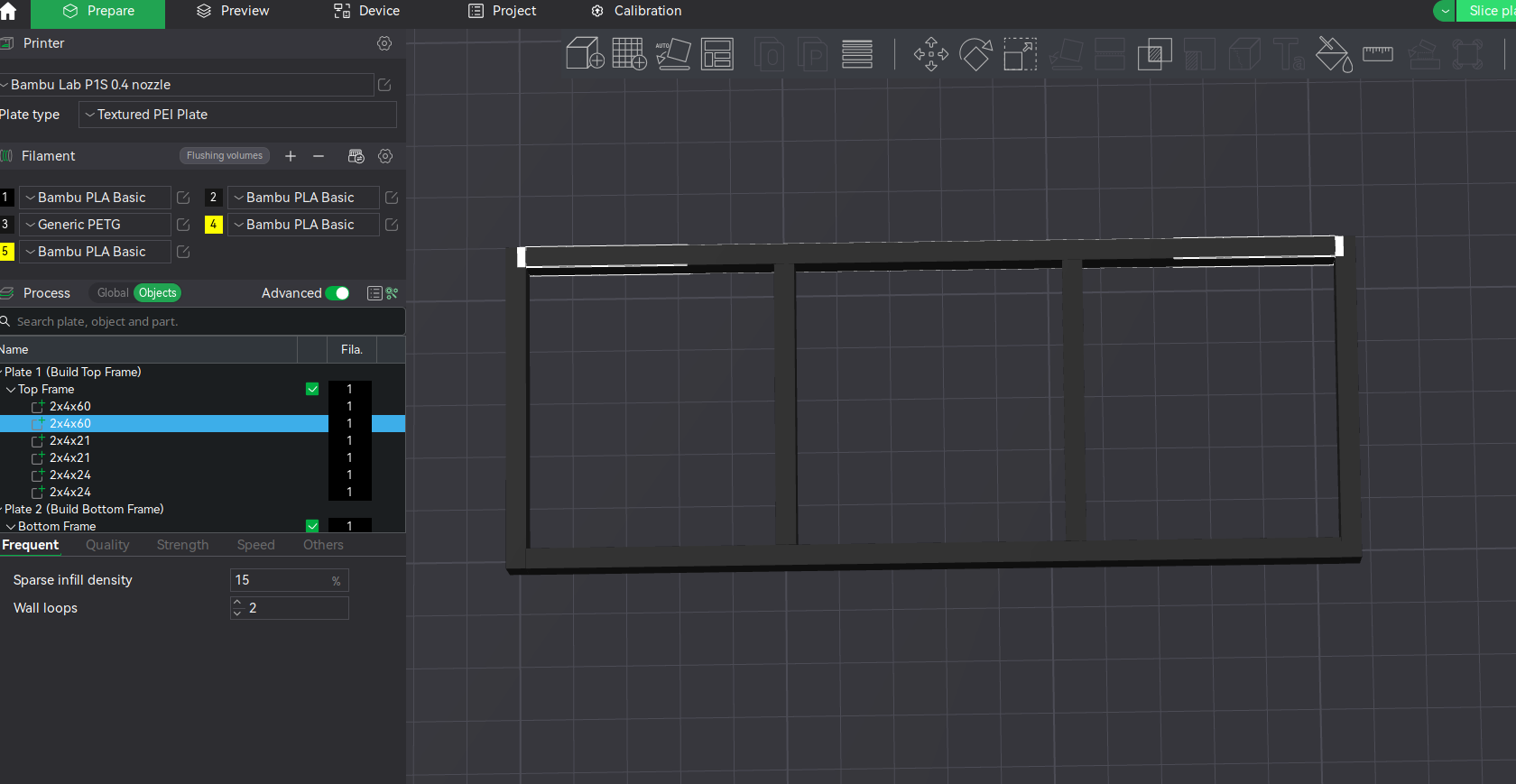
7. Start cutting 2x4s and assembling your workbench!
Cost of materials:
2x4x8ft: 6 @ $3.85/per Premium fir studs
4x8ft Plywood or OSB: $15-45
Total Cost:
w/OSB under $40
w/Pine Plywood under $50
w/Sande Plywood under $70
Plus $5-15 extra for screws if you dont already have them. I used GRK #9 2-1/2in multi-purpose wood screws
You can also use 3/4 inch plywood for the top and bottom surfaces but I was trying to keep things lightweight and inexpensive.
I have also included the plans as a text document if you prefer not to use the slicer.
Feedback appreciated! Leave a comment if you have any questions or suggestions!