Você está no 3DFinder
Buscamos em Thingiverse, MakerWorld e Printables ao mesmo tempo para te dar o melhor de cada uma.
Descrição
UPDATED - Now includes FANCY buttons!
The Button Generator
Have you ever lost a button off your favourite garment and could not find a suitable replacement?
To save you from the indignity of the safety pin I present to you the Button Generator.
- Simple to use
- Quick and easy print
- Fully configurable button sizes and shapes
- Fancy button shapes including a random shape generator!
Follow these simple steps to make your custom button.
- Select “Customize” / “Customize” (from makerworld website)
- Select the Shape of the button - circle, ellipse, square, rectangle, triangle, pentagon, hexagon, heart, star, regular polygon, random(experimental), supershape(experimental)
- Input the button dimensions
- At → button diameter / width (mm)
- Bt → button height (mm) (for elliptical or rectangular shapes)
- Set the “Rib Width”, rw (mm) - this is the width of the rib around the edge of the button
- Set the button thickness, L (mm)
- Choose the number of thread holes, Nt
- Choose the orientation for the thread hole pattern, Ot - 0° for aligned with the diagonal, 45° for aligned with the sides
- Set the diameter for the thread holes, Td (mm)
- Select Generate
- Download 3MF and print
Notes
- Shape Details - additional parameters for Star and Regular Polygon
- Points - number of points on the star
- Sides - number of sides for regular polygon
Supershape (superformula) is a generalization of a superellipse (see [https://en.wikipedia.org/wiki/Superformula,](https://en.wikipedia.org/wiki/Superformula,) [https://github.com/BelfrySCAD/BOSL2/wiki/shapes2d.scad#functionmodule-supershape](https://github.com/BelfrySCAD/BOSL2/wiki/shapes2d.scad#functionmodule-supershape) ) and can be used to create very cool and interesting shapes!
The button generator uses 5 of the supershape parameters, m1, n1, n2, aa, bb
Assign different values to these parameters and see what shape you make. For more information read the links above.
Random
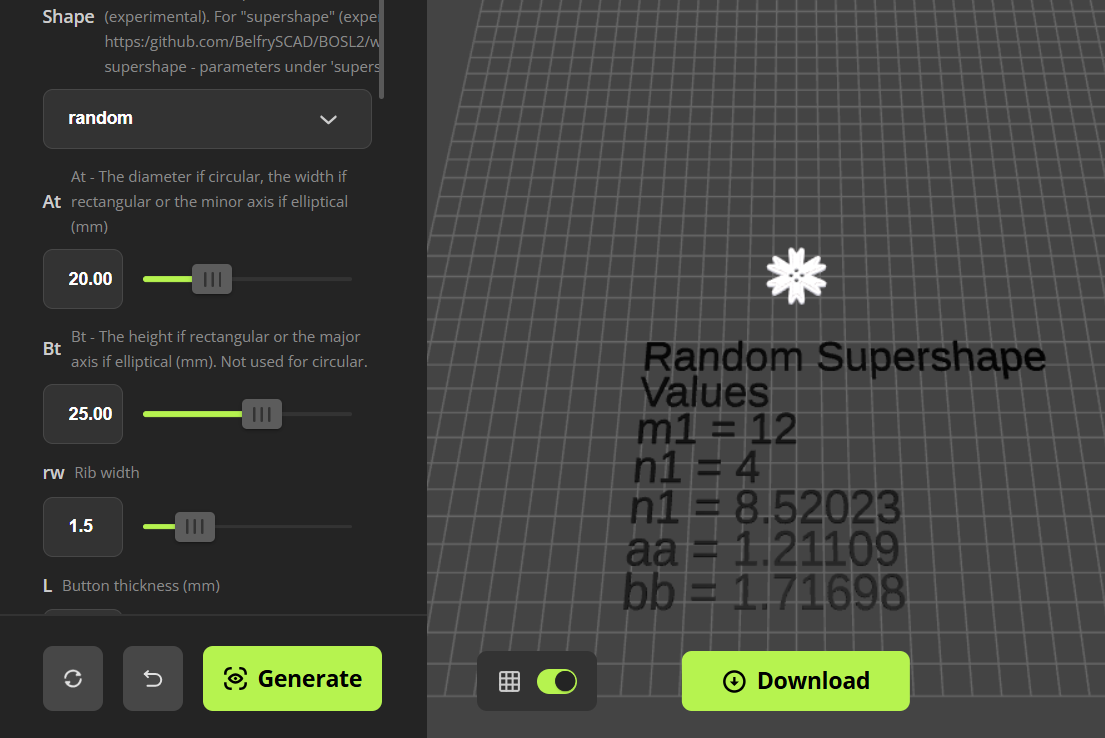
If Random is selected then a random set of values will be selected for a supershape when the Generate button is selected. The values selected are displayed on the Assemble tab. Note that these values are not in the model that is subsequently downloaded.
- If you like the shape generated, note the values of m1, n1, n2, aa, bb so you can reproduce the button.
- Select Download to download the 3mf. Note - don't download from the Plate tab as this will regenerate the button and you will loose your shape!
If you want to use the shape again, enter the values of m1, n1, n2, aa, bb in the customizer and select Supershape as the shape.
- Note - Supershape and Random may generate buttons that are not useable.
- To get the optimised print settings I use for the buttons do the following
- Download the print profile attached to this model in Bambu Studio
- Configure and generate you custom button
- Download the 3mf file from the generator
- Create a new plate in Bambu Studio
- Load the generated 3mf file (geometry only) to the new plate
- Select your filament
- Slice and print
Feedback and suggestions are welcomed!
See my other “useful generators”…
If you like my designs and find them useful please
or even better Buy Me A Coffee
Enjoy!