Você está no 3DFinder
Buscamos em Thingiverse, MakerWorld e Printables ao mesmo tempo para te dar o melhor de cada uma.
Descrição
Behold,
the model the Whoop community has been waiting for. finally a box that can hold all of your things in a neat and tidy way. With this fully parametric model you are free to add as many whoops to the box as your 3d printer can handle. Need more batteries, no problem, the parametric nature of the model means that you are free to add more or less batteries to the model as you please. Its hopefully a one size fits all job but you are free to take the model and make any changes that you might need and share them with the rest of the creators and the whoop community on the Bambu app.
NOTE: The Lid is a snug fit to the box but should be easily removeable and can slip on either the top or bottom of the box but will only fit in one direction orientation, if there is enough interest I may add an arrow to both the box and the lid to make putting it together easier
If you choose to print straight from the Bambu app you will get as the pictures of the real object are shown, however should you choose to open the F3d file and edit the parametrics you could have all kinds of fun like the renders in the final images
Changing the parameters
Modifying the model may seem daunting at first but due to the parametric nature there should be no isses with getting the configuration of box that works best for you. Firstly download the F3d and open it in Autodesk Fusion. Then navigate to the modify parameters field under solids or press “S” and search for “change parameters”
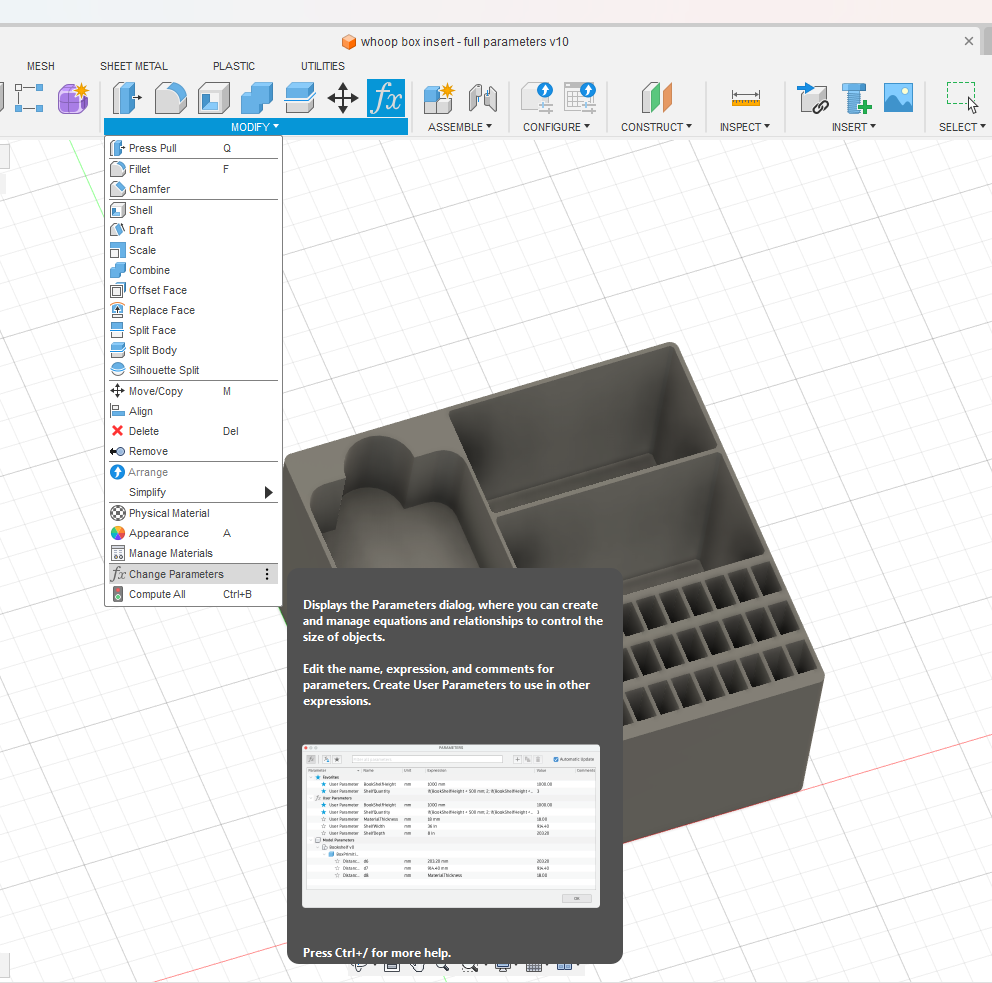
Open the parameters menu and it should look something like this.
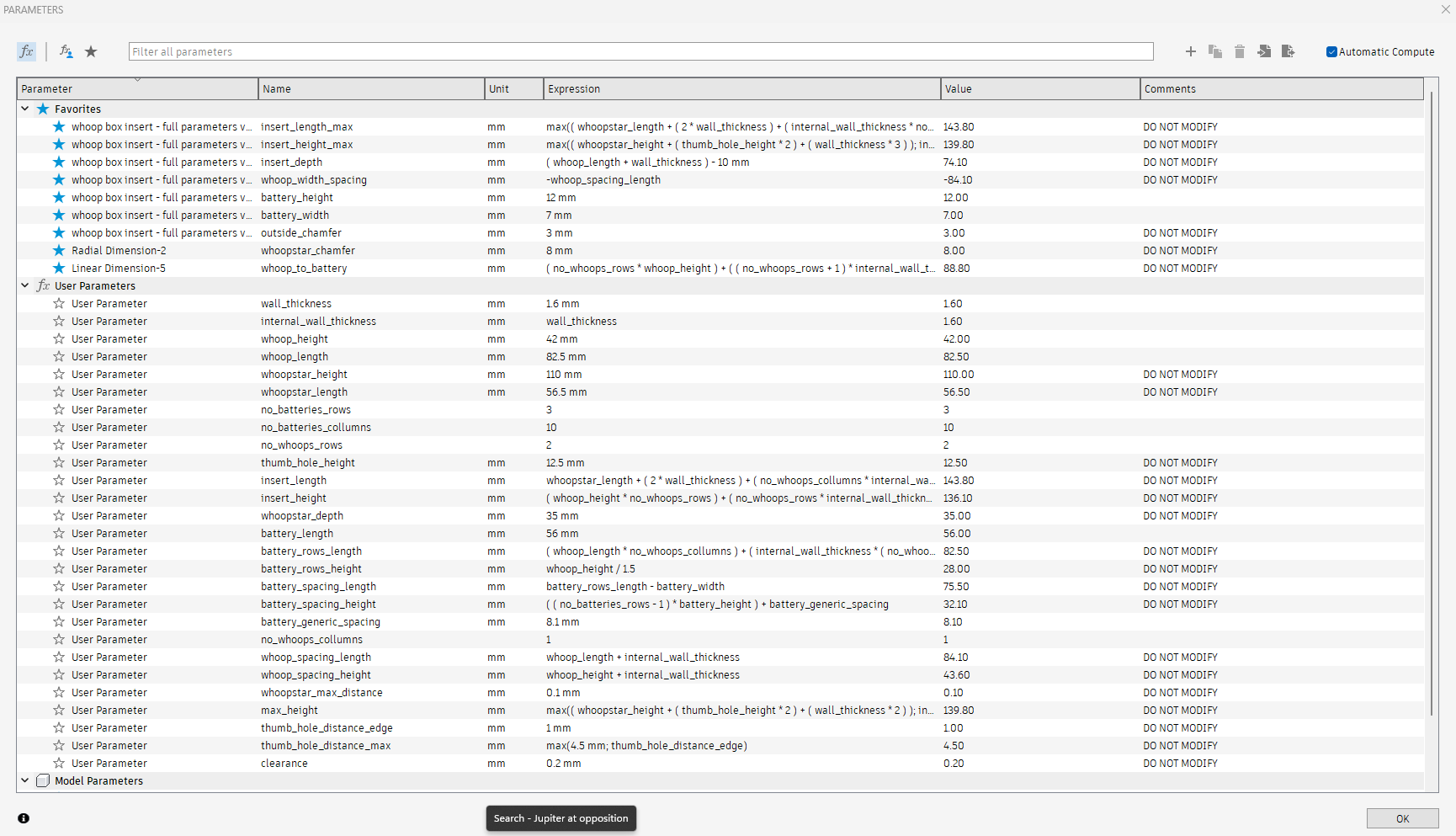
While to a new user of fusion this program could look daunting, dont worry its quite simple, this popup allows you to change all of the dimensions of the design parametrically. Some items you may notice have been marked in the comments section as “DO NOT MODIFY”. These values are essential for the model to remain in the correct parametric state. If you have a further knowledge of fusion already you are free to play about with these values, they are not locked, however it is reccomended that new users only change the values listed without this tag.
So what can I Change?
The following is a list of the parametric parameters which are safe to change to modify the model to the standard required for your use case.
- battery_height - Changes the height of the battery slot
- battery_width - Changes the width of the battery slots
- battery_length - Changes the depth of the battery slots (56mm should cover most models of battery except for some longer models)
- no_battery_rows - Changes how many rows of batteries you would like
- no_battery_collumns - Changes how many collumns of batteries you would like (This does have a maximum based on the inputted length of your whoop)
- wall_thickness - Changes the outside wall thicknesses
- internal_wall_thickness - Changes the internal wall thicknesses (currently set to be the same as wall thickness buit can be changed independently to a number)
- whoop_height - Change the height of your whoop (42mm should cover most but you may need a little more clearance)
- whoop_length - Changes how wide and deep is your whoop (this should be the same on both sides and 82.5mm should cover most)
- no_whoop_rows - Changes the number of rows of whoops you would like
- no_whoop_collumns - Changes the number of collumns of whoops you would like
Please dont hesitate to leave a comment if you would like some further explanation into the rest of the parameters used in the model, I will try and answer as quickly as possible
HAPPY WHOOPING!!
Fully Parametric (Fusion) Whoop Box
Publicado em 7 de dez de 2024
Gostou deste modelo? Crie uma conta grátis para salvar seus favoritos e voltar a eles depois.
Criar conta