Você está no 3DFinder
Buscamos em Thingiverse, MakerWorld e Printables ao mesmo tempo para te dar o melhor de cada uma.
Descrição
This is a blank model for a very common key in Europe (U5D).
you only need a decent quality photo (or scan) of the key you need to copy and fusion360. It's easy to custom the blank key and make a print able to open your lock. It could be useful if you need to make a copy and you can not get it done professionally, I would not suggest anyone to make a copy of someone else's key without permission and I'm pretty sure this would not be 100% legal in most countries anyways.
I managed to quickly make a copy for a garage door, I've used it ~50 times already and it is holding up quite well.
Pay attention not to break the key inside the lock, if the key does not turn, remove it don't force it.
instructions:
- open the .f3d file in fusion 360
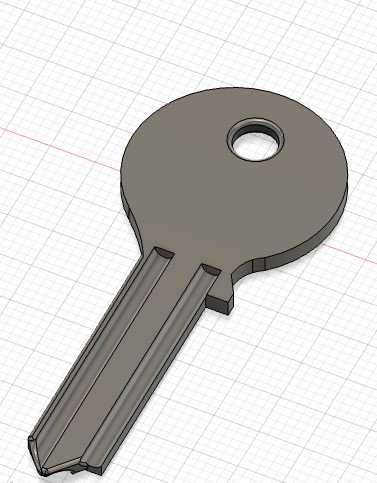
- select “insert Canvas” and upload a good photo of your key (take the photo perfectly vertical over the key)
adjust the size of the photo using “calibrate” tool
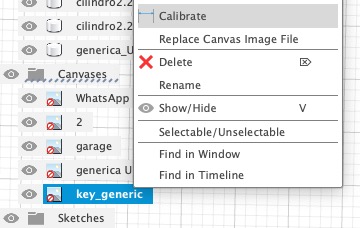
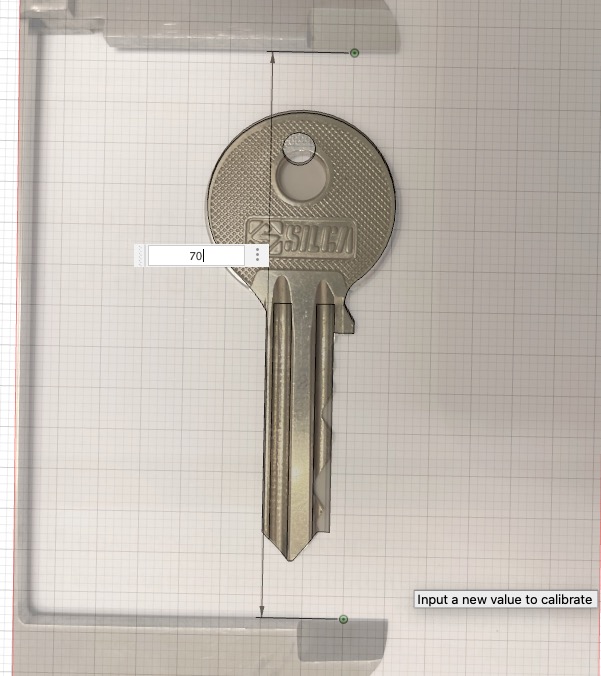
- create a sketch over the body of the blank key (pay attention to start it on a flat area)
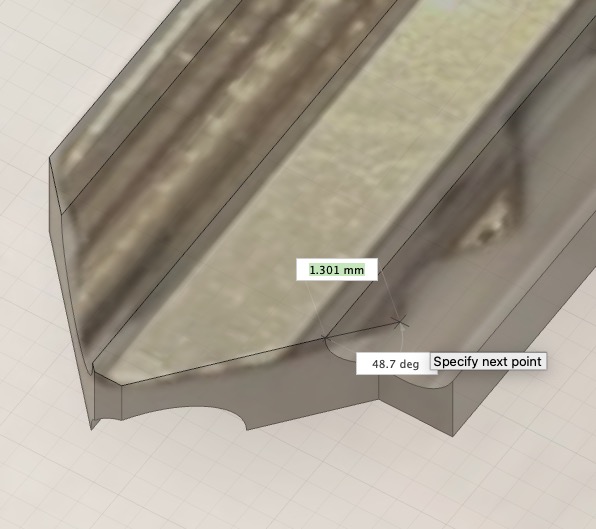
follow the shape of the photo to trace the whole profile
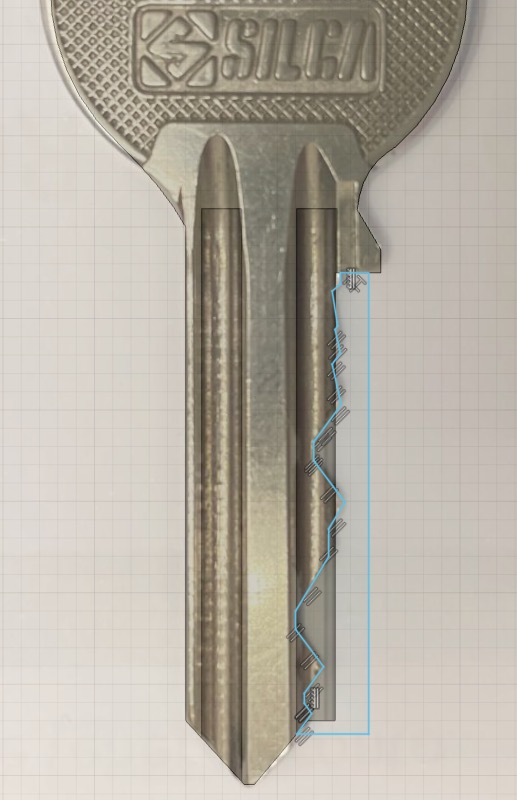
extrude the shape you've just sketched from the blank body of the key
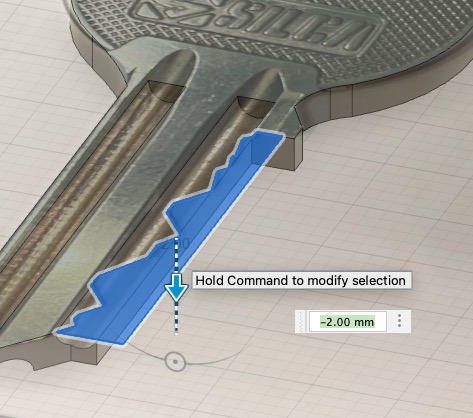
- you now should be left with a working copy of your key ready to be printed
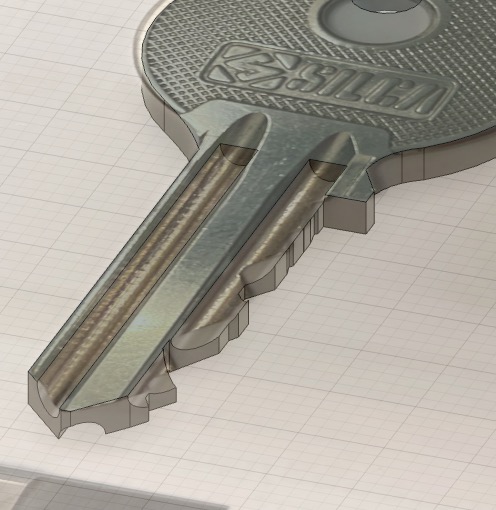
- save the body in .stl and open it in bambu studio, go to strength and increase “top shell layers” from 5 to 7 in this way you should get a more robust key
- try to fit the key in the lock, if it doesn't fit or turn properly don't push and turn it too hard or you might break the key inside the lock
- you might need to sand the prototype or change the sketch on fusion360, but eventually it will open the door
or: If you wanna design a key from scratch I've also added in the .f3d file 3 cylinders already spaced apart so that you only need to select all of them together, move them over the body of the the key you've sketched (and extruded 2mm) and use the toll “combine” in the “modify” section. select operation “cut” and remove the 3 cylinders from the full body of your key
- upload the photo of your key
- trace the perimeter using “create sketch”
- extrude the shape you've sketched 2mm high
- move the 3 cylinders over the key (pay attention they are in the correct position)
- modify → combine → cut select the body of the key as “target body” and select the 3 cylinders as “tool body”
your file is ready to be printed

Gostou deste modelo? Crie uma conta grátis para salvar seus favoritos e voltar a eles depois.
Criar conta