Você está no 3DFinder
Buscamos em Thingiverse, MakerWorld e Printables ao mesmo tempo para te dar o melhor de cada uma.
Descrição
📸 Easy Timelapse Mod for Bambu Lab A1 & A1 Mini
Hello everyone!
I created a simple mod for the Bambu Lab A1 and A1 Mini that lets you easily make timelapse videos using your phone.
Timelapse videos are a great way to showcase your 3D prints in a fast, engaging, and satisfying format.
They perform extremely well on platforms like TikTok, Instagram, and YouTube Shorts, where short-form content grabs attention quickly.
The printing process becomes visually captivating in just a few seconds, increasing your chances of going viral or reaching a wider audience.
🧰 What You Need
- Bluetooth remote shutter (1$): Aliexpress, Amazon.com
- Your Android/Ios smartphone
- A Free editor app: such as DaVinci Resolve (Desktop) or Velocity Lapse (Mobile);
🛠️ Installation
To install the mount:
- Unscrew the front screw and bottom screw on the left side of the X-axis of your printer.
- Attach the holder in place using those same screws.
- Change the gcode on your print profile (see next step)
⚠️ Important
If the button does not press correctly in your case, you can modify the pin length from makerworld:
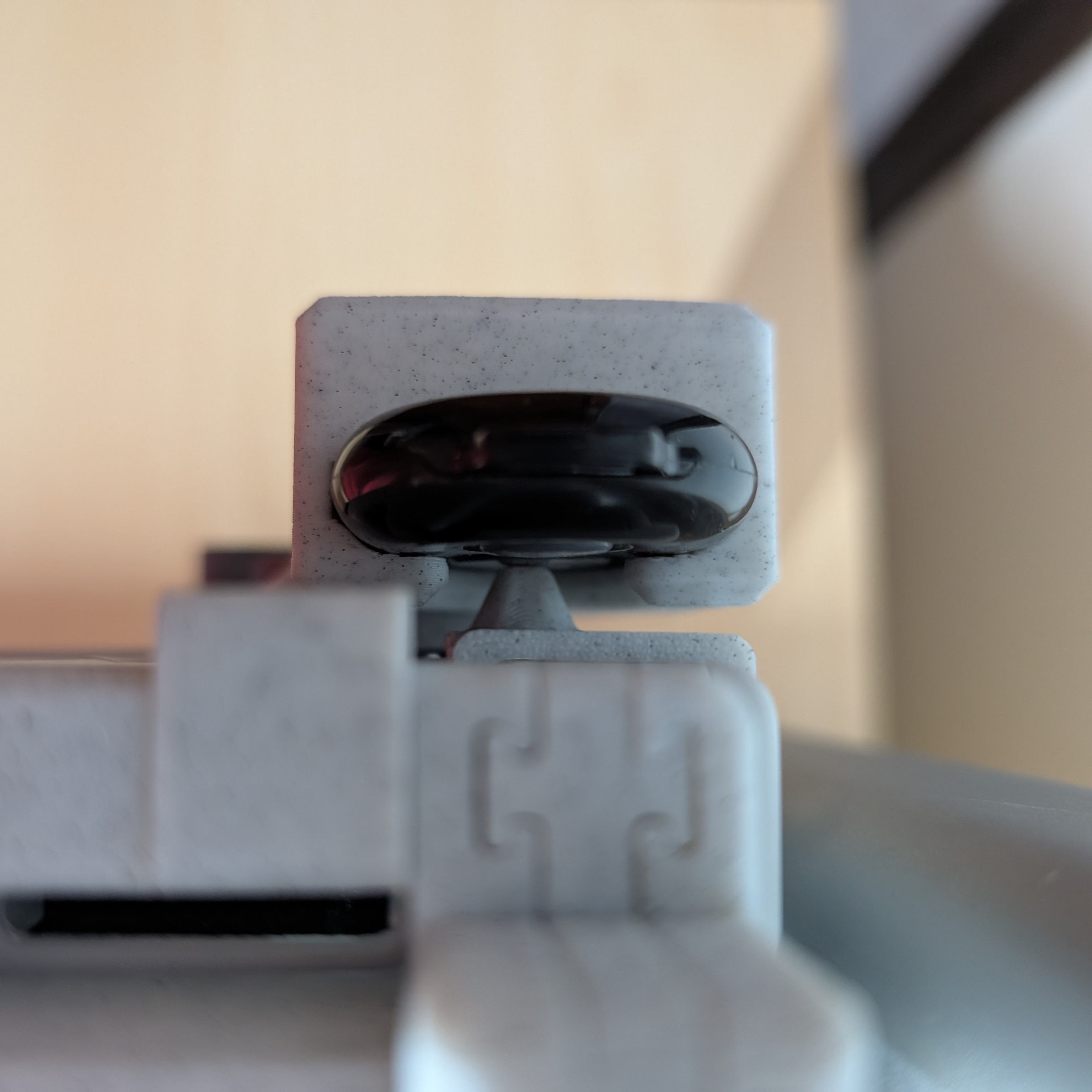
🧾 Timelapse G-code Setup
To make this work, you'll need to slightly modify the timelapse G-code section in your print profile.
IMPORTANT: if your print quality drop, please enable smooth timelapse, this will enable a purge tower.
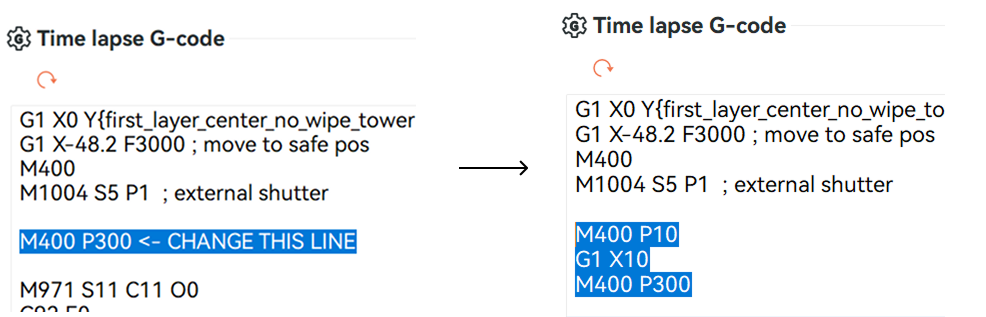
Replace:
M400 P300
With:
M400 P10
G1 X10
M400 P300
🔍 This sequence does the following:
- M400 P10: short 0.1s pause at the current position (X = 0)
- G1 X10: moves the printhead away from the camera view
- M400 P300: 3-second pause so your phone has time to take a picture
💡 If the printhead is still visible in your frame, feel free to adjust the G1 X... value.
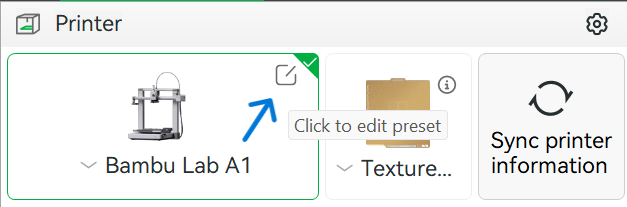
Step 1:
Open Printer Settings
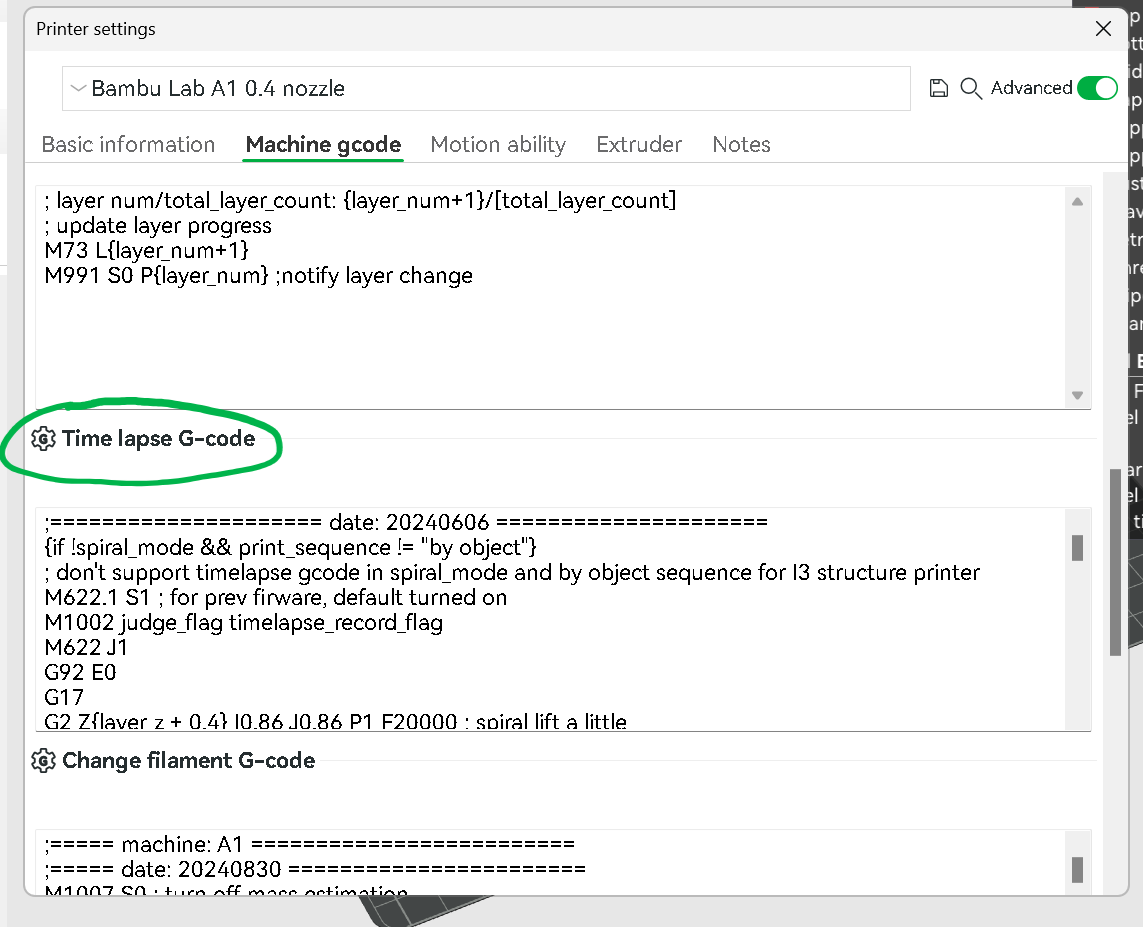
Step 2:
Under the ‘Machine gcode’ tab , scroll down until you find the Time lapse G-code, if you dont have the ‘Machine gcode’ tab please enable Advanced options
Step 3:
Locate the line ‘M400 P300’ after the external shutter comment and replace the G-code
Bonus Step (Thanks @user_1855328232):
I strongly recommend moving the printing bed forward before taking the photo. This will give the time-lapse better lighting, without any shadows. To do this, replace the following line:
G1 X0 Y{first_layer_center_no_wipe_tower[1]} F18000 ; move to safe pos
With:
G1 X0 Y250 F18000 ; move to safe pos
Step 4:
Save your profile
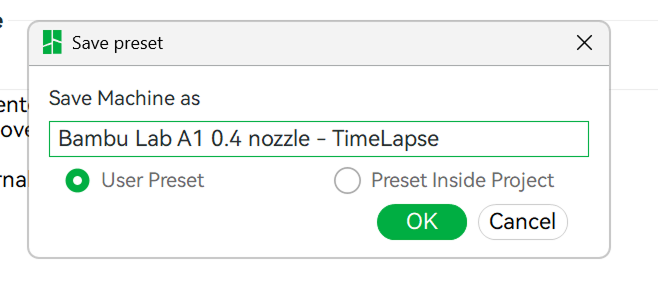
Step 5:

Gostou deste modelo? Crie uma conta grátis para salvar seus favoritos e voltar a eles depois.
Criar conta