You're on 3DFinder
We search Thingiverse, MakerWorld, and Printables at once so you get the best of each.
Description
The Swatch-a-Macallit is an evolution of my Top & Bottom Surface Patterns Test.
I was finding it difficult to predict how prints would turn out when using fancy aesthetic filaments which look very different depending on how they are printed. I wanted a way to see top & bottom surface patterns and varying shape walls for a given filament on a single space-efficient card. I hope you find it as useful as I do!
Note: This model is intended to be printed with Bambu Studio or Bambu Handy. It's possible that it works in some other slicers, but it depends upon various parts being properly configured to use particular surface patterns.
If it's still not clear what's going on here, please see my longer explanation at the bottom.
Improvements over my prior model
- Added objects to show flat & curved outer walls (the model remains stackable)
- Further consolidated linear patterns + added ironing sample
- Shrunk the card and rounded the corners
- Also made a single filament (no AMS) version
How to print
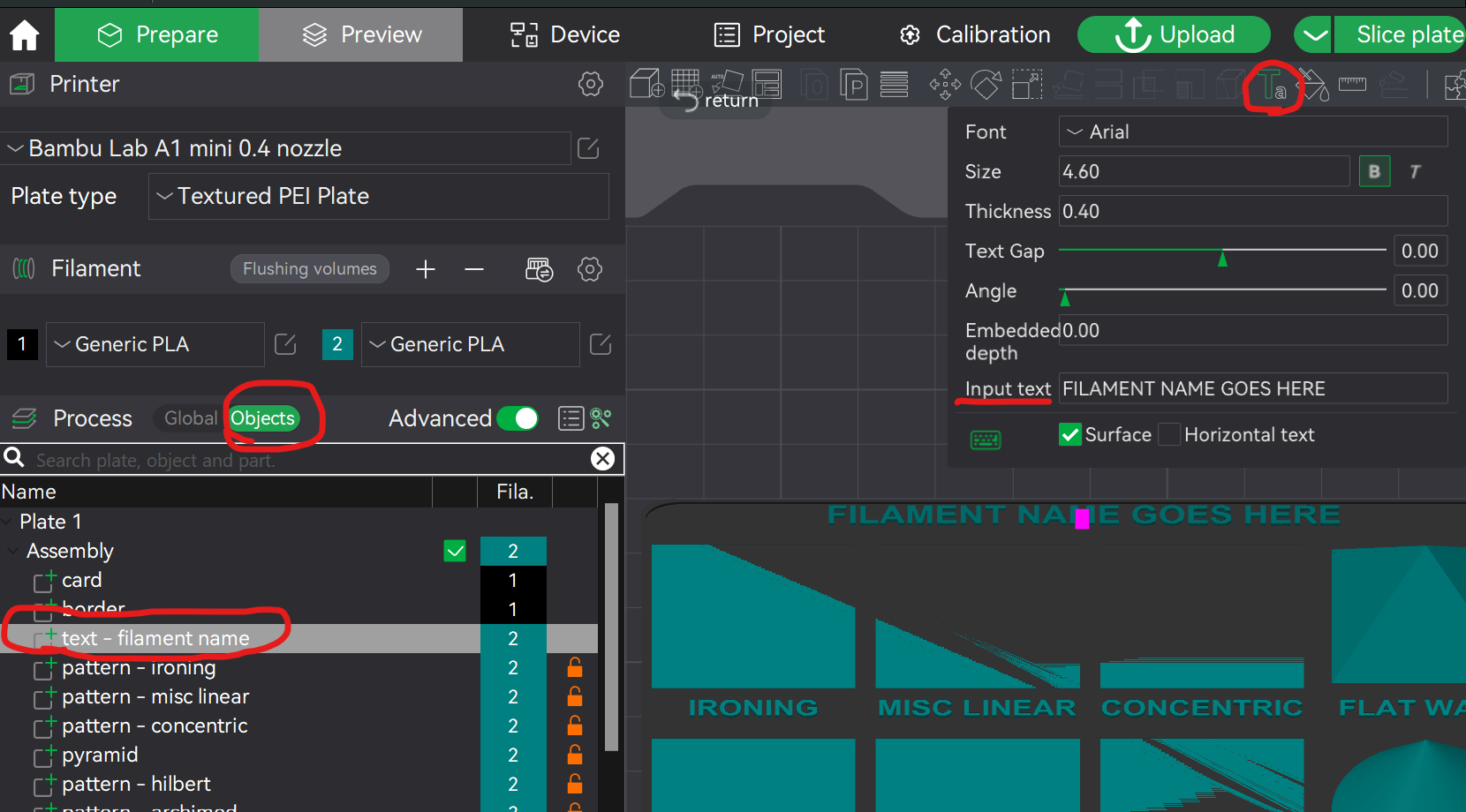
In Bambu Studio, simply customize the filament name and then print. After editing the filament name, you might need to fix the text position.
I'm confused. What's going on here?
TLDR; This is a simple model you print to see how various surface patterns and wall contours appear for a given filament and build plate. It's especially useful for fancy filaments that are more sensitive to the print direction.
Every model you slice is configured with various patterns that describe how an area of the print gets filled in. In Bambu Studio this is configured under the “Strength” tab. The Swatch-a-Macallit is configured to use different surface patterns for each section of the card so you can see how these patterns look for a given filament with a given build plate.
Once you've seen a surface pattern, you'll usually have a rough sense of what a given filament should look like with that pattern, but that's not true if you're using more splashy filaments or build plates. For instance, multicolor filaments look very different depending on the direction they're printed, so the pattern makes a big difference. Sparkly filaments (especially those with glass microspheres) also are particularly sensitive to the pattern, and fancy build plates further change the appearance.
For the swatches in the sample photos/video above, I'd used tri-color PLA filaments as well as a Bambu Galaxy PLA. I had printed these on top of a prismatic plate which imparts its own holographic-like rainbow laser effect onto the bottom surface. These swatches serve as a reference for configuring future prints.

Like this model? Create a free account to save your favorites and come back to them later.
Create account