Você está no 3DFinder
Buscamos em Thingiverse, MakerWorld e Printables ao mesmo tempo para te dar o melhor de cada uma.
Descrição
Flight Sim Control Box (v1.1)
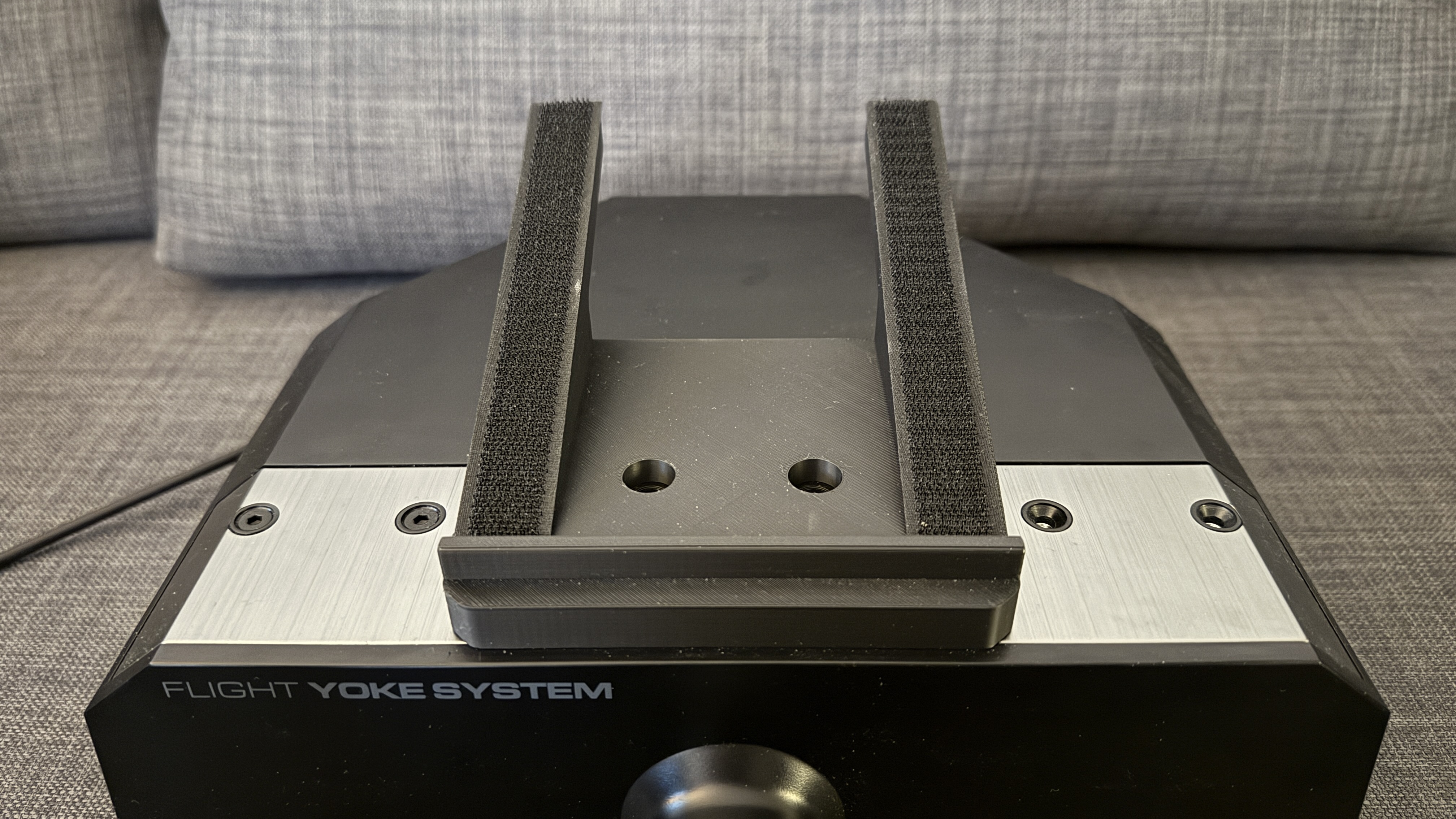
UPDATE: Now with improved Yoke Mount (extractable support tube for better standing)
This Flight Sim Control Box makes controlling instruments in your flight simulator easier and more realistic. Instead of using your mouse you can use real buttons and rotary encoders to quickly apply settings for heading, altitude, communication, navigation, etc. There is also a wheel which allows you to trim your plane very easily.
The model uses an Arduino compatible microcontroller with lots of digital ports, so I opted for a KeyeStudio MEGA R3 Plus 2560 microcontroller (link below). This microcontroller allows for an easy connection of jumper wires, has many analog and digitial ports and also comes with a USB-C port.
Once you have completed the build, you can use MobiFlight (free, awesome software, see this link) to program your Flight Sim Control Box. I will add an exemplary MobiFlight profile for Microsoft Flight Simulator later if you need one.
You can attach the Flight Sim Control Box to your yoke (like the Logitech G Flight Simulator Yoke or the Honeycomb Flight Control Yoke) - I have designed a mounting plate for this, see STL files for details and download.
Note: This model requires a number of (electronic) parts and you also need to do some soldering. Doing so is easy - I have done it multiple times without being a soldering expert. You just need some time and patience.
Required parts:
- 1x Rotary Encoder Module (Link)
- 2x Dual Rotary Encoder EC11EBB24C03 (Link)
- 1x KeyeStudio MEGA R3 Plus 2560 Microcontroller (Link)
- 9x Tactile Push Buttons (2 Pin with long legs) 6x6x5mm (Link)
- ELEGOO Jumper Wires (Link)
- M3 Threaded Inserts (Link)
- M3 Screws (Link)
- Heat Shrink Tubing (Link)
- Soldering Iron
- Soldering Tin
I have added build instructions with many photos which will guide you through the build process for this Flight Sim Control Box. If you have any questions, post these in the comments section.
This print has been tested and it works perfectly. Have fun and let me know what you think.
Keyboard holder for yokes:
I also designed a keyboard holder for yokes which you can download here: Link
Version history:
4. November 2024, v1.1: The Yoke Connector now comes with an extractable support tube which provides additional strength to the build when placed on a surface.
2. November 2024, v1.0: Initial release