Você está no 3DFinder
Buscamos em Thingiverse, MakerWorld e Printables ao mesmo tempo para te dar o melhor de cada uma.
Descrição
Parametric Tree Generator 1.5
WHAT'S NEW:
- The gaps between the parts decrease from a clearance of 0.2 to 0.0. The pieces should hold together without glue.
- move_base_x parameter added. You can place your tree from the centre to the edge of your base.
TIP: Check all print profiles, now we have 8 pre-generated trees and the collection is growing.
NOTE: To create your own tree design, please use a web browser on your desktop computer, as this feature is not available in BambuStudio or Bambu Handy mobile app.
UPLOADING YOUR PRINT PROFILE
To ensure your Print Profile for BambuStudio as a Bambu Handy user stays active, please upload a photo of your 3D print. Otherwise, the profile will be deleted.
Table of Contents
- Parametric Tree Generator 1.5
- Base
- Roots
- Trunk
- Crown
- Branches
- Birds
- Colors
Parametric Tree Generator 1.5
show_crown / Switch
Option to show or hide the crown. You can generate a trunk and base only
show_branches / Switch
Option to show or hide the branches
generate_birds / Switch
Experimental feature
clearance / Numeric value
The gap between parts. Can be 0 if you will print with AMS
If you want to explode parts later in Bambulab studio and print separately, keep clearance 0.2 because parts can not be connected
extension_of_connection / Numeric value
Makes a deeper hole in the crown for the trunk
Base
Recommendation: Make base height higher than roos depth
base_radius / Numeric value
The radius of the base
base_height / Numeric value
Height of the base
base_side_segments / Numeric value
Number of sides of the base
move_base_x / Numeric value
Move the tree from the centre to the left or right. 1 unit is equal to 1%
Roots
roots_radius_bottom / Numeric value
Bottom radius of the roots
roots_height / Numeric value
Height of the roots
roots_depth / Numeric value
Depth of the roots
Trunk
trunk_height / Numeric value
Height of the trunk. That means the middle part of the entire trunk
trunk_radius_bottom / Numeric value
Radius at the bottom of the trunk
trunk_radius_top / Numeric value
Radius at the top of the trunk
trunk_side_segments / Numeric value
Number of sides for the trunk
connection_height / Numeric value
Height of the top part of the trunk
Recommendation: Keep some some value here to make the trunk longer. Try to avoid branches touching with crown.
Crown
crown_radius / Numeric value
Size of the crown
crown_elements / Numeric value
Number of crown elements (may vary)
crown_elements_minimum_size / Numeric value
Minimum size of element
crown_elements_maximum_size / Numeric value
Maximum size of element
crown_connection_element_addtional_size / Numeric value
Size adjustment
crown_elements_resolution / Numeric value
Resolution of crown elements
crown_elements_rotate_x / Numeric value
Random rotation for X (0-360)
crown_elements_rotate_y / Numeric value
Random rotation for Y (0-360)
crown_elements_rotate_z / Numeric value
Random rotation for Z (0-360)
Branches
Note: In some cases, branches can intersect with the crown. Try to adjust parameters to avoid intersections.
Intersections between crowns and branches are not calculated and 3d printed crown and trunk objects can collide.
num_branches / Numeric value
Number of branches to create
branch_length / Numeric value
Length of branch from trunk axis
branch_length_randomness / Numeric value
Addition to branch length
branch_radius / Numeric value
The radius of the branches
branch_end_scale / Numeric value
Branch end scale (scale of branch_radius)
branch_angle / Numeric value
The angle from the trunk axis for the branches
Birds
Note: The setup is still experimental. It’s essential to check regularly that the holes in the crown are correctly aligned and not overlapping with one another, as there’s no collision detection in place. Additionally, bird placement does not account for potential collisions between birds, so manual verification is recommended to ensure they don’t overlap or interfere with the crown.
bird size / Numeric value
Size of the bird
bird_length / Numeric value
Length of bird
num_birds / Numeric value
Number of birds to place
Colors
trunk_color / Color selector
Color of the trunk and branches
crown_color / Color selector
Color of the crown
base_color / Color selector
Color of the base
Pipeline
1. Print as 1 object with AMS
Open the downloaded 3mf file in Bambulab Studio as in the picture below. Slice and print with AMS.
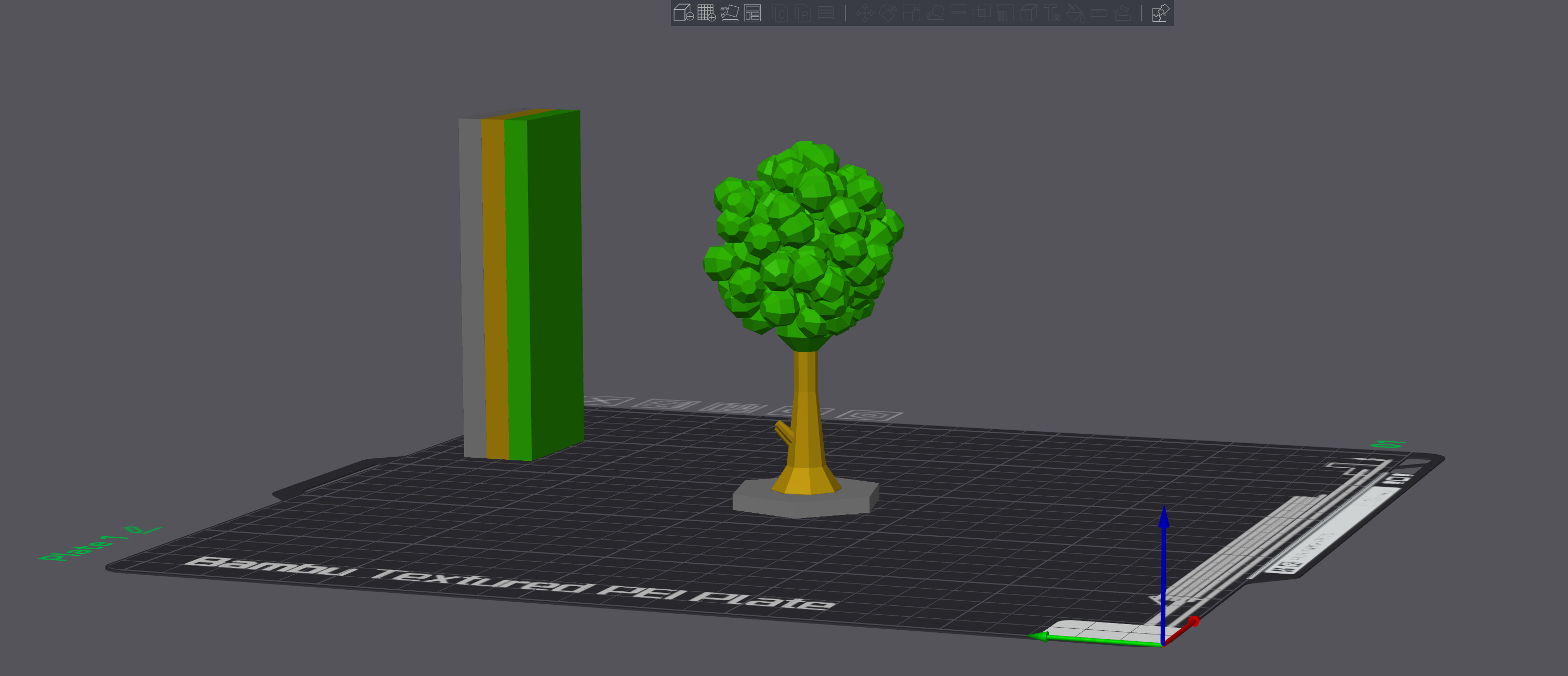
2. Print objects (base, trunk and crown) separately
Select the object and hit the Split to Objects button

Check how many objects you have
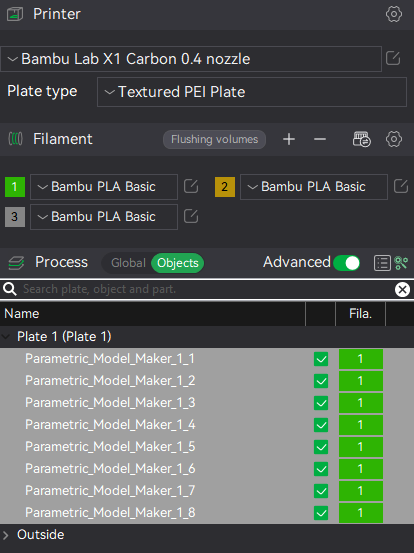
Select only base, trunk and crown and delete all other small objects.
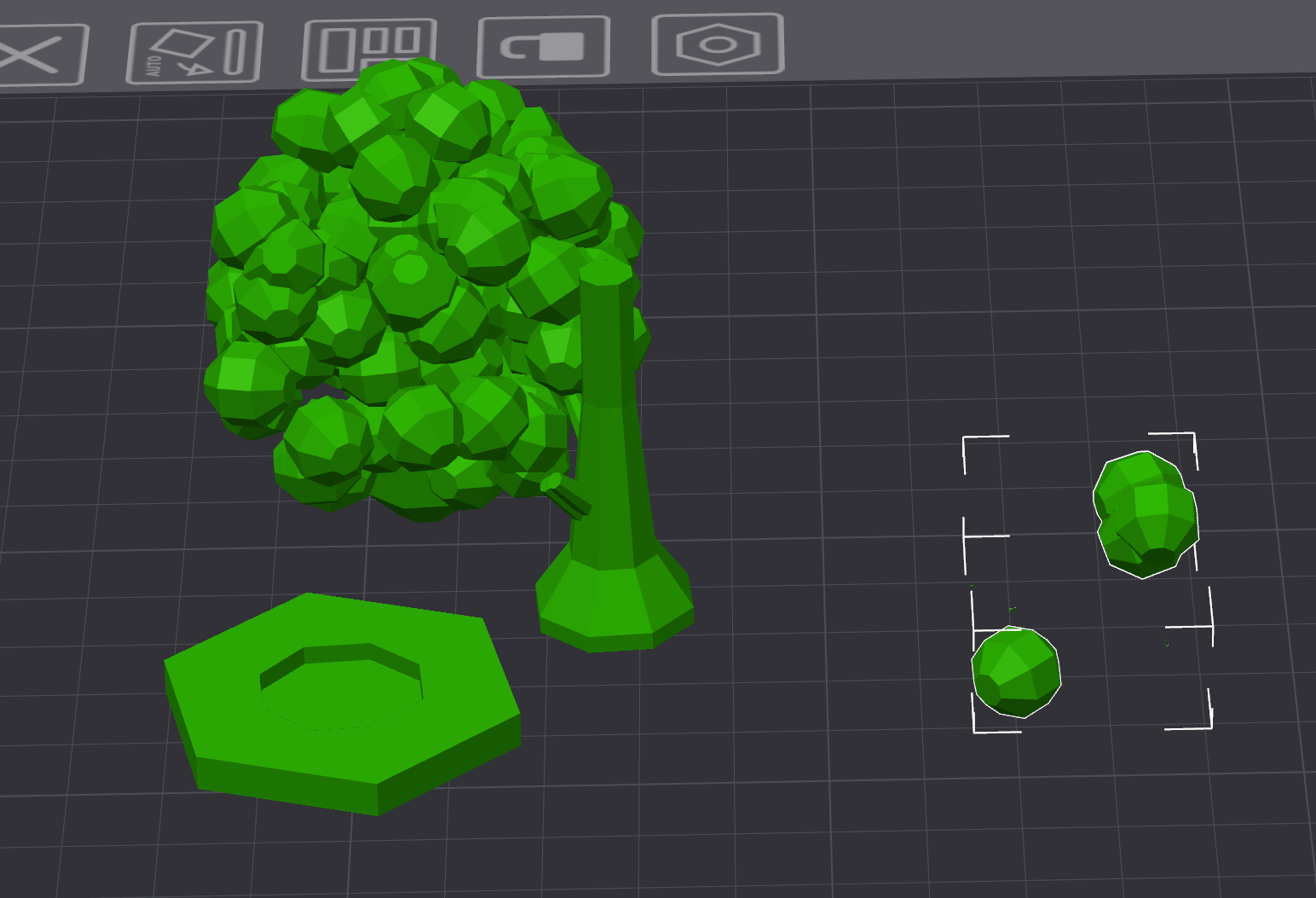
Keep only 3 objects like in picture below.
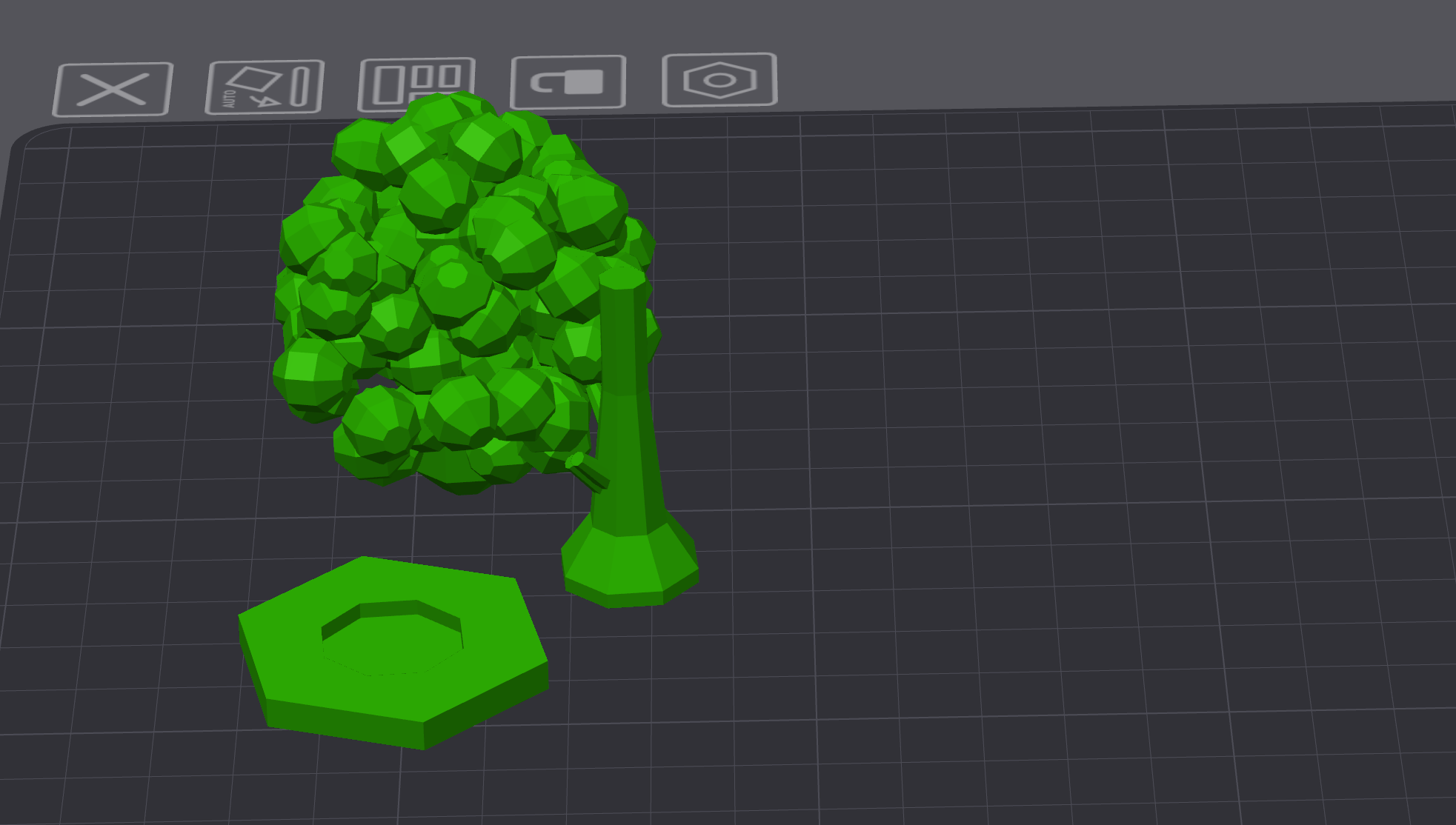
You should end up only with 3 objects.
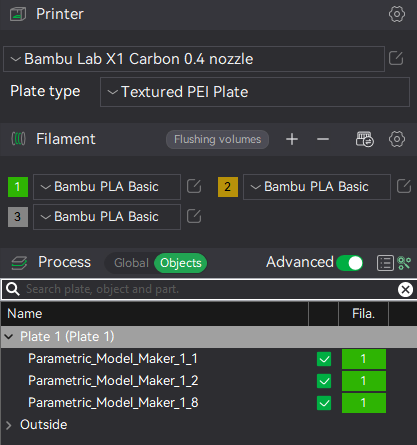
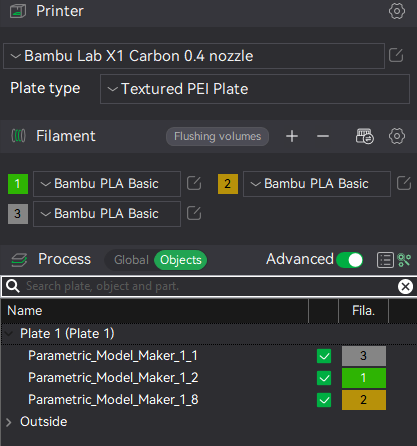
Assign color to each object
Add plates, name them, name objects and move each object to the plate.
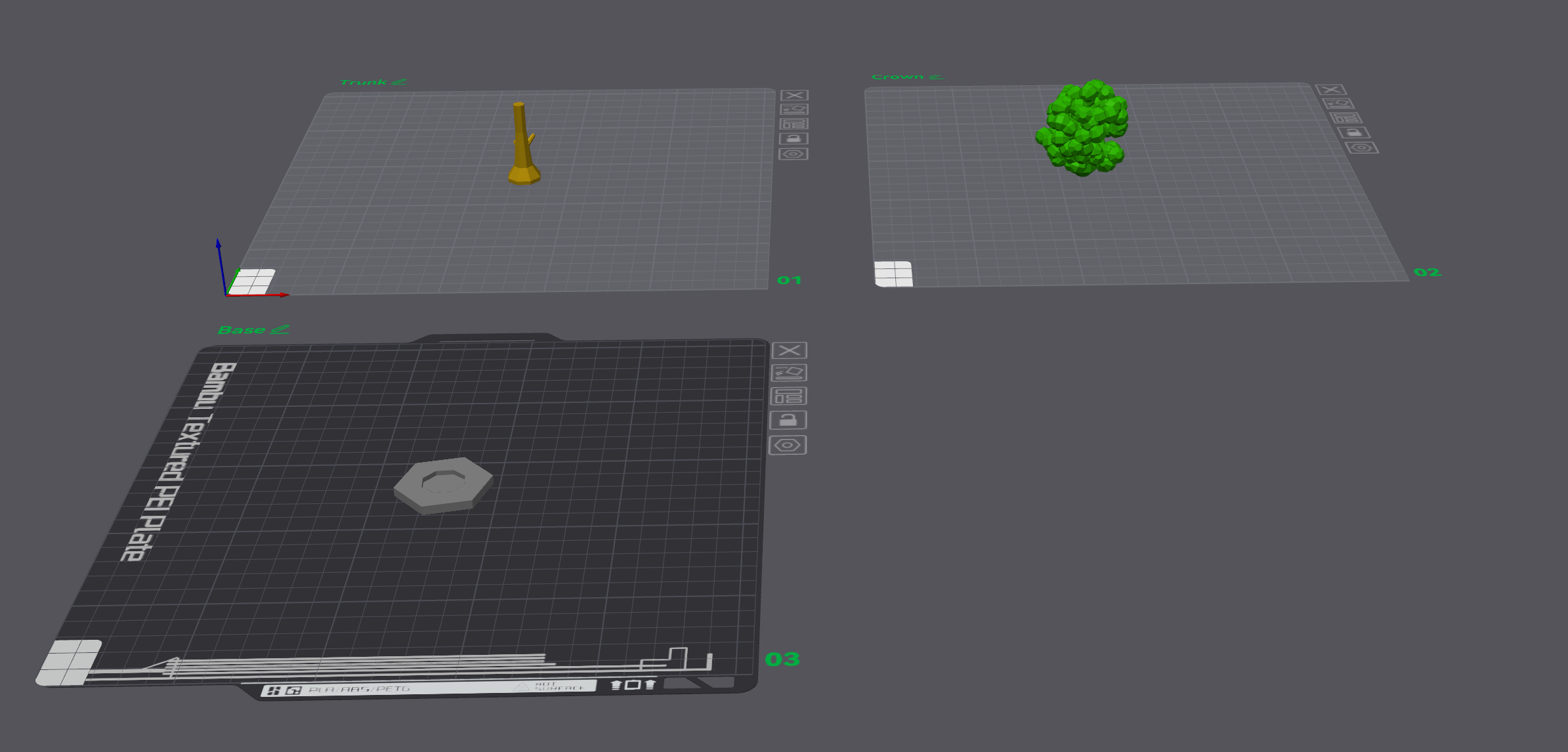
- Generate supports for the crown. The base and trunk should be OK
Troubleshooting
If this error occurs after Slicing:
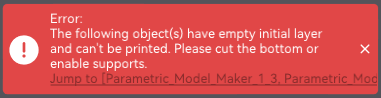
Just go back to point 2.3 and check for small objects, and delete them.
Enjoy your generic tree.
Parametric Cartoon Tree Generator 1.5

Publicado em 25 de out de 2024
Gostou deste modelo? Crie uma conta grátis para salvar seus favoritos e voltar a eles depois.
Criar conta