Você está no 3DFinder
Buscamos em Thingiverse, MakerWorld e Printables ao mesmo tempo para te dar o melhor de cada uma.
Descrição
Build your own little D1 Mini Display!
For this project, I've used a D1 Mini and a 1.5" 128x128 OLED display.
Additionally, I connected an SCD40 CO2 sensor to measure the air quality, temperature and humidity in my office.
This case is specifically made for the D1 Mini ESP8266 module and a 1.5" 128x128 OLED display.
At the rear, there is a cutout for the USB port and a hole for wires, to allow the connection of external components.
The display PCB has a size of 34 x 47mm.
A case for the SCD40 CO2/temperature/humidity sensor is also included on a separate build plate.
This breakout board with the sensor measures 23.6 x 15.45mm
Assembly instructions
If you want to add external components, put the wires through the hole in the back first.
Connect the wires to the D1 Mini.
Slide the D1 mini in its support. The side with the antenna should fit in the cutout.
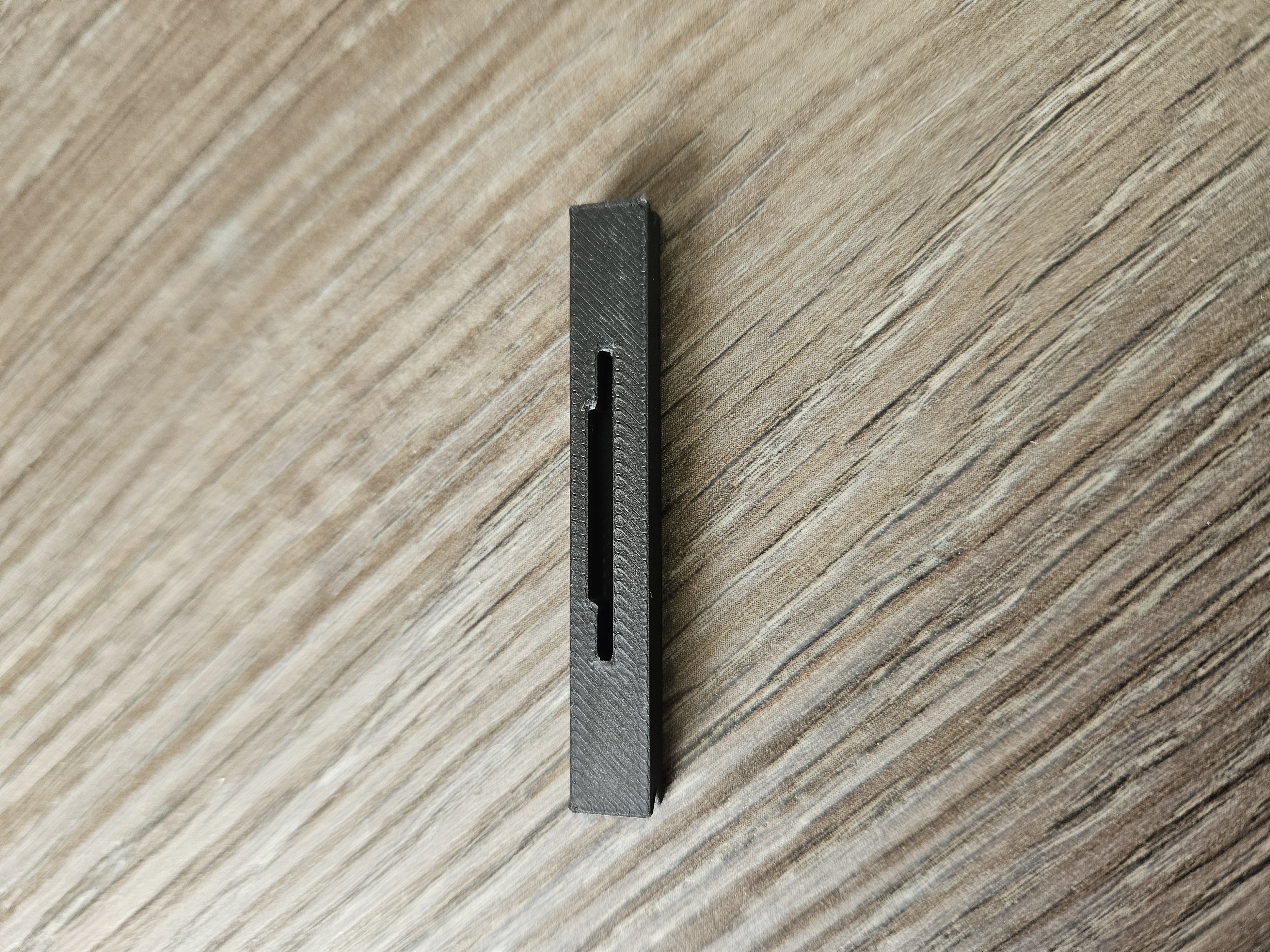
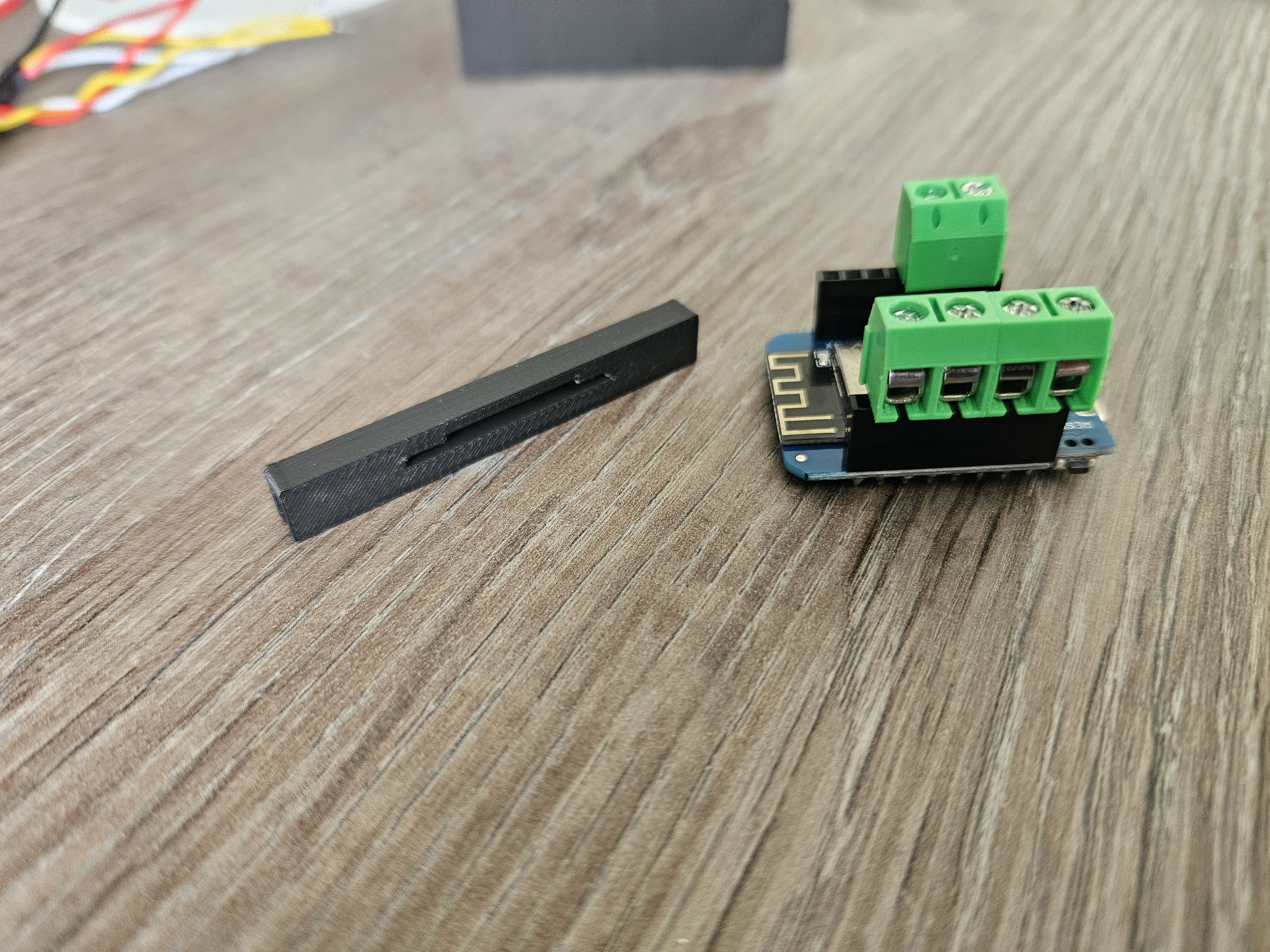
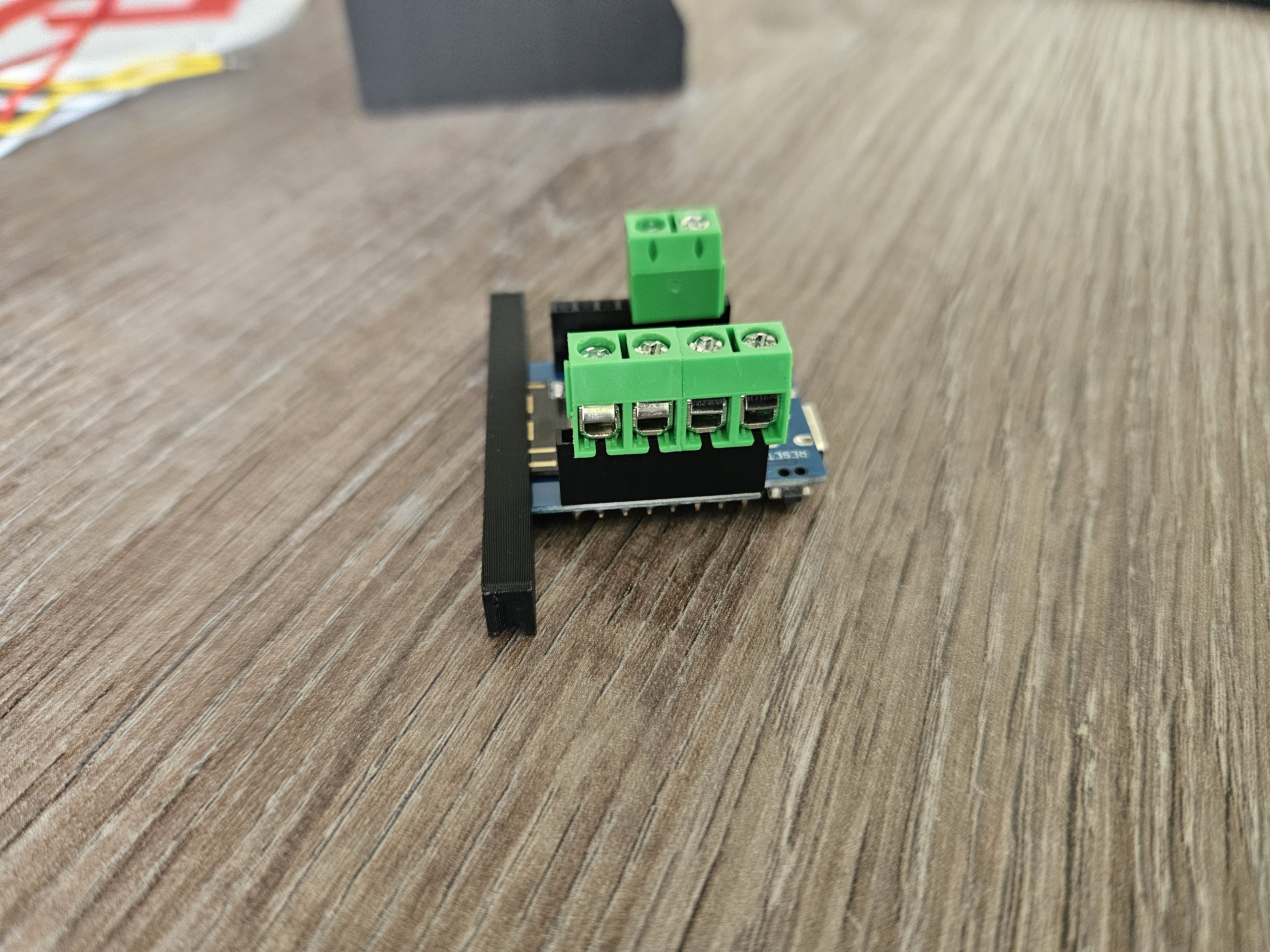
Put the display face down in the case lid. Then wire the display to the D1 Mini.
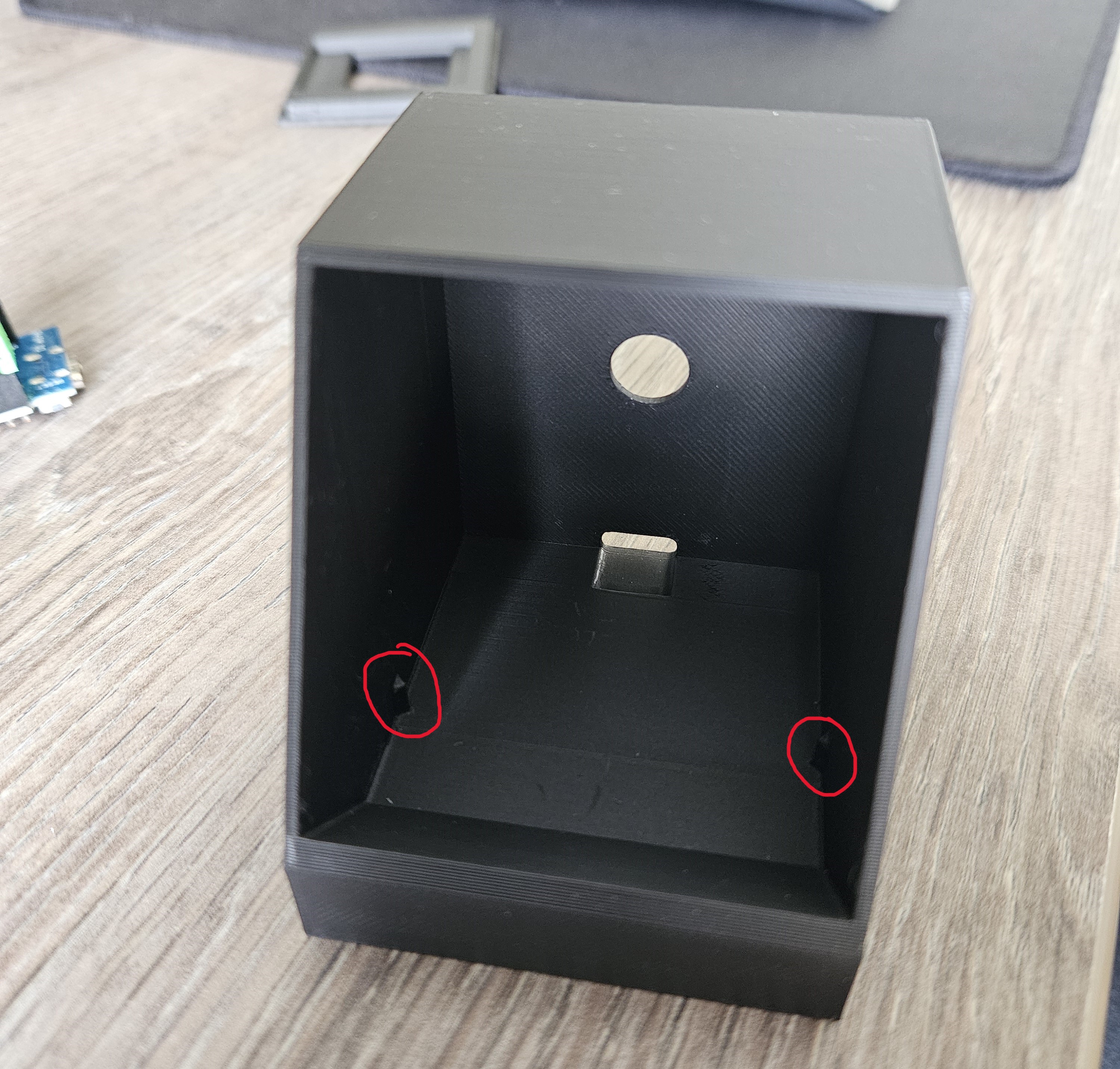
Now, fit the D1 Mini in the case. The inside of the case has 2 protrusions (left and right) that fit perfectly with the notches on both sides of the D1 Mini support.
Snap the lid with the display on the case, and you're done!
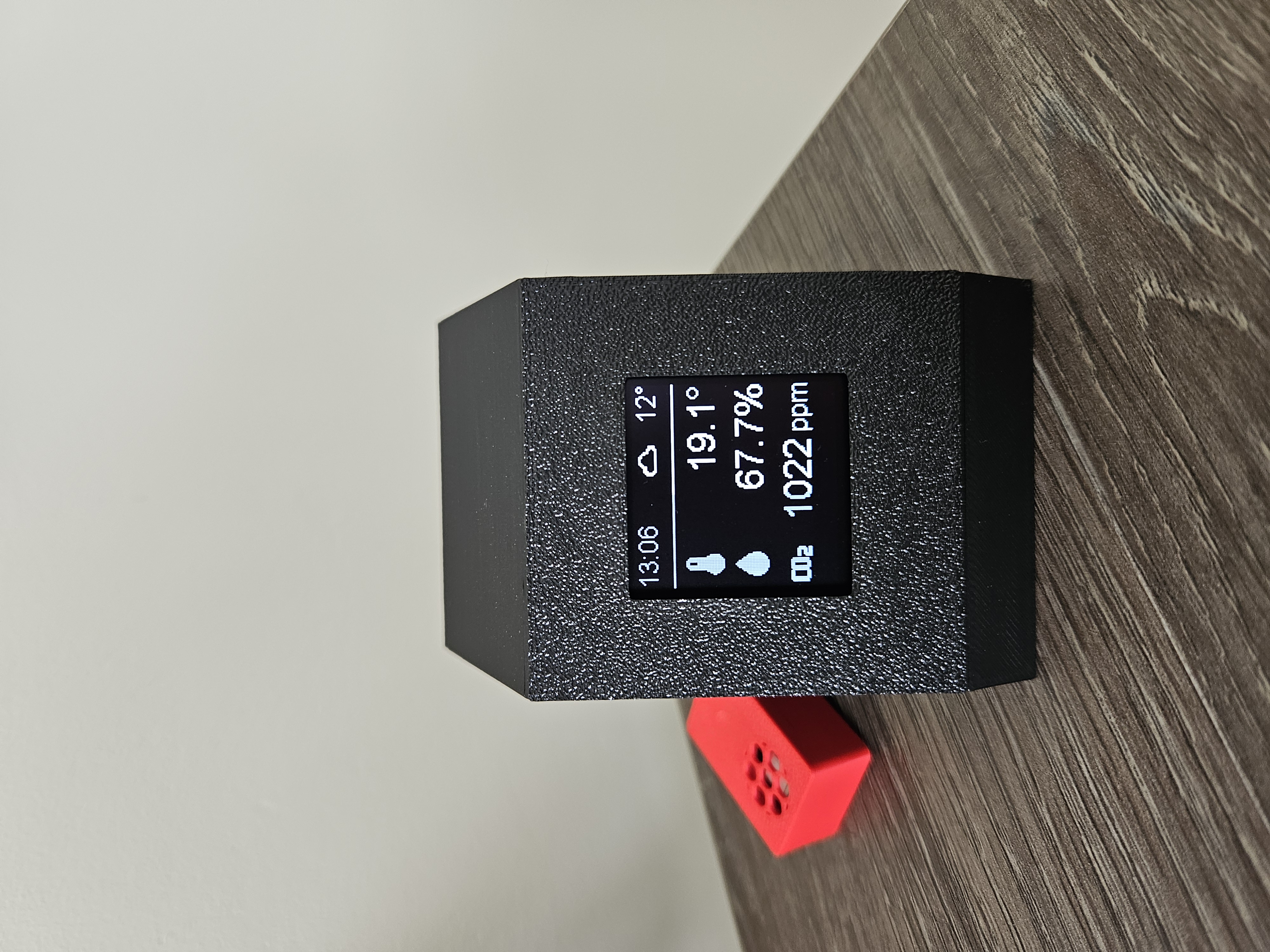
I'm running ESPHome on my D1 Mini, but you could use any platform you want.
Below is the yaml code I am using (some irrelevant parts are left out):
esp8266:
board: d1_minii2c:
frequency: 200kHz
sda: D5
scl: D7font:
- file: 'arial.ttf'
id: font_small
size: 16
- file: 'arial.ttf'
id: font_large
size: 24
- file: 'materialdesignicons-webfont.ttf'
id: weather_icons
size: 20
glyphs:
- "\U000F0594" #"clear-night"
- "\U000F0590" #"cloudy"
- "\U000F0591" #"fog"
- "\U000F0592" #"hail"
- "\U000F0593" #"lightning"
- "\U000F067E" #"lightning-rainy"
- "\U000F0595" #"partlycloudy"
- "\U000F0596" #"pouring"
- "\U000F0597" #"rainy"
- "\U000F0598" #"snowy"
- "\U000F067F" #"snowy-rainy"
- "\U000F0599" #"sunny"
- "\U000F059D" #"windy"
- "\U000F059E" #"windy-variant"
- "\U000F050F" #"thermometer"
- file: 'materialdesignicons-webfont.ttf'
id: sensor_icons
size: 30
glyphs:
- "\U000F050F" #"thermometer"
- "\U000F058C" #"water"
- "\U000F07E4" #"CO2"
- "\U000F005C" #"arrow-top-right"
- "\U000F0043" #"arrow-bottom-right"
- "\U000F0054" #"arrow-right"display:
- platform: ssd1306_i2c
model: "SH1107 128x128"
address: 0x3C
update_interval: 10s
rotation: 180°
lambda: |-
// Display weather condition icon top center
if (id(weather_condition).has_state()) {
std::map<std::string, std::string> weather_icon_map
{
{"clear-night", "\U000F0594"},
{"cloudy", "\U000F0590"},
{"fog", "\U000F0591"},
{"hail", "\U000F0592"},
{"lightning", "\U000F0593"},
{"lightning-rainy", "\U000F067E"},
{"partlycloudy", "\U000F0595"},
{"pouring", "\U000F0596"},
{"rainy", "\U000F0597"},
{"snowy", "\U000F0598"},
{"snowy-rainy", "\U000F067F"},
{"sunny", "\U000F0599"},
{"windy", "\U000F059D"},
{"windy-variant", "\U000F059E"},
};
it.printf(80, 0, id(weather_icons), TextAlign::TOP_CENTER, weather_icon_map[id(weather_condition).state.c_str()].c_str());
}// Print time in HH:MM format top left
it.strftime(0, 0, id(font_small), TextAlign::TOP_LEFT, "%H:%M", id(esptime).now());// Print outside temperature top right
it.printf(it.get_width(), 0, id(font_small), TextAlign::TOP_RIGHT, "%.0f°", id(outside_temperature).state);// Draw horizontal line
it.line(0, 25, it.get_width(), 25);// Inside temperature (icon, value, unit)
it.printf(0, 30, id(sensor_icons), TextAlign::LEFT, "\U000F050F");
it.printf(128, 30, id(font_large), TextAlign::RIGHT, "%.1f°", id(temp_co2).state);// Inside humidity (icon, value, unit)
it.printf(0, 60, id(sensor_icons), TextAlign::LEFT, "\U000F058C");
it.printf(128, 60, id(font_large), TextAlign::RIGHT, "%.1f%%", id(humidity_co2).state);
// Inside CO2 level (icon, value, unit)
it.printf(0, 90, id(sensor_icons), TextAlign::LEFT, "\U000F07E4");
it.printf(93, 90, id(font_large), TextAlign::RIGHT, "%.0f", id(co2).state);
it.printf(128, 95, id(font_small), TextAlign::RIGHT, "ppm");time:
- platform: homeassistant
id: esptimetext_sensor:
- platform: homeassistant
id: weather_condition
entity_id: weather.home
internal: truesensor:
- platform: homeassistant
id: outside_temperature
entity_id: weather.home
attribute: temperature
internal: true- platform: scd4x
co2:
name: "CO2"
id: co2
temperature:
name: "Temperature (CO2 sensor)"
id: temp_co2
temperature_offset: 2
humidity:
name: "Humidity (CO2 sensor)"
id: humidity_co2
measurement_mode: low_power_periodic
address: 0x62
update_interval: 30s
D1 Mini case with screen and optional sensor

Publicado em 16 de out de 2024
Gostou deste modelo? Crie uma conta grátis para salvar seus favoritos e voltar a eles depois.
Criar conta