Você está no 3DFinder
Buscamos em Thingiverse, MakerWorld e Printables ao mesmo tempo para te dar o melhor de cada uma.
Descrição
JigSaw Katana - ジグソー刀
🔹 Multiple Model Designs 🔹 < 20g of plastic per katana 🔹 T-Shank Compatible 🔹 Keychain Version 🔹 Ninja!? 🔹
Miniature model of traditional Japanese sword - katana. Compatible with T-Shank mount type - allows you to use metal jig saw blades (up to 100 mm in total length when used with pouch). I've bought 4 of those blades for 5$ in my local store. Additionally, T-Shank is probably the most popular type of mount, so you shouldn't have problem finding it near you. Alternatively you can choose form one of the 3D printed blades - fancy looking but a bit “flimsy”. Japanese text engraved on katana could be translated to: Future Light (未来光) and Future Blade (未来刃)
❗THIS MODEL WAS CREATED FOR DISPLAY PURPOSES - CUTTING WAS NOT ONE OF THEM ❗ I STRONGLY ADVCE YOU NOT TO CUT ANYTHING WITH IT ❗ METAL BLADES ARE QUITE SHARP - THERE IS ALWAYS A RISK OF CUTTING YOURSLEF ❗ BE CAREFULL❗
If you still fell strong urge to slice some soft objects (styro, foam, cakes, etc.), there is a way… but you are doing it on your own responsibility. Follow the assembly section "with glue" and remember that the blade is separated from your hand by a few tiny layers of 3D printed plastic. Do not push katana with excessive force against cut surface - it might lead to breaking the handle.
❇️ CUSTOMIZATION
To have working katana you just need to print plate 1 and plate 2. Plates 3 and 4 are with spare elements with different design:
- Plate 1 - Basic Set + Keychain Cap
- Plate 2 - Pouch (less likely to fail on separate plate + easier reprinting)
- Plate 3 - 3 Additional Pouches (3 models / 2 text orientations)
- Plate 4 - 10 Different Blades (to have “hollow infill” you must use .3mf print profile)*
*If you want to use another slicer, just set walls to 3, top/bottom layers to 0 and mess with the infill.
🔧 ASSEMBLY (NO GLUE)
- Place blade inside two blade holders (mind the orientation of the blade)
- Insert the blade holder into the handle
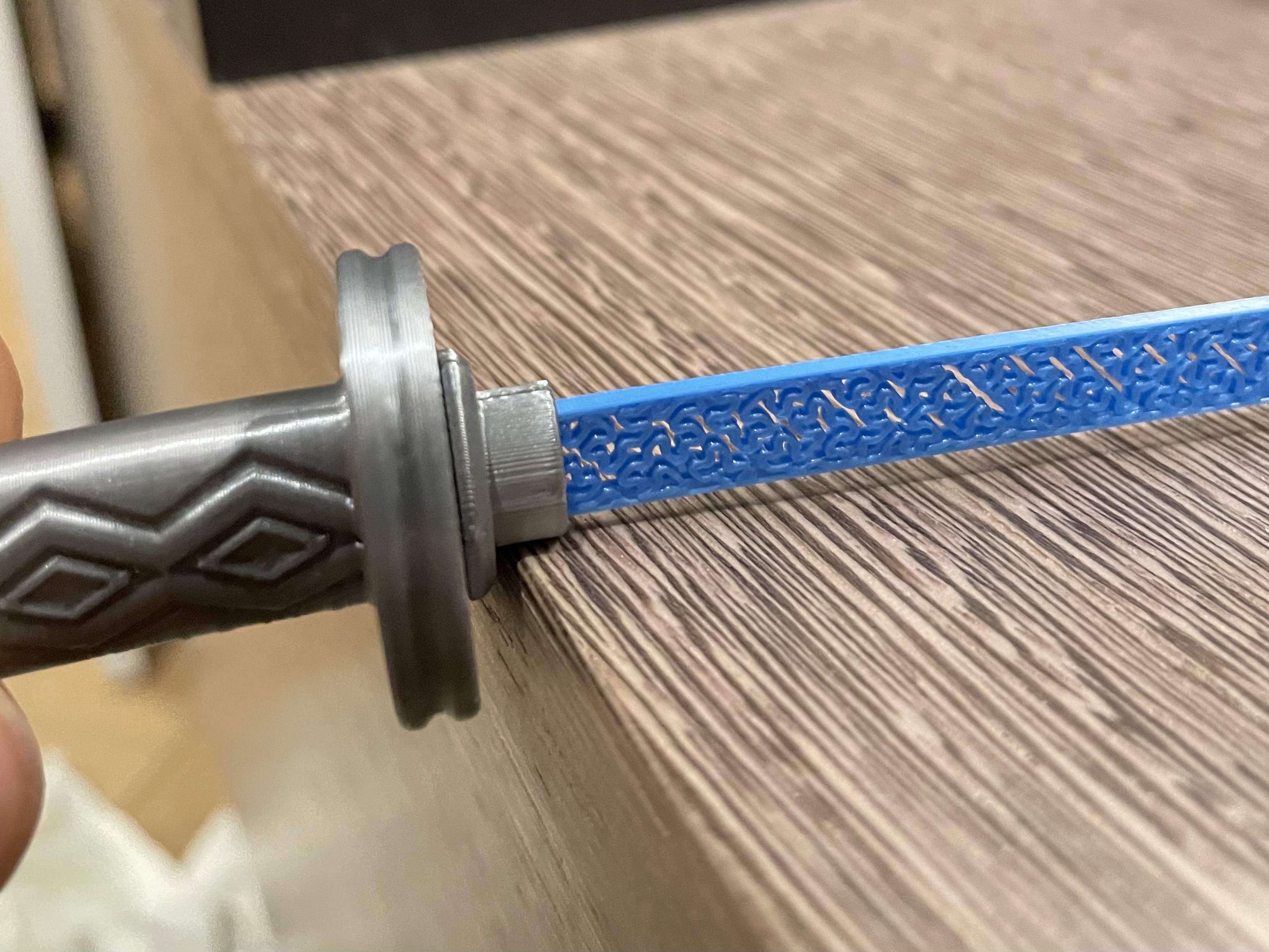
- Push blade holder against something rigid with blade perpendicular to surface (Image 1) - do it for both sides (up & down)
- Insert end cap
🔧 ASSEMBLY (WITH GLUE)
- Place blade inside two blade holders (mind the orientation of the blade)
- Add solid portion of glue through holes in blade holders
- Cover the outside (small pits up to the holes) of the blade holder with glue
- Insert the blade holder into the handle
- Push blad holder against something rigid with blade perpendicular to surface (Image 1) - do it for both sides (up & down)
- (Optional) You can add more glue through the bottom of katana to move weight balance towards the handle
- When glue is hardened, insert bottom cap (glue it, if you need it)
🚧 DISASSEMBLY (NO GLUE VERSION ONLY)
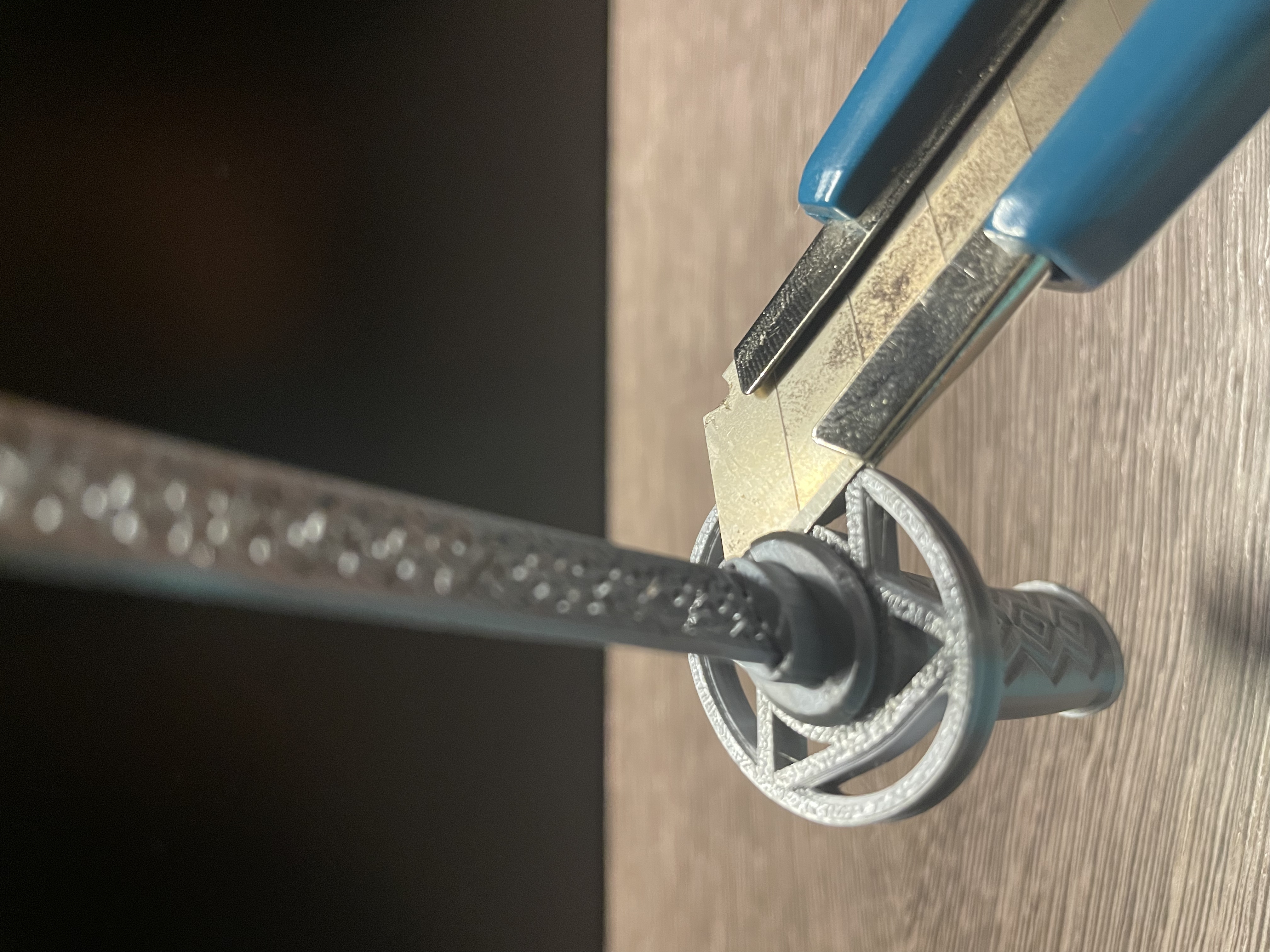
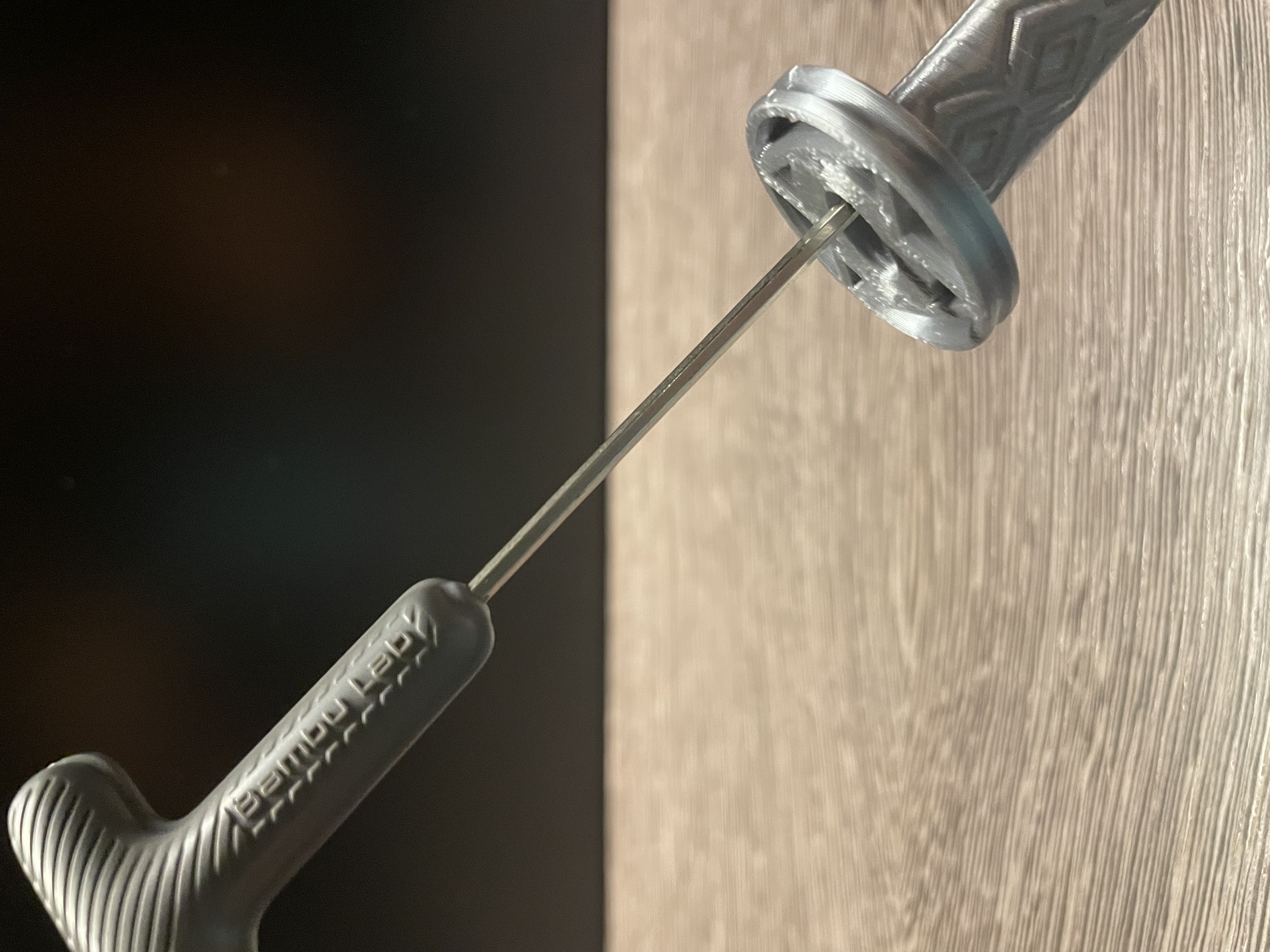
- When you disassembly the model, insert a knife in the region where two holder meet and pry it (Image 2). Then insert a screwdriver (or anything that fits inside katana) to push the bottom cap form inside (Image 3). When you pry from the side you can easly break layers.
🆘 TROUBLE SHOOTING
This is a very small model, due to that some geometries are hanging on a few layers and might cause part to fail. Tall object with very small area of first layer doesn't help the situation either. I've designed print profile so is should be less likely but it still might happen - don't give up at this point you are a warrior! Print failures are occurring on blade holders and pouches, my current stats look like:
- Blade Holders - 20 printed - 1 failed print
- Pouches - 8 printed - 3 failed (engraved versions are more prone to detach form plate during printing)
What to do if you get repetitive failures:
🚩Recalibrate your printer (Factory Settings)
🚩Decrease general print speed (inner, outer, travel)
🚩Turn off cooling for pouch
🚩Turn on max cooling for blade holder
🚩Try increasing/decreasing print temperature (+/- 10 degrees)
Cut your 🍣 and live in ✌️ See ya!
Gostou deste modelo? Crie uma conta grátis para salvar seus favoritos e voltar a eles depois.
Criar conta