Você está no 3DFinder
Buscamos em Thingiverse, MakerWorld e Printables ao mesmo tempo para te dar o melhor de cada uma.
Descrição
Modular Wrench Organizer: Version 3.0!
Building on Success: I've taken the popular Version 2 design and made it even better, thanks to your feedback and my own tinkering!
- Rock-Solid Strength: The hollow body design has been replaced with a robust, solid structure for increased durability. Socket connectors are also filled for added strength.
- Improved Connections: Enjoy a snugger fit between pieces that remains easy to disassemble and rearrange for ultimate flexibility. For a permanent setup, simply glue the pieces together.
- Enhanced Customization:
- Detent Bump Option: Prefer a tighter socket hold? Choose the detent bump version for a secure fit.
- Clean Finish with End Caps: Neatly finish off rows with included end caps that hide connection points.
- Customizable Magnet Holes (Bambu Studio Users): Tailor the magnet holes (default: 12x3mm) to fit your specific magnets or remove them entirely if not needed.
- Spacer for Large Sockets: A requested addition to accommodate larger tools.
- Hex Bit Holder: A new addition to keep your hex bits organized and easily accessible.
Universal Compatibility: Works flawlessly with both SAE and Metric socket sets.
- Size Guide:
- Small: Designed for 1/4" drive sockets
- Medium: Fits 3/8" drive sockets
- Large: Accommodates 1/2" drive sockets
Inspiration & Adaptability:
This design was inspired by collindraker's Modular Wrench Organizer ([https://www.thingiverse.com/thing:6631958](https://www.thingiverse.com/thing:6631958)). I wanted a similar solution for sockets but with increased modularity for customized organization in my toolbox.
No Size Markings - Maximum Flexibility: I've intentionally omitted size markings. This allows you to combine duplicate sizes, integrate old and new sets, and organize them by size, function, or however best suits your workflow.
Get Printing!
--
Changing / removing the magnet hole:
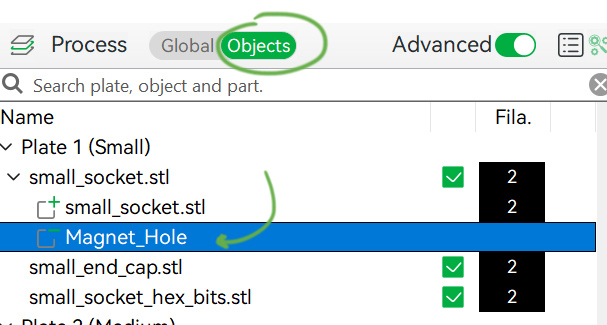
Change to Object (menu on the left) and select “Magnet_hole” in the desired piece. If you don't want the hole simply delete this part. If you want to change the size just keep reading.
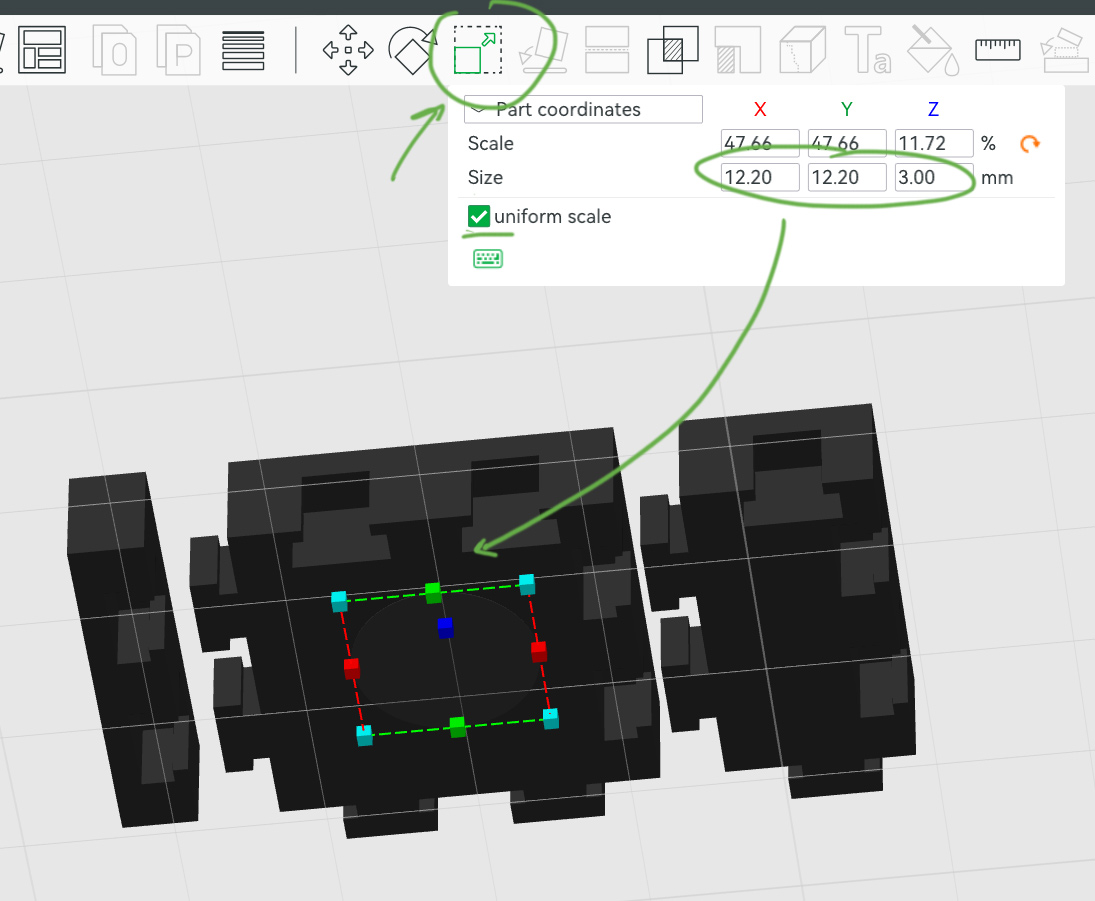
On the top menu choose the Scale option and insert the desired dimensions (don't forget to leave some extra so it isn't too tight for the magnet). Untick “uniform scale” to insert the height (z) without changing x and y.
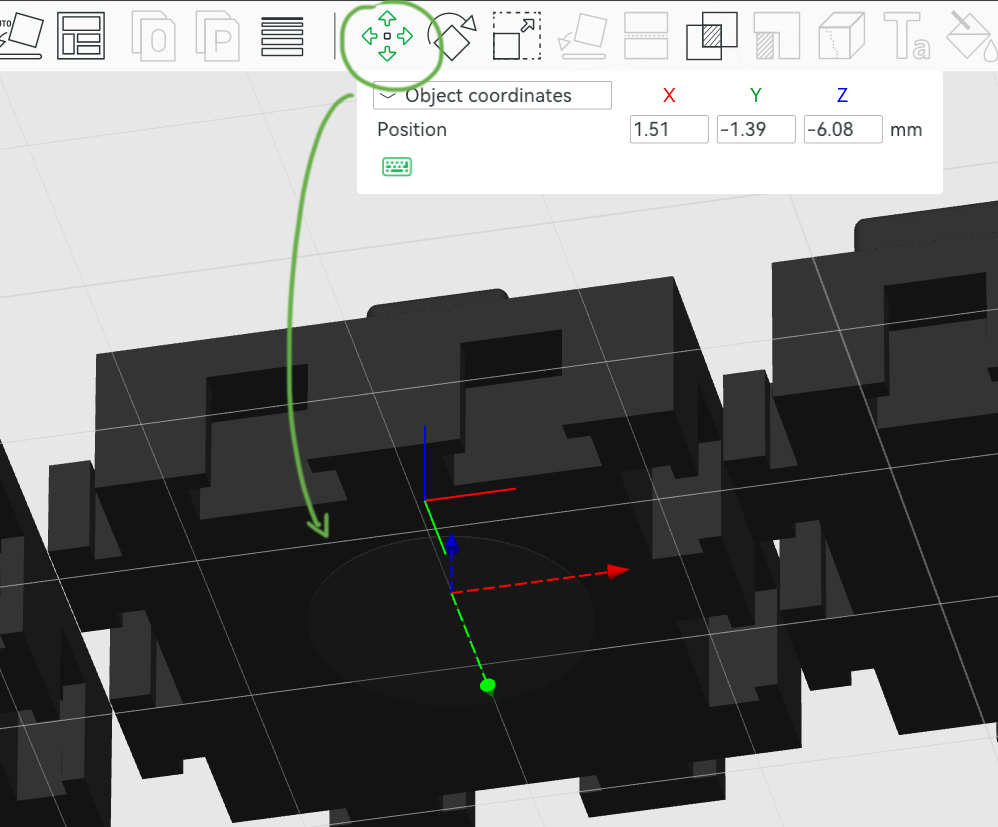
Changing the size (specially height) will make the part move and probably hide inside the piece. Use the move tool on the top menu do adjust it's position (use the colored arrows on the part for a easy adjustment, place this transparent cylinder so it peeks slightly through the bottom of the piece.
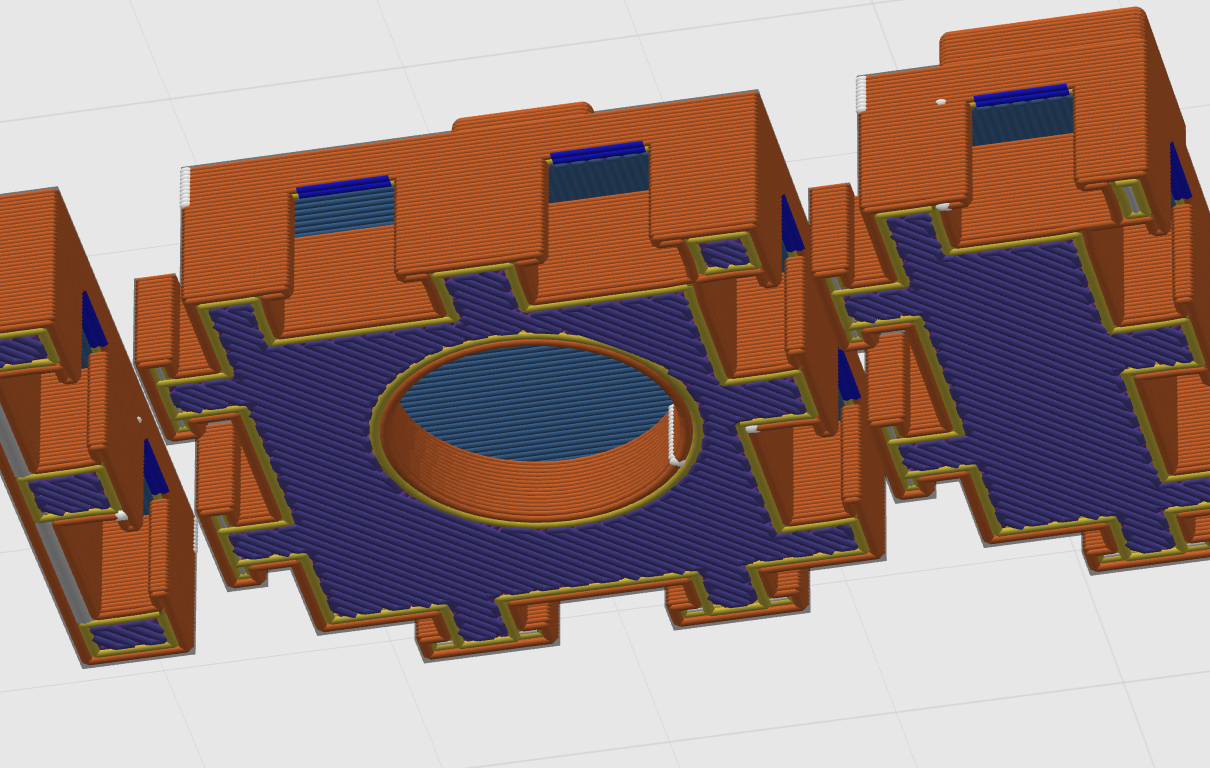
Slice the plate to verify if all is as you wish. Print away! :)
Modular Socket Tool Organizer 3.0

Publicado em 20 de ago de 2024
Gostou deste modelo? Crie uma conta grátis para salvar seus favoritos e voltar a eles depois.
Criar conta