You're on 3DFinder
We search Thingiverse, MakerWorld, and Printables at once so you get the best of each.
Description
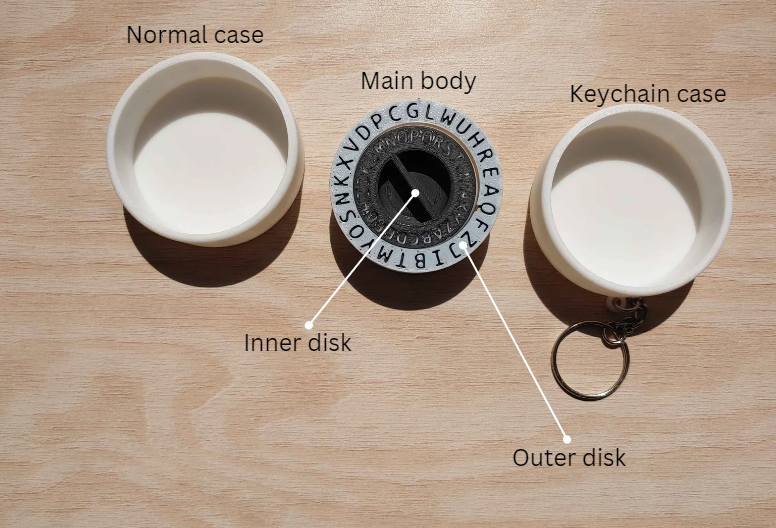
This compact and stylish cipher wheel is perfect for creating and deciphering secret codes. Designed with a sleek circular form, the device features two rotating disks: the outer disk displays the alphabet and numbers, while the inner disk allows users to align different letters or numbers to create unique encryption keys. The tool is ideal for those who love puzzles, codes, and encryption, making it a fun and functional accessory for both kids and adults. Whether for educational purposes, games, or simply passing secret messages, this device is a must-have for enthusiasts of cryptography.
Assembly:
Apply a thin, even layer of adhesive to the interior of your chosen case, making sure to only apply it to the outer walls.
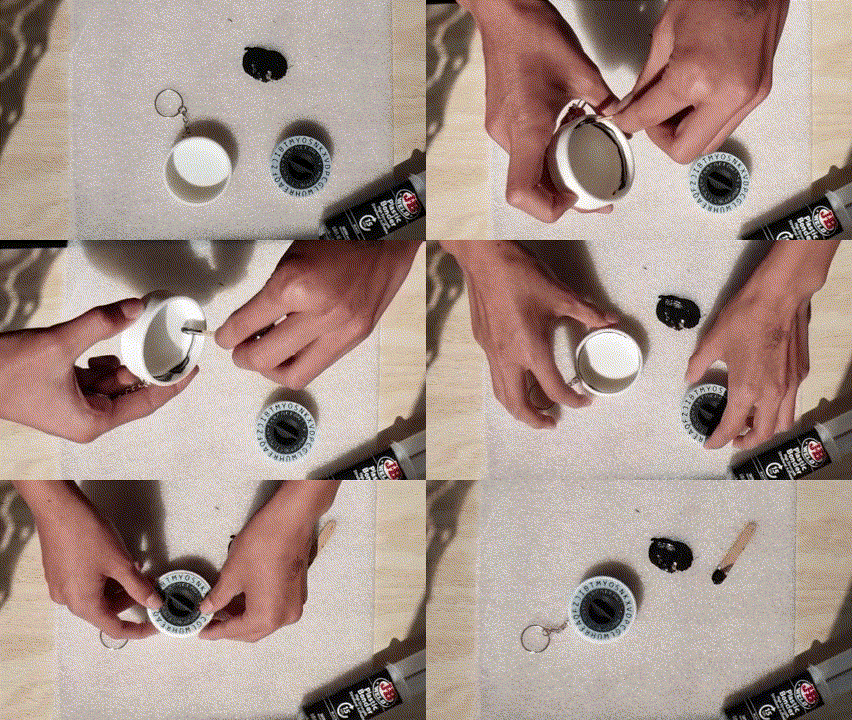
After, insert the main body into the case.
Finished:
How to use:
Creating a Code:
- Set the Cipher Key:
- Decide on a letter or number to use as your cipher key. For example, if you choose "C" as your key, you will align the letter "A" on the inner disk with the letter "C" on the outer disk.
- Encode the Message:
- To encode your message, find each letter of your message on the inner disk. Write down the corresponding letter on the outer disk as your encoded message.
- For example, if your message is "HELLO" and your key is "C," you would find "H" on the inner disk and note the letter aligned with it on the outer disk. Do this for each letter of your message.
- Share the Cipher Key:
- Share the cipher key (in this case, "C") with the person who will decode the message. This key is necessary to decipher the encoded message.
Deciphering a Code:
- Align the Cipher Key:
- To decode a message, first align the inner disk’s "A" with the outer disk’s letter corresponding to the cipher key (e.g., "C").
- Decode the Message:
- Look at each letter of the encoded message on the outer disk and find the corresponding letter on the inner disk. This reveals the original message.
- Read the Decoded Message:
- Continue this process for the entire message to decode it back into its original form.