Você está no 3DFinder
Buscamos em Thingiverse, MakerWorld e Printables ao mesmo tempo para te dar o melhor de cada uma.
Descrição
This cube was created with Wavemans fantastic customizer. I wanted a cube that had some resistance to it, the blocks weren't loose and I didn't feel like I was going to break it trying to twist it the first time. Took about 5-6 different revisions and prints to get it where I wanted it but I really liked this one so wanted to share my version.
But specifically I wanted to utilize this as a flush object and to share this tech with everybody to help reduce waste during multicolor prints. This allows you to recover what would have been waste and turn it into a fun fidget.
Pro Tips:
- This flush object works well for objects up to 21mm tall. If you have color changes taller than that try out my new Vertical flush fidgets that you can scale up to the height you need them to flush:
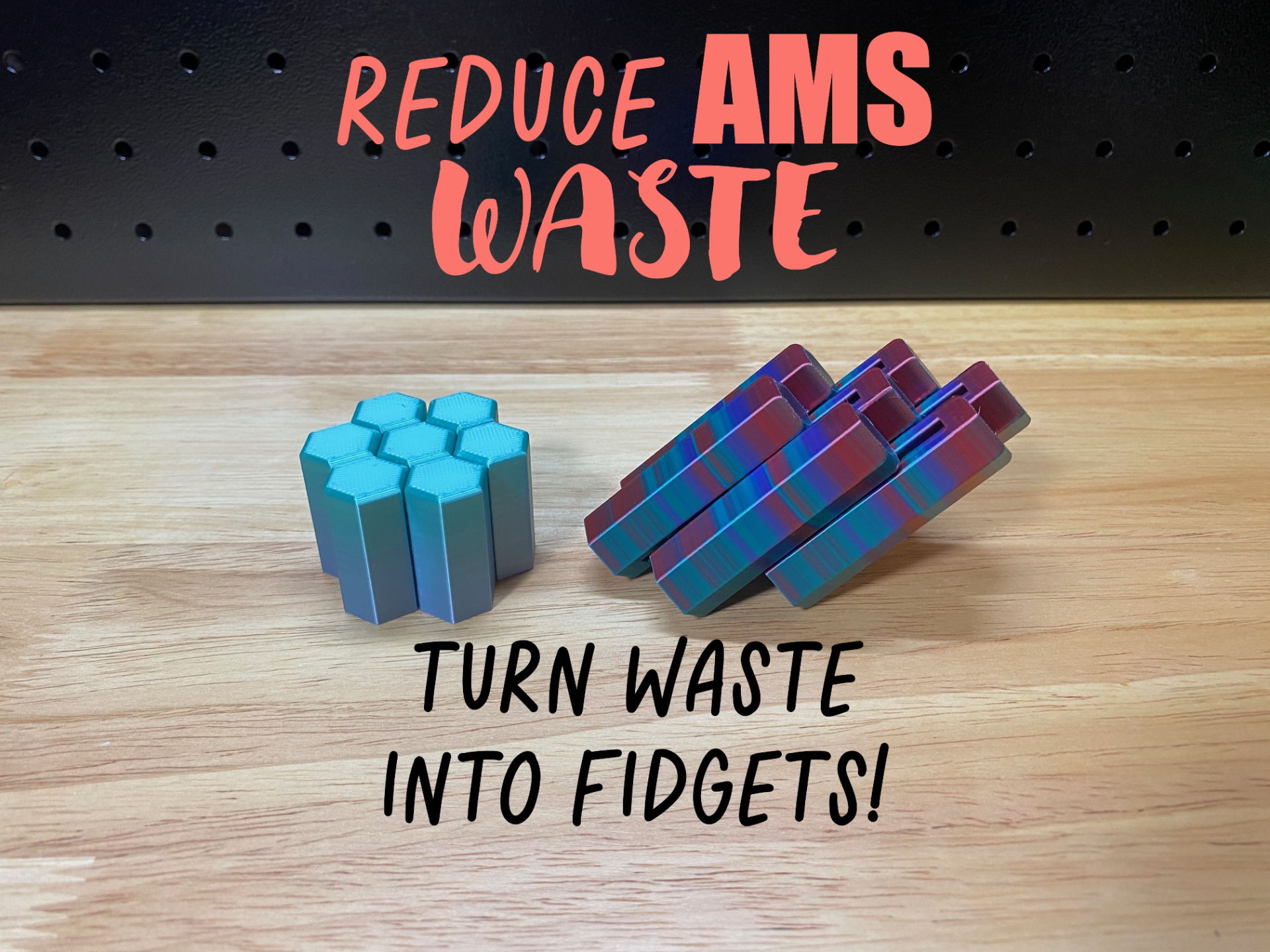
Why flush to object?
Typically during color changes you have the current color ready to print in your nozzle/reservoir and it must be flushed/purge out before the next color is used or it messes up your print by bleeding previous filament into the next color. By utilizing a flush object, instead of flushing that color out to waste/poop we are flushing that first color into an object's walls and infill until the new color is ready to print, significantly reducing the amount of waste that multicolor prints typically produce.
This also helps keep the poop chute from getting clogged on long prints because you are putting significantly less into it so its much less likely to get backed up.
How to do it?
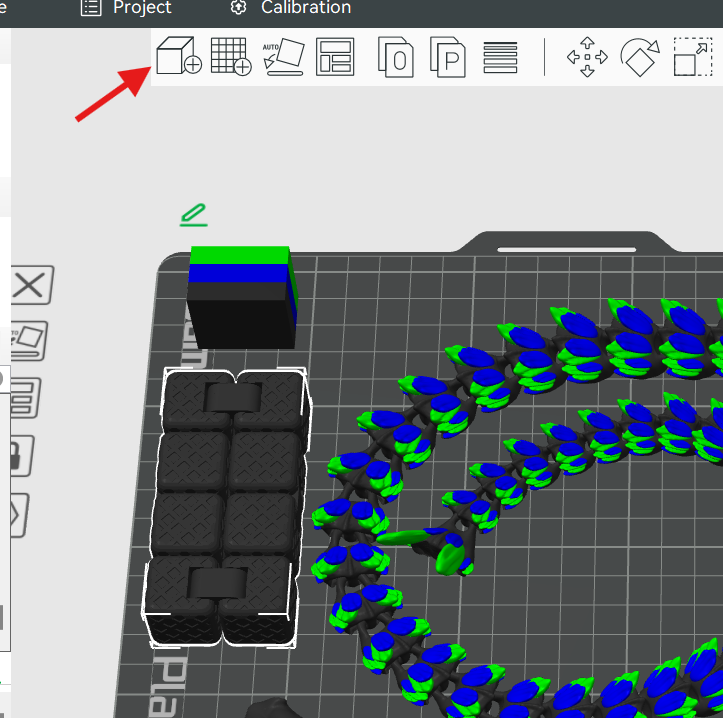
- Download fidget, then add your Flush object(fidget cube) to your multicolor print:
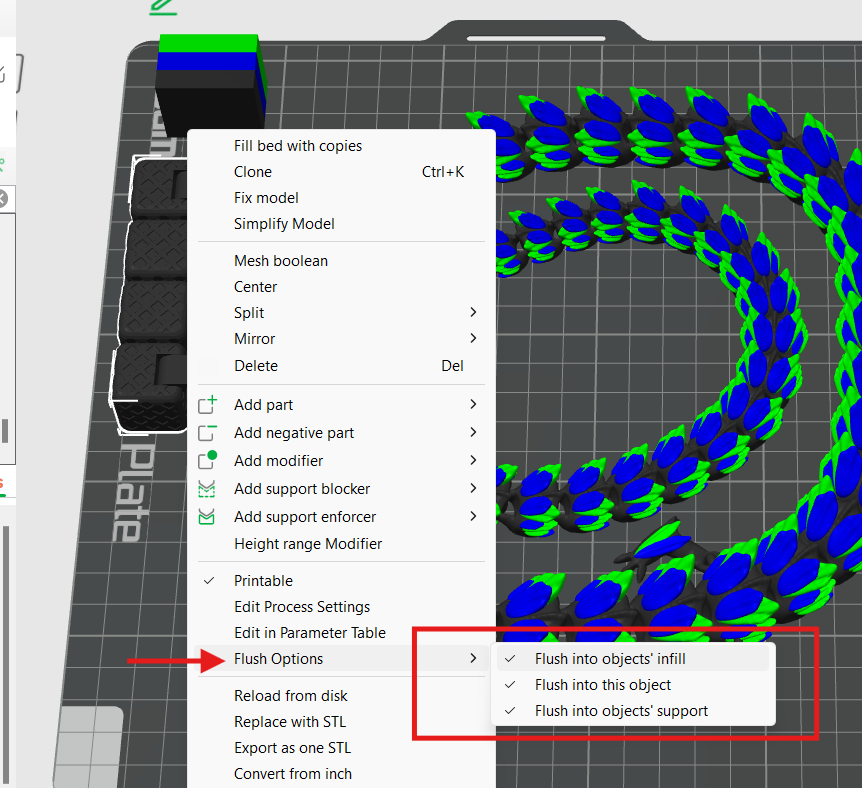
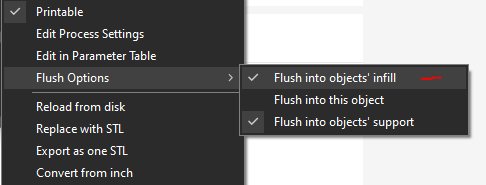
2. Right click on your object (Fidget Cube), select Flush Options near the bottom, Select all 3 options(Objects infill, object, support):
(You can also do this in your “Objects” → Others.)
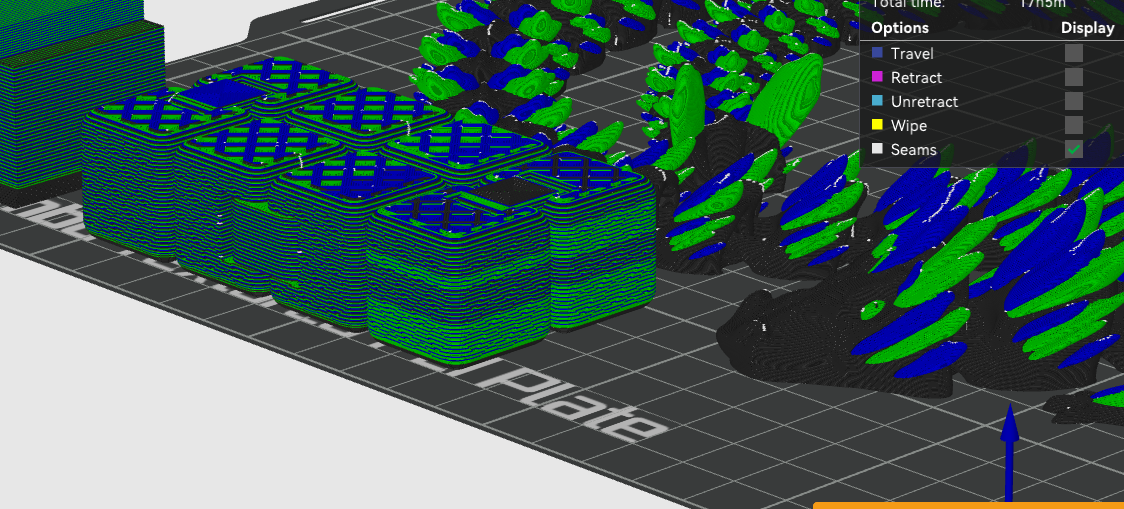
3. Now Slice and check that the fidget cube is being flushed to:
Pro Tip:
- After Slicing, check how much filament is being flushed to see how much you're saving, or if you need to add more flush objects.
- Upper right information box:
- Select Filament from drop down (Arrow)
- Check quantity of Filament being flushed (Box)
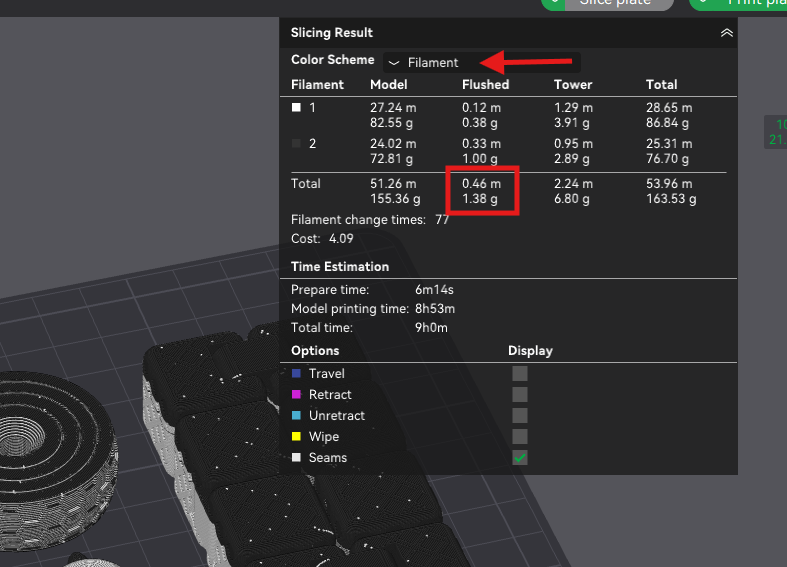
- Upper right information box:
Any other ways to reduce waste?
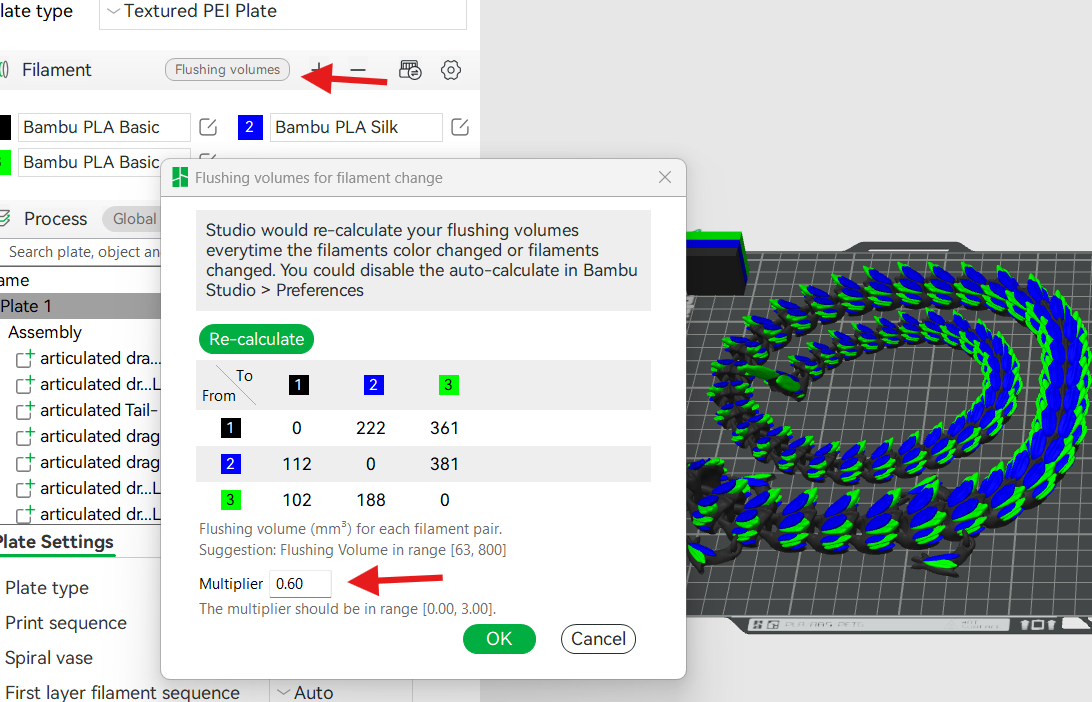
- You can also check your “flushing volumes” right above your filament/color selections in Bambu Studio. Its default is 1, but not all color combos need that much flushing. Typically most colors are pretty happy to be within .4 - .6. The indicators will turn red when it feels like there is not enough flushing, I typically like to be at least .1 number above the red to ensure good flush. (IE: red is at .45, I set flush to .55)
2. You can also flush to the infill of your main print (similar to fidget flush - but ONLY to infill) - this is typically only recommended if your main outer wall is darker/similar to your other colors. Or if you're using 3 walls or more. Otherwise you may be able to see the inside random colors and it can mess up the look of your print - which isn't worth saving on filament if it affects your final print. This comes down to personal preference and experience. Some prints you can get away with it, others will not look as good.
3. Print multiple of your main items. If you need multiples of the same prints its more efficient to print them at the same time as it will produce the same amount of waste as printing just one - thus reducing your print to waste ratio the more prints you do at once.
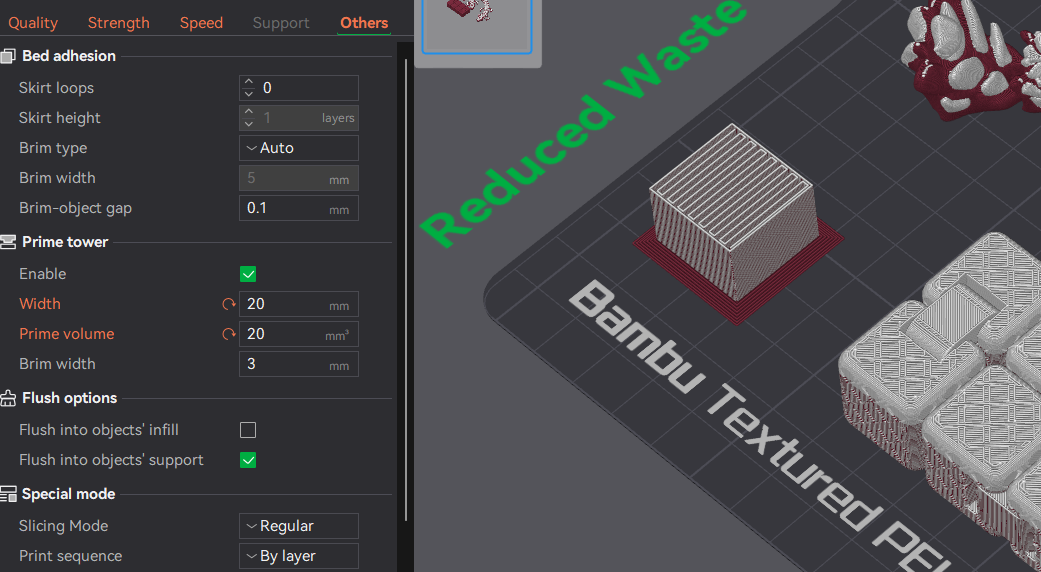
4. Reducing the size of the Prime Tower can also help save a few grams of filament as well. The default is 35 width and 45 volume, I've found that on most of my prints you can be around 15/15 to 20/20 and they work fine.
- Tip! if you are printing something tall make sure to increase your brim around the prime tower if you are going to significantly reduce its size.
As a reminder - this tech only works for color changes up to the height of your flush object.
Here's a collection of flush objects that you can “follow” to have some other options for flushing.
Hope this helps you enjoy multi-color printing more, alleviate some stress about waste and save some money reducing the poop!

Also - as the license states feel free to sell these commercially! I've found these multi color fidgets to consistently sell better than just solid color fidgets.
Infinity Cube - Flush Object
Publicado em 17 de jul de 2024