Você está no 3DFinder
Buscamos em Thingiverse, MakerWorld e Printables ao mesmo tempo para te dar o melhor de cada uma.
Descrição
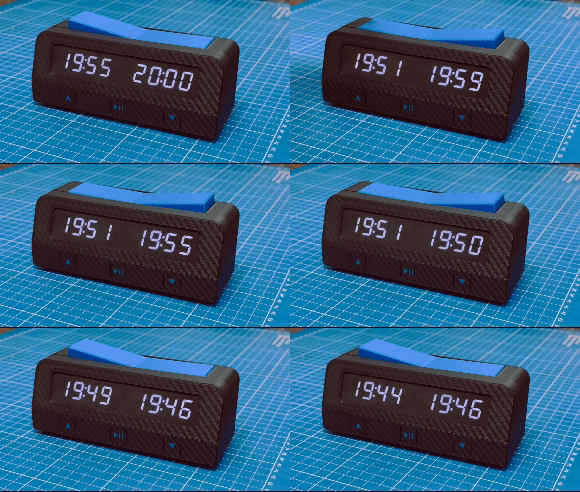
This program implements a basic chess clock. It uses the TM1637Display library
to control the 7-segment displays and show the remaining time for each player.
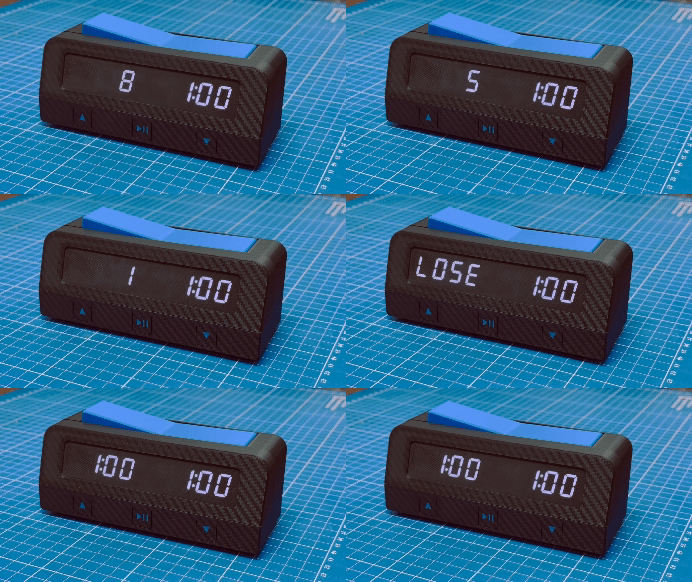
The clock allows players to alternate turns and will display a "LOSE" message if a player's time runs out.
Hardware used:
- 1 Arduino Nano 3
- 2 TM1637 7-segment displays
- 2 Endstops
- 3 Microswitches
Connections:
Player 1 display
CLK: Pin 2
DIO: Pin 3
Player 2 display
CLK: Pin 4
DIO: Pin 5
- Player 1 button: Pin 7
- Player 2 button: Pin 8
- Increase time button: Pin 16
- Start/Reset button: Pin 15
- Decrease time button: Pin 14
Functionalities:
- Show the remaining time for each player on their respective 7-segment display.
- Alternate turns between players using buttons.
- Detect time expiration and display "LOSE" for the player who runs out of time.
Libraries:
TM1637Display: [https://github.com/avishorp/TM1637](https://github.com/avishorp/TM1637)
Firmware:
Chess Clock Instructions
Initial Setup
Power On: When the chess clock is powered on, the display will show the default configured time.
Time Adjustment:
- Increase Time:
- Press the Increase button to add time.
- From 1 to 5 minutes, the time increases in 1-minute increments.
- From 5 to 90 minutes, the time increases in 5-minute increments.
- Decrease Time:
- Press the Decrease button to subtract time.
- From 5 to 1 minutes, the time decreases in 1-minute increments.
- From 90 to 5 minutes, the time decreases in 5-minute increments.
- Time Range:
- The minimum configurable time is 1 minute and the maximum is 90 minutes.
- Increase Time:
Starting the Game:
Once you have set the desired time for the game, press the Start button to begin. The active player's time will start counting down.
- During the Game
Turn Switching:
When the active player presses their button, the other player's clock will start counting down.
Players must alternate turns by pressing their respective buttons.
Pause and Resume:
Press the Play/Pause button to pause the countdown. Press it again to resume the countdown.
End of Game:
If a player's time reaches 0, the display will show the word "LOSE" indicating that the player has run out of time and lost the game.
Game Reset:
If you want to reset the time configuration while a game is in progress, hold the Start/Reset button for 3 seconds. The clock will return to the initial configuration mode, allowing you to adjust the time again before starting a new game.