Você está no 3DFinder
Buscamos em Thingiverse, MakerWorld e Printables ao mesmo tempo para te dar o melhor de cada uma.
Descrição
ARC DESIGN! This arc design is a simple model and simple install and is a very effective in helping to reduce the likihood filament feed and pullback errors. This is not an overly complicated solution for the AMS internal hub! It doesn't require screwing something into place that could potentially damage your very expensive AMS! No screws required!
It's critical the AMS internal PTFE hub function as designed without interference. This solution attaches only to the PTFE tubes improving and maintaining proper alignment of the PTFE tubes, at a consistent and specific distance from the hub, for smooth filament feeding and pull back! Simple design, print, and results.
Check Out User Reivews and Feedback
Simple To Print And Install:
Simple to print and install. Don't be fearful of the install if you haven't yet dissembled your AMS. BL has an excellent and simple Wiki on this process. See Installation Procedure below.
SEE INSTALLATION PROCEDURE BELOW
CLICK HERE TO CHECK OUT THESE OTHER PTFE ACCESSORIES
INSTALLATION PROCEDURE
[https://wiki.bambulab.com/en/x1/maintenance/replace-filament-hub](https://wiki.bambulab.com/en/x1/maintenance/replace-filament-hub)
NOTE: You do not have to remove the AMS Internal Hub. You only need to separate the AMS enclosure from the Spool Roller Assembly.
Once you have the AMS disassembled it will look like this:
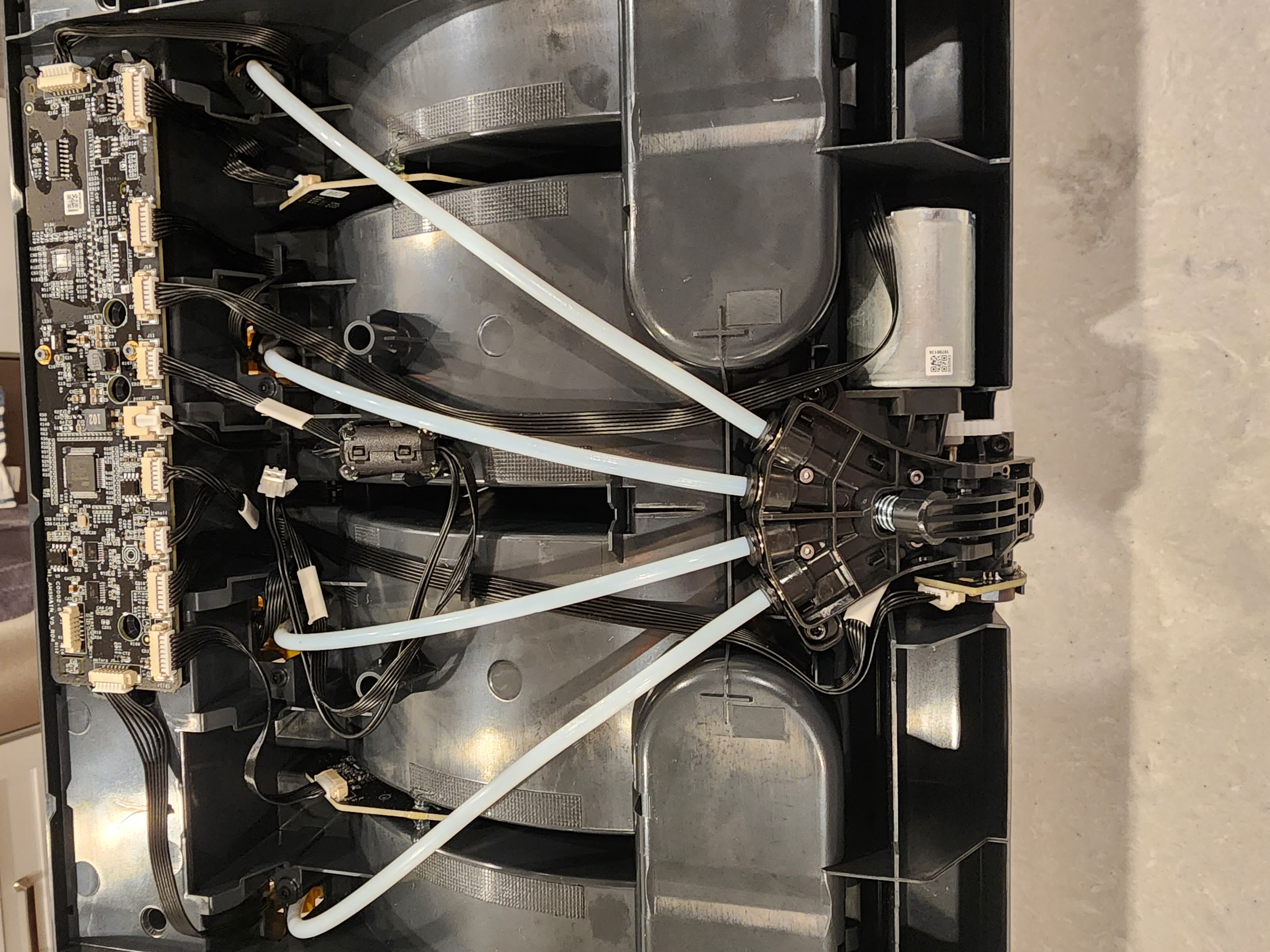
The next step is to remove the PTFE tubes from the AMS Internal Hub:
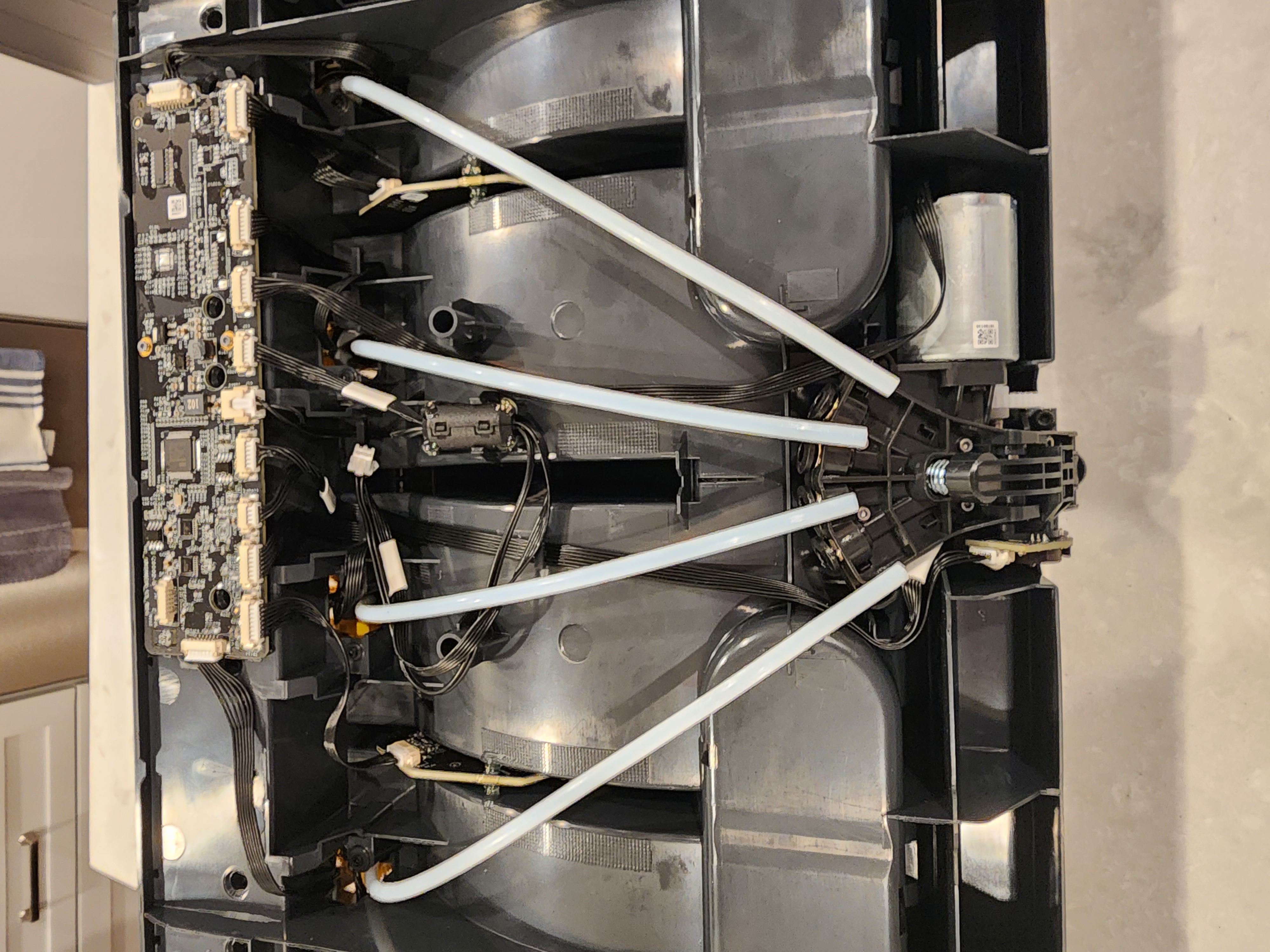
Once the PTFE tubes have been removed from the Hub, install the AMS Filament Pull Back Guide on each tube. Move it up higher than needed initially
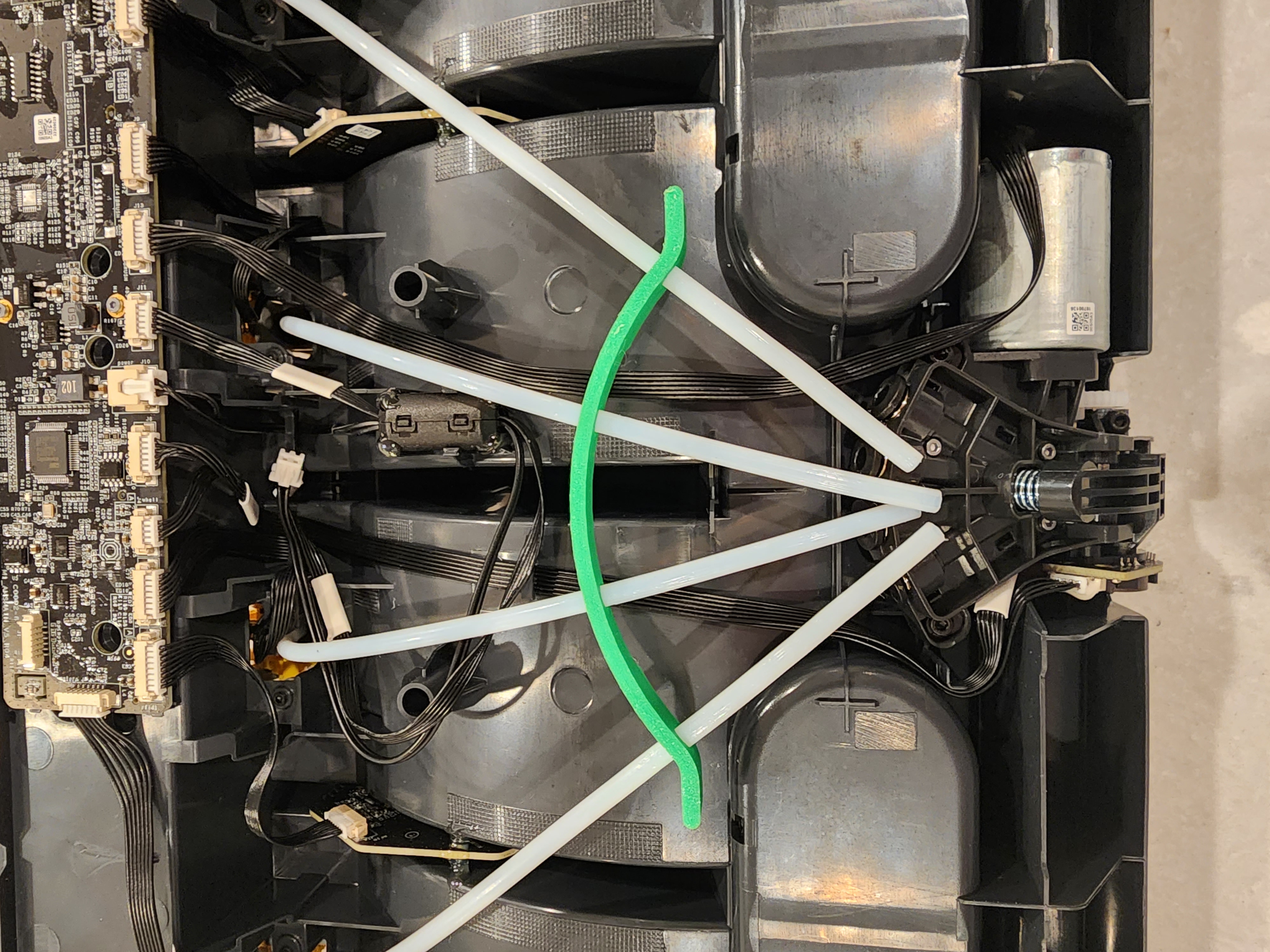
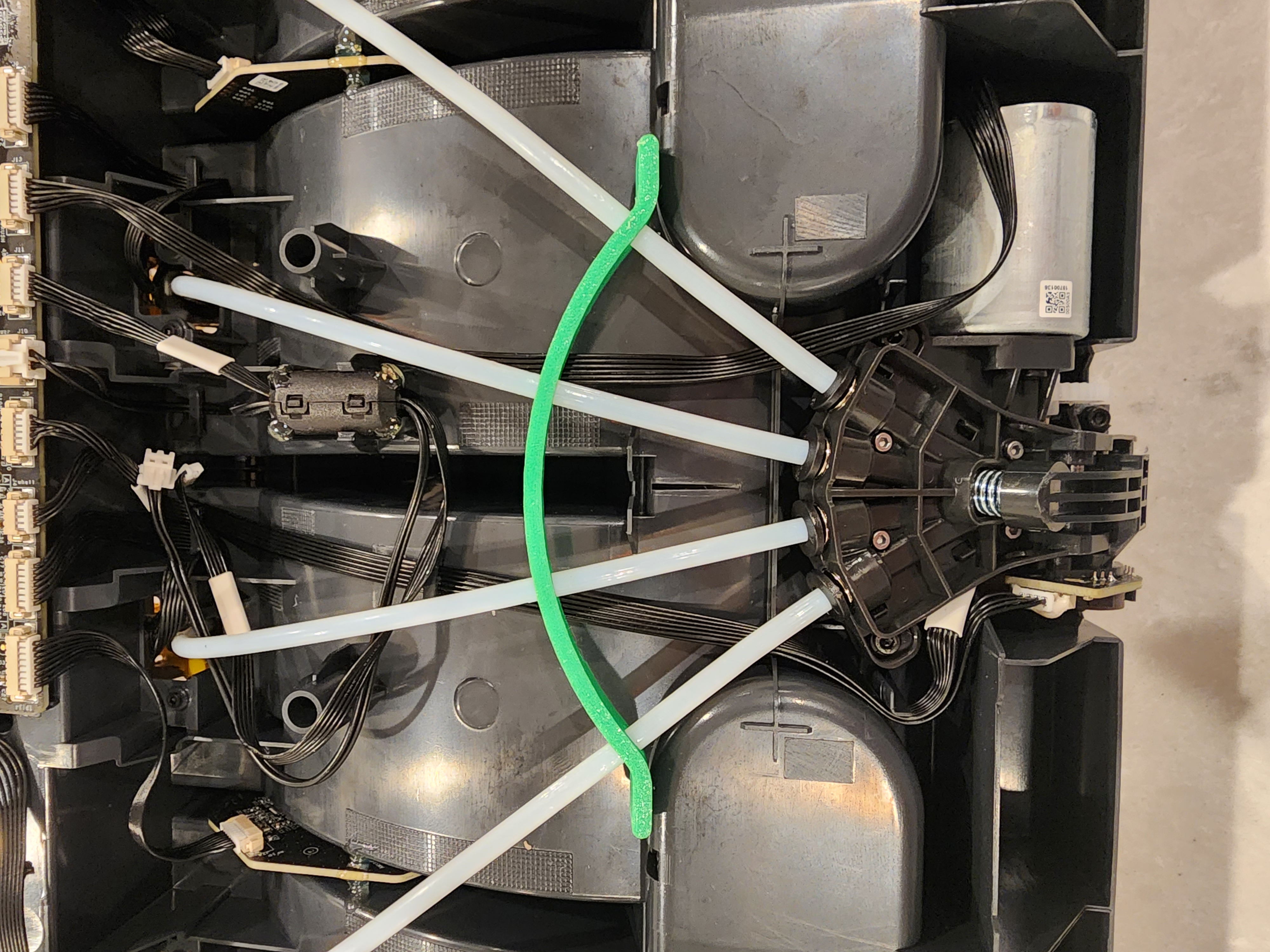
After all the PTFE tubes have been installed in the AMS Filament Pull Back Guide, reinstall the PTFE tubes into the Hub and move the AMS Filament Pull Back Fix as seen in this photo:
Assemble the AMS in the reverse order you followed to disassemble it. NOTE: Remember to plug in the electrical connectors or you'll have to repeat the disassembly and reassembly procedure, which could be frustrating. Don't ask me how I know. ;-)
That's It!
AMS Filament Feed & Pull Back Errors

Publicado em 29 de out de 2023
Gostou deste modelo? Crie uma conta grátis para salvar seus favoritos e voltar a eles depois.
Criar conta