You're on 3DFinder
We search Thingiverse, MakerWorld, and Printables at once so you get the best of each.
Description
Create a unique ring with ease! Click the 'Customize' button, measure your finger width in millimeters, and enter your custom parameters. Choose from a wide array of preset textures or select 'custom' and modify the custom_texture to design your own pattern. Don't forget to upload pictures of your creations – I'd love to see them!
Modifying the ‘custom’ texture:
Use this input for all of the ‘ctr’ lines to produce a smooth ring:
0,0,0,0,0,0,0,0,0,0,0,0,0,0,0,0
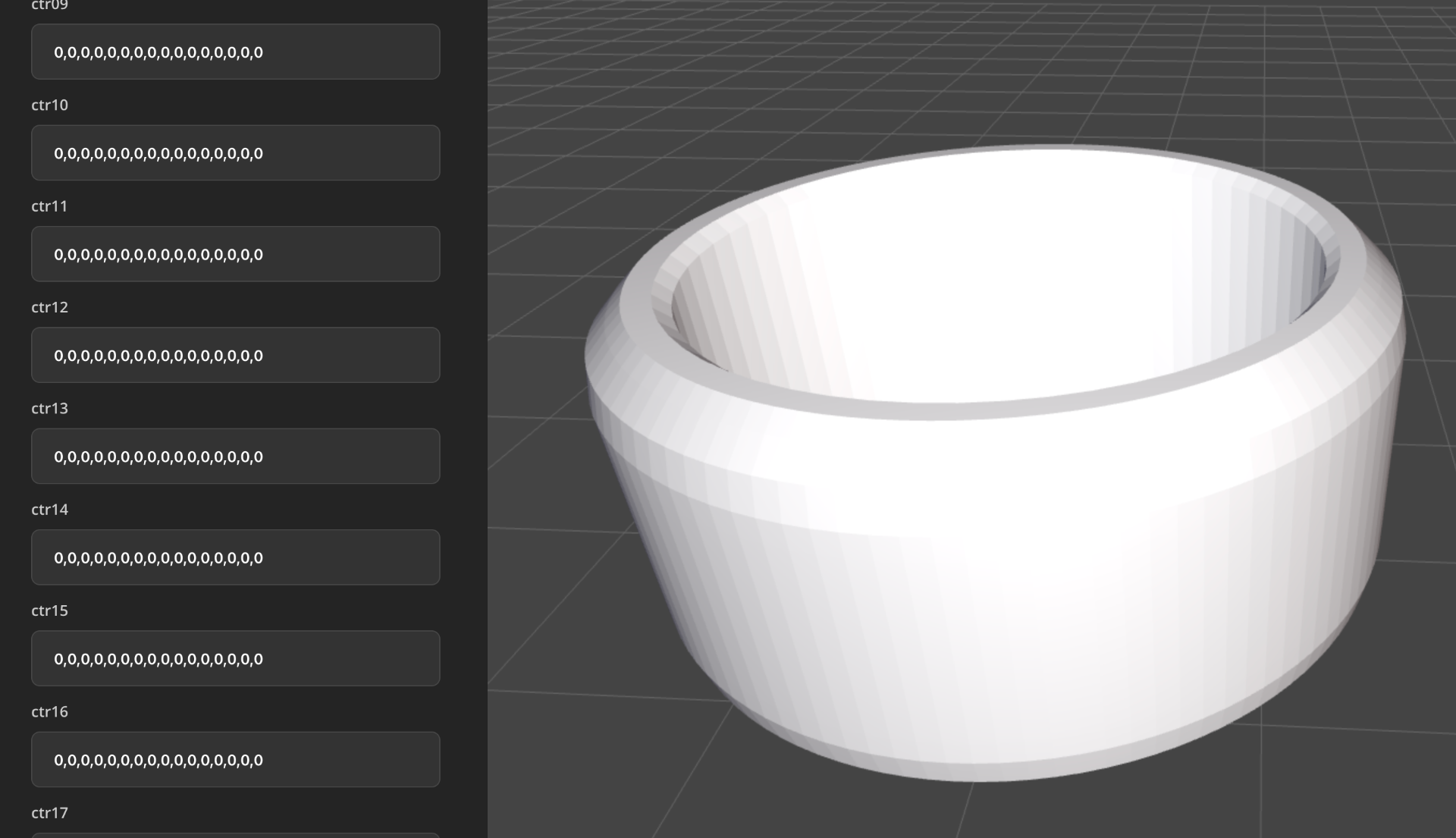
While most of the texture mapping can be done using these values:
0 = base level
1 = 1 mm depression
-1 = 1 mm elevation
To make “holes” use values that are greater than the rings width, aka ( outer ring diameter - finger width ). Usually using the value 4 or greater will produce “holes”:
0,0,4,0,0,4,0,0,4,0,0,4,0,0,4,0
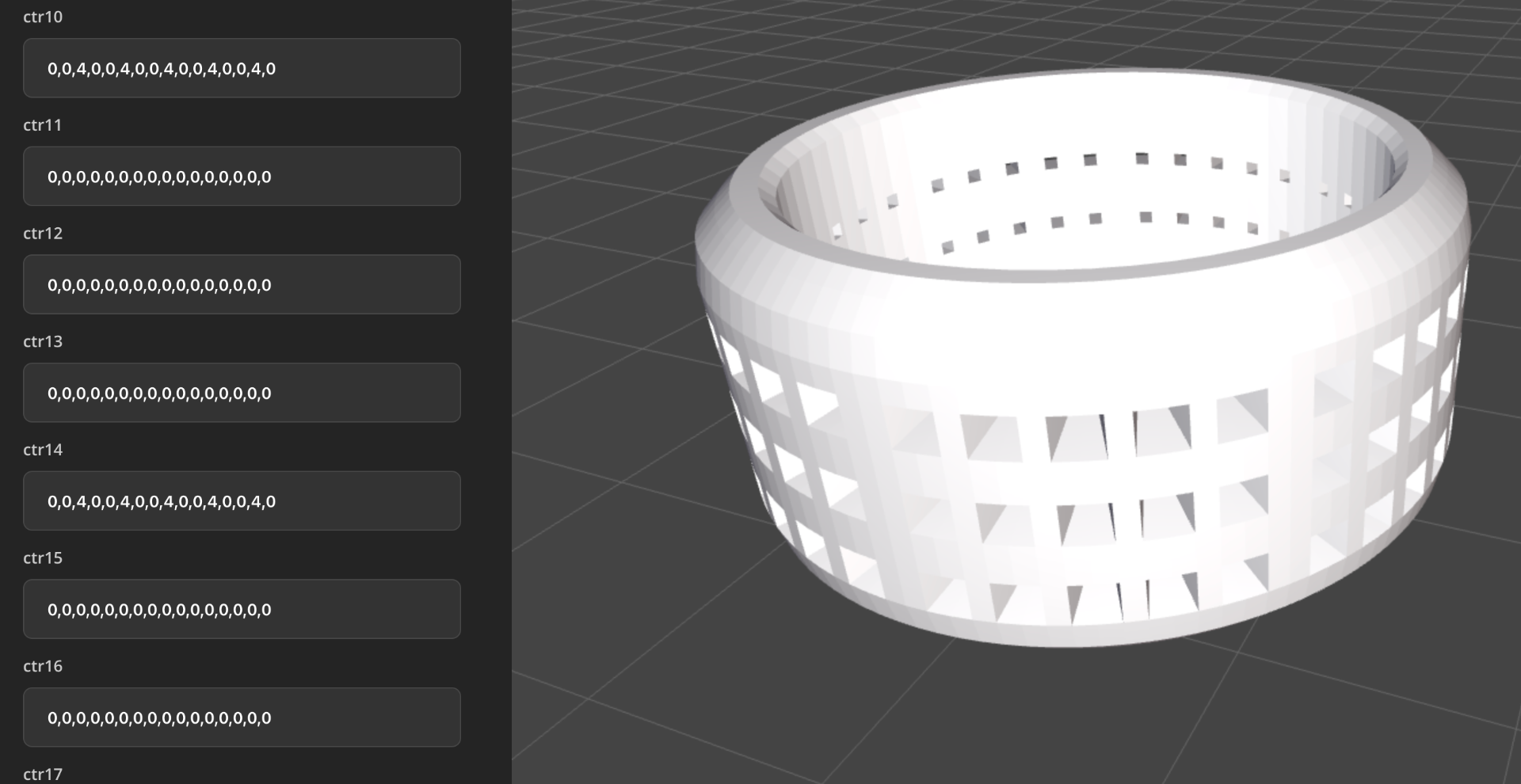
For larger 'inner' holes simply use larger values:
0,0,8,0,0,8,0,0,8,0,0,8,0,0,8,0
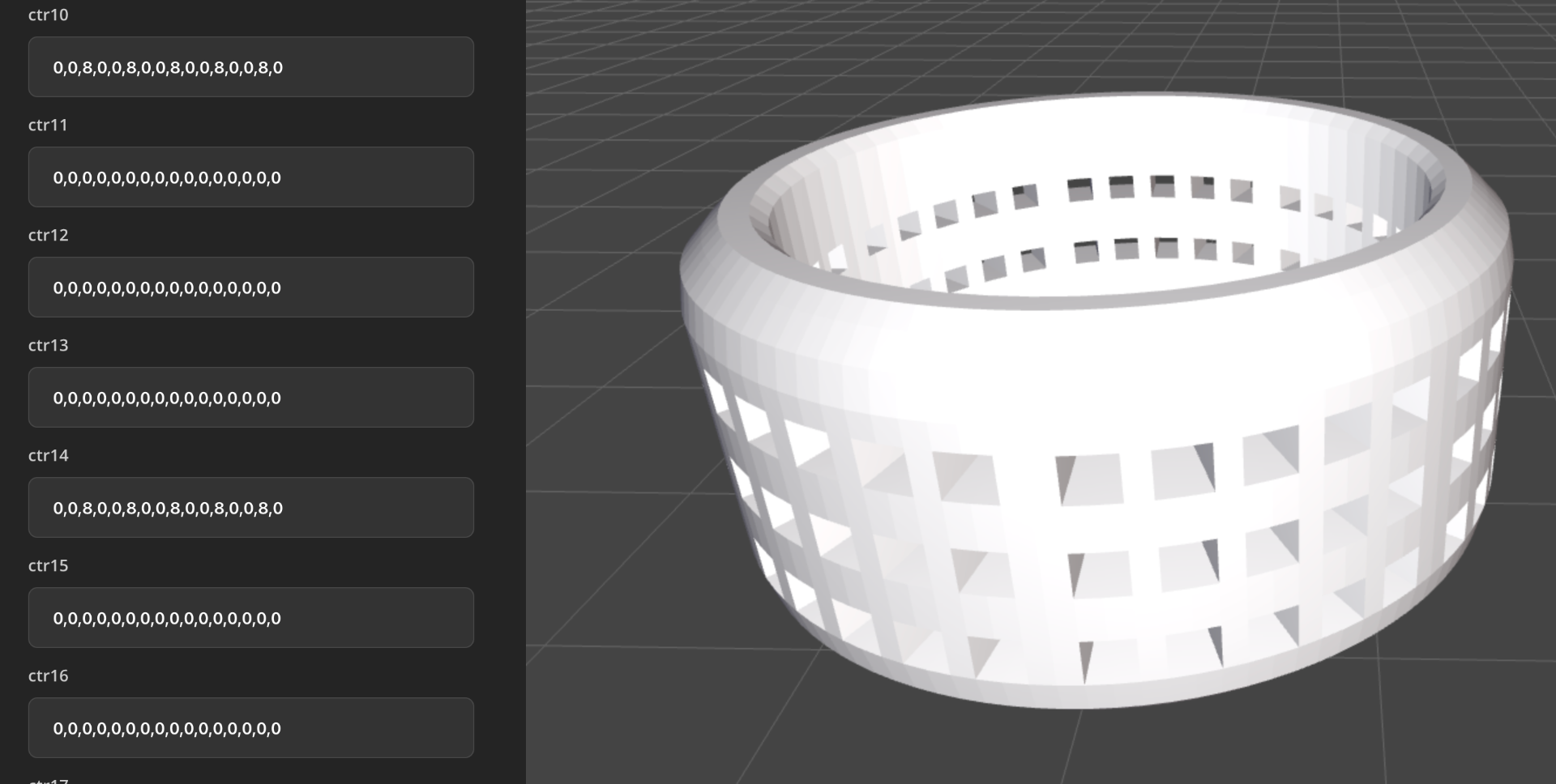
Use negative values to “push out”. Using -4 instead of 4 produces a ring with spikes instead of holes:
0,0,-4,0,0,-4,0,0,-4,0,0,-4,0,0,-4,0
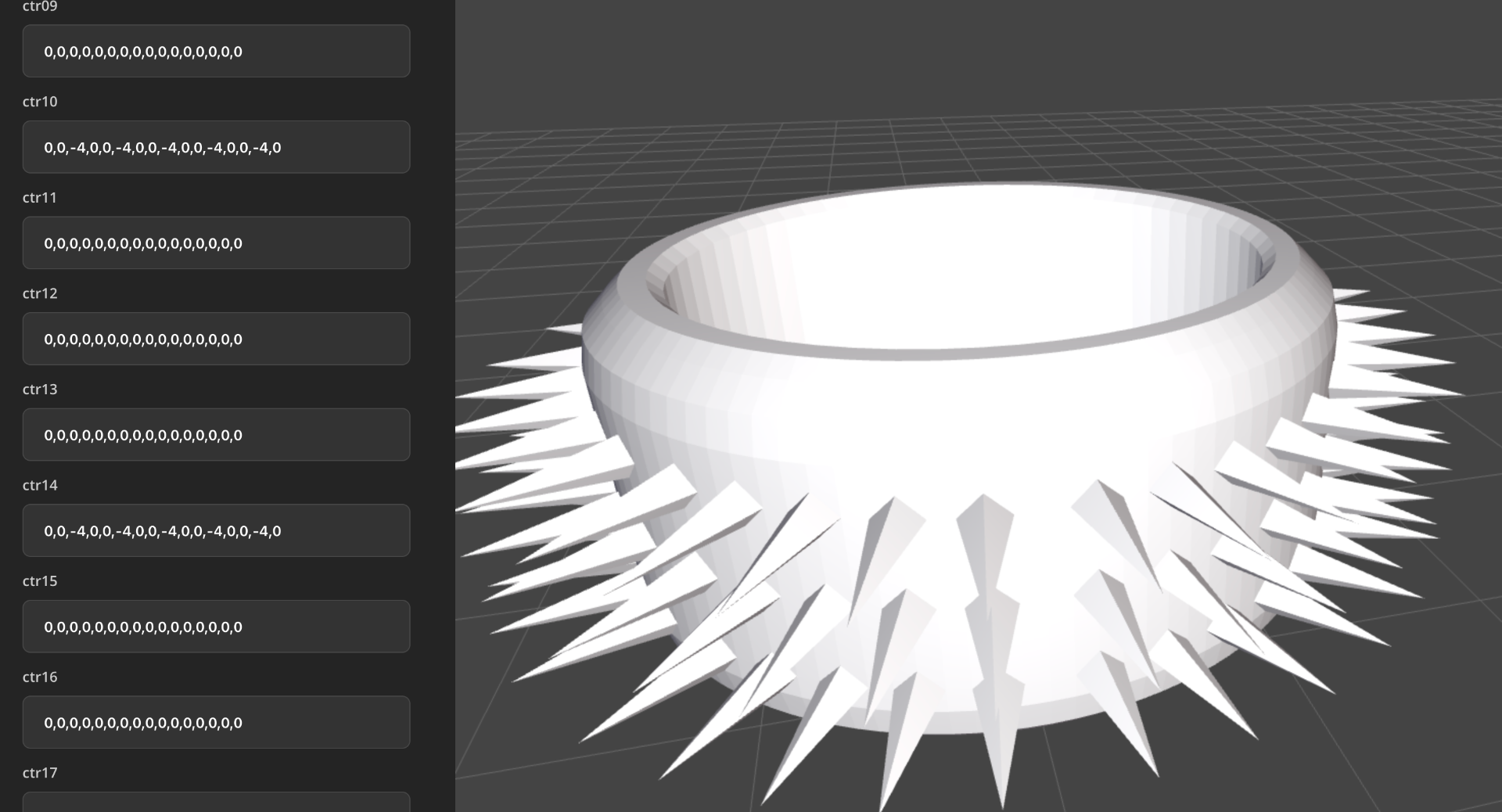

Like this model? Create a free account to save your favorites and come back to them later.
Create account