Você está no 3DFinder
Buscamos em Thingiverse, MakerWorld e Printables ao mesmo tempo para te dar o melhor de cada uma.
Descrição
2024_09_26: Updated for parametric model maker colored output; downloading the .3mf will now import a model that has colored labels as displayed.
Introduction
Socket organizers are something that is needed for every toolbox, workshop, or makerspace! The problem is that there are countless set variations out there and one size of organizer does not fit all. Additionally there is some variation between sizes of individual sockets from one manufacturer to the next and also between standard and impact sockets.
I've made a solution that is completely customizable, space efficient, and visually appealing. (Yes Gridfinity is supported) I have a drawer full of these are they are great! There are options to completely customize to your specific socket sets and quickly output files to print. You can hit the customize button to jump into playing around with it, or keep reading for more details.

This “model” is for the customizable parametric files. I have similar pre-made organizers for common socket sets already made - you can check those out in my profile or I will link to them at the end of this description.
Why so many files?
I've included base files for Metric and imperial, Normal Socket and Impact socket sets at ¼" drive, 3/8" drive, and ½" drive.
These files have common sizes and diameters pre-entered in, so you just need to turn off holes you don't want rather than enter everything from scratch. (Be sure to double check a few diameters)
There is also a generic file for if you don't want to start with existing sizes entered, or for something I don't have a pre-made file for like hex bits or torx bits. .
General Strategies and Tips
- Start with the file relevant to your socket set (ie. Metric 1/4dr Sockets)
- turn off holes you don't want by setting the diameter input field to zero, and use the slider to quickly turn off extra holes
- Pre-entered diameters should work for most sockets. Check by measuring or move the block down through the build-plate so just a few layers are printed on the first go.
- Diameters entered should be what is measured
- There is a hole clearance parameter which sets the global clearance for all holes
- Sizing is primarily based on fitting the ordered set onto a block, working backwards from diameters, number of columns, etc.
- If your set is too big to fit onto a printer plate, just break it up into multiple blocks and output them separately.
- Gridfinity bases?
- They are on by default in a 21mm boss that will fit with your 42mm base plate, but tends to be more space efficient as you can use half-grids .
- Don't want Gridfinity? You can easily turn off and use a different sizing scheme.
- Holes are built from the bottom to the top, and generally work best entered smallest to largest
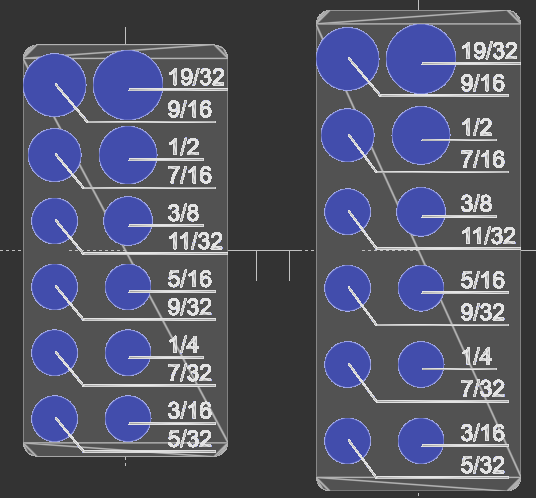
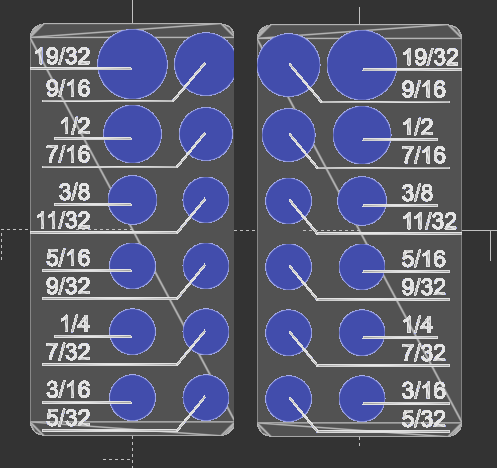
- The files support 2-4 columns, but 2 is easiest to manage. Consider printing (2) two-column plates rather than a single four-column plate.
- Pay attention to ordering of labels if you are using four-column plates
MakerWorld OpenSCAD implementation
I've optimized my script for MakerWorld's scad implementation, You can also download OpenScad yourself and use from there.
How to Customize
Customization is easy to figure out from descriptions and trying out the different settings. If you can't figure anything out feel free to send me a message or comment.
- Primary things
- How big is socket set
- Use the slider to set the how many holes,
- Or turn off specific holes by setting diameter to zero (slider number will not match block anymore)
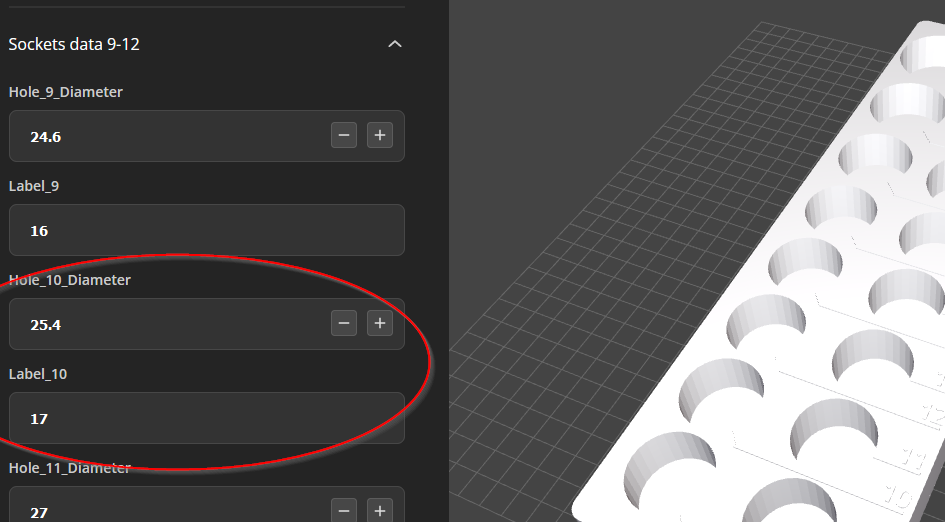
- labels and hole diameter are grouped together at end in “socket data” sections
- In the attached screen shot, the label of “17” corresponds to the 17mm socket with a diameter of 25.4 (hole 10 and label 10)
- Overall height of block is based on the depth of holes and minimum base thickness parameters (and whether a gridfinity base is present)
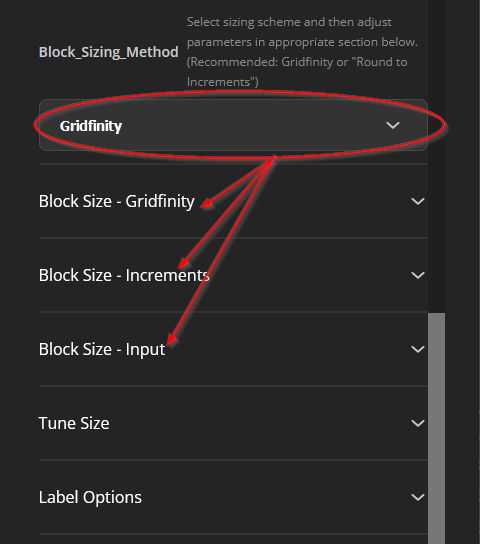
- There are different options for sizing. Select the desired option, then modify the parameters in the appropriate section.
- How big is socket set
- Advanced customization
- flush text? This prints a nice smooth surface but requires more color changes
- Turning off dynamic spacing results in equal spacing between holes. The default of “on”, is more space efficient.
- Swap text and labels between the left and right sides.
- There are many further customizations you can play around with if you wish
- 3 or 4 columns
- text size
- text rotation
- tuning location of text and lines
- tuning block size
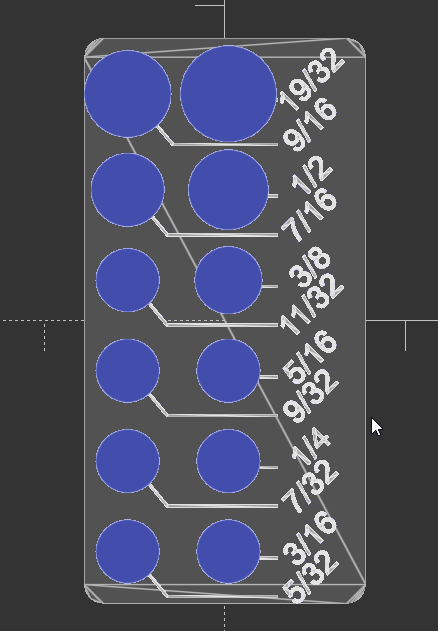
Coloring and Print Settings
Downloading the .3mf will now import a colored model as displayed in the customizer. You can still split into parts as described below if using SCAD or the auto coloring doesn't work for some reason.
Coloring:
MakerWorld's OpenSCAD implementation now supports coloring. Download the 3mf file and the parts will come in already painted in 2 colors. If you are using from OpenSCAD on your computer, you will have to split into parts and change the color of the base object.
Print settings:
Layer height doesn't matter here, print with something tall like the default 0.28mm draft profile.
See the attached sample print profiles for my full preferred settings.
Don't feel like Customizing or Measuring Stuff?
I might have a set already made for your set! Check out these models:
Each has left and right hand labeled versions of multiple different common sets.
Metric 3/8" Drive Impact Sockets
Metric 1/2" Drive Impact Sockets
Imperial 3/8" Drive Impact Sockets
Imperial 1/2" Drive Impact Sockets
