Você está no 3DFinder
Buscamos em Thingiverse, MakerWorld e Printables ao mesmo tempo para te dar o melhor de cada uma.
Descrição
Simple Mice!
These designs are not complex, but they are compact!
Here are three mice with similar features, but different shapes! One has cool spiral designs, while one is thinner and simpler. Last but not least, the thicker version of the mice may be more comfortable for those of us with larger hands and fingers!
Find the design that suits you and give it a go!
I used no reference for design besides the components kit itself. None of Bambu's official models were used (with an exception to the mainboard stl file for an exploded view within SolidWorks) for the purpose of remixing. Every part you see was the result of countless measurements done with calipers. None of the parts were remixed from the original models.
Assembly:
Optional Step 1:Grab the scroll wheel | 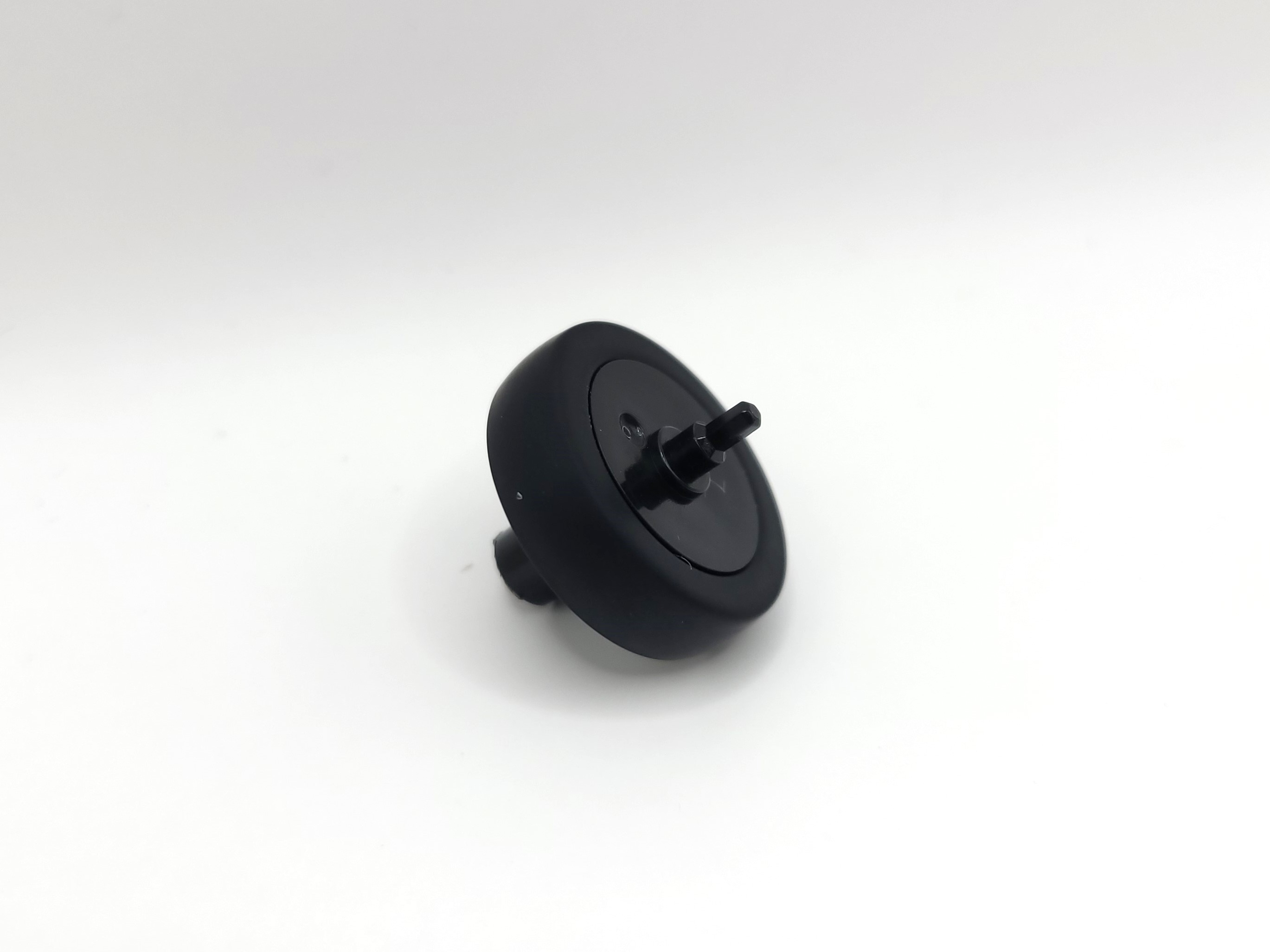 |
Optional Step 2:Take the rubber off of its resting place | 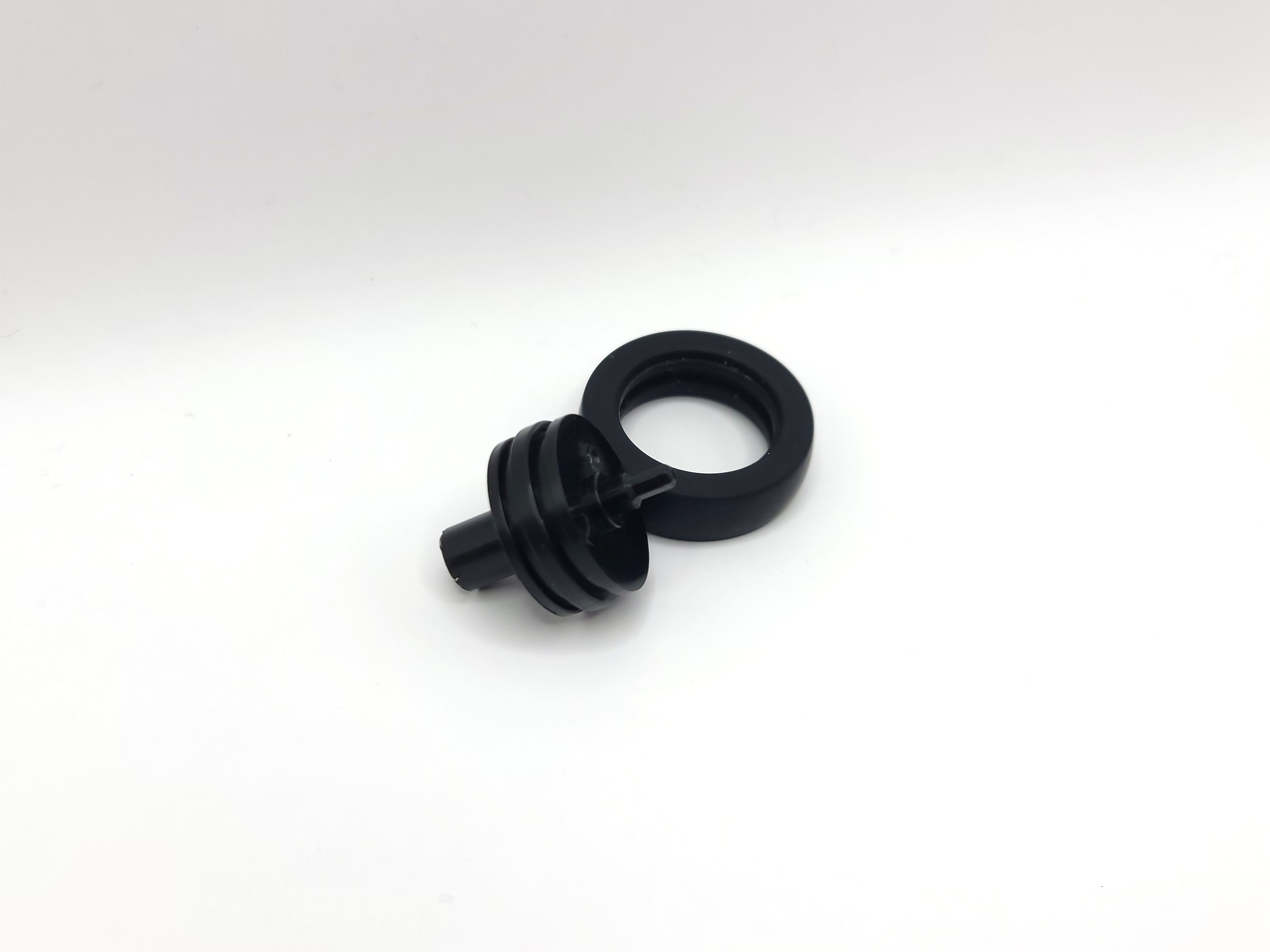 |
Optional Step 3:Attach the TPU scroller wheel to the scroller at an angle for easier application | 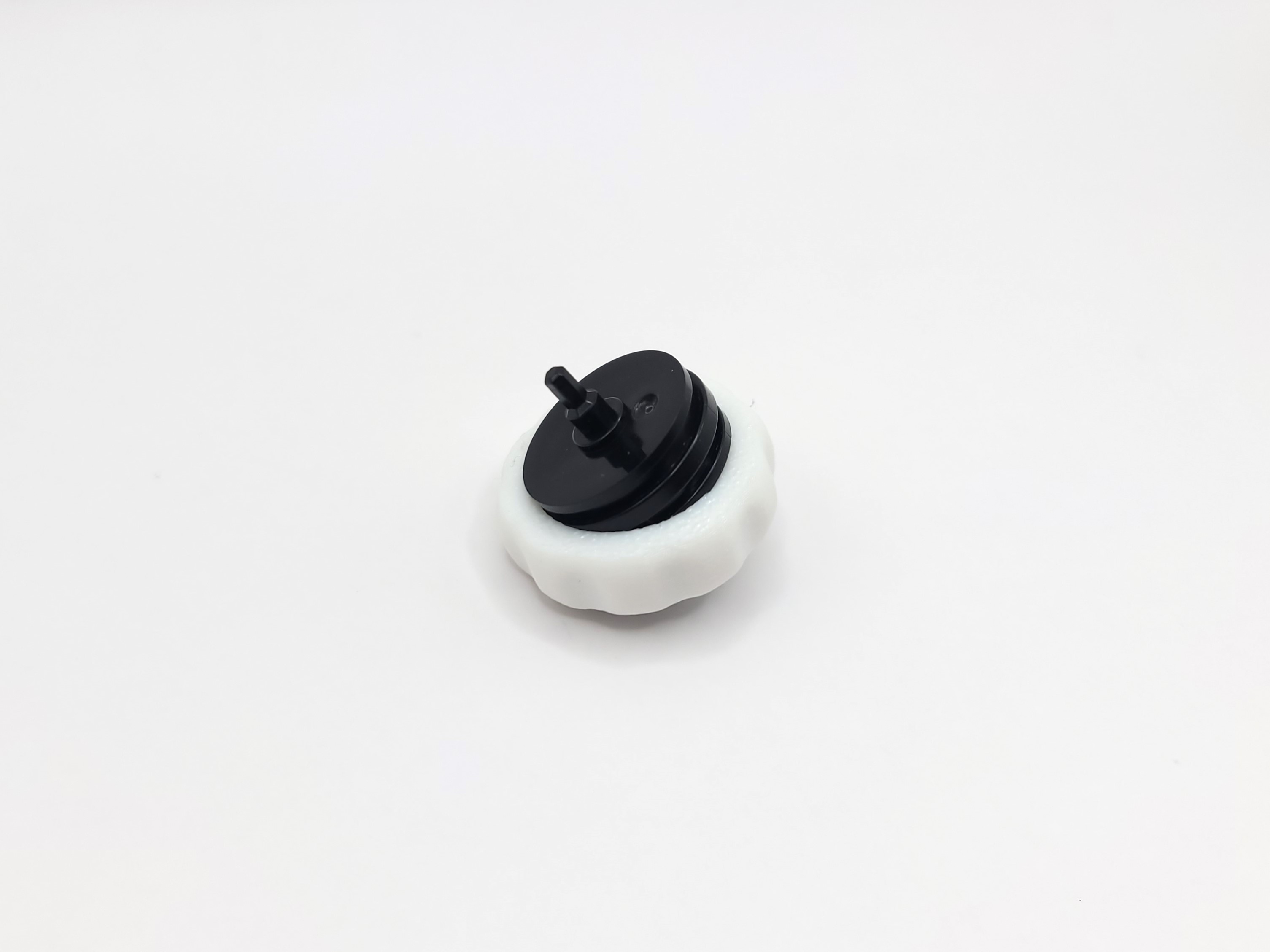 |
Optional Step 4:It should look like this → | 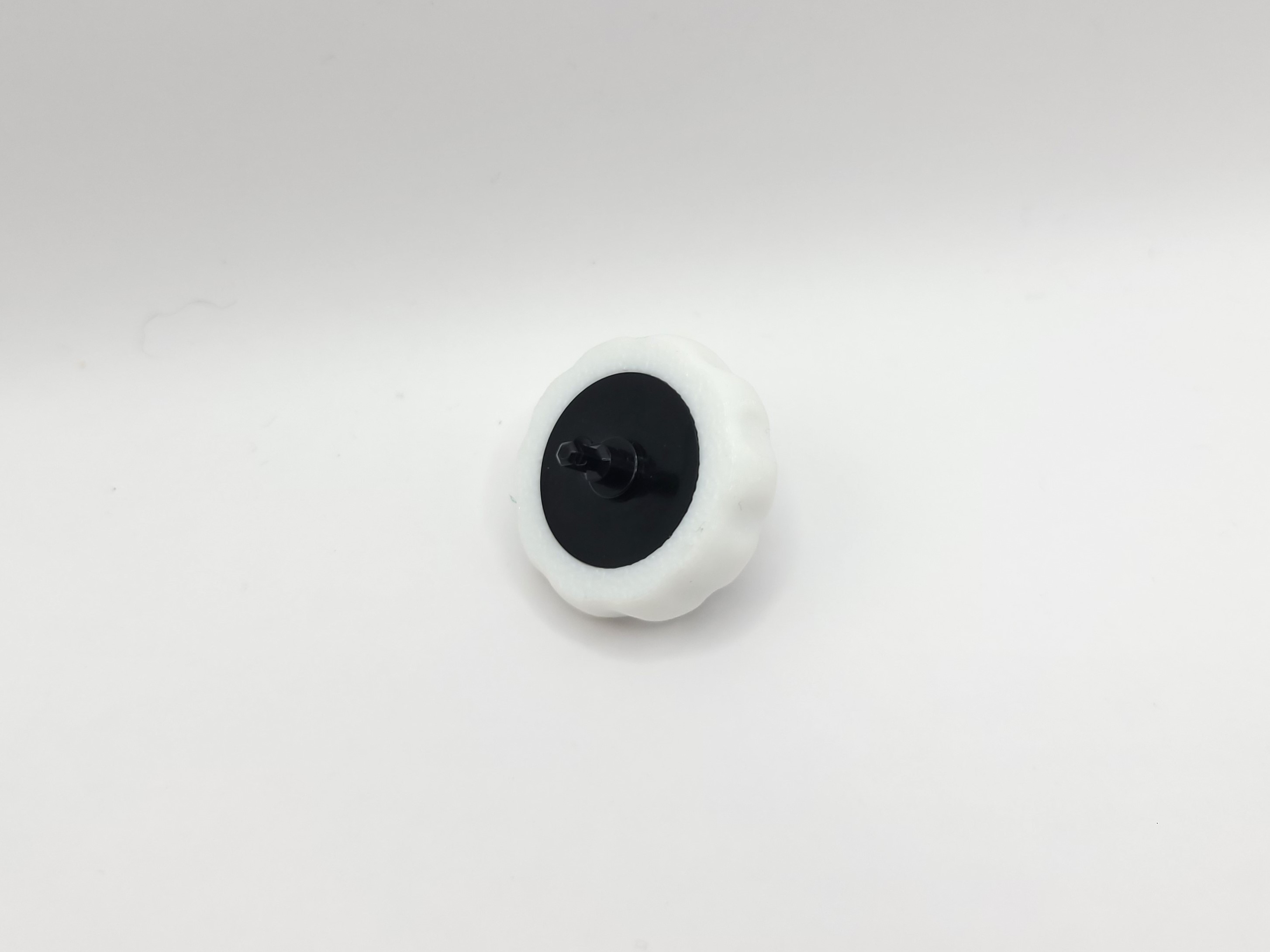 |
Step 1:Grab your base and slide your positive lead (soldered connection facing downwards) on the front end. | 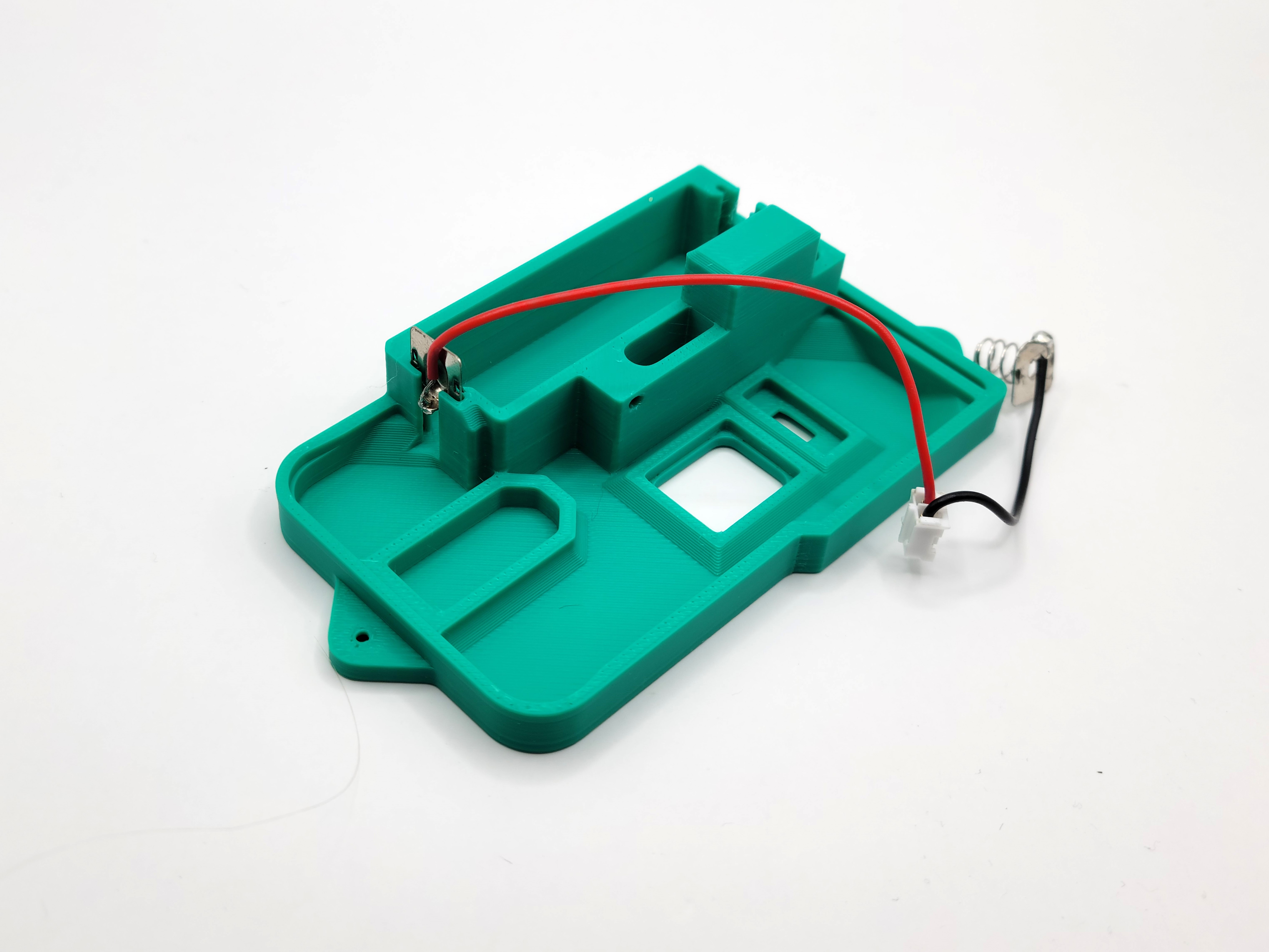 |
Step 2:Do the same to the negative lead, this time with the soldered connection facing up |  |
Step 3:Place the Optical Lens and the Toggle switch in their respective slots. Make sure the Optical Lens is facing the right way (circle pointing towards the positive lead). Make sure to slide the toggle switch all the way to the middle of the base. |  |
Step 4:Making sure that the on-switch and the toggle switch are lined up, gently place the mainboard (with scroll wheel attached) onto the base. | 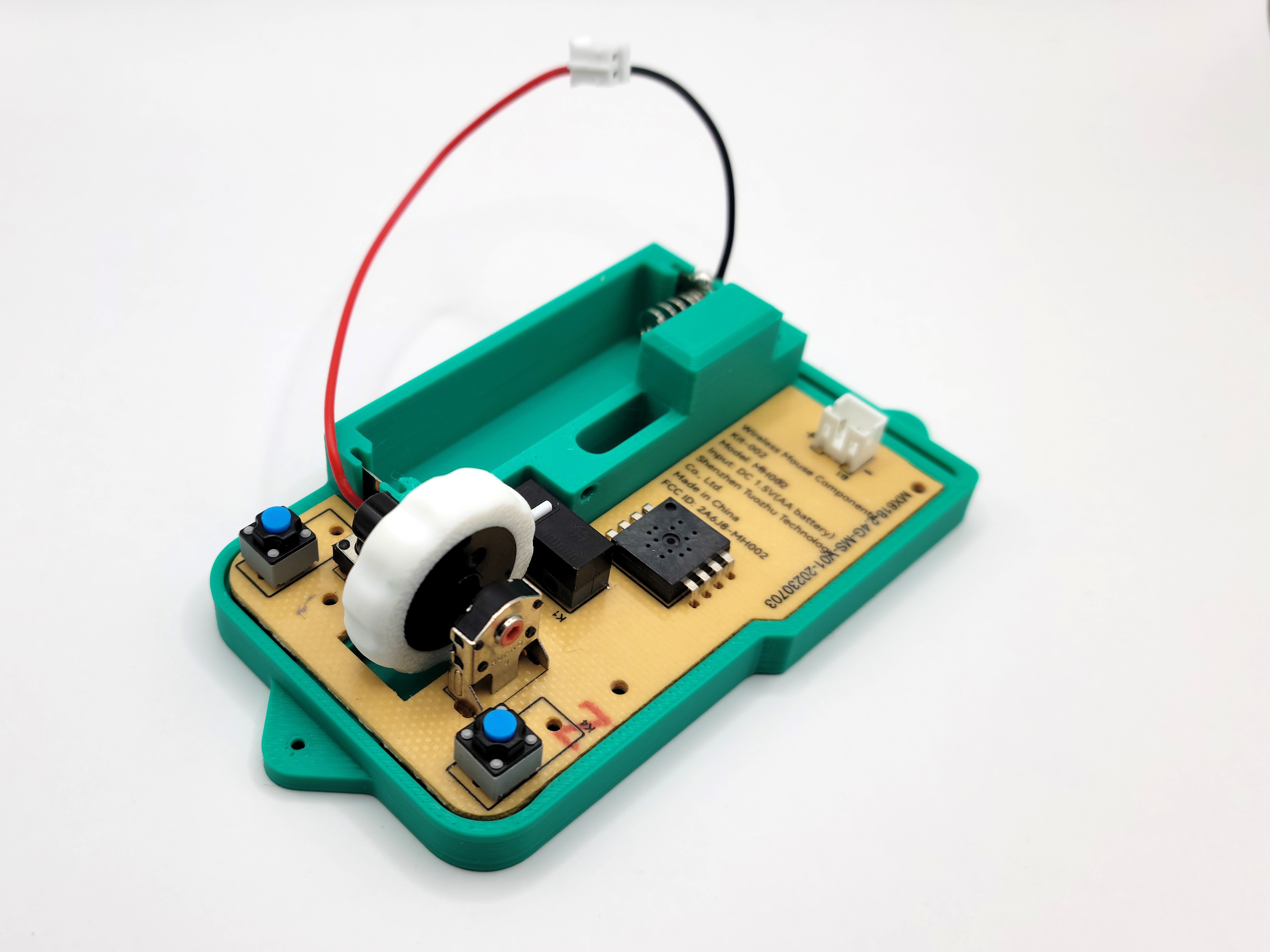 |
Step 5:Place the fastener on top of the mainboard | 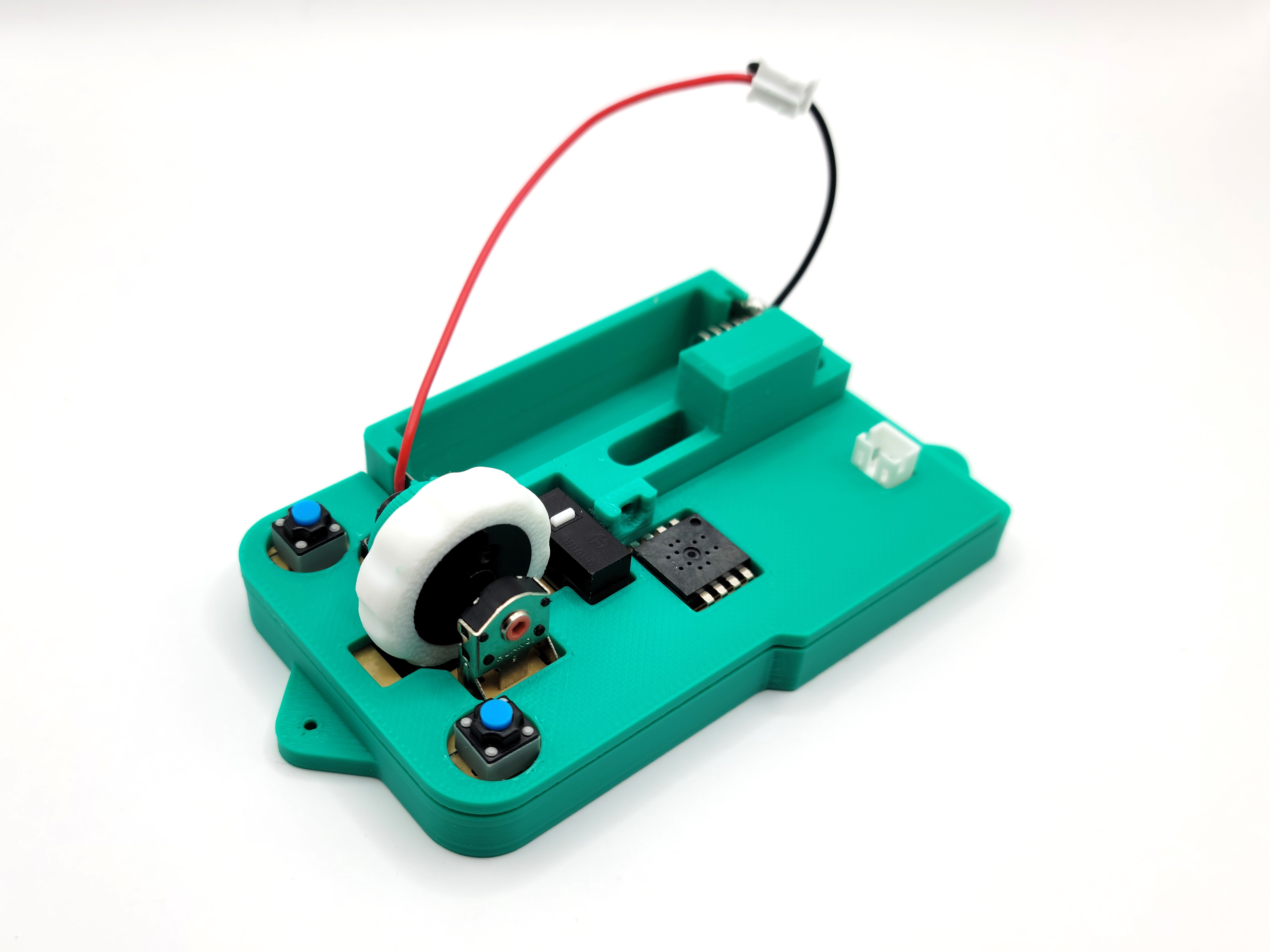 |
Step 6:Attach the fastener to the the base with a screw from the kit like so → | 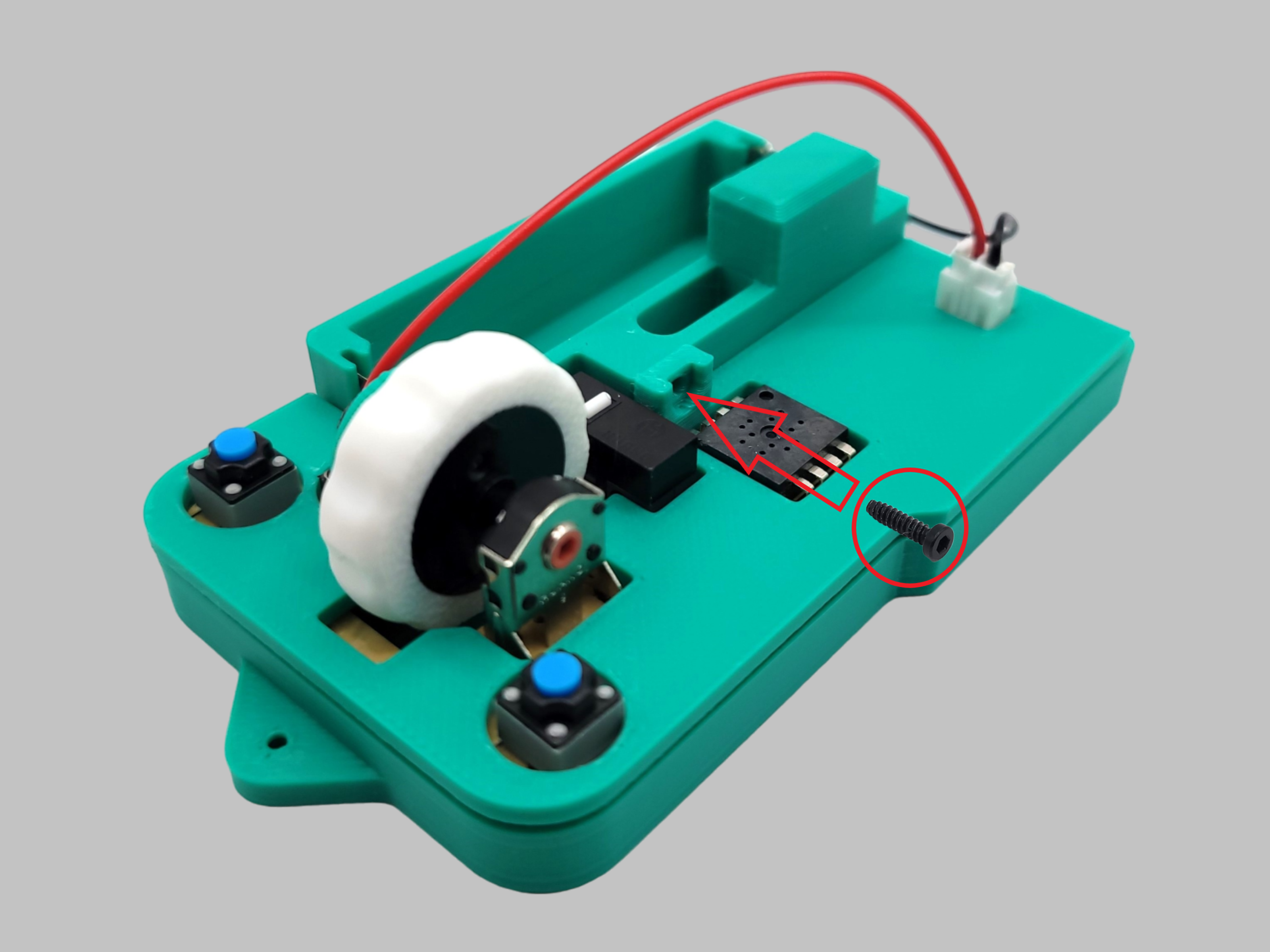 |
Step 7:Place your AA battery in its designated slot | 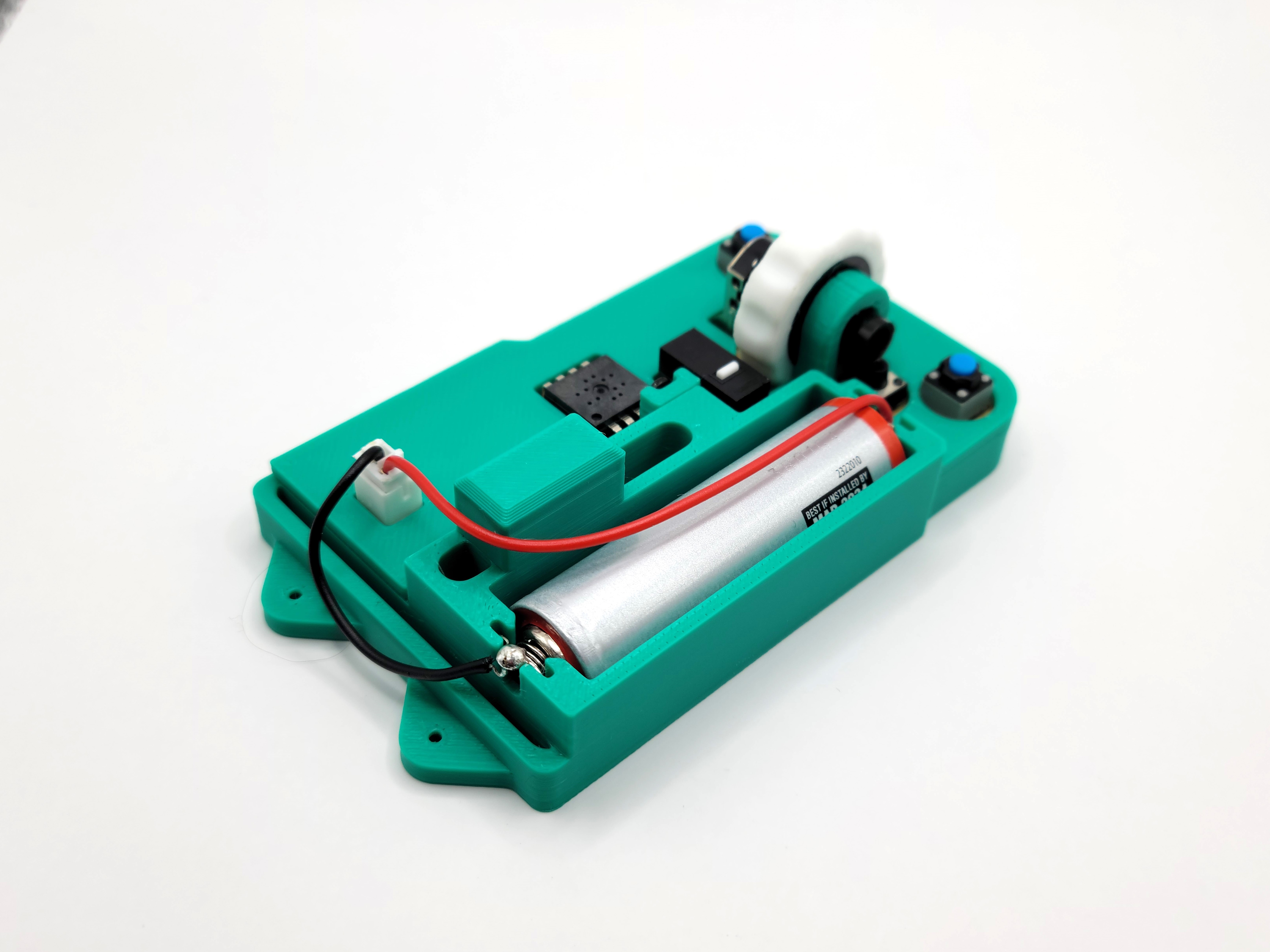 |
Step 8:Slide the negative lead into the back pocket | 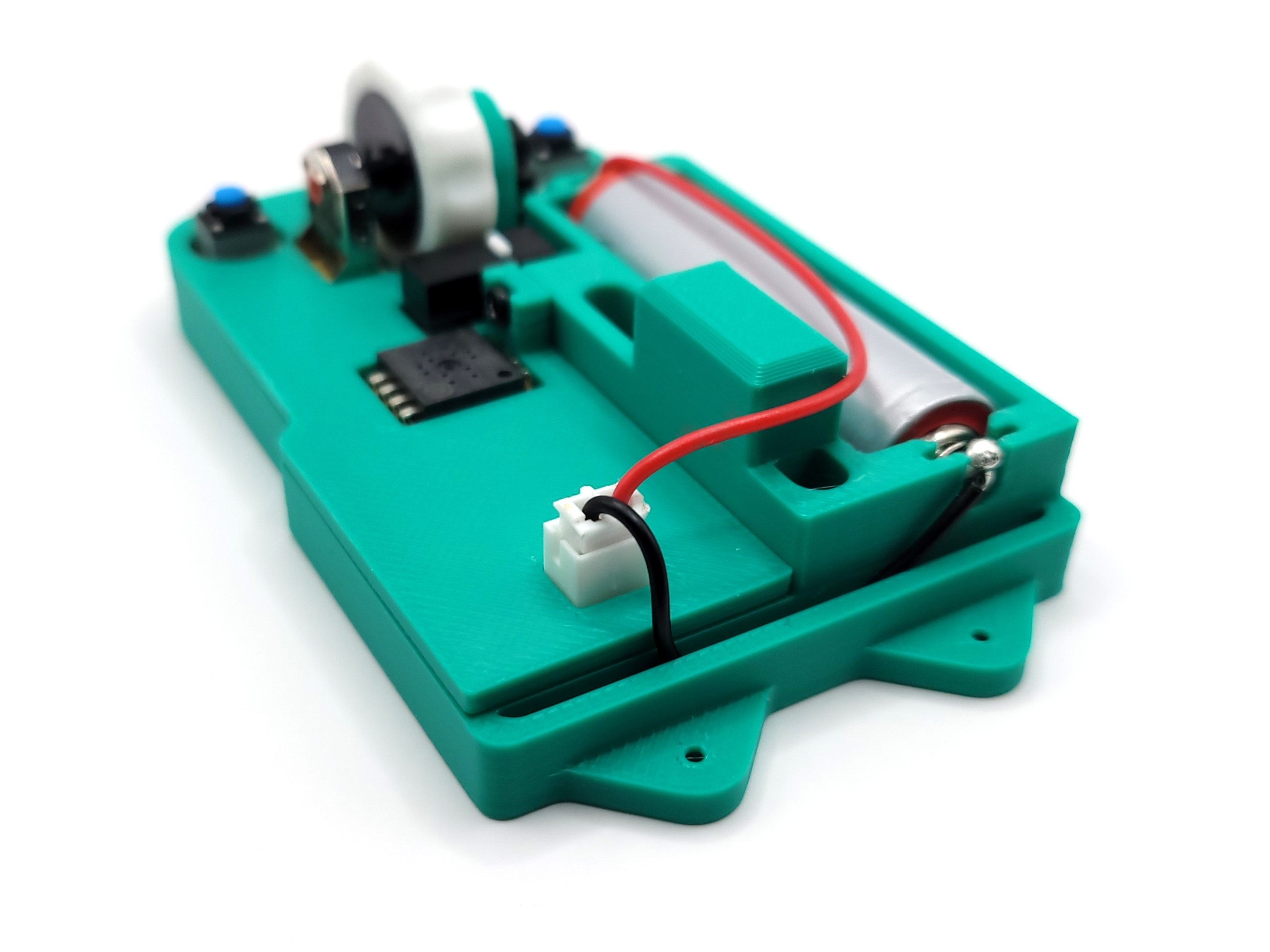 |
Step 9:Attach the cover of your choice and screw the base and the cover together. Attach the anti-friction pads to the bottom in their respective slots. The USB receiver can be friction fit in the hole at the bottom. After some testing, it will not fall out unless pulled. | 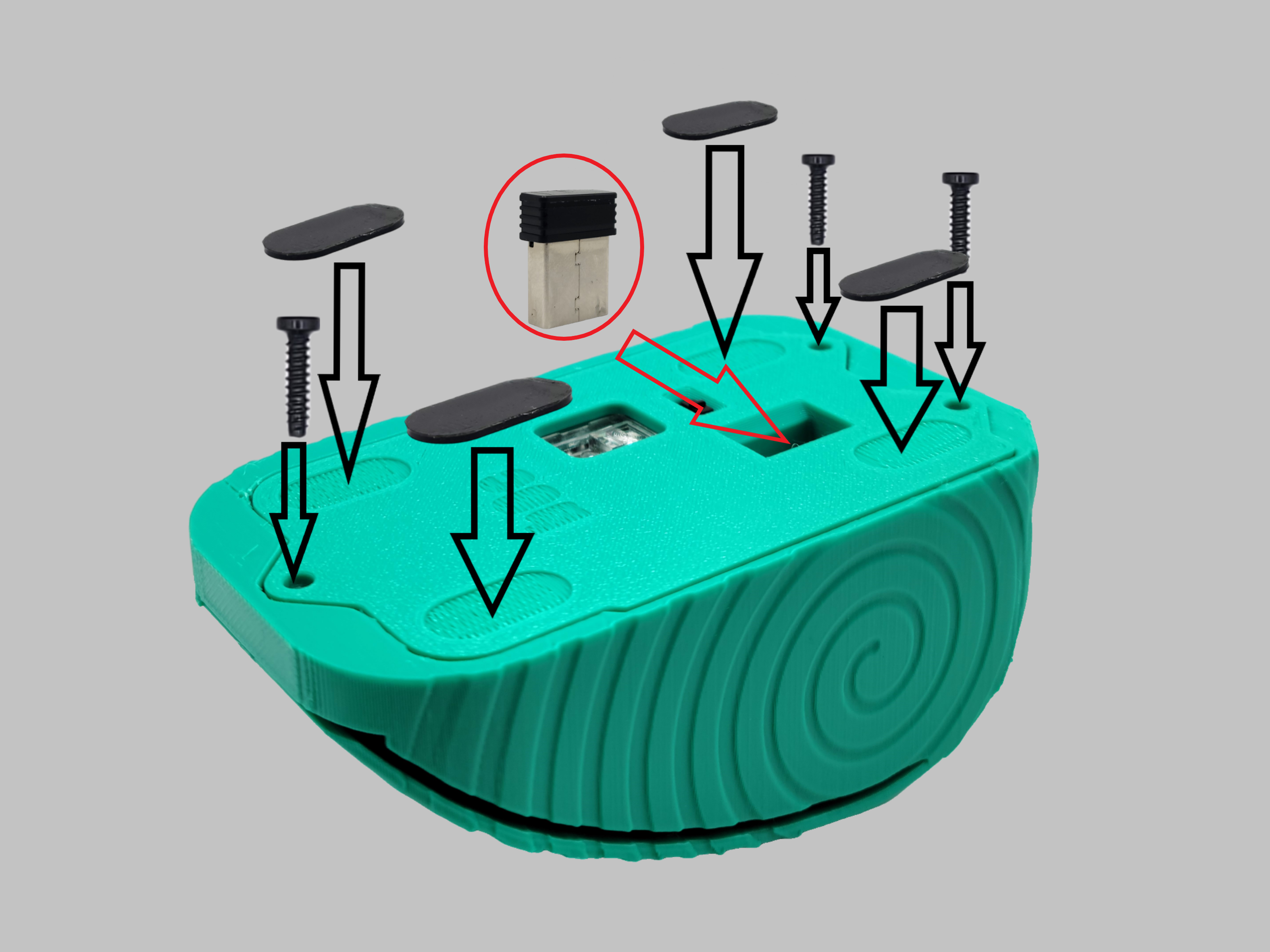 |
Simplified Exploded View: | 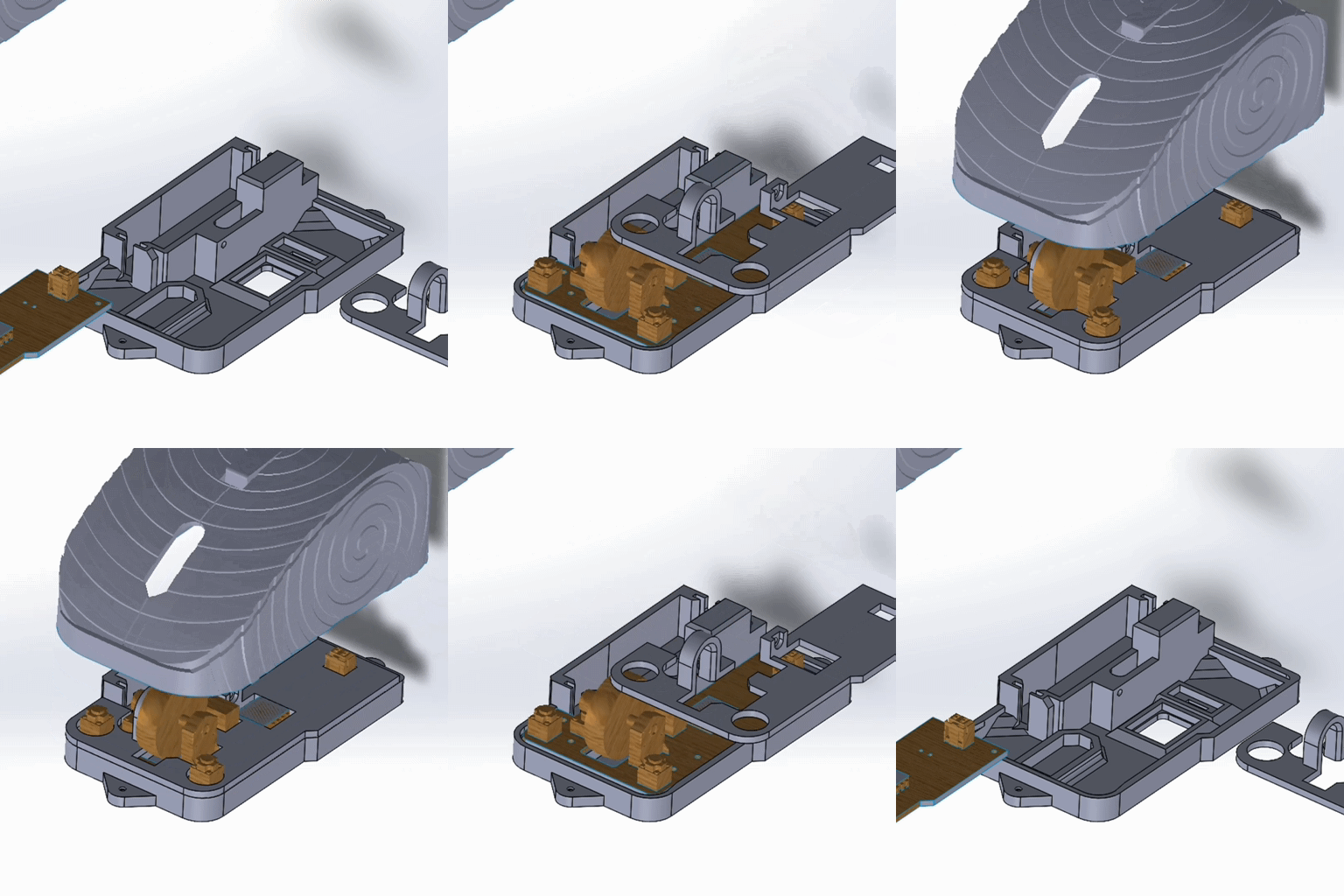 |
Enjoy!!
Simple Mice | Bambu Wireless Mouse Kit Compatible

Publicado em 28 de mai de 2024
Gostou deste modelo? Crie uma conta grátis para salvar seus favoritos e voltar a eles depois.
Criar conta