Você está no 3DFinder
Buscamos em Thingiverse, MakerWorld e Printables ao mesmo tempo para te dar o melhor de cada uma.
Descrição
Customizable Buttons for X1 and X1C!
I think the buttons on the X1C can be improved. They gave us a “Power Off” button and an “Emergency Stop” button, but the off button isn't an off button and the emergency stop button isn't an emergency stop button! The off button is actually a turn screen off button and the emergency stop button is actually a "pause print eventually” button. I decided to fix that and it's not hard to replace them!
To get the most detail out of the labels it's best to print with a .2mm nozzle but it's not required. All examples here are with a .4mm nozzle.
I have made my Fusion360 file as well as a STEP file available so you can customize them yourself. If you don't know how to use a CAD program, you can customize them right inside Bambu Studio. Here's a great tutorial from Ashley's Print Shop: [https://youtu.be/UekEbg_ZkgI?si=lhKWQ-em_8kgHWXO](https://youtu.be/UekEbg_ZkgI?si=lhKWQ-em_8kgHWXO)
Included:
- Blank buttons so you can add whatever design or logo you want
- Display Sleep / Pause button to label them what they actually do
- Default labeled buttons if you like the labels but just want to add more color
Instructions:
Remove the front panel following the instructions from Bambu Lab then follow the steps in my pictures below: [https://wiki.bambulab.com/en/x1/maintenance/replace-front-cover](https://wiki.bambulab.com/en/x1/maintenance/replace-front-cover)
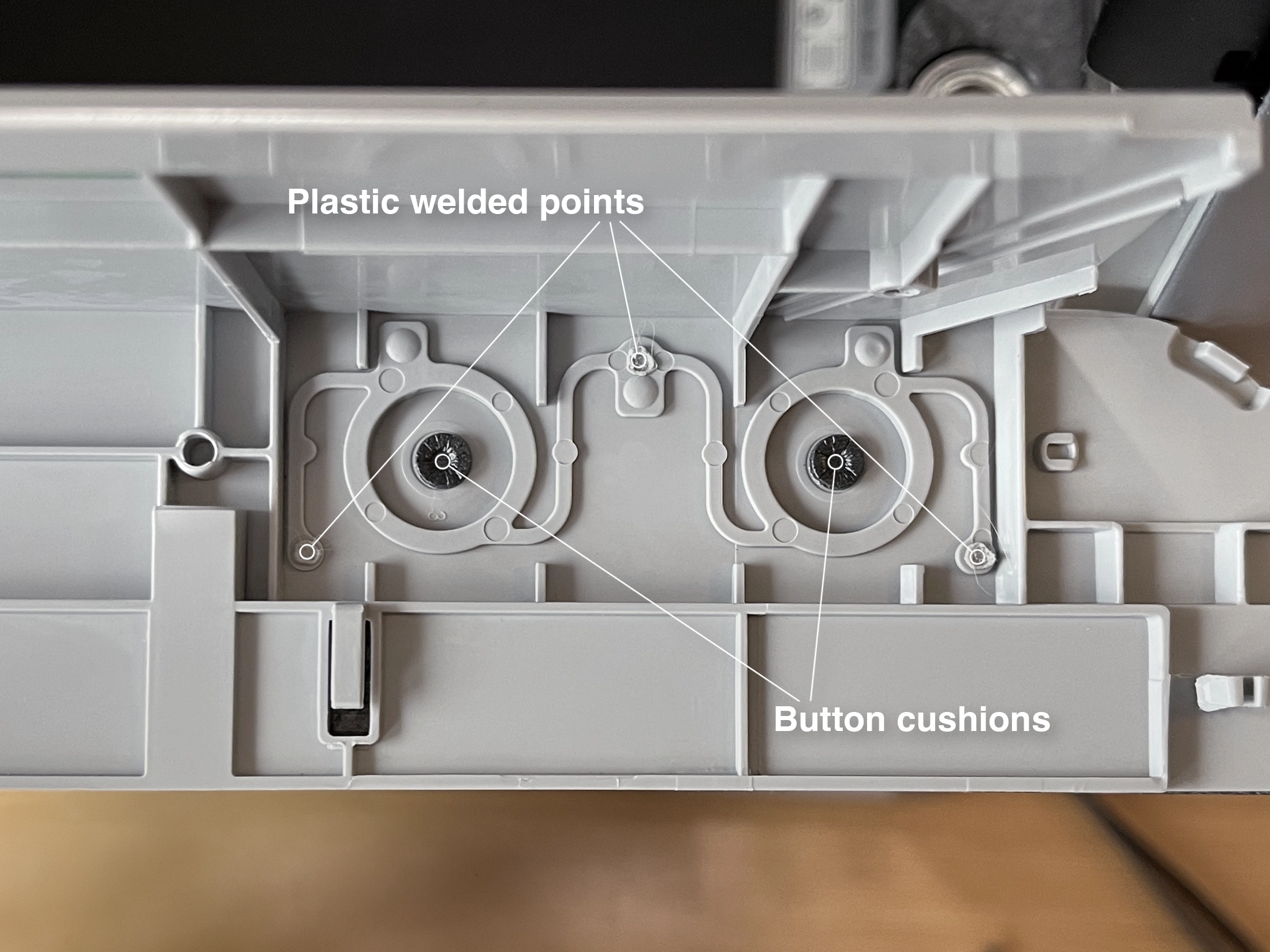 |
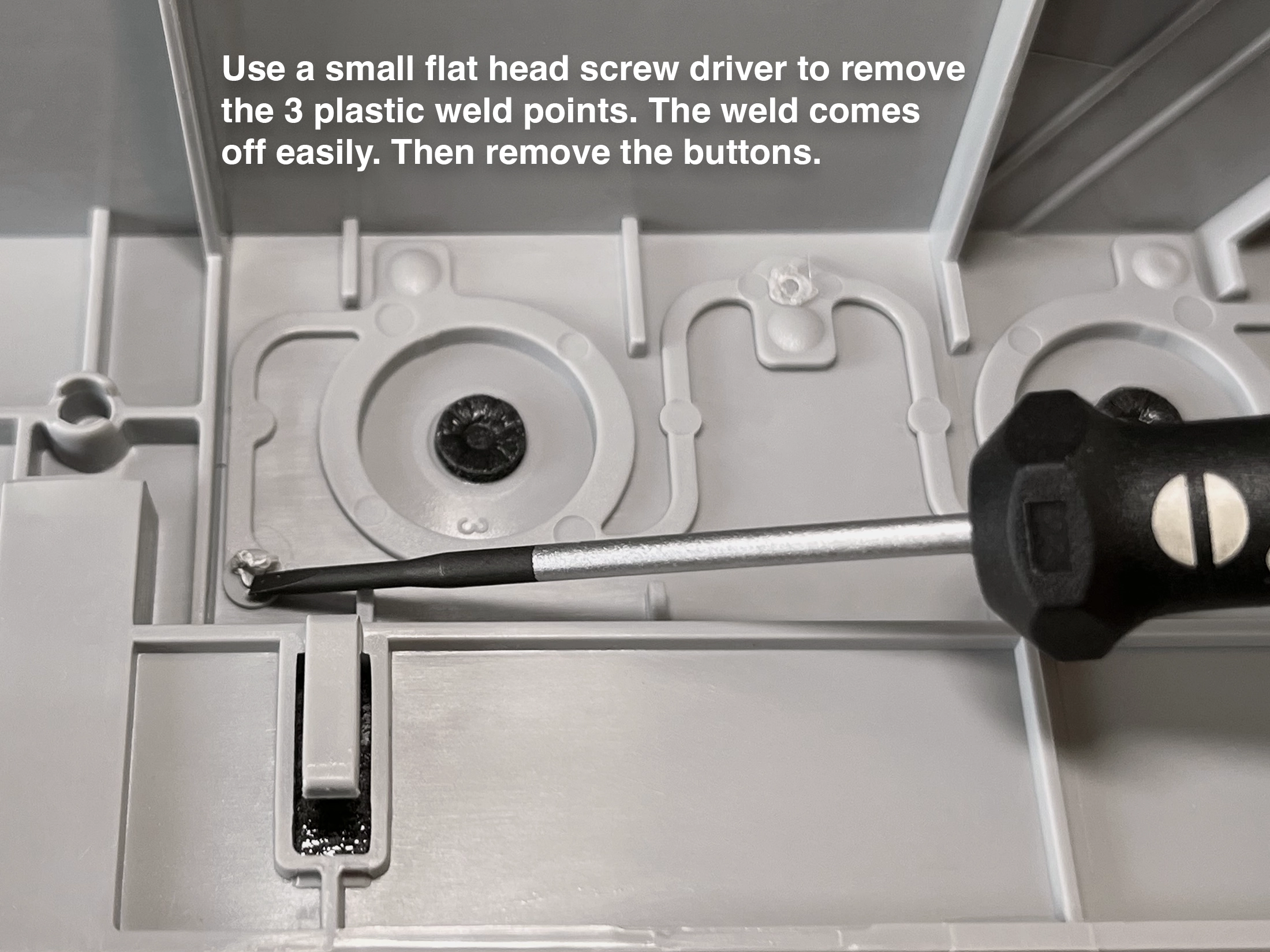 |
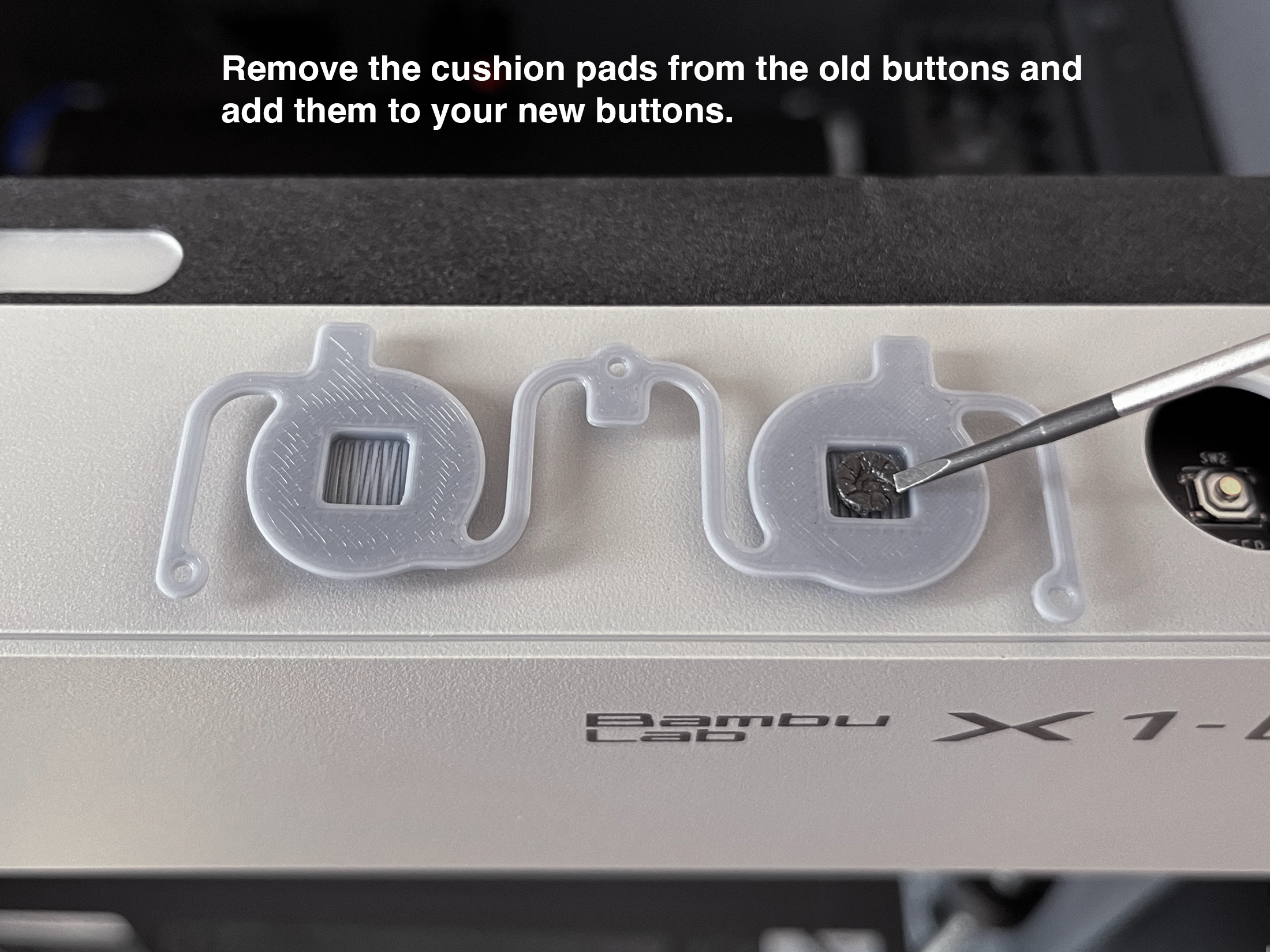 |
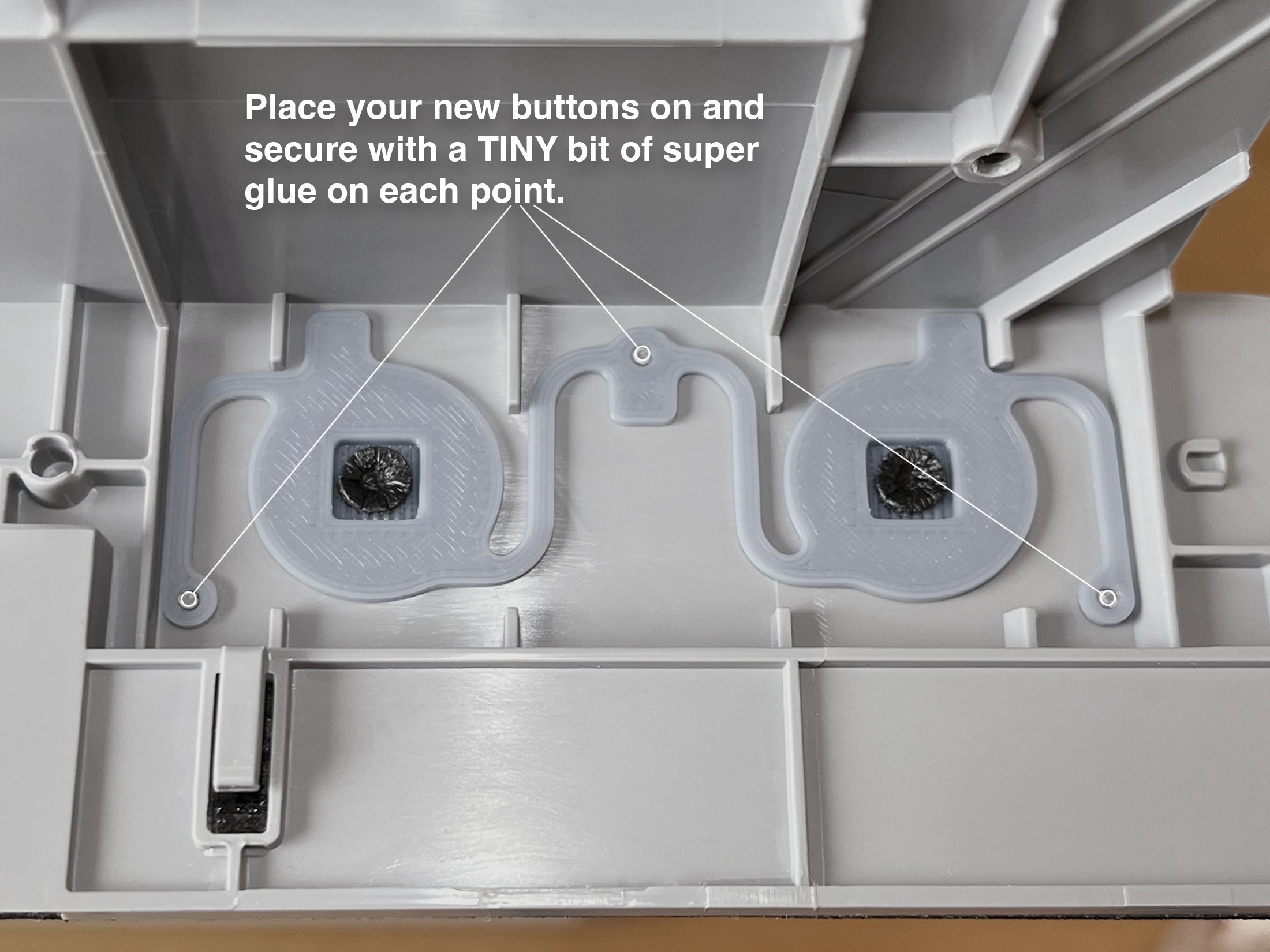 |
Customizable Front Panel Buttons

Publicado em 31 de mar de 2024
Gostou deste modelo? Crie uma conta grátis para salvar seus favoritos e voltar a eles depois.
Criar conta