Você está no 3DFinder
Buscamos em Thingiverse, MakerWorld e Printables ao mesmo tempo para te dar o melhor de cada uma.
Descrição
Step 1. Download and load to print bed.
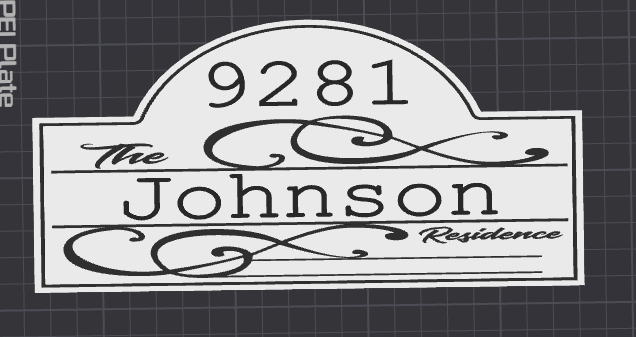
Step 2. Left click on print tower to bring up settings on the left.
Step 3. Once you see the settings on the left. Scroll down until you see the edit name and number blocks pictured below.
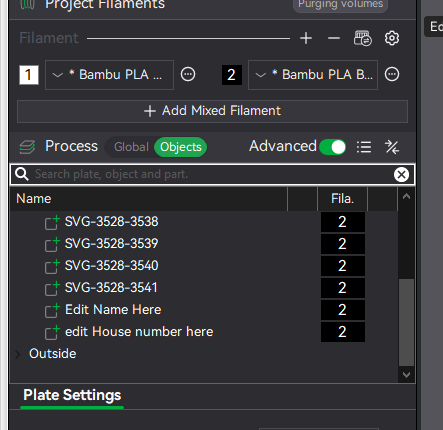
Step 4. Left click on edit name here and then edit text.
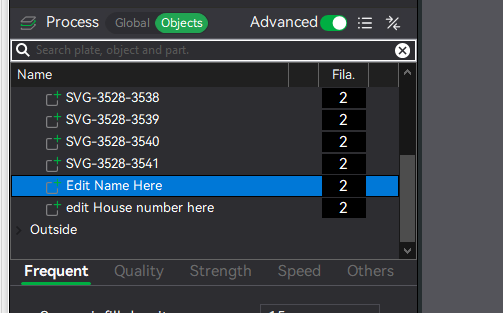
Step 5. Choose the name you want listed and click the enter key. Do the same for the house number and hit enter after.
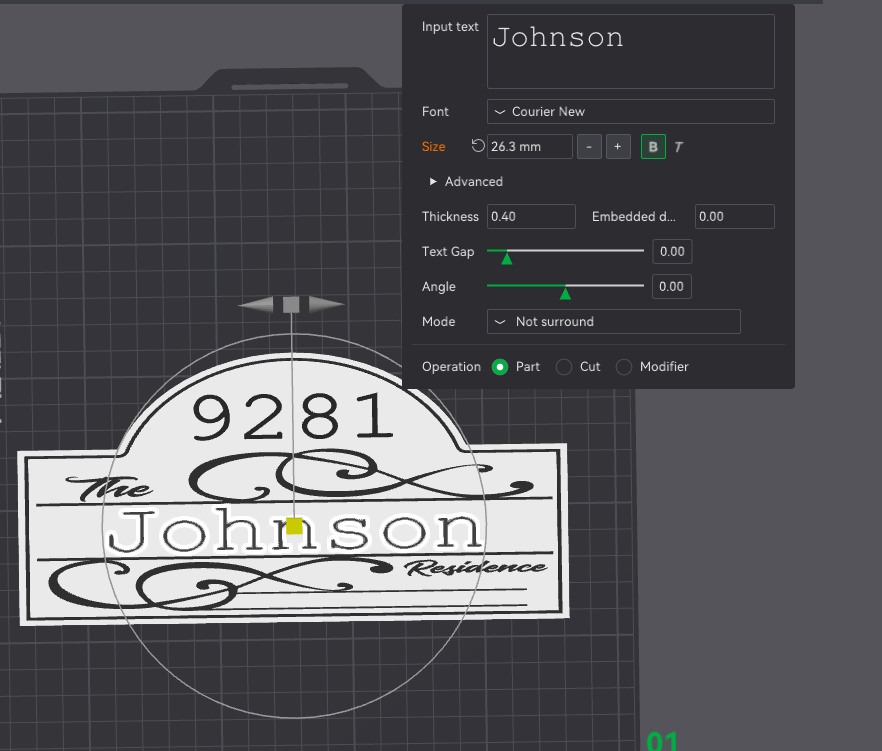
Step 6. Slice and print. Enjoy
I’ve uploaded a wide variety of coasters, door signs, wall art, and fridge magnets—just click the link below to explore.
All models are easily resizable using Bambu Studio or your preferred slicer.
If you enjoy a design after printing, I’d really appreciate a like, comment, rating, follow, or boost—every bit helps and means a lot!
Just a quick note: I create what people request, so please keep feedback respectful. Thanks for your support and happy printing!
3Dprinting4fun | Published - MakerWorld

Gostou deste modelo? Crie uma conta grátis para salvar seus favoritos e voltar a eles depois.
Criar conta