Você está no 3DFinder
Buscamos em Thingiverse, MakerWorld e Printables ao mesmo tempo para te dar o melhor de cada uma.
Descrição
What?
I've made a small tray generator so anyone can create one according to their needs. You can configure the width and legth of the tray, the thickness of the base and the walls and the external radius. I've not make it able to get a radius of 0 as sharp corners on horizontal layers are usually bad.
Why?
I've seen some tray models around with restrictive licenses. I'd understand it on a complex model, but this is one of the simplest things one can model. Here is my contribution to the world.
Can you make it less boring?
If you want to get fancy, you can also use tools like [https://bumpmesh.com/](https://bumpmesh.com/) or approaches as [https://makerworld.com/es/models/868884-add-wood-grain-effects-to-your-models-using-a-smal?from=recommend#profileId-820403](https://makerworld.com/es/models/868884-add-wood-grain-effects-to-your-models-using-a-smal?from=recommend#profileId-820403) to give a twist to the tray and add some cool textures after building your own size.
For example, I uploaded a 180*90mm tray to [https://bumpmesh.com/](https://bumpmesh.com/) and applied a wooden texture:
- Go to the website, click on “Load Model…” on the top of the right menu bar and pick your .stl or .3mf file.
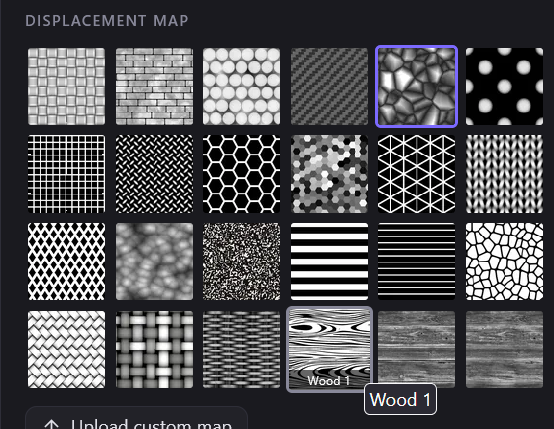
Pick the wooden texture. I'd say “Wood 1” is probably better, as has the simpler lines and probably the best effect.
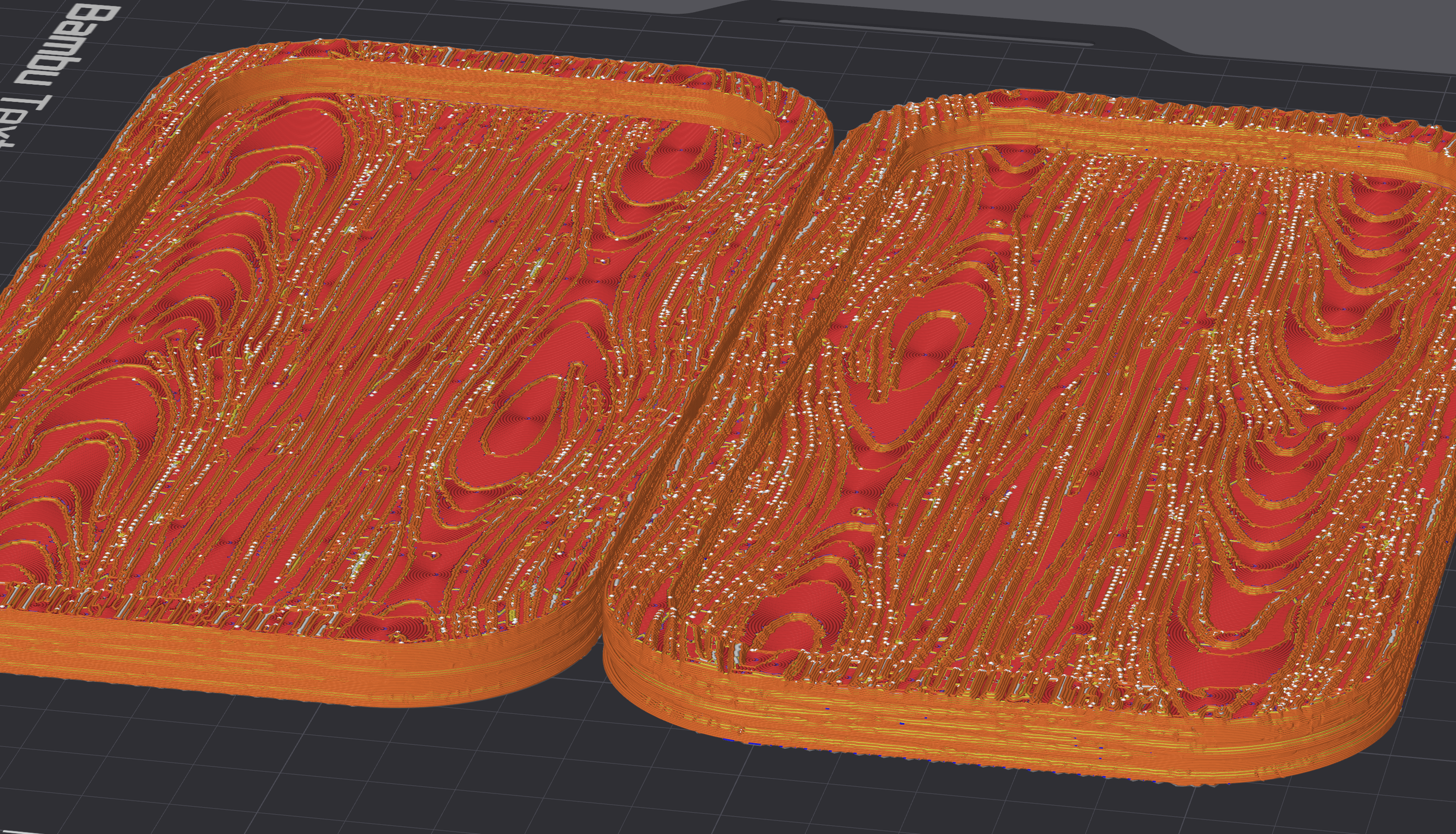
Change the Texture height (mm) parameter: This parameter is useful to make the "wood" more visible. Using a multiple of the layer heigth makes the texture stand out. For example, with the default 0.2mm standard profile on a 0.4 nozzle I exported two models, one with 0.4 and another with 0.8mm of layer height. The one on the left has two layers of height between levels, the one on the right has four.
- Play with the rest of the parameters! You can save the current settings using the Save project button on the top of the page. Export it whenever you have something good enough and keep changing things to see what happens. For example, you can move, rotate or change the size of the texture to have multiple prints with different patterns.
- When finished, export the model. You can directly download a .stl or a .3mf file: scroll to the bottom right side of the page and pick whatever option.
Parametric tray generator + wood texture tutorial

Publicado em 11 de jun de 2026
Gostou deste modelo? Crie uma conta grátis para salvar seus favoritos e voltar a eles depois.
Criar conta