Você está no 3DFinder
Buscamos em Thingiverse, MakerWorld e Printables ao mesmo tempo para te dar o melhor de cada uma.
Descrição
I made these drawers as a storage add-on for the Moku Modular Desk System. They are meant to fit naturally into a Moku setup, whether you want a small drawer under a display stand, a stack of drawers on your desk, or a storage module that still works with other Moku accessories.
There are 3 variations included, so you can choose the version that fits your setup best.
Variations
1. Rail Top Drawer
This version has grooves on the bottom for the Moku base rail, and the top of the drawer also works as a base rail.
That means you can stack drawers on top of each other, or place other Moku accessories directly on top of the drawer. This is the most modular version and is the best option if you want to keep building upward.
2. Flat Top Drawer
This is an alternate version of the Rail Top Drawer, but with a flat top instead of a rail.
It works nicely as the top drawer in a stack, especially if you want a simpler, more minimal finish. It also gives you a flat surface for placing small items on top.
3. Hanging Drawer for Moku Display Stand
This version is designed for the Moku Display Stand. It has a connector that slides onto the base rail, so the drawer can hang underneath the stand.
It is a good way to add storage below a raised Moku shelf without taking up extra desk space.
Fully customizable
All 3 variations are fully parametric/customizable.
You can adjust:
- Drawer width
- Drawer height
- Number of rail rows
The number of rail rows determines the drawer depth and should match the Moku rail setup you are using.
Recommended print settings for customized models
I spent a lot of time tuning the print settings so the drawers print well, reduce stringing, and use less filament. If you use the Customizer and set up your own plates in the slicer, I recommend using the settings below.
Base preset
- 0.20mm Standard
Drawer settings
- Seam position: Back
- Orientation: Drawer facing the front
- Precise wall: Enabled
- Wall generator: Arachne
- Wall loops: 1
- Bottom shell layers: 2
- Sparse infill density: 10%
- Sparse infill pattern: Honeycomb
- Minimum sparse infill threshold: 1 mm^2
The honeycomb infill adds a nice visual detail through the bottom while also adding rigidity.
Drawer Shell settings
- Seam position: Back
- Orientation: Shell facing up, with the drawer stops toward the front
- Wall generator: Arachne
- Sparse infill pattern: Adaptive Cubic
Other slicer settings
- Others > G-code output > Reduce infill retraction: Disabled
Print orientation example
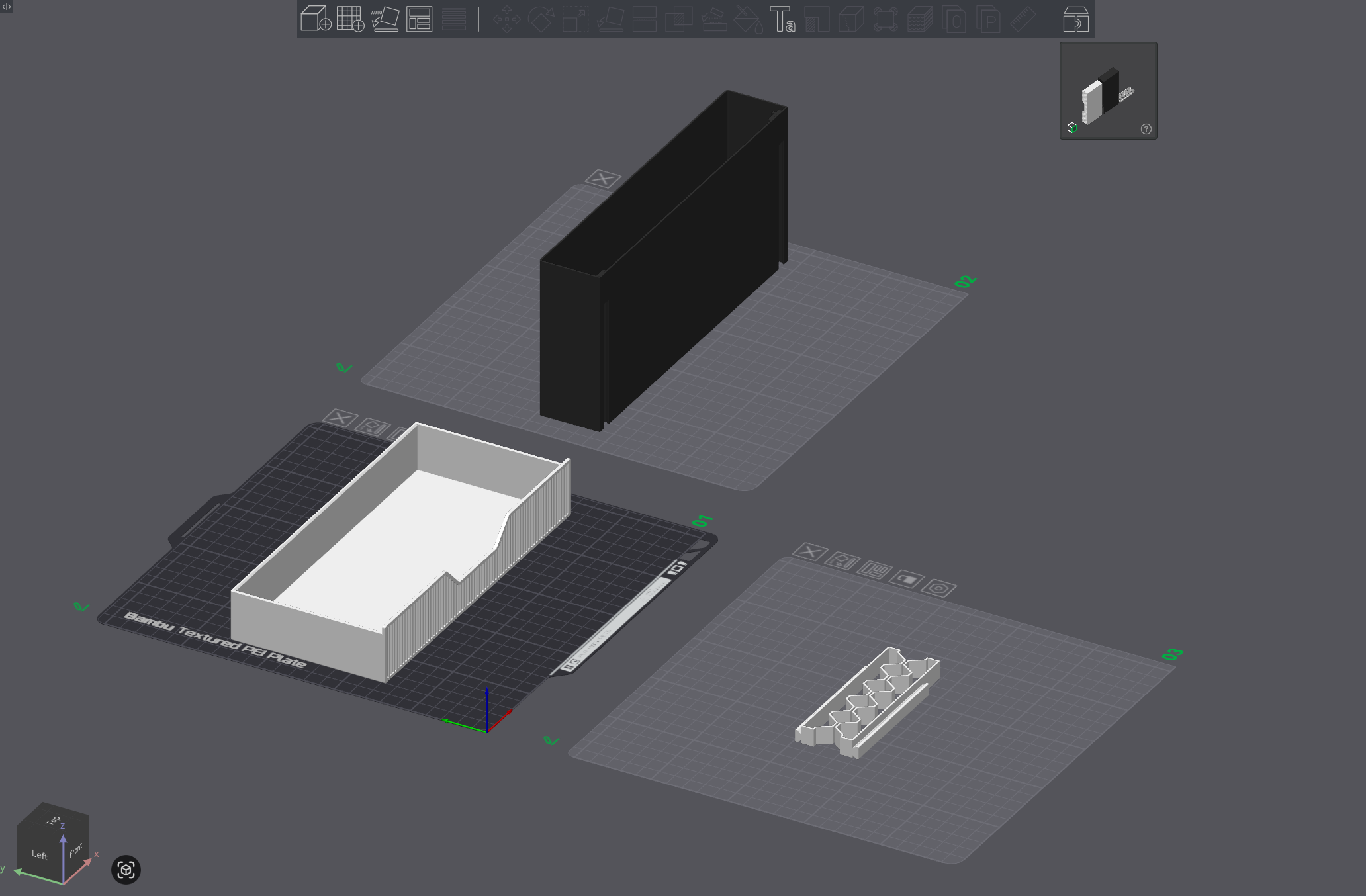
Moku Drawers - Parametric Modular Storage

Publicado em 11 de jun de 2026