Você está no 3DFinder
Buscamos em Thingiverse, MakerWorld e Printables ao mesmo tempo para te dar o melhor de cada uma.
Descrição
# Round Console Deck - No PCB DIY Macro Pad
A compact circular macro controller designed for creators, developers, streamers, and productivity-focused desk setups.
Unlike traditional rectangular macro pads, this project uses a unique round ergonomic layout with 8 circular shortcut buttons surrounding a central rotary encoder knob.
This project is designed to be:
- Easy to print
- Easy to assemble
- Beginner-friendly
- Fully hand-wired
- No PCB required
---
# Features
✅ Circular ergonomic design
✅ 8 programmable macro buttons
✅ Rotary encoder knob
✅ Arduino Nano based
✅ USB powered
✅ No custom PCB required
✅ Compact desk footprint
✅ Clean minimal aesthetic
✅ Fully 3D printable
✅ Custom desktop control software included
You need:
- Arduino Nano
- Tactile Switch 6x6x4.3
- Volume Encoder KY-040
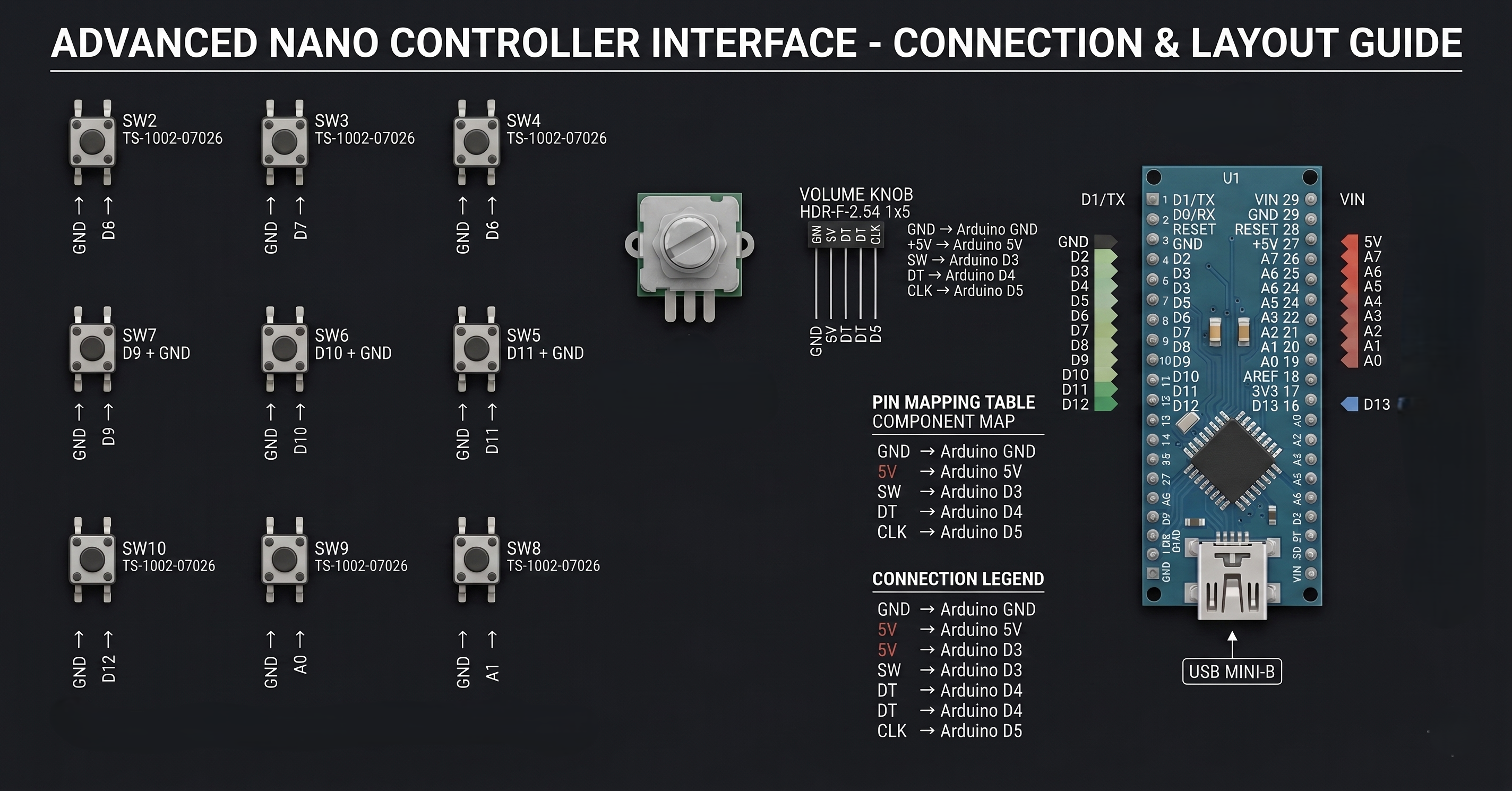
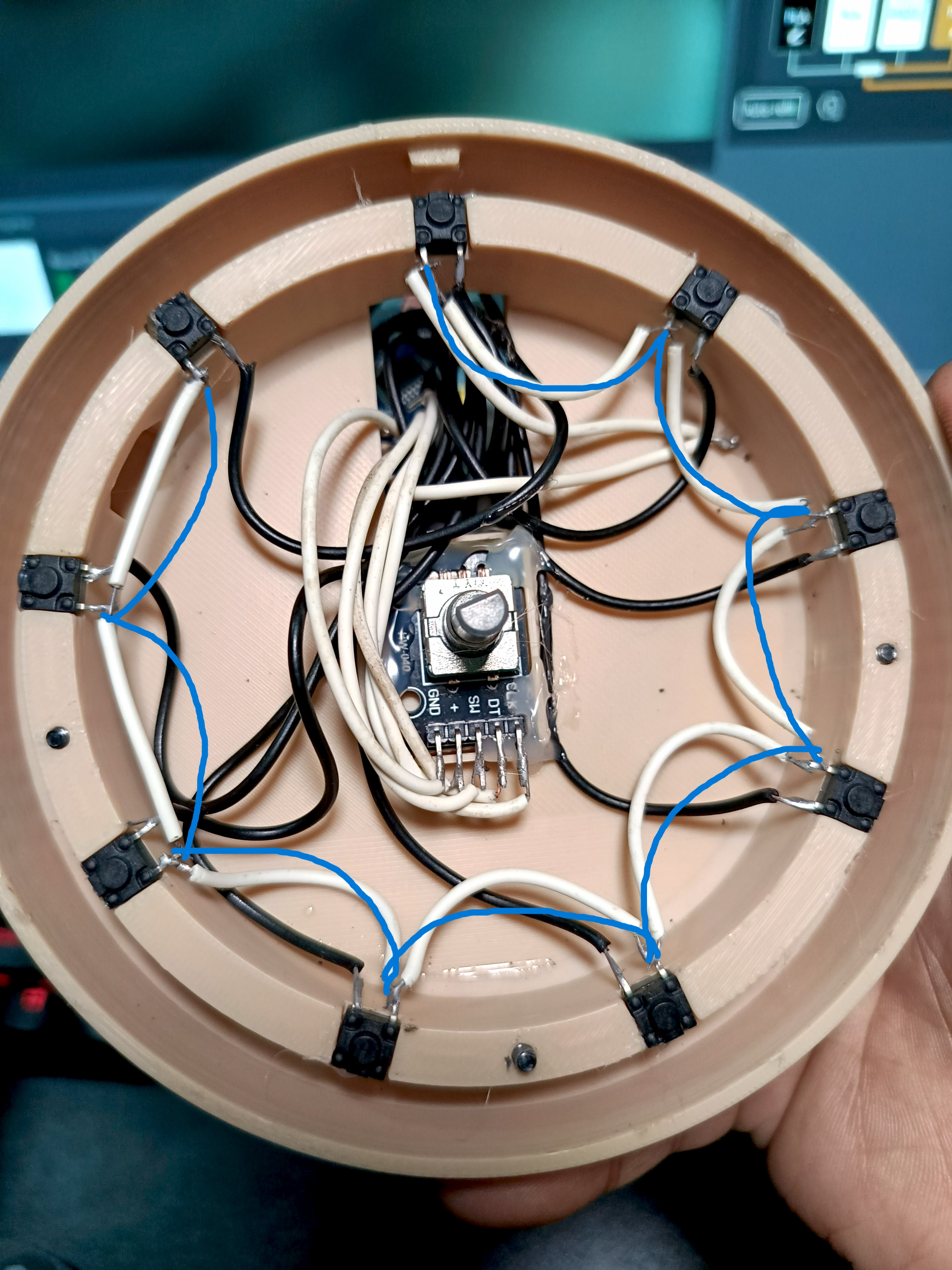
Electronic Diagram:
# Custom Desktop Application
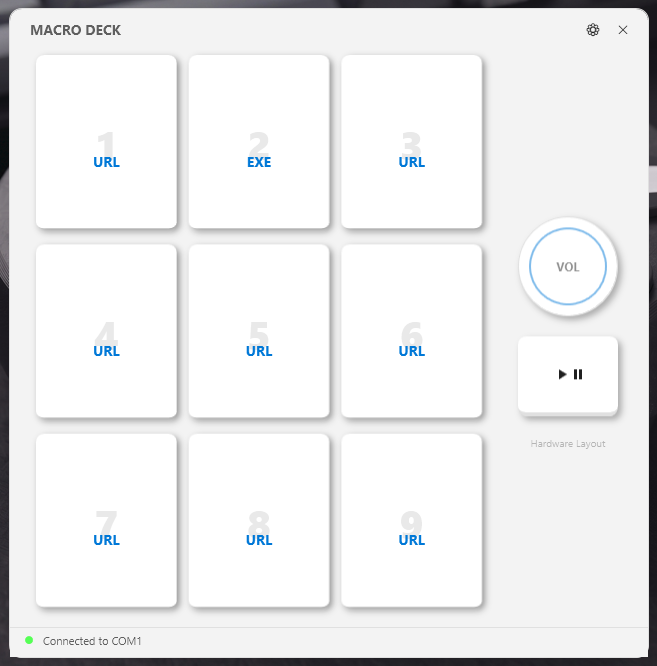
This project includes a custom-made Windows application developed specifically for the Round Console Deck.
The software allows you to:
- Assign URLs
- Launch EXE applications
- Configure button actions
- Control media playback
- Manage macro shortcuts
- Connect directly to the hardware via COM port
Included:
- Windows App
- Arduino Code
- Setup Files
Download Here
Tutorials:
How to Make Custom Button Skin for Round Console Deck - No PCB Macro Pad
Custom App For Round Console Deck - No PCB Macro Pad
# Electronics Used
- Arduino Nano
- 8x Tactile Switches
- Rotary Encoder Module
- USB Connector
- Basic Hookup Wires
---
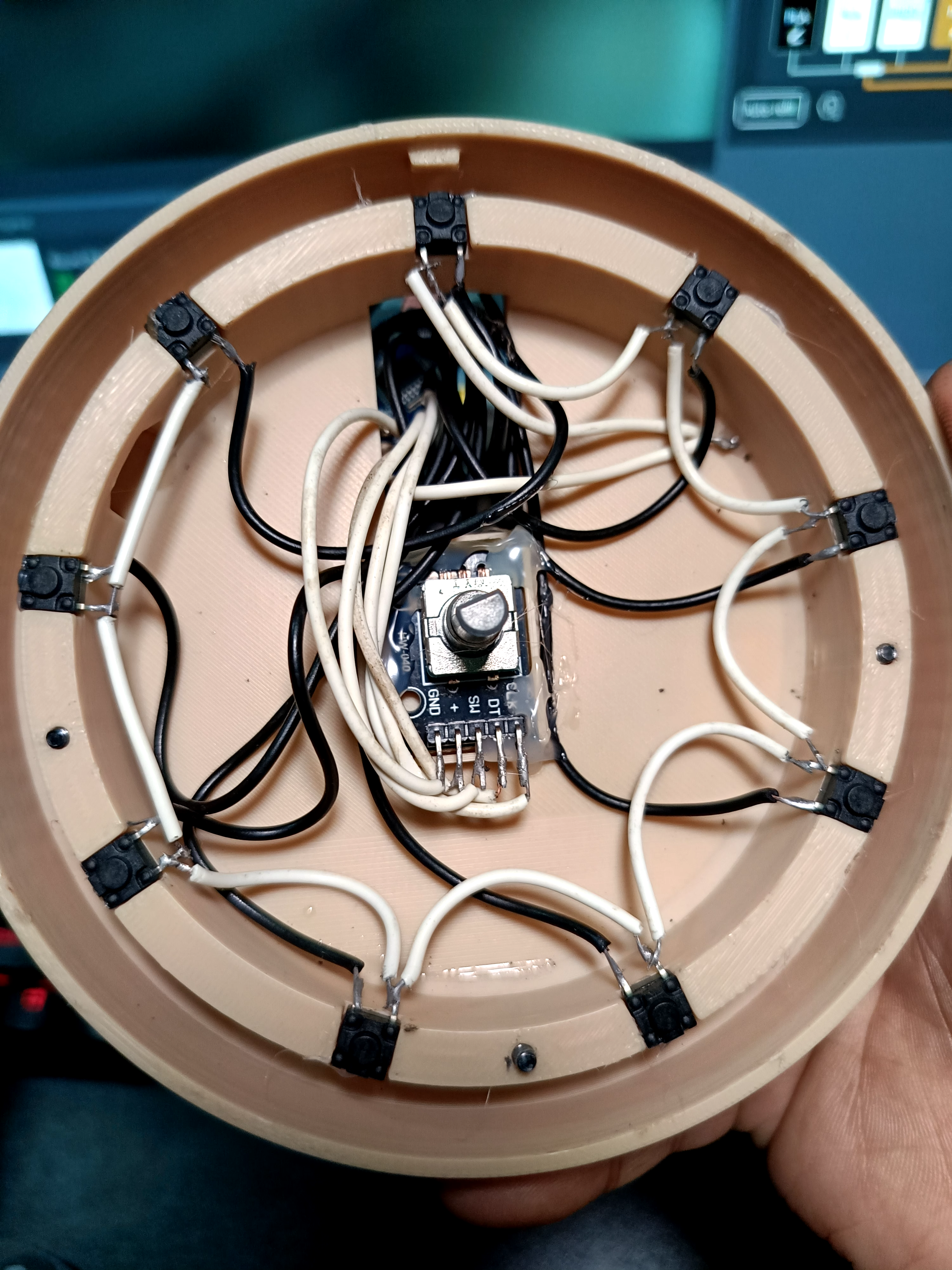
# Wiring Design
The internal wiring is intentionally simple and beginner-friendly.
Each button uses:
- 1x GND connection
- 1x Signal connection
The rotary encoder handles:
- Volume control
- Scrolling
- Media actions
- Custom shortcuts
# Printing Information
Recommended settings:
- Layer Height: 0.2mm
- Material: PLA / PETG
- Supports: No
- Infill: 15–20%
The design is optimized for FDM 3D printers.
---
# Assembly
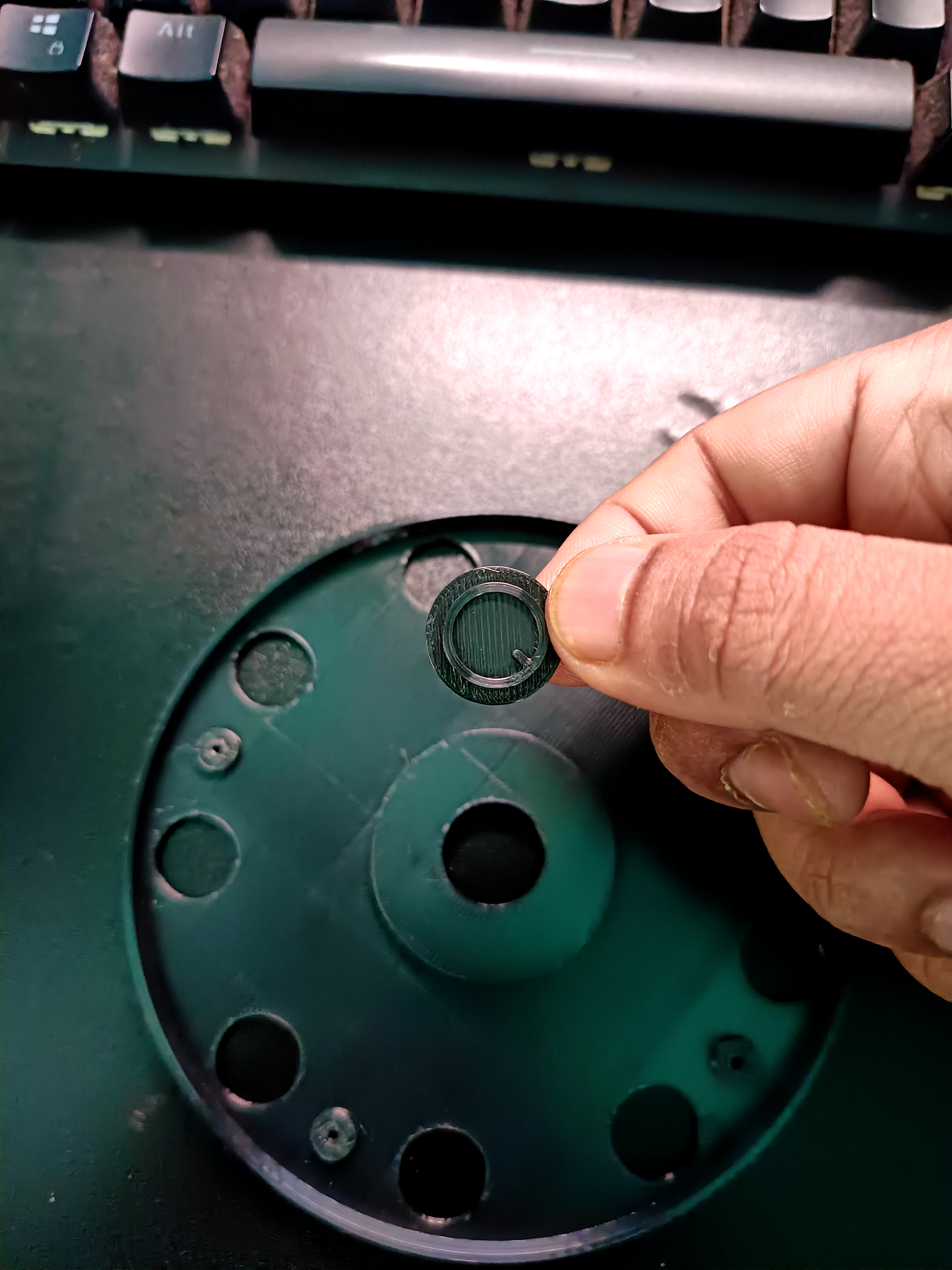
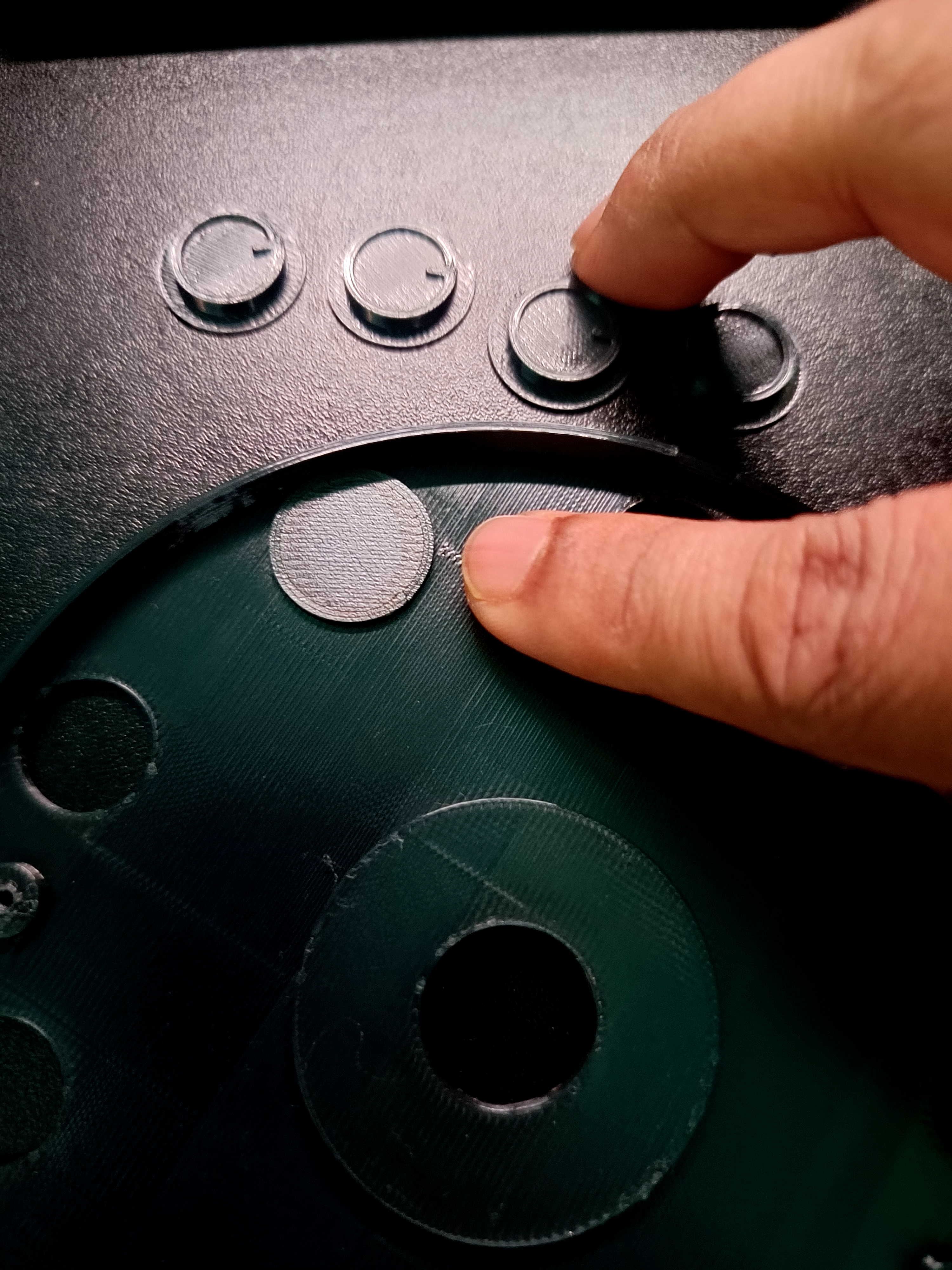
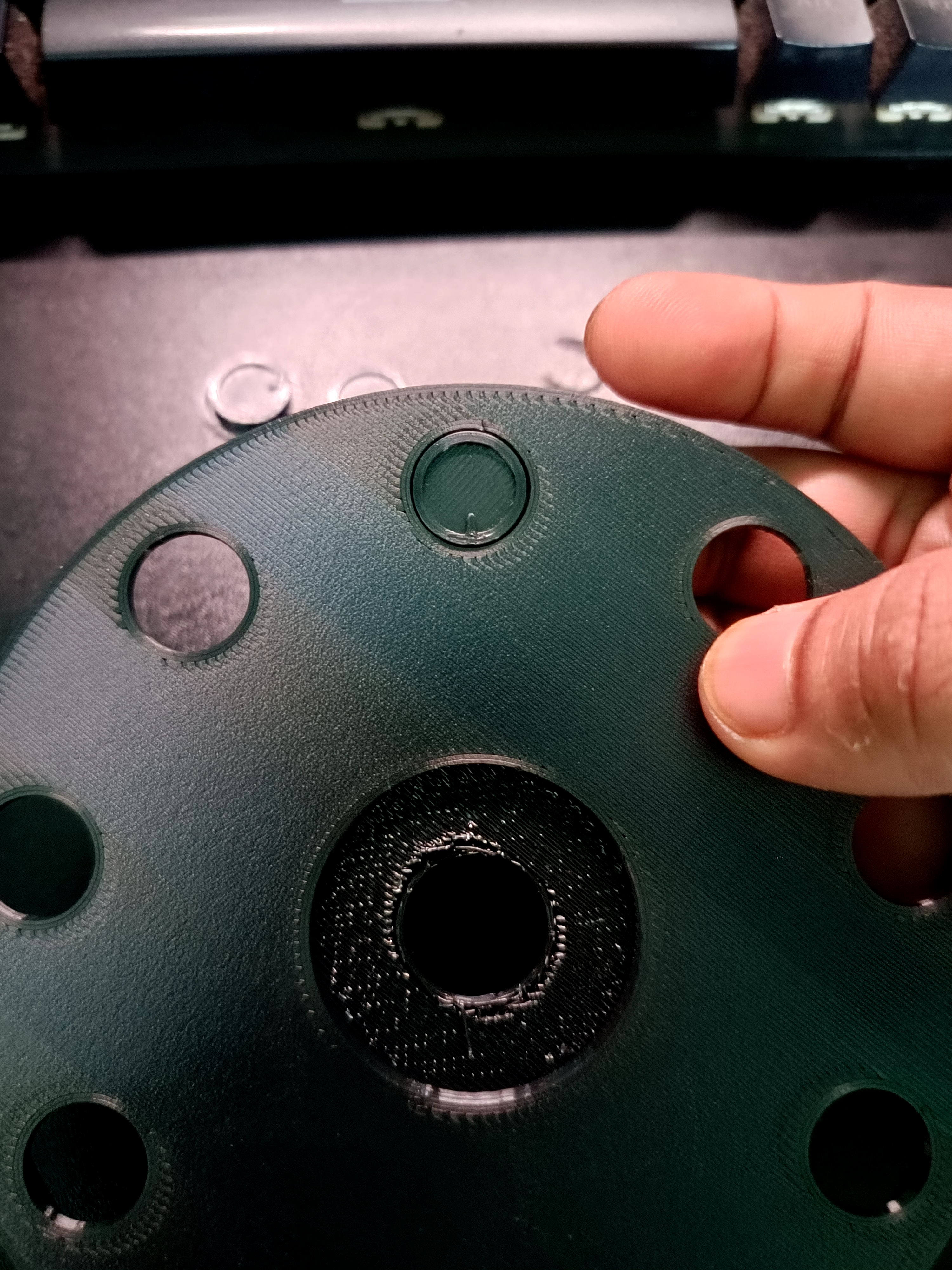
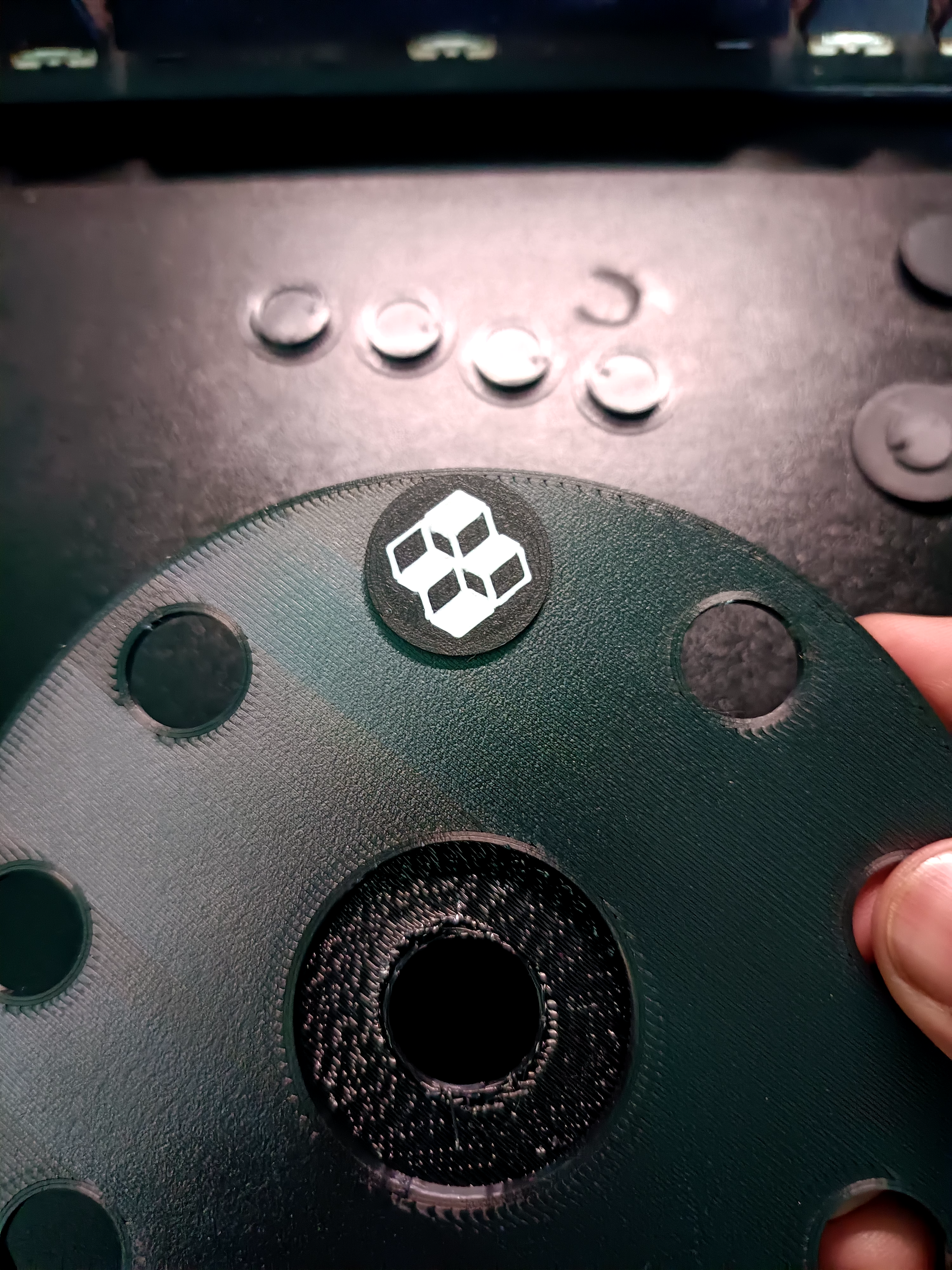
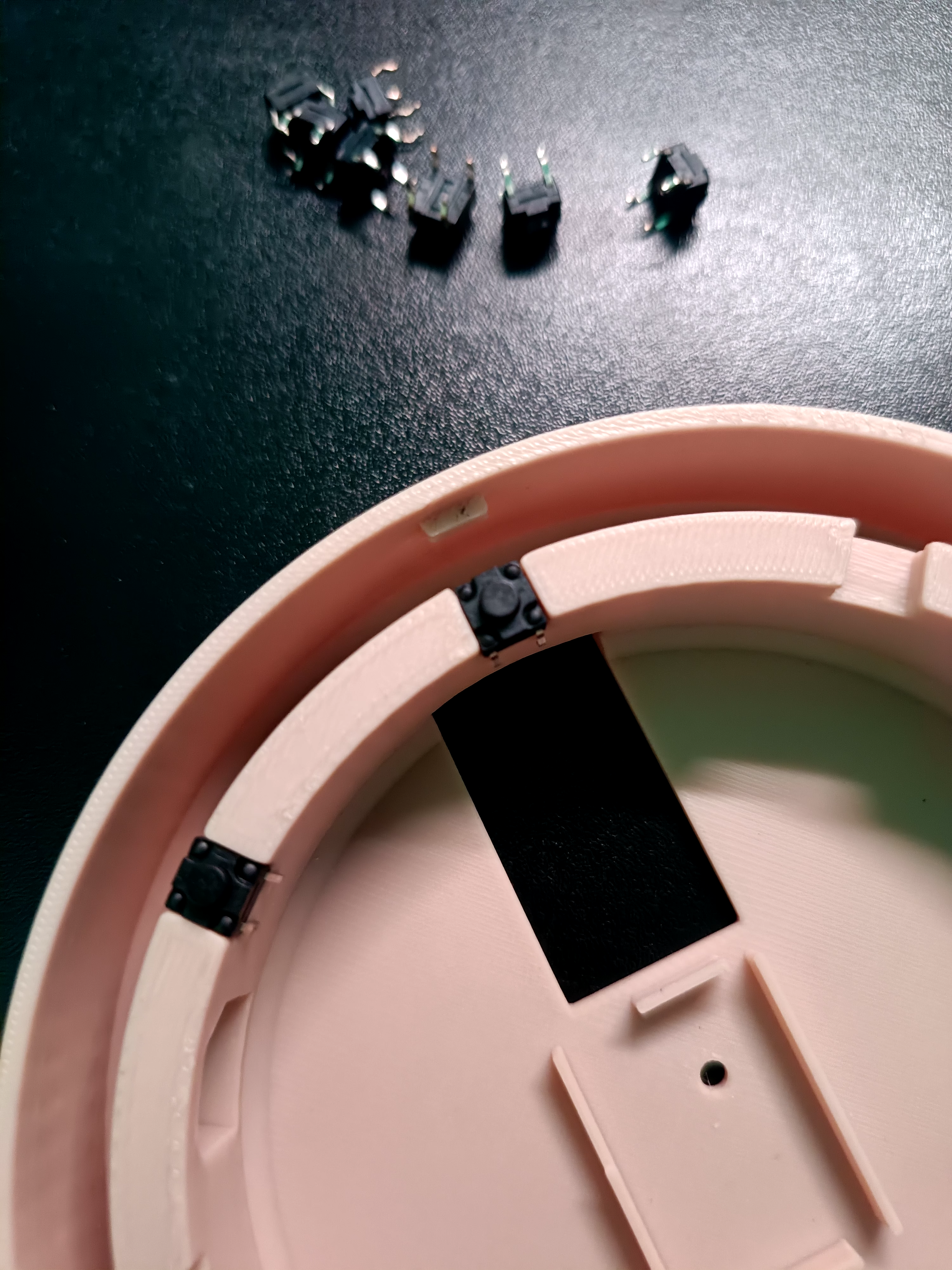
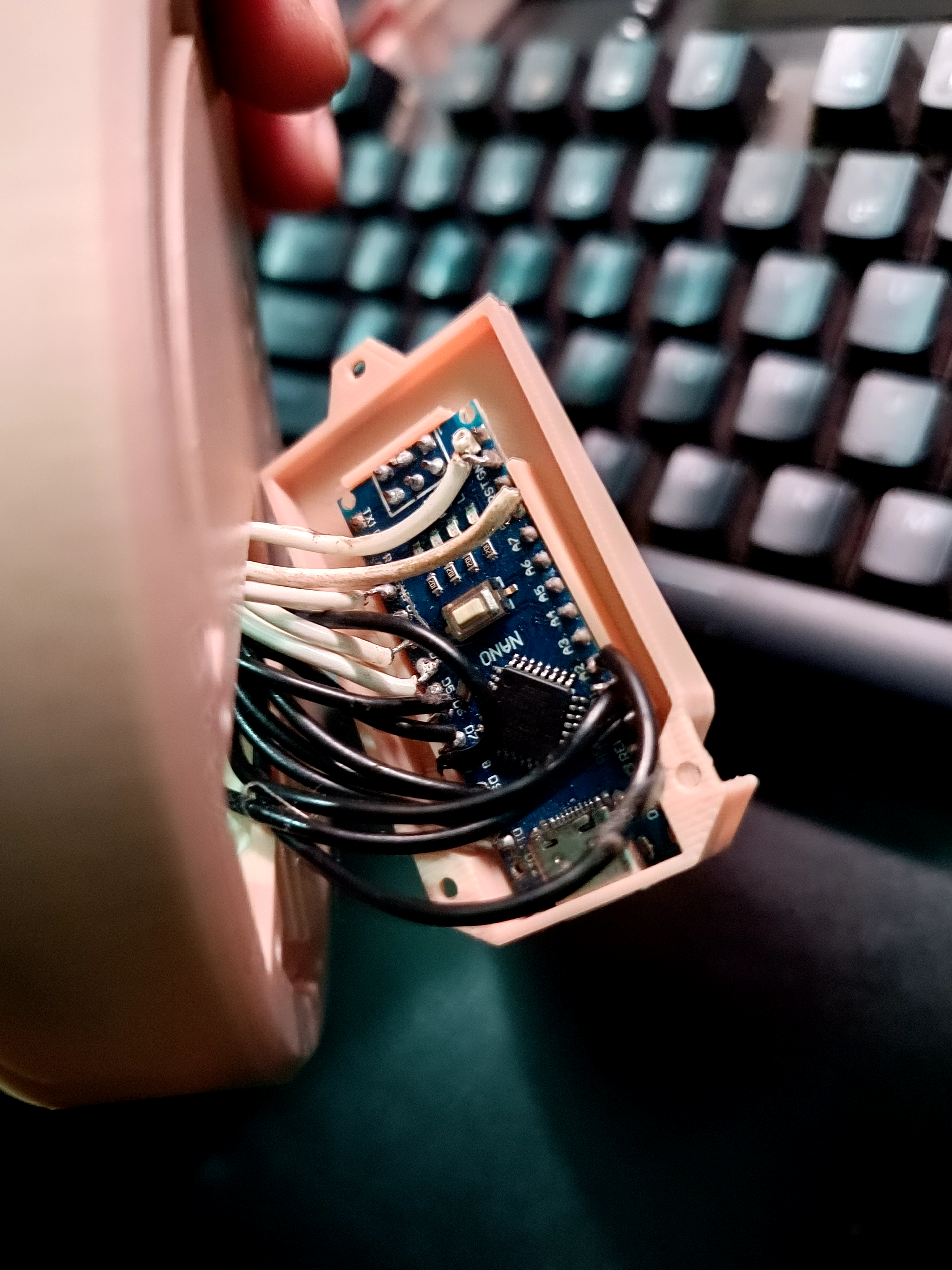
The included images show:
- Button cap installation
- Internal switch mounting
- Hand-wired button layout
- Arduino Nano mounting
- Rotary encoder installation
- USB connector placement
No soldering PCB is needed.
---
# Software Compatibility
Works great with:
- Productivity workflows
- OBS shortcuts
- Browser shortcuts
- App launchers
- Media controls
- Stream Deck style actions
- Gaming shortcuts
---
# Included Files
- Main Body STL
- Top Cover STL
- Button Caps
- Encoder Knob
- Internal Mounting Parts
- Arduino Code
- Windows Desktop App
---
# Notes
This is a DIY community project designed for customization and remixing.
Feel free to modify:
- Icons
- Colors
- Firmware
- Button layouts
- Desktop software
- Internal wiring setup
Enjoy building your own Round Console Deck 🔥
Round Console Deck - No PCB Macro Pad

Publicado em 6 de mai de 2026
Gostou deste modelo? Crie uma conta grátis para salvar seus favoritos e voltar a eles depois.
Criar conta