Você está no 3DFinder
Buscamos em Thingiverse, MakerWorld e Printables ao mesmo tempo para te dar o melhor de cada uma.
Descrição
Parametric Window Wedge / Window Stopper
I moved to an apartment with extreme wind conditions, so I need to be very careful so that my windows don't slam shut.
Since I have multiple window and door sizes and a balcony door to stop, I wanted to create a tool to generate any shape of wedge.
Customizable Parameters
- steps_input – Defines the wedge shape as a comma separated list of movements in millimeters. This is the main setting used to match your window gap, in millimeters.
- height – The extrusion height of the model (the width of the wedge), in millimeters.
- wall – Outer wall thickness for strength, in millimeters.
- infill_wall – Thickness of the internal support ribs, in millimeters.
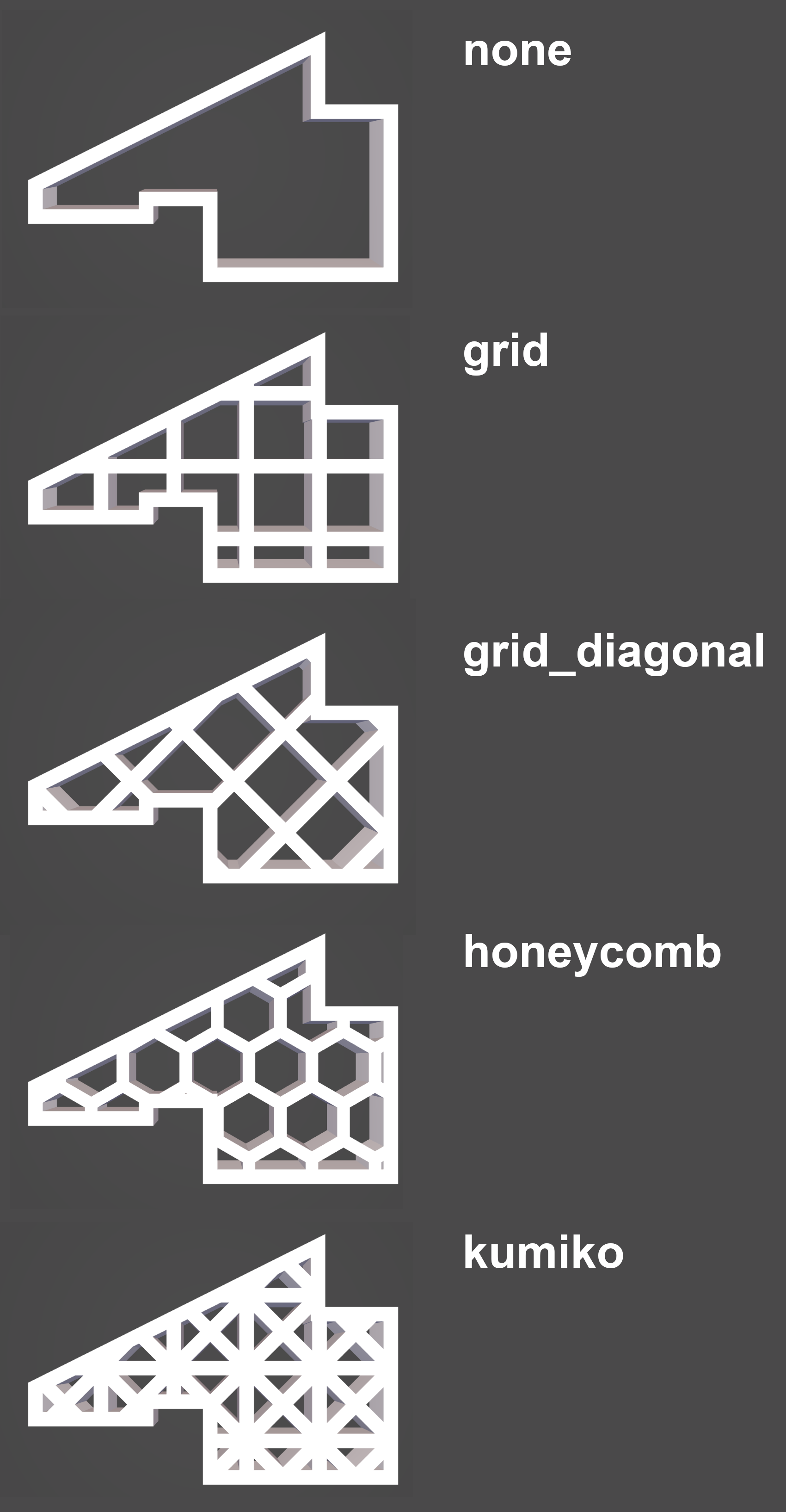
- infill_type – Internal pattern style: none, grid, grid diagonal, honeycomb, or kumiko.
- cell – Size of the internal pattern cells, in millimeters.
How to Use steps_input
The wedge outline is built from alternating Y and X movements:
- 1st value = move in Y direction (up or down)
- 2nd value = move in X direction (right or left)
- 3rd value = move in Y direction
- 4th value = move in X direction
- ... and so on until the shape is complete.
Example:
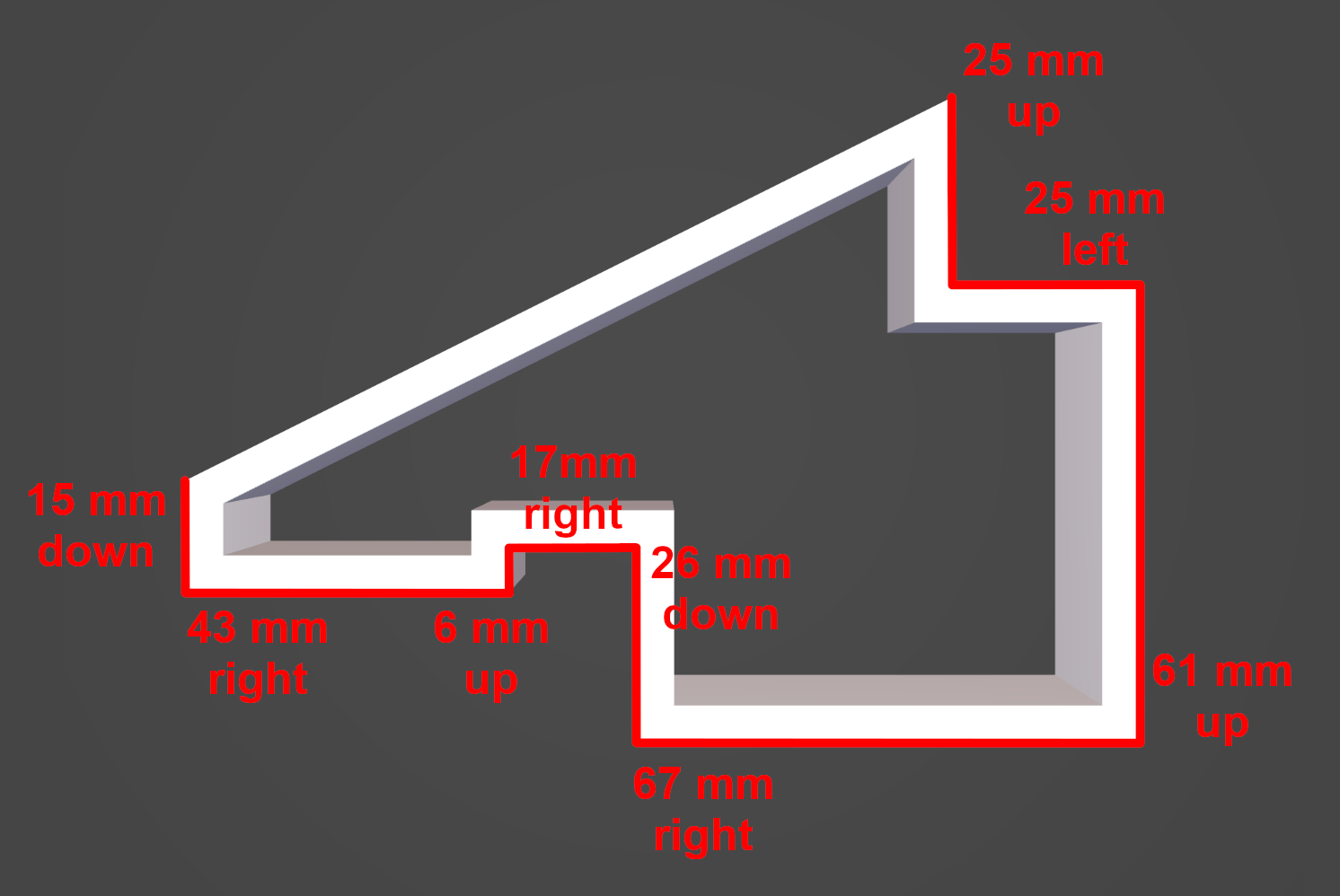
"-15,43,6,17,-26,67,61,-25,25"
This means move down 15 mm, right 43 mm, up 6 mm, right 17 mm, down 26 mm, etc.
How to Measure
Measure the side profile of the gap where the wedge will sit. Break that profile into straight horizontal and vertical segments, then enter each segment length in order as a comma separated list. Use negative values when moving left or downward.
Tip: Start with a simple shape, test print, then fine tune the values for a perfect fit.
(Images will be added later to make measuring even easier.)
Infill Patterns