Você está no 3DFinder
Buscamos em Thingiverse, MakerWorld e Printables ao mesmo tempo para te dar o melhor de cada uma.
Descrição
Customizable parametric keychain inspired by the style of One Piece: features a dynamic, adventurous font that captures the spirit of the pirate world, giving your name a bold and unique look. Optimized for 3D printing, with editable name parameters directly in MakerLab. Compact and durable design with a reinforced keyring hole. Perfect as a personal gadget, a gift for anime fans, or a collectible accessory. Add your name and carry the spirit of the crew with you wherever you go!
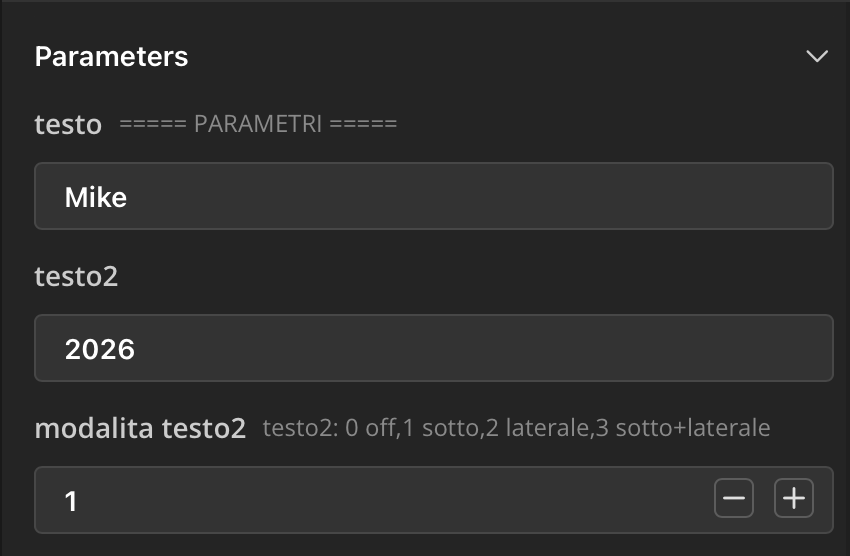 Testo: scrivi il nome che desideri.
Testo 2: scrivi il nome che desideri.
Modalità testo 2: puoi scegliere se:
- 0: nessun testo 2
- 1: testo 2 va sotto
- 2: testo 2 va a lato
- 3: testo 2 va sotto e a lato
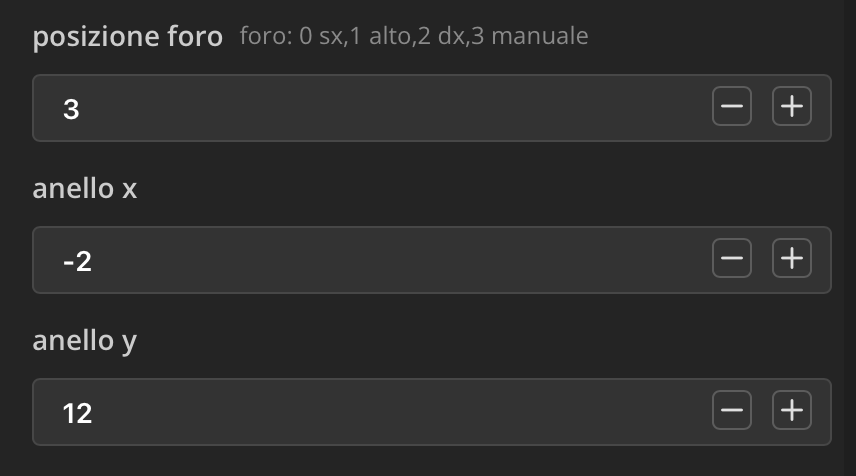
Posizione foro:
- 0: a sinistra
- 1: in alto
- 2: a destra
- 3: manuale
Consiglio di impostarlo su 3 e cambiare le coordinate con “Ring x”, che lo sposta sull'asse X, e “Ring y”, che lo sposta sull'asse Y.
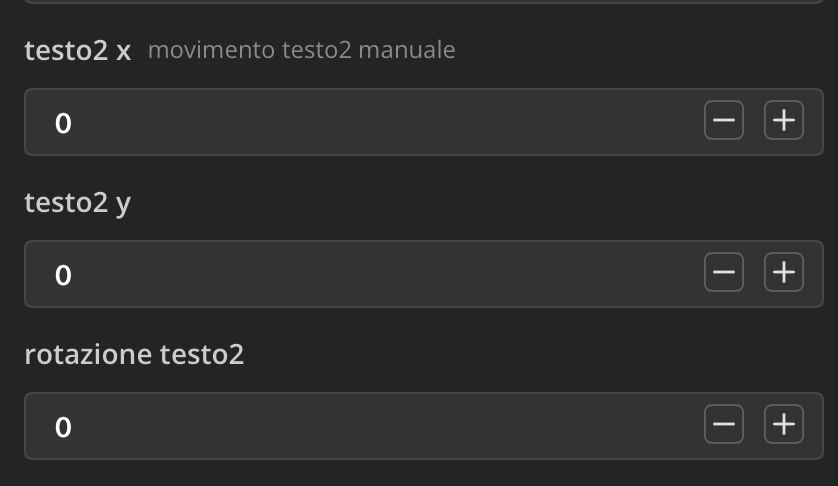
Text2 x e Text2 y consentono di spostare il testo 2 su entrambi gli assi, mentre Text 2 rotationconsente di ruotarlo.
<img class="image_resized" style="height: auto; width: 238.359375px" src="https://makerworld.bblmw.com/makerworld/model/DSM00000002734049/design/1c4d215b20213347.png" alt="Immagine che contiene testo, schermata, Carattere, numero
Descrizione generata automaticamente" width="266" height="100" />
Font scale e Font scale 2 consentono di cambiare la dimensione dei due testi. Consiglio 0.55 per il testo 1 e 0.45 per il testo 2, ma dipende dal tuo gusto.
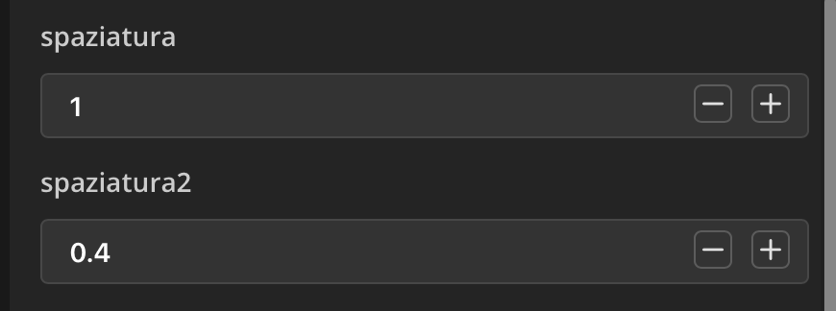
Spacing e Spacing2 consentono di impostare la spaziatura delle lettere per entrambi i testi.
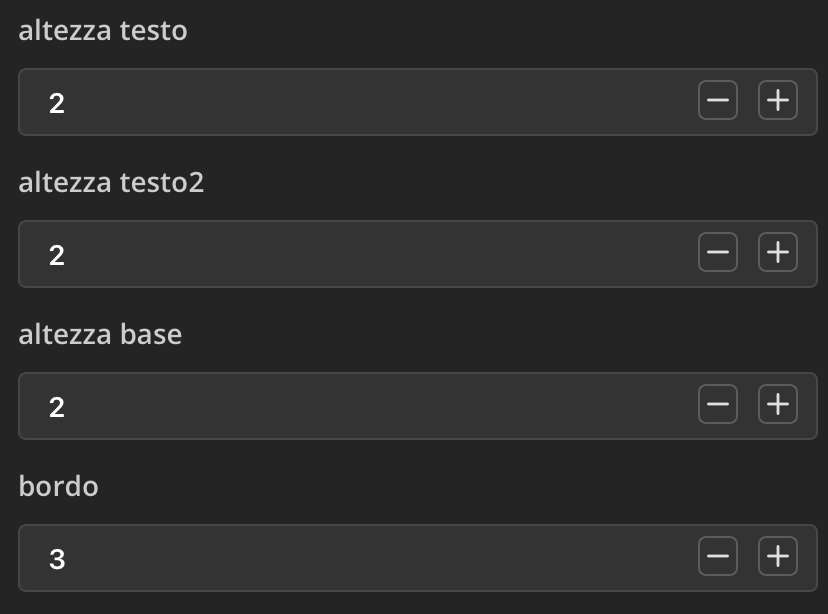
Text height, Text 2 height e Base height cambiano lo spessore dei testi e della base.
Bordo: cambia il bordo delle lettere sulla base.
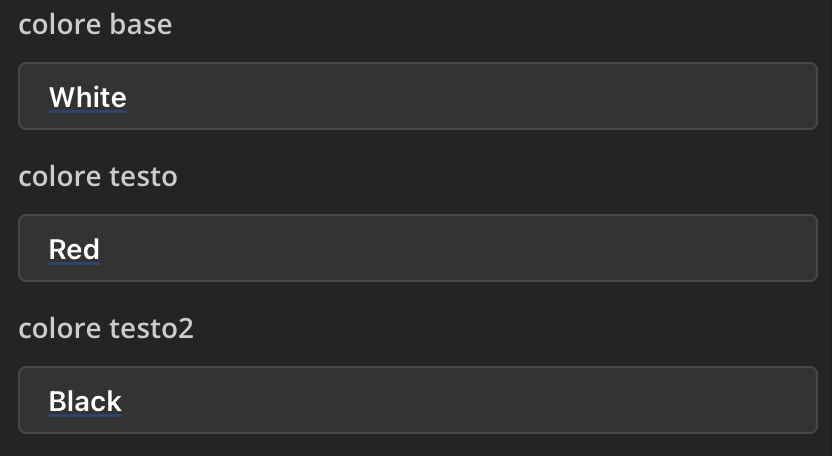
Base color, Text color e Text 2 color: puoi scegliere i colori della base e di entrambi i testi.
<img class="image_resized" style="height: auto; width: 244.625px" src="https://makerworld.bblmw.com/makerworld/model/DSM00000002734049/design/4f487ea98c111ea1.png" alt="Immagine che contiene testo, schermata, Carattere, numero
Descrizione generata automaticamente" width="286" height="109" />
Questo controlla la dimensione del foro. Se vuoi rendere il foro più grande o più piccolo, cambia semplicemente le due impostazioni (mantenendo lo stesso rapporto tra loro per un aspetto più equilibrato).
Il testo 2 funziona solo se è abilitato; altrimenti non apparirà.
One Piece Keychain – Parametric
Publicado em 29 de abr de 2026
Gostou deste modelo? Crie uma conta grátis para salvar seus favoritos e voltar a eles depois.
Criar conta