Você está no 3DFinder
Buscamos em Thingiverse, MakerWorld e Printables ao mesmo tempo para te dar o melhor de cada uma.
Descrição
Summary:
It is a highly customisable easter egg container. The inner chamber can be dimensioned to contain an easter egg during easter egg hunts, or it can just be used as a cute little art piece.
How to modify it:
- Extract all from the zip file and click the link in the pdf within which will take you to the model
- Sign in to Onshape, or create a free account if you don't have one already
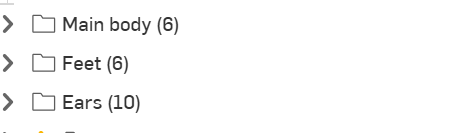
The parameters you can change are within these 3 folders in the bar on the left:
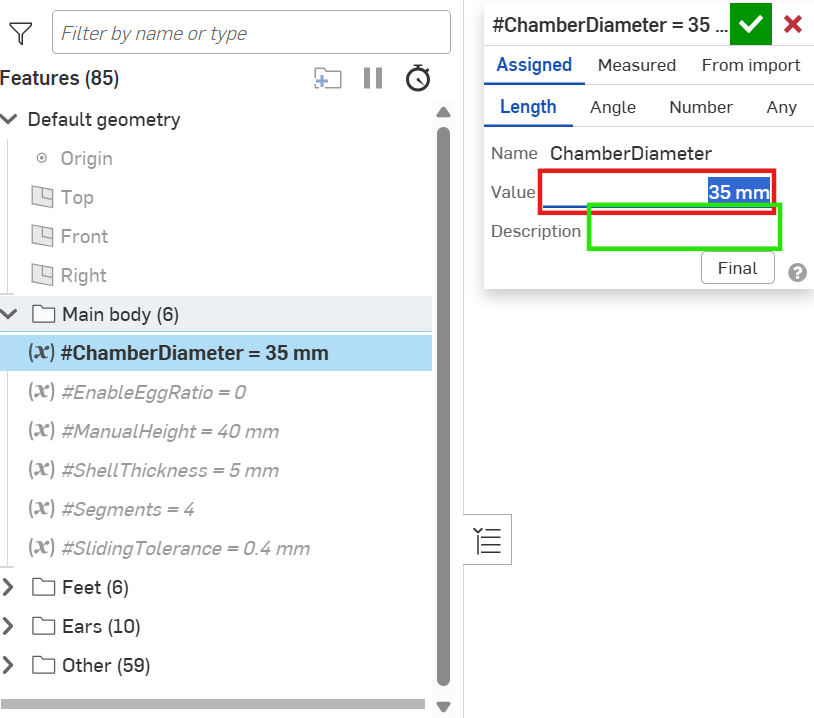
- To change a variable (parameter), double click on it in the sidebar and then type your number into the value box, which I've outlined in a red rectangle in the image below. It's clear what most of the variables do by either the name or by fiddling with them a bit, but for less clear ones I have described what they do in the description box, which is outlined in the green rectangle.
- The sliding tolerance must be modified at the end for your parts to fit together properly. I will explain more below.
- Once you're happy with the model, you can export it (2 stls or 1 step file works) and then slice it in your preffered software
Troubleshooting:
Errors - You may get errors every now and then if you set a variable too far out of proportion with the other variables in that folder. This is fine, and to fix it you can either undo the last variable value you changed until the errors stop, or you can try to alter the other variables in that folder so that they are closer in proportion with each other.
Also, some of the errors that are shown within the folder called ‘other’ are part of the model being parametric, so as long as you can't see any error with the model, there is nothing that you need to fix.
Sliding tolerance - This is the distance between the two halves of the egg. Unfortunately this isn't fully parametric so if you don't follow the steps below then your parts might not fit together or slide nicely:
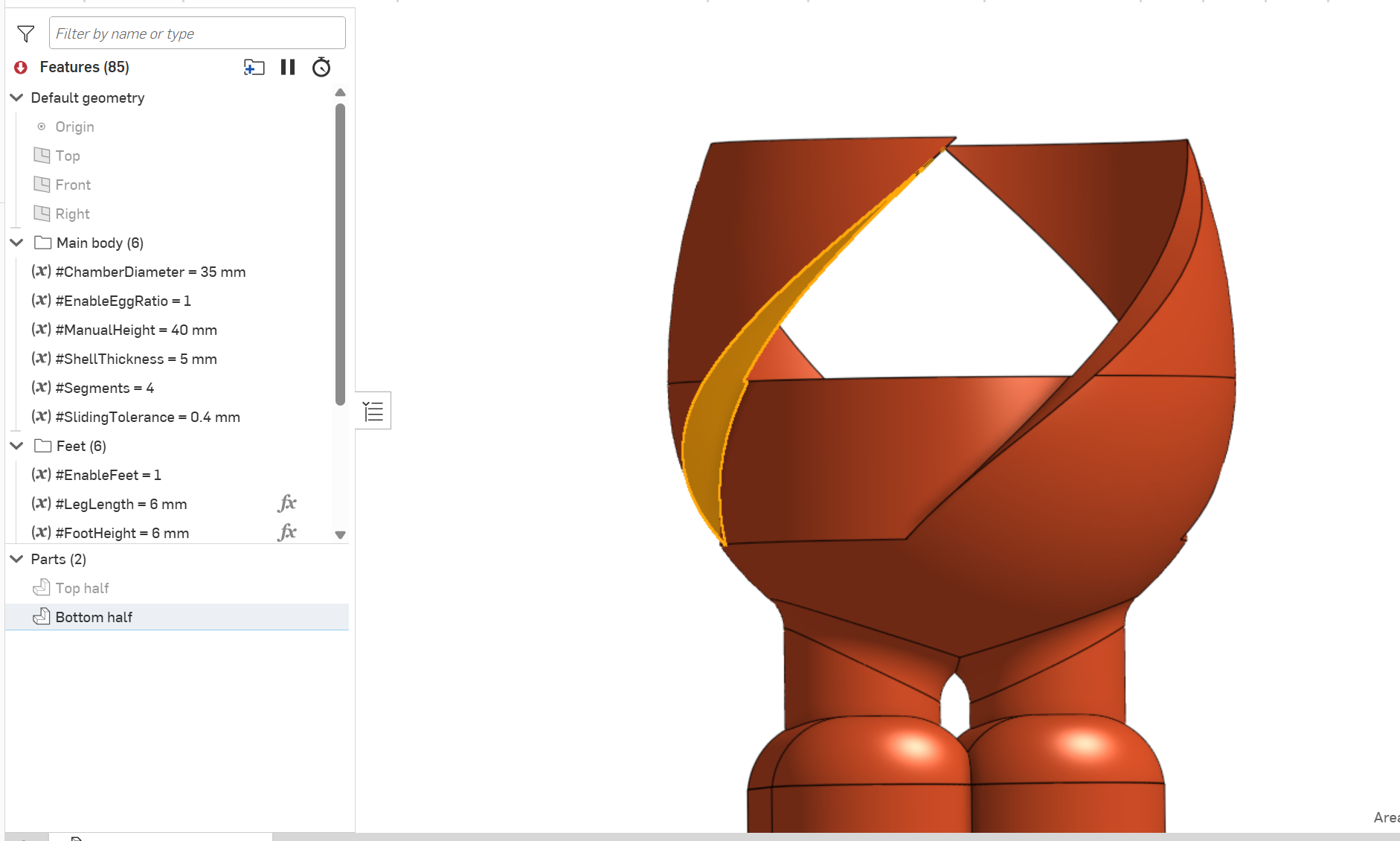
Hide the top half and click on the side face of one of the spiral segments on the bottom half.
2. Unhide the top half and click on the side face of the spiral segment on the top half which is next to the face you already have selected. You might need to zoom in so that you don't accidently deselect the first face. When you have both faces selected, look at the Min dist value in the bottom right corner of the view space. This value is your current actual sliding tolerance.
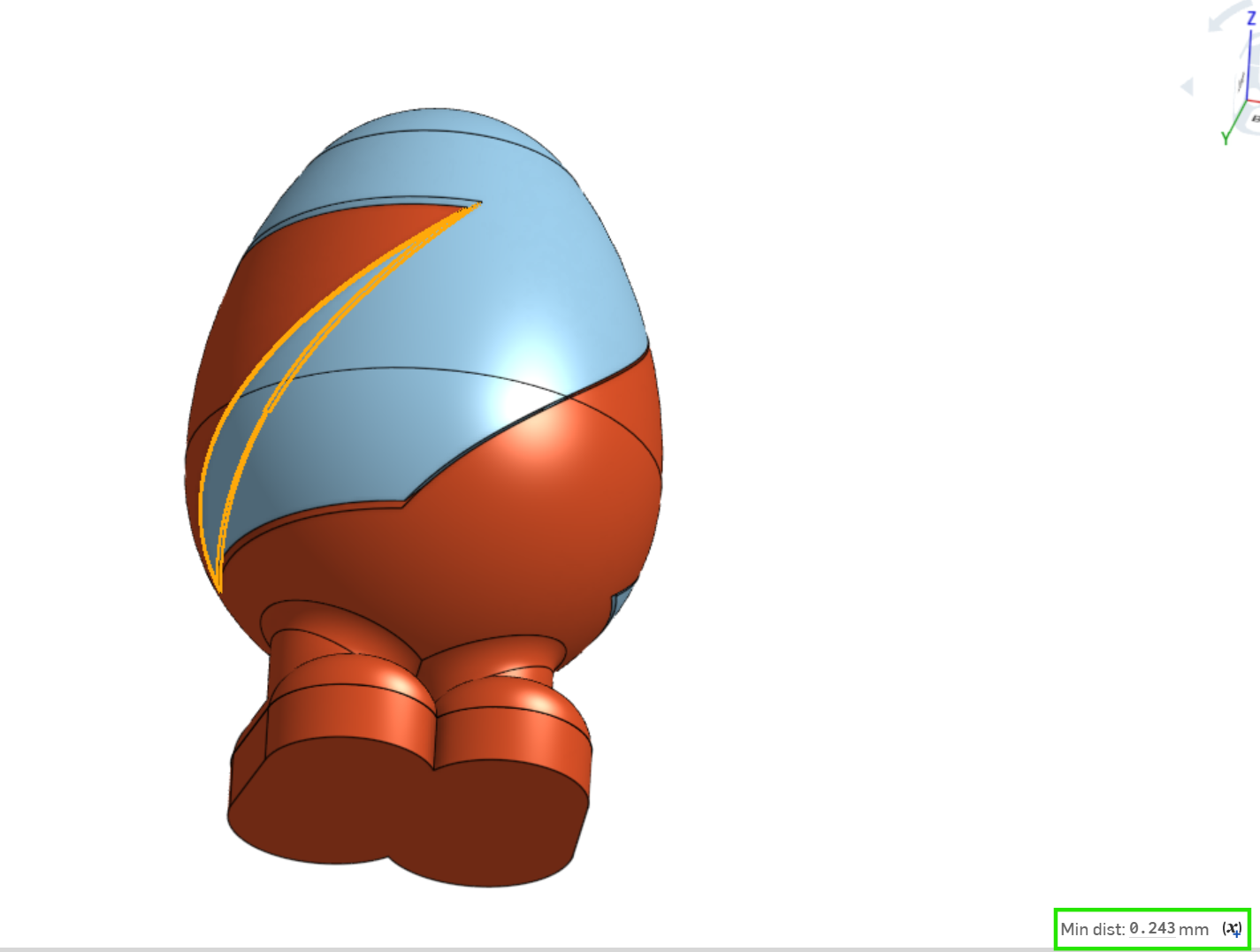
3. Edit the sliding tolerance variable in the main body folder and type in the value box: [your current sliding tolerance variable value] * [your current sliding tolerance variable value] / [the Min dist value you measured in step 2]
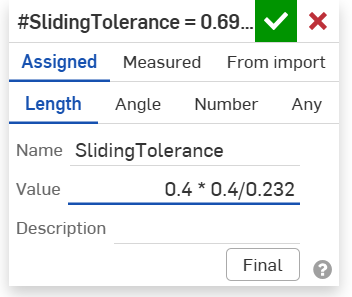
4. After doing this, if you repeat step 2 you should get a value of around 0.4mm (+- 1/2mm), which is a good tolerance for sliding parts. If you want to get the tolerance even closer to any value you want, you can tweak the sliding tolerance variable value a few times.
5. Don't modify any other variables after this after completing these steps, or you'll have to do them again.
Parametric spiralling easter egg container

Publicado em 5 de abr de 2026