Você está no 3DFinder
Buscamos em Thingiverse, MakerWorld e Printables ao mesmo tempo para te dar o melhor de cada uma.
Descrição
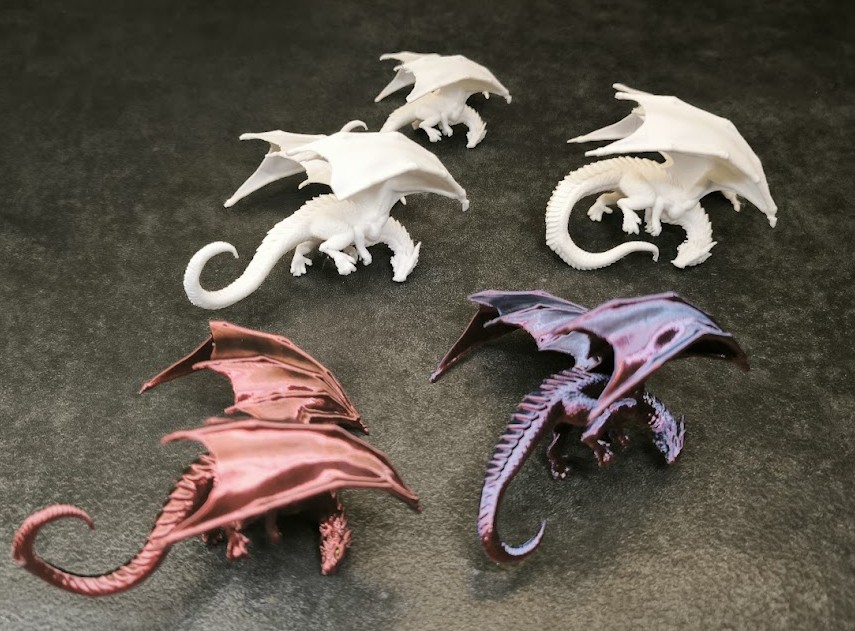
A slightly different approach to monitor models. This time I wanted to create a model that doesn’t hook from the back, but instead grips the corner of the monitor. It wasn’t an easy task, as models usually slide off the edge or fall when the desk is bumped. After several experiments, I managed to achieve the desired effect. It required many test prints, as shown in the photo below.
Instructions:
To make the model hold onto the edge, you need to match it to your monitor thickness. Measure the thickness with calipers and adjust the model size accordingly. The default paw spacing is 15 mm. You can do this using the Measure Tool [U] and Scale Tool [S].
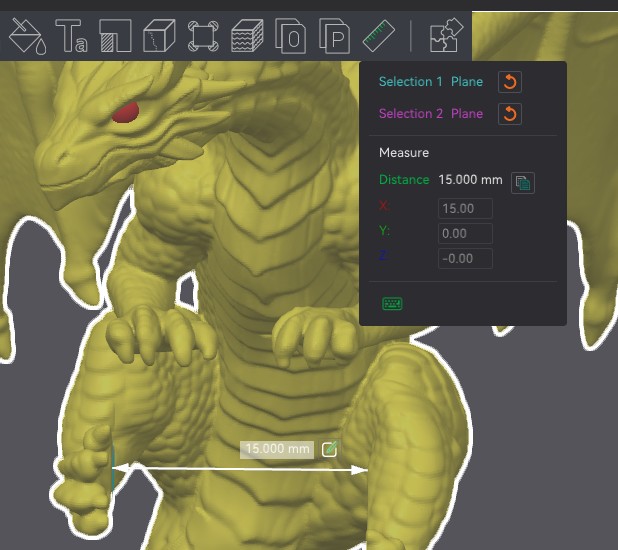
You can also use the Measure Box.
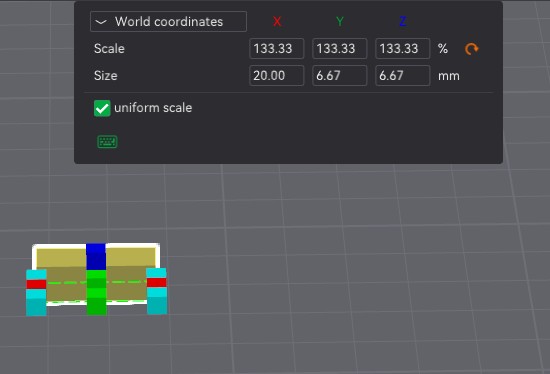
In the example below, the default X dimension is 15 mm. I increased it to 20 mm, which equals 133% scaling. You should scale the dragon by the same percentage so that the paw spacing becomes 20 mm.
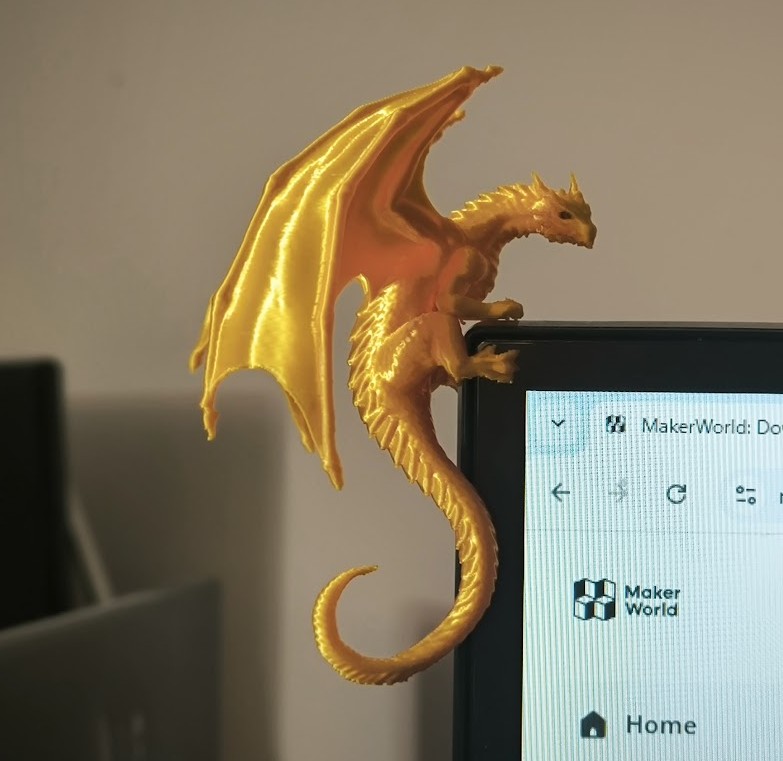
If adjusted correctly, the dragon will hold using only its lower paws, and the tail can hang freely in the air, as shown in the image.
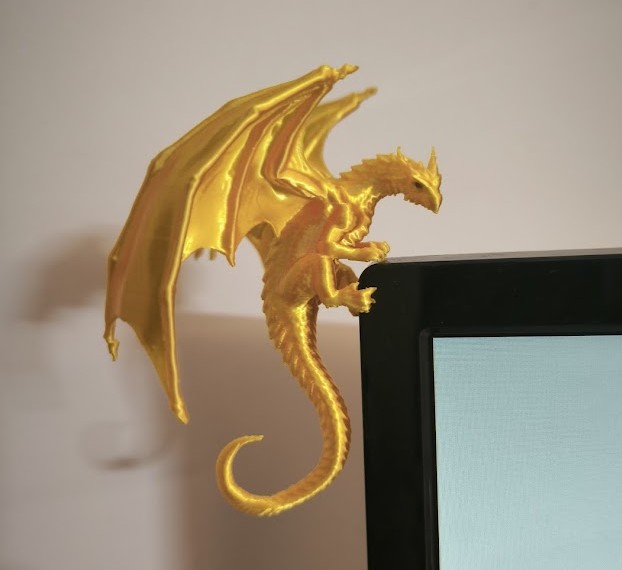
However, if your monitor has rounded edges or if the model is too large, the dragon may not hold using only its paws. In that case, a small wedge comes in handy. It is shown in a contrasting color in the image, but I recommend hiding it and printing it in a color matching your monitor.
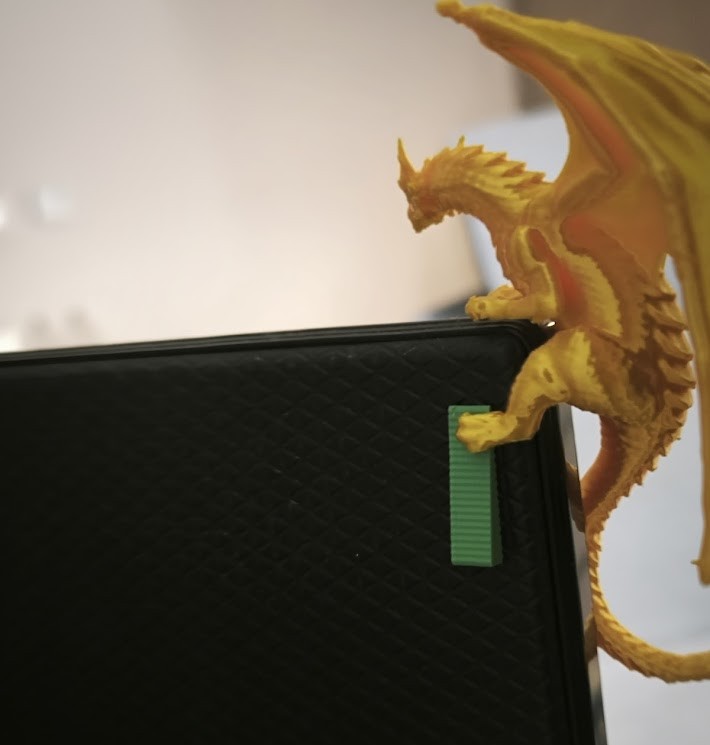
Simply place it under the back paw behind the monitor to create proper pressure. In this setup, the tail should act as a support element and press against the opposite side of the monitor, as shown in the image.
Note:
This model requires a lot of supports. With a bit of patience, they shouldn’t be a problem, but proper tools are recommended. Also be careful with SILK filaments, as they can be more brittle and harder to print than standard PLA.
If you run into issues, try these basic steps:
• clean the build plate
• dry or change the filament
• perform filament calibration
In my case, the model printed perfectly every time (X1 and H2C). The only issues I had were during support removal, but I improved the problematic areas in later iterations.
Also check out my other dragons in my collection.
Have Fun

Gostou deste modelo? Crie uma conta grátis para salvar seus favoritos e voltar a eles depois.
Criar conta