Você está no 3DFinder
Buscamos em Thingiverse, MakerWorld e Printables ao mesmo tempo para te dar o melhor de cada uma.
Descrição
Fix Your P2S First Layer in Minutes! 🛠️
Many users have noticed that P2S printers can sometimes struggle to lay down a perfectly uniform first layer across the entire build plate. This often results in irregular thickness, poor bed adhesion, gaps, or frustrating "transparent spots" where the filament isn't extruded properly.
Why You Need This Test: I designed this targeted calibration model to help you quickly and visually verify the first-layer uniformity specifically on the corners of your P2S build plate—where leveling issues usually hit the hardest! By printing this test, you can spot critical areas and leveling anomalies right away, saving you time and precious filament before committing to larger, more complex prints.
✨ Key Features:
- Targeted Design: Focuses exactly on the edges and corners where the problem is most prominent.
- Material & Time Saver: Extremely fast to print, using minimal filament.
- Easy Removal: Features a convenient pull-tab to help you lift the first layer cleanly.
💡 Print & Usage Instructions:
- Print the model using your standard first-layer settings.
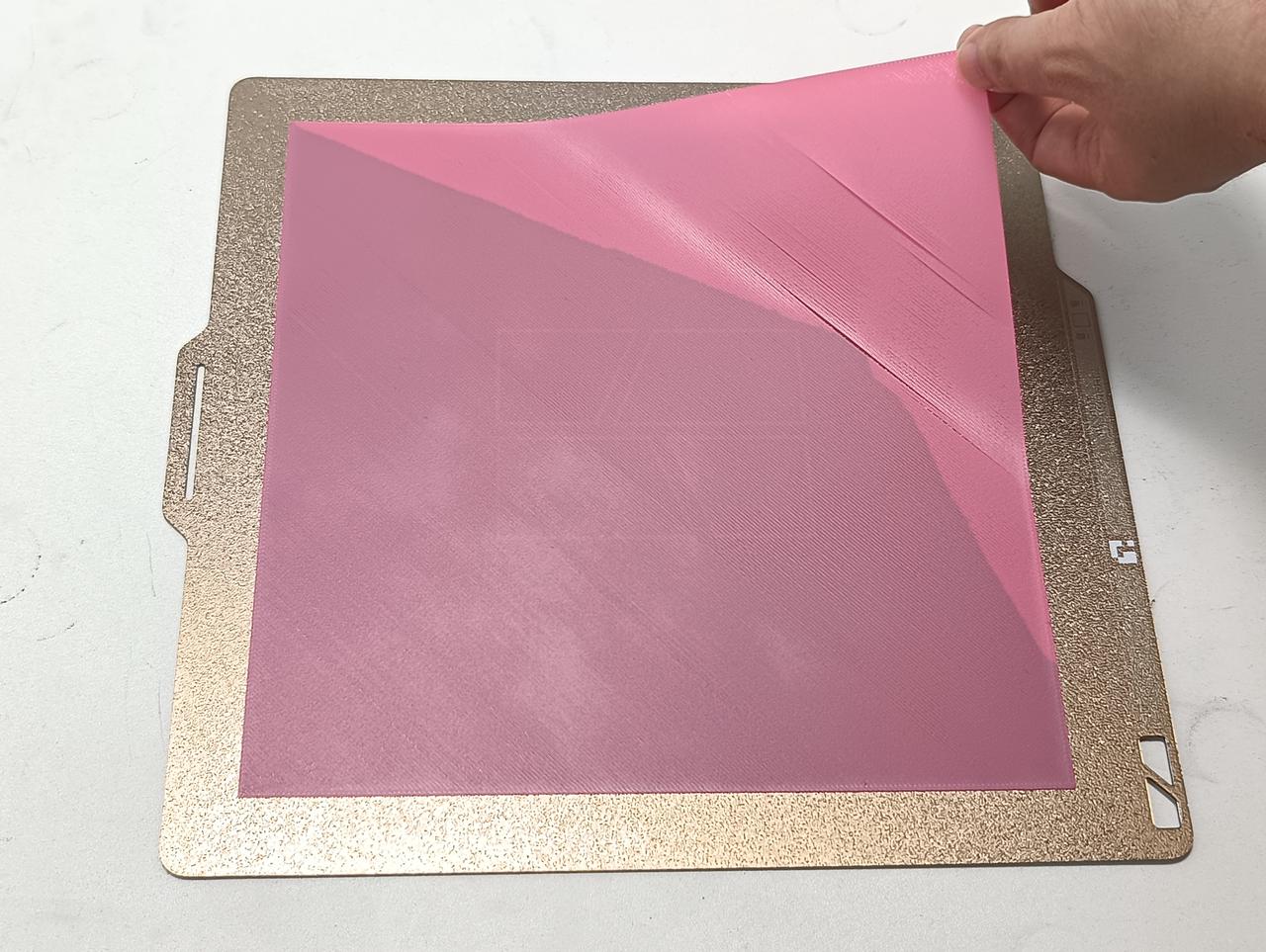
- Once finished, use the built-in tab to lift the first layer.
- Use both hands to gently peel all sides off the build plate to avoid tearing.
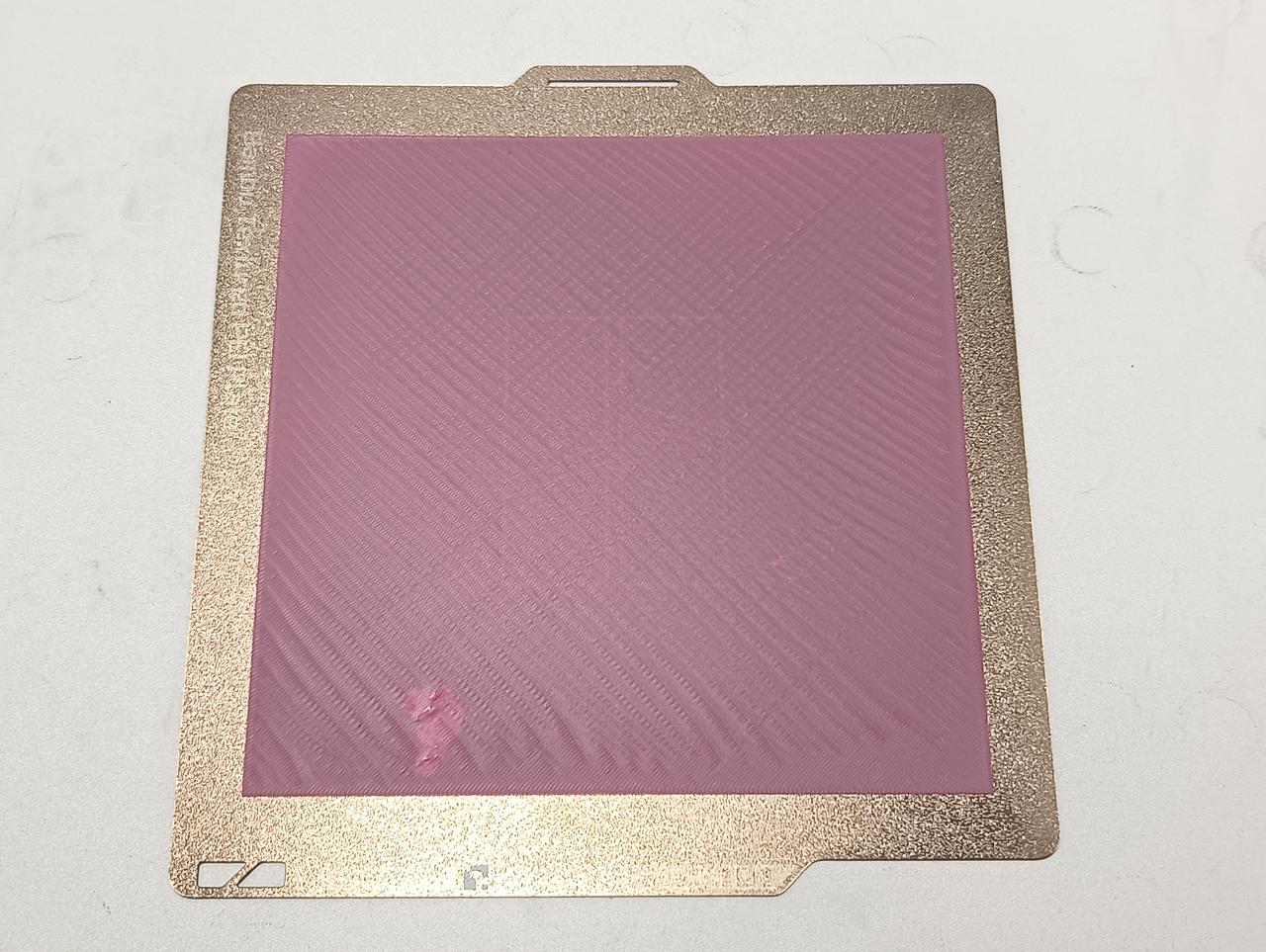
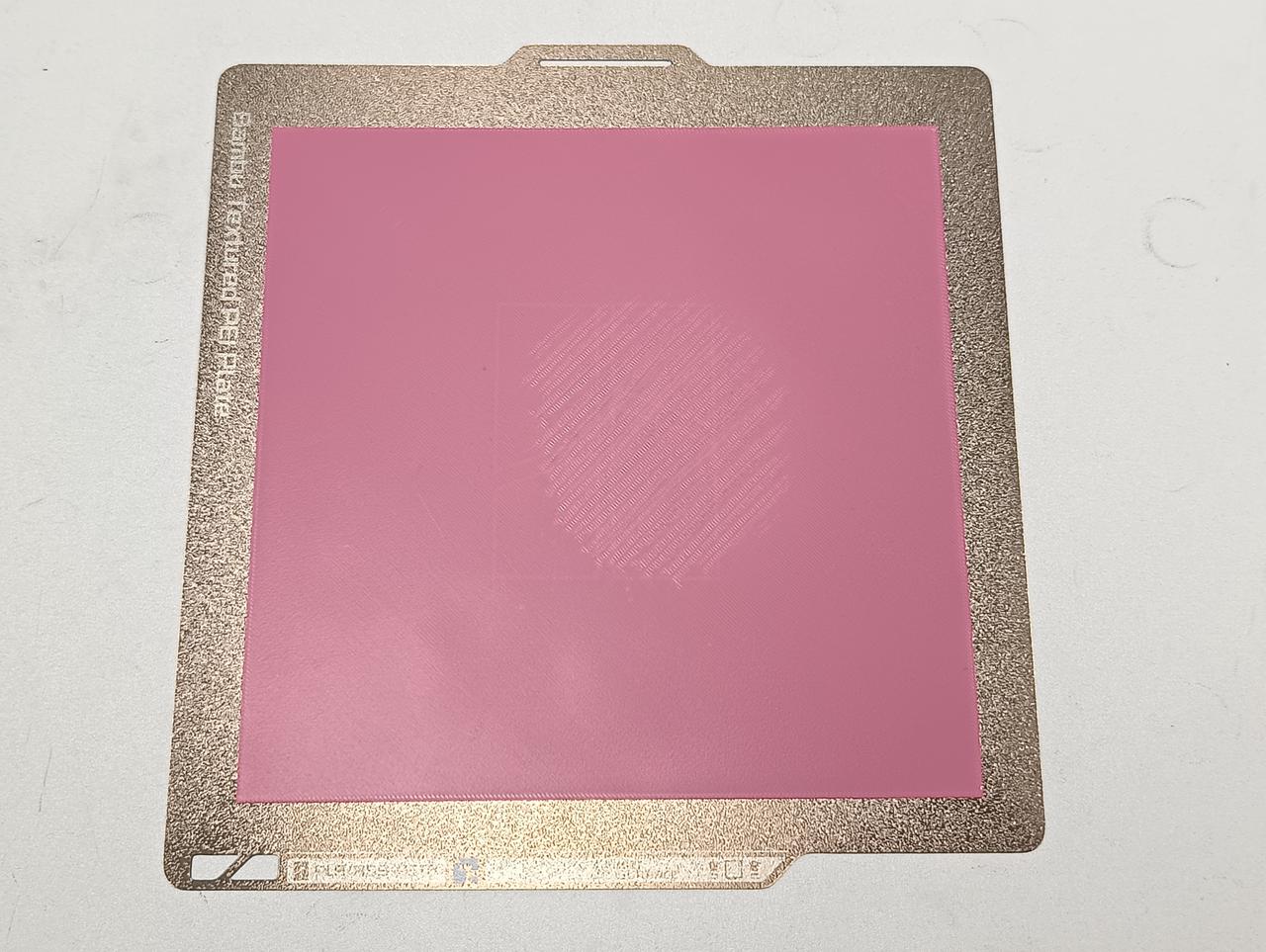
🔍 How to Read the Results: Compare your printed test with these common issues:
Large-Area/Full-Plate First Layer Too Low
Partial First Layer Too Low
Large-Area First Layer Too High/Sparse
If your first layer shows imperfections, don't worry! Follow the official Bambu Lab troubleshooting guide here: First Layer Printing Optimization Guide

Gostou deste modelo? Crie uma conta grátis para salvar seus favoritos e voltar a eles depois.
Criar conta