Você está no 3DFinder
Buscamos em Thingiverse, MakerWorld e Printables ao mesmo tempo para te dar o melhor de cada uma.
Descrição
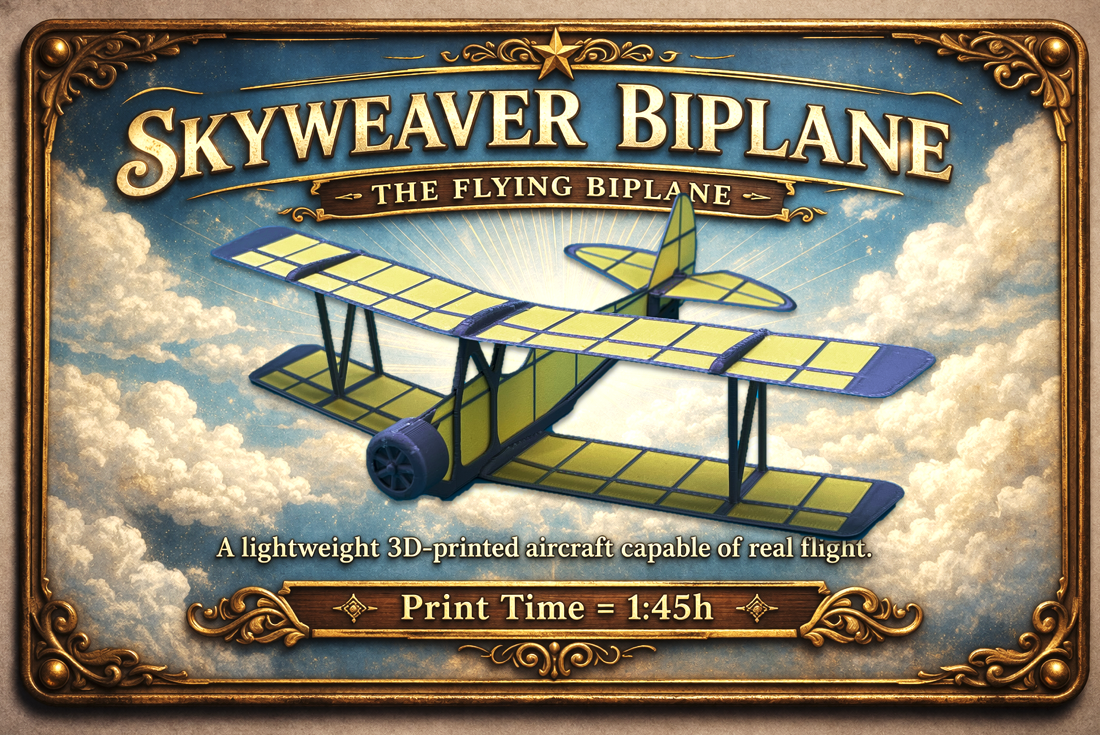
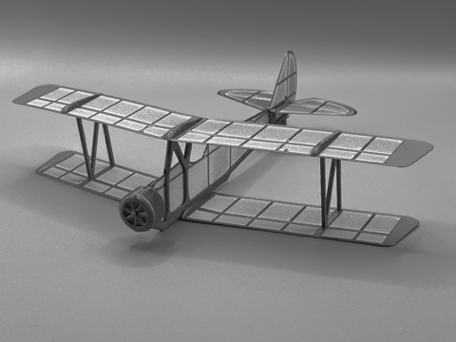
This flying biplane was for me a true challenge !
My target was to combine a classic and elegant design withfast multi-color printing, while ensuring it can fly properly.
After many hours of design, testing, and refinement, thisflying biplane has finally taken shape. Print it, try it and havefun !
- It is recommended to use the 3MF file included with thisproject, as it contains the appropriate print settings for eachpart. Changing the filament order, layer height, layer width, or supports may significantly affect the success of the print.
- Of course, the colors can be changed, but the first layer must start with the structure, followed by the wing. From thesecond layer onward, the reverse order seems to work better.
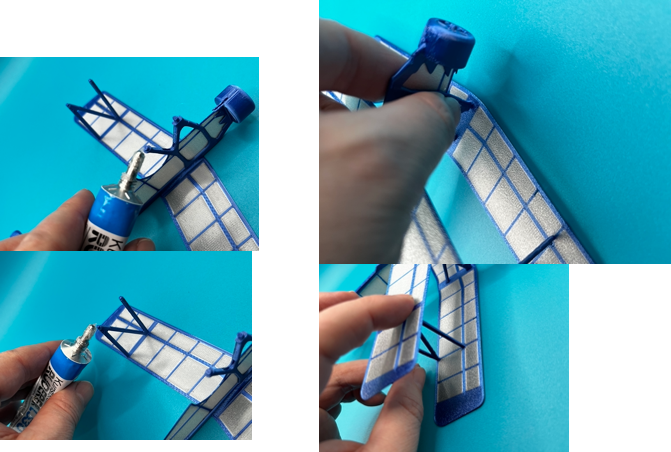
- I recommend securing the connecting pins with a suitableadhesive.
- I printed this model using Bambulab PLA and PLA Silk. Please feel free to share your feedback and photos if youprint it with other filaments.
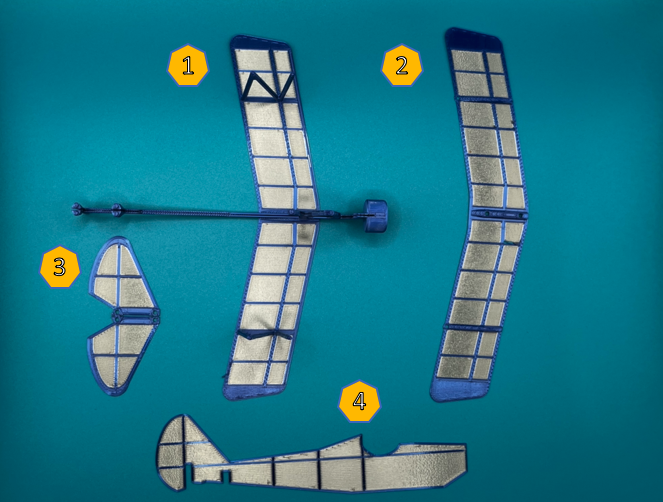
1.Structure and lower plane
2.Upper plane
3.Stabilizer
4.Fuselage
Assembly Steps:
It is recommended to wait until the build plate has cooled down before removing the printed parts with a scraper.
Carefully remove the supports.
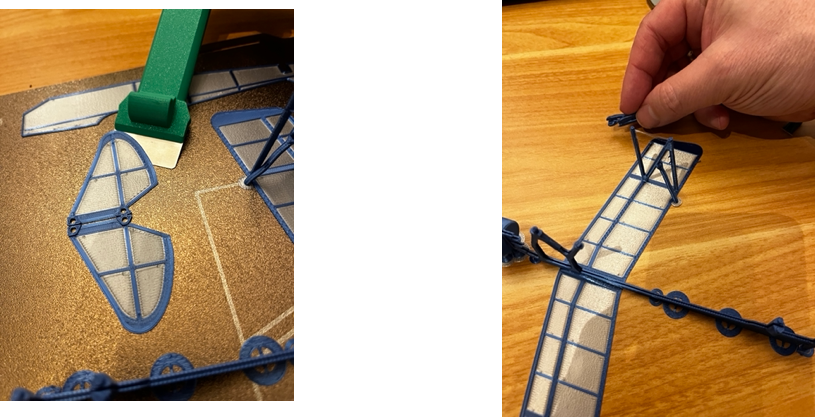
Begin by attaching the stabilizer to the structure.You can the pins before if you want.
Gently slide the fuselage into the slots of the structure until you can align the rear of the fuselage with the stabilizer.
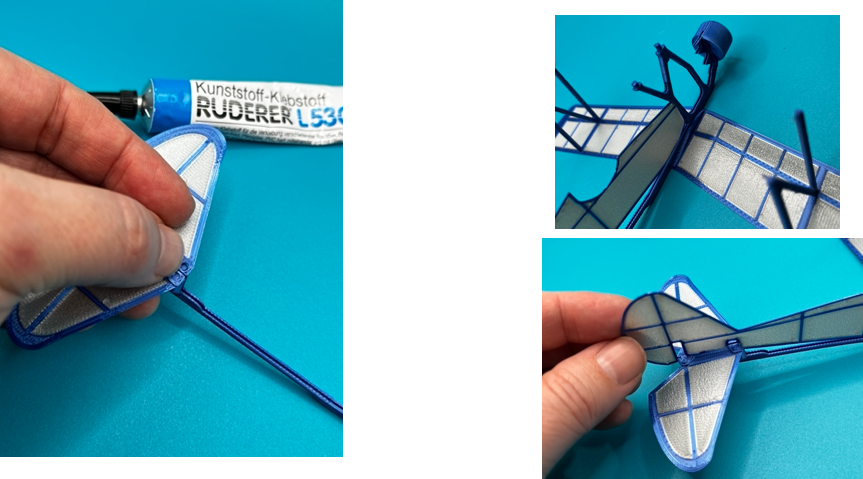
IMPORTANT! Apply glue to the structure pins before attaching the upper wing. I recommend placing the upper wing upside down on the table while fixing the structure to avoid damaging the airfoil profiles.
DONE :-)
Now try it !!!

Gostou deste modelo? Crie uma conta grátis para salvar seus favoritos e voltar a eles depois.
Criar conta