Você está no 3DFinder
Buscamos em Thingiverse, MakerWorld e Printables ao mesmo tempo para te dar o melhor de cada uma.
Descrição
This model is currently being sold by many sellers without my permission. For those who do not own a printer, please note that this model is being officially sold through RadianLab.
⌨️KeyboaStick Series🕹️
KeyboaStick is a new name for a joystick that can be easily attached to a keyboard.
Clicking on a character inside the table opens the page of the corresponding design.
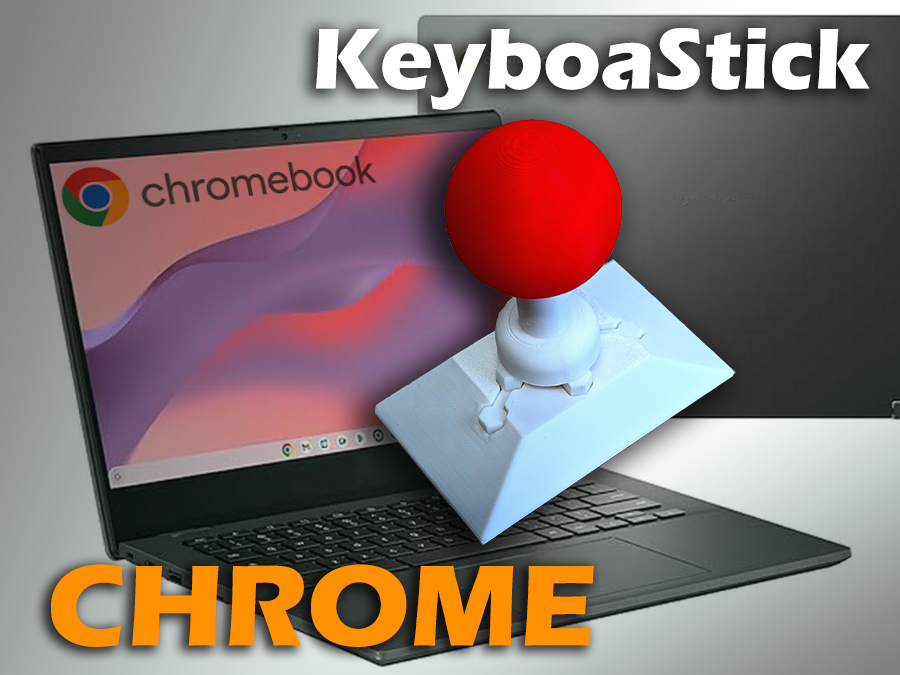
KeyboaStick Chrome is ready
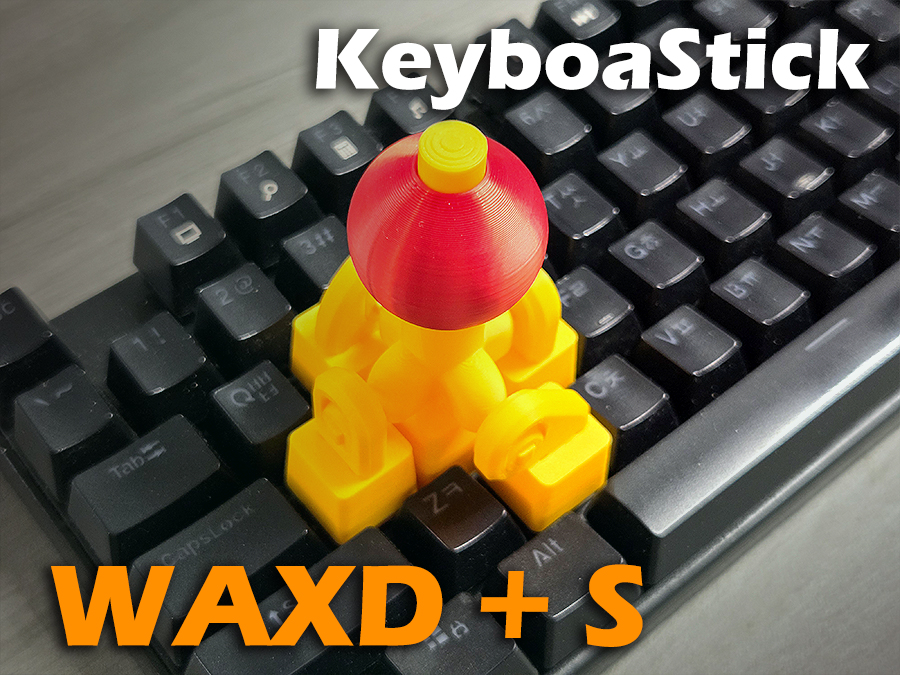
KeyboaStick WAXD+S is ready
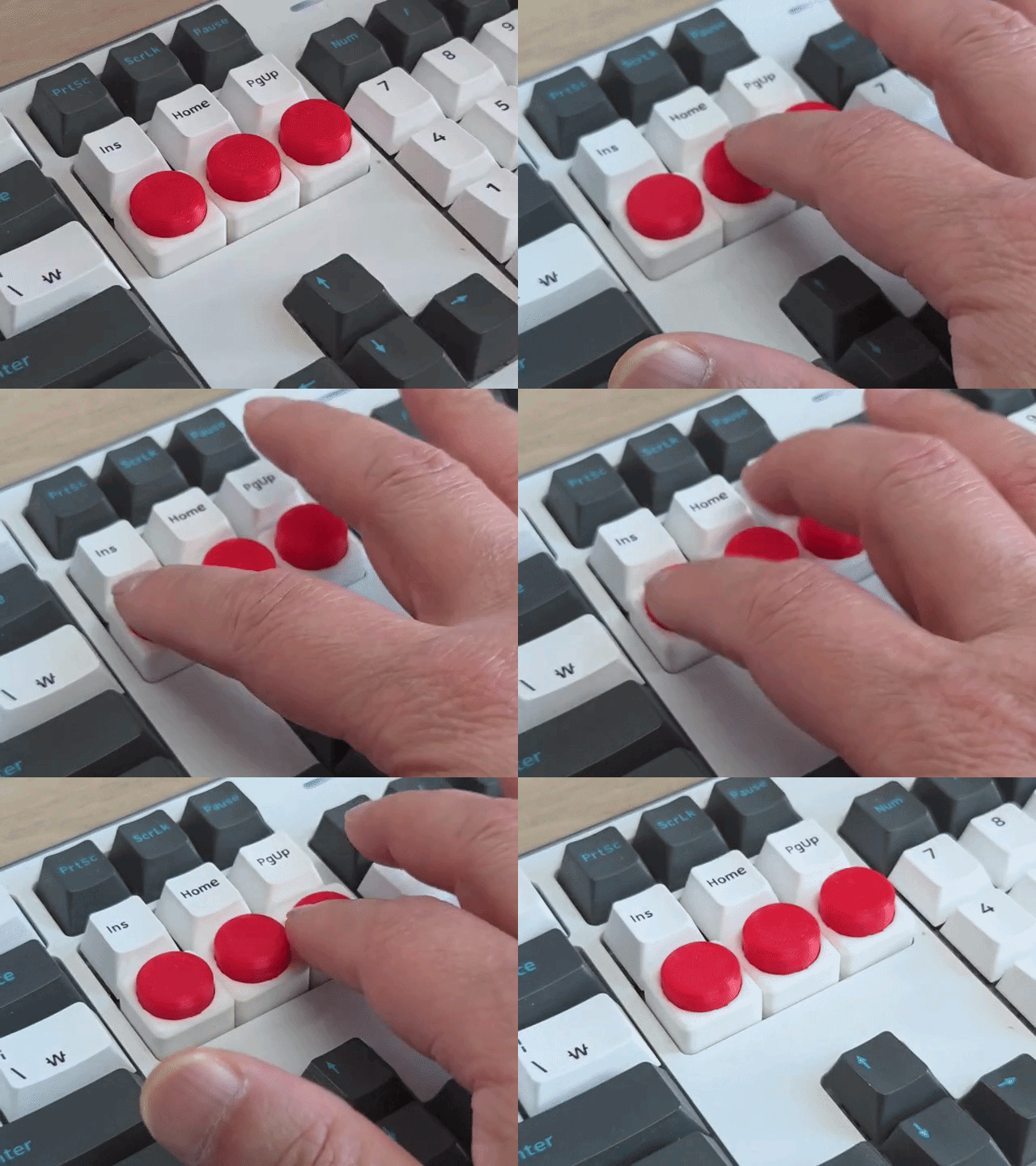
KeyboaStick Button is ready
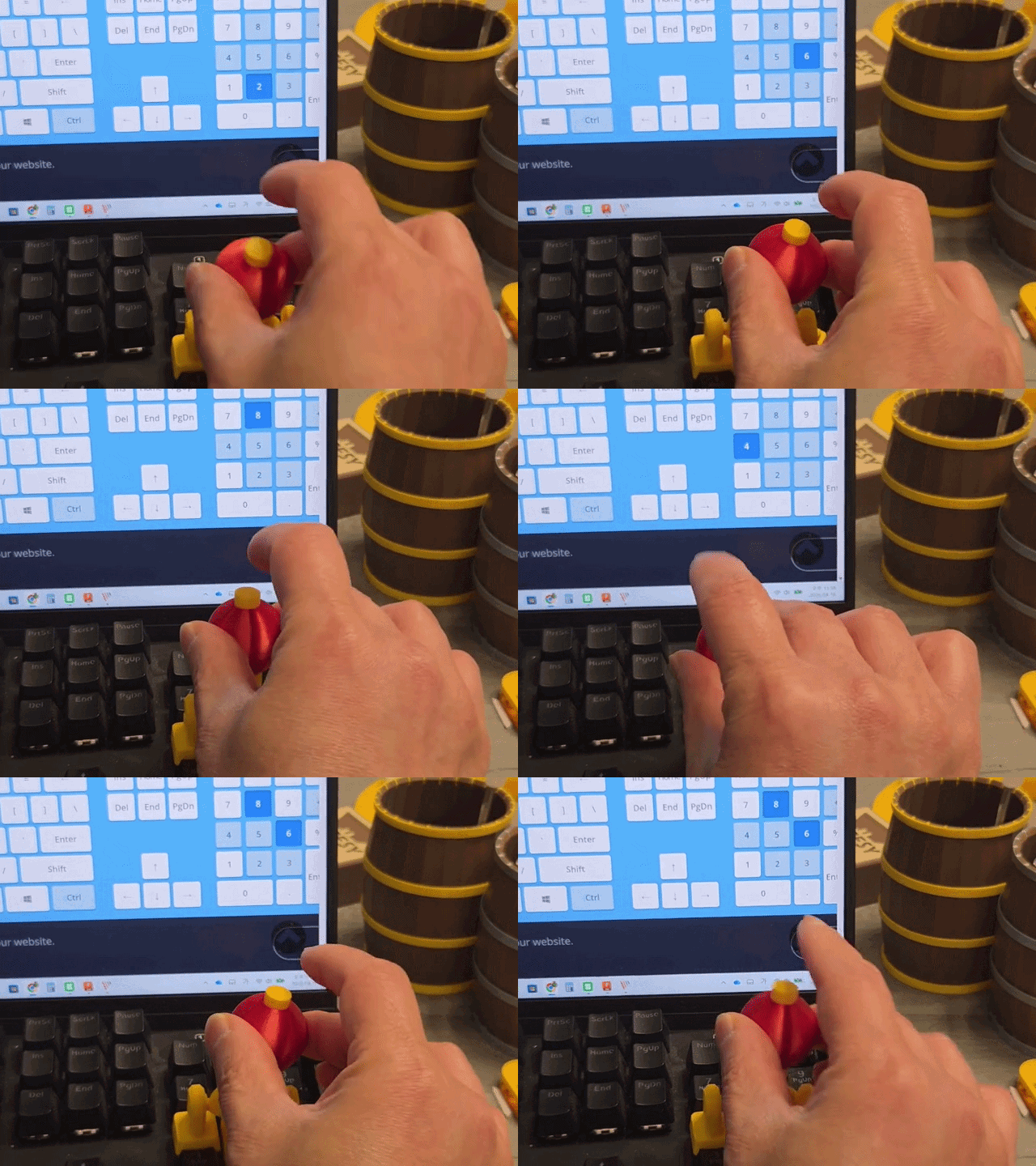
The new NUM model released
The new MAGNET model released which has quick mount sysem (Link)
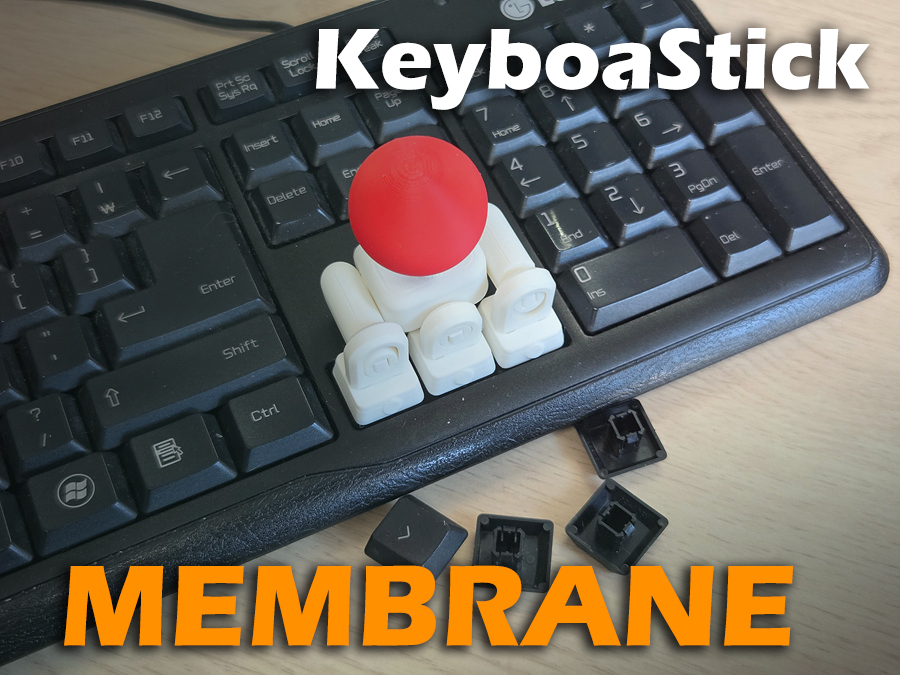
KeyboaStick Membrane is ready for those who don't own a mechanical keyboard
⌨️🕹️KeyboaStick ARROW
Full functional Joystick Keycap : 4-Way Mechanical Keyboard Controller
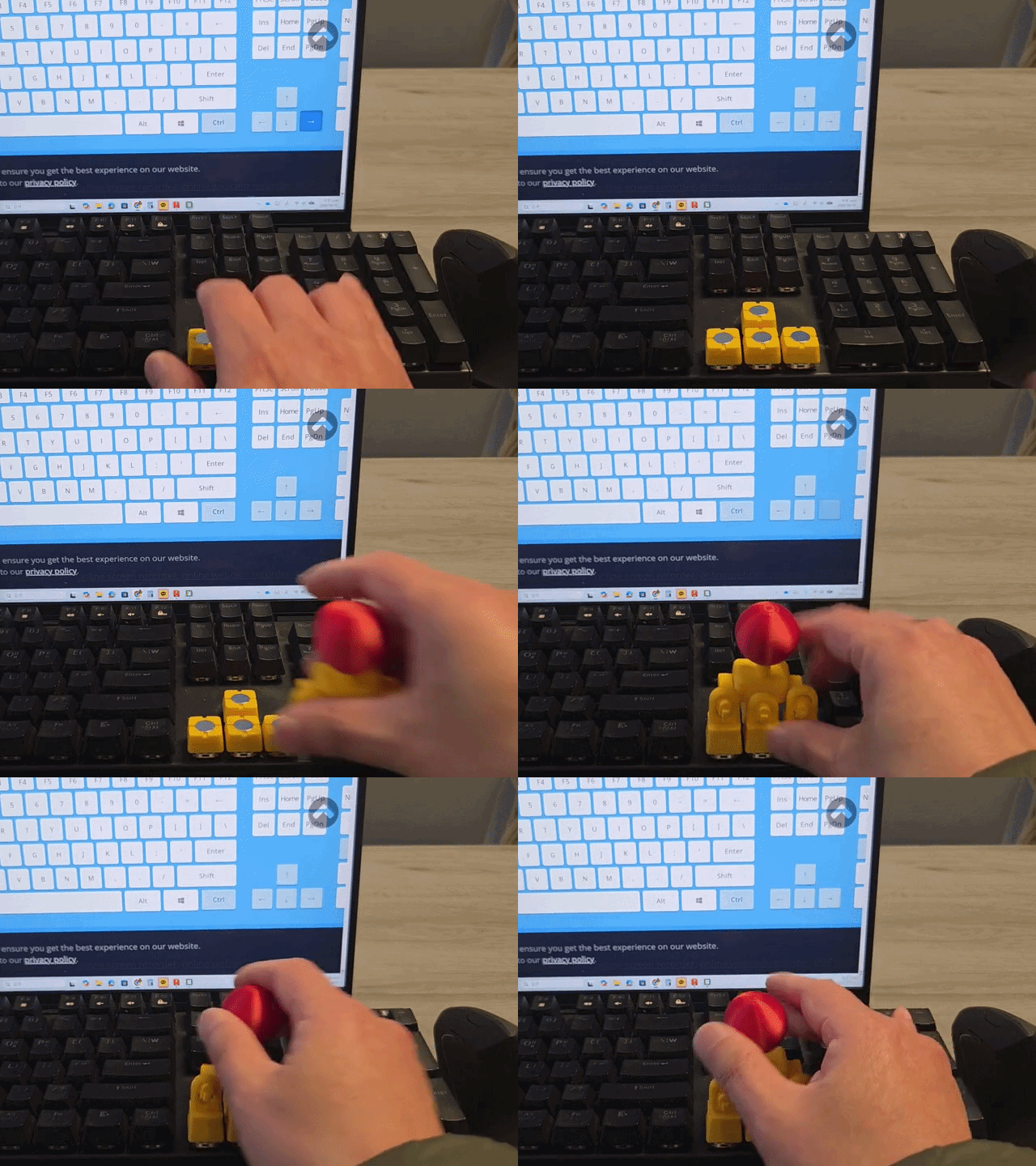
Transform your mechanical keyboard's arrow keys into a functional joystick! This Joystick Keycap integrates four individual switches into one intuitive controller interface. Diagonal operation by pressing two keys simultaneously is also perfectly possible.
Experience the satisfying tactile feedback of mechanical switches combined with the fluid motion of a joystick.
Do you have a Hall-Effect keybord?
If you are using a Hall-Effect keyboard that recognizes the degree of pressure, it may recognize the tilt of the stick just like a full analog joystick. I do not own such a keyboard, so I have not been able to test it, but if you are using one, I would be curious to see the test results.
Key Features
- 4-Way Integrated Control: Navigate Up, Down, Left, and Right with a simple tilt of the knob.
- Intuitive UX: Easy to install on standard arrow key clusters for immediate use.
- Precision Engineering: Optimized pivot structure ensures accurate inputs without key interference.
Printing & Assembly Tips
- Recommended Filament: PLA or PETG. (I used PLA)
- No Hardware: You can make it without any Hardwares.
- No Support
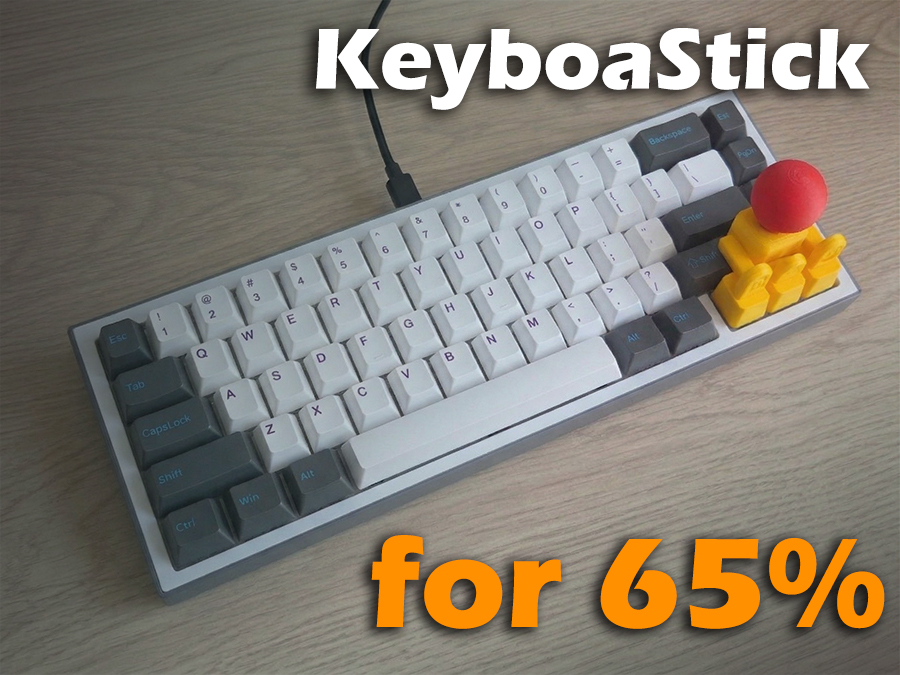
This model is not suitable for keyboards where other keys are placed adjacent to the arrow keys. If you are using a small keyboard, such as 65% or 75%, please use the model at the link below.
KeyboaStick MX 65
The list below shows places where you can enjoy games for free using this model.
For someone with disability.
Someone who saw this model told me that it could also be helpful to people with disabilities. If my design helps those with physical limitations, it would be truly rewarding. :)
Please Read before printing.
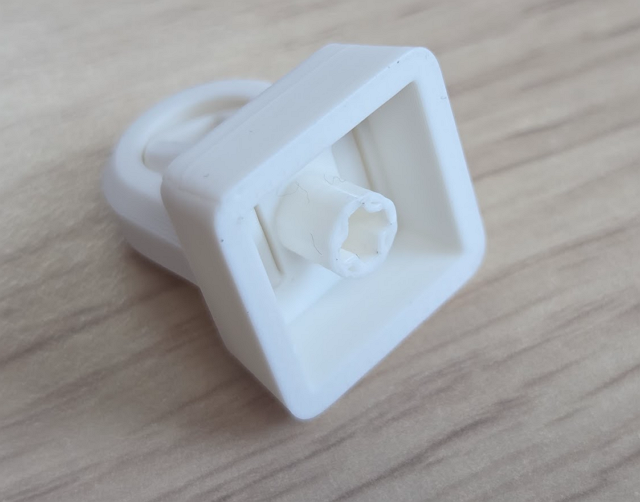
- This design is compatible with standard mechanical keycaps. It is not compatible with membrane rubber dome types. It can be installed on few membrane keyboards that follow the standard mechanical keycap design.
- This model is inserted using a standard keycap method, so it may detach from the keyboard if handled roughly. This design is not intended to completely replace a joystick; it is intended for simple attachment to the keyboard for use by people who don't have joystick or in locations where a joystick is unavailable.
General Licensing Statement
This model is copyrighted and its commercial use is strictly prohibited.
This falls under the Non-Commercial (NC) condition of the Creative Commons license.
If you would like to sell printed materials of this design, please sign up for a membership. Please do not become a thief.
This model is currently being sold by many sellers without my permission. For those who do not own a printer, please note that this model is being officially sold through RadianLab.
Assemble Guide
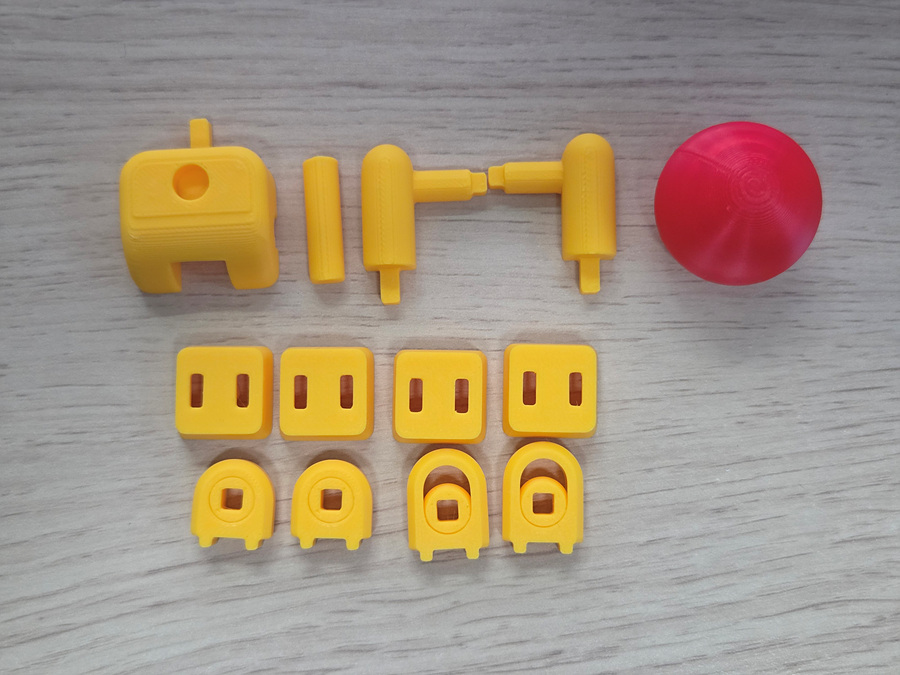
Check if the balls in the center of the joints moves well.(The large joint is for both Side arrows; please be careful as the ball may fall out before assembly.)
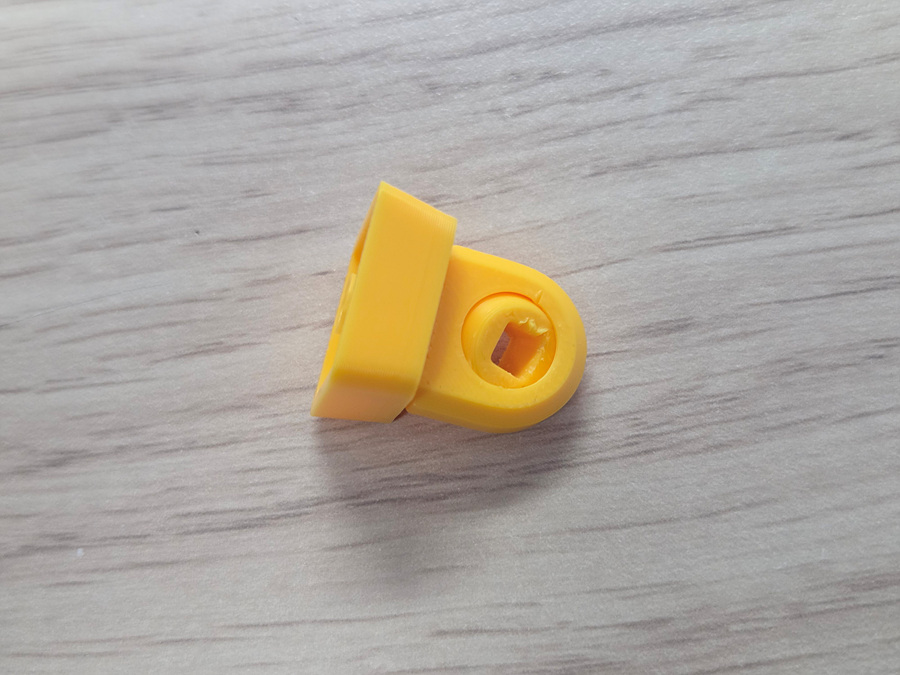
Assemble the joints onto the four keycaps (use adhesive).
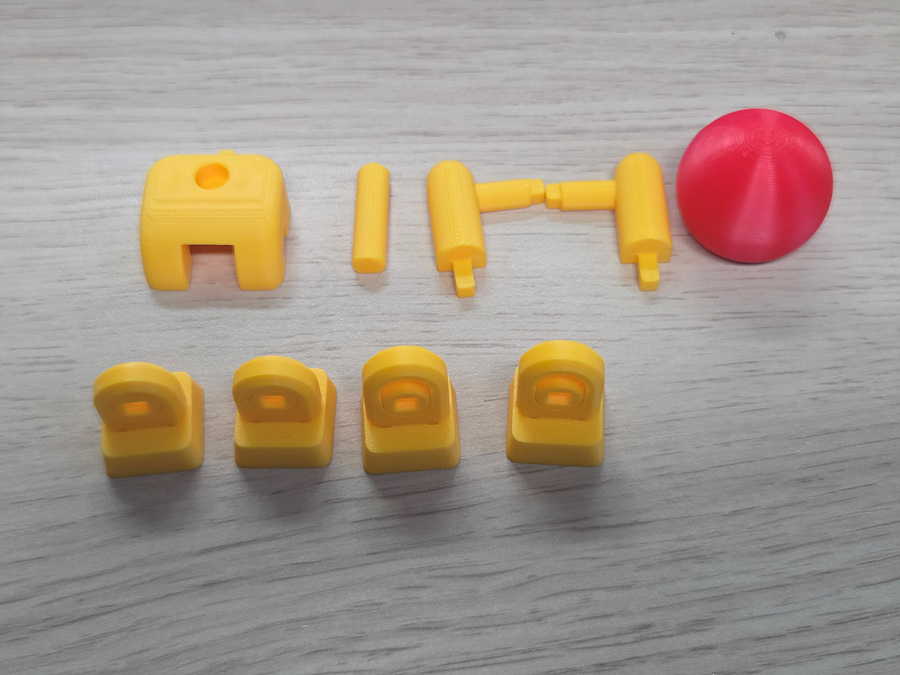
Attach both arms to the one of the small keycap joints (Use glue at joint hole).
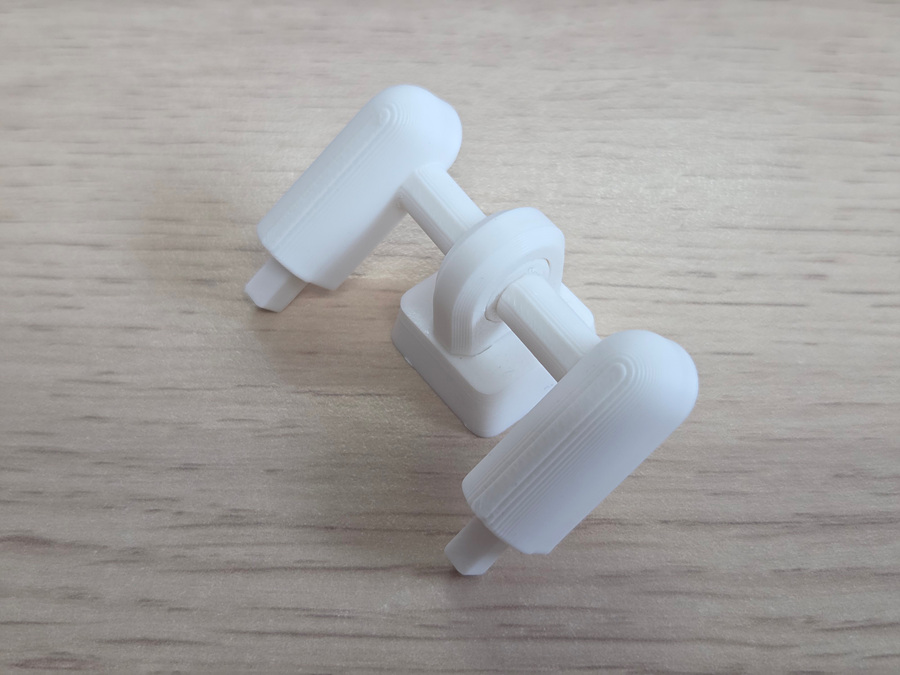
Assemble the lever. (glue if necessary)
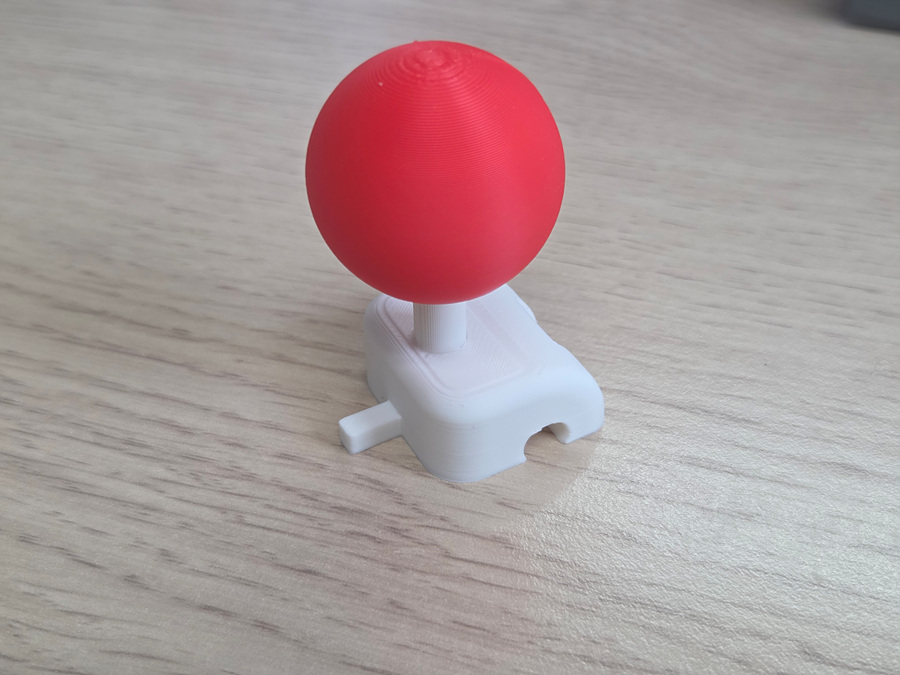
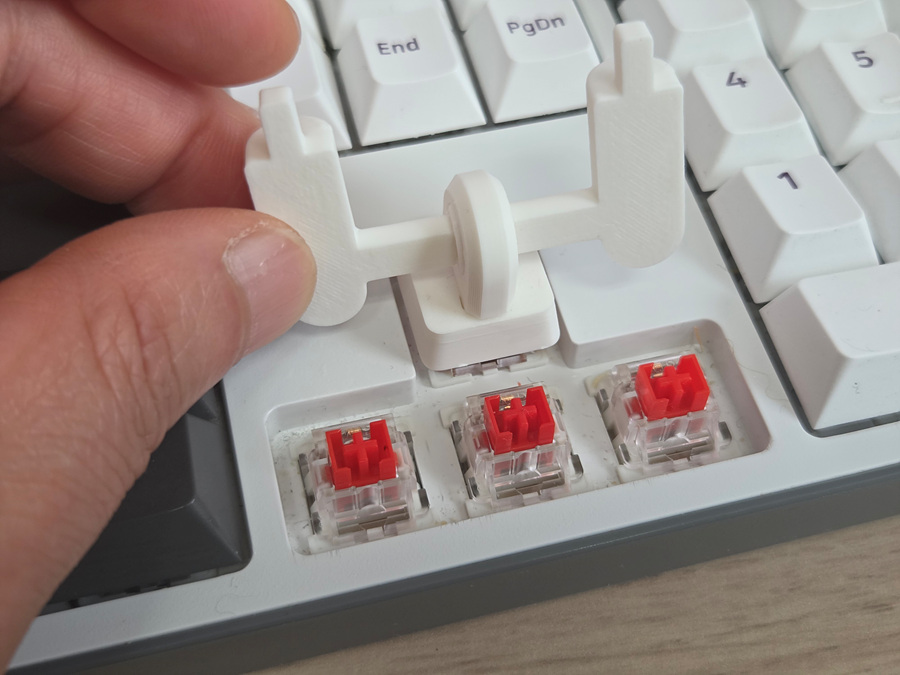
Insert the assembly assembled above into the position indicated by the upward arrow as shown in the photo below.
Insert lever as below picture (No glue)
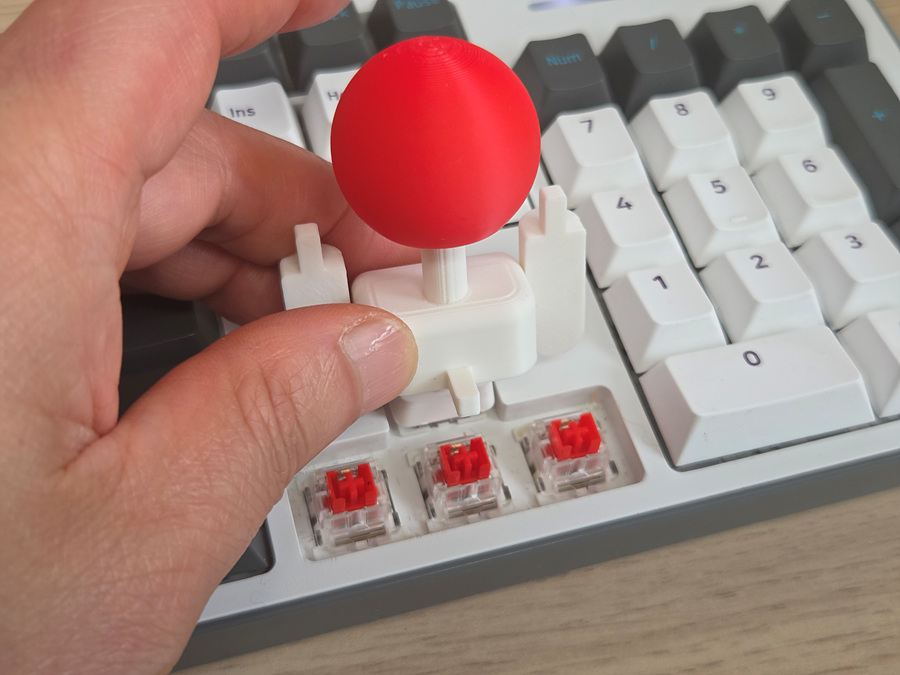
Assemble the down arrow keycap as shown in the photo below. (Don't glue joint hole)
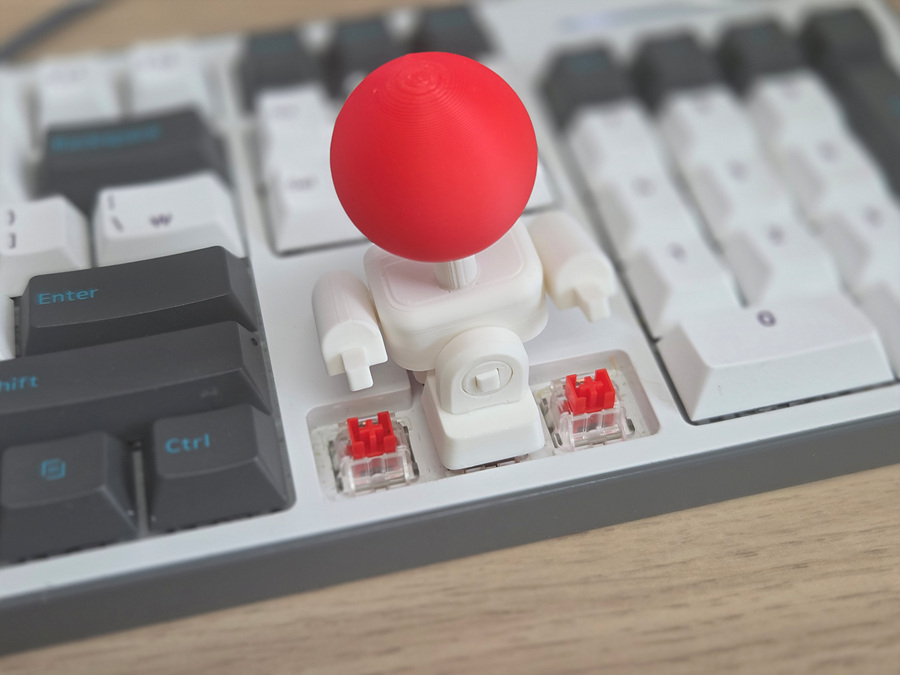
After attaching the remaining keycaps to the left and right arms, insert it into the keyboard. (Don't glue joint hole)
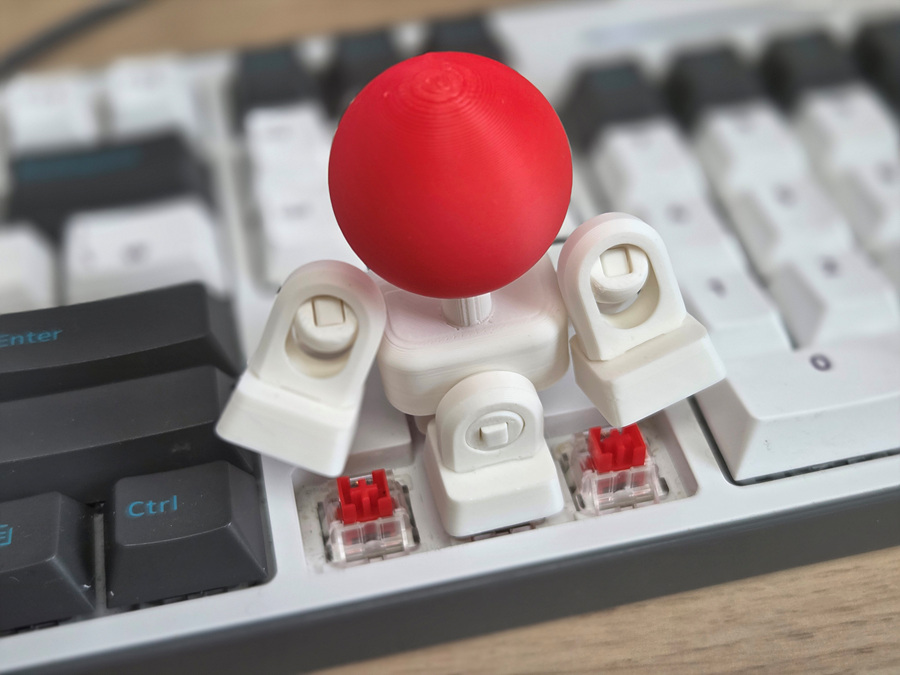
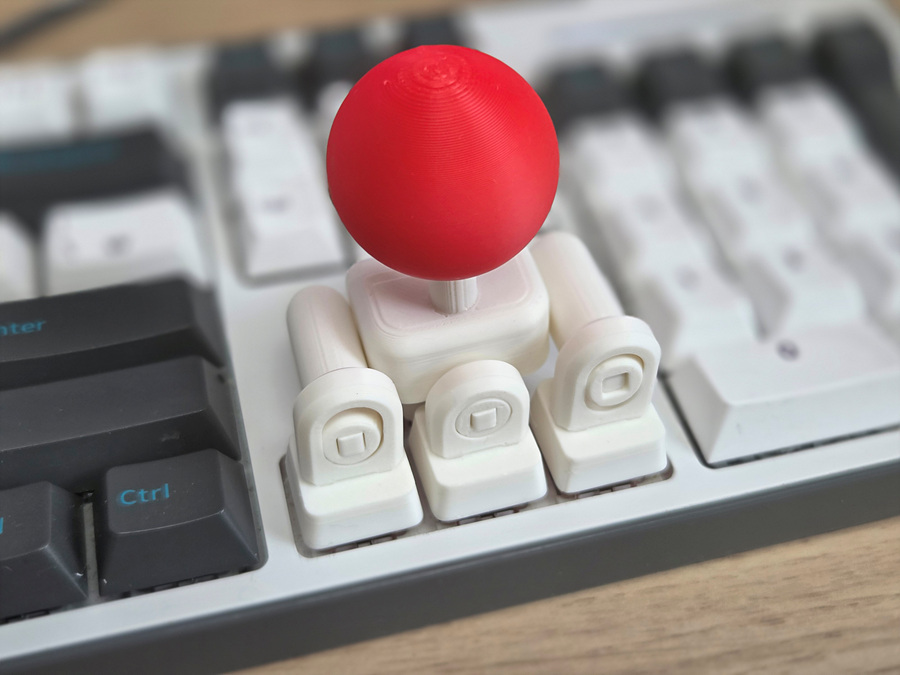
Congratulations. You now have the perfect joystick.
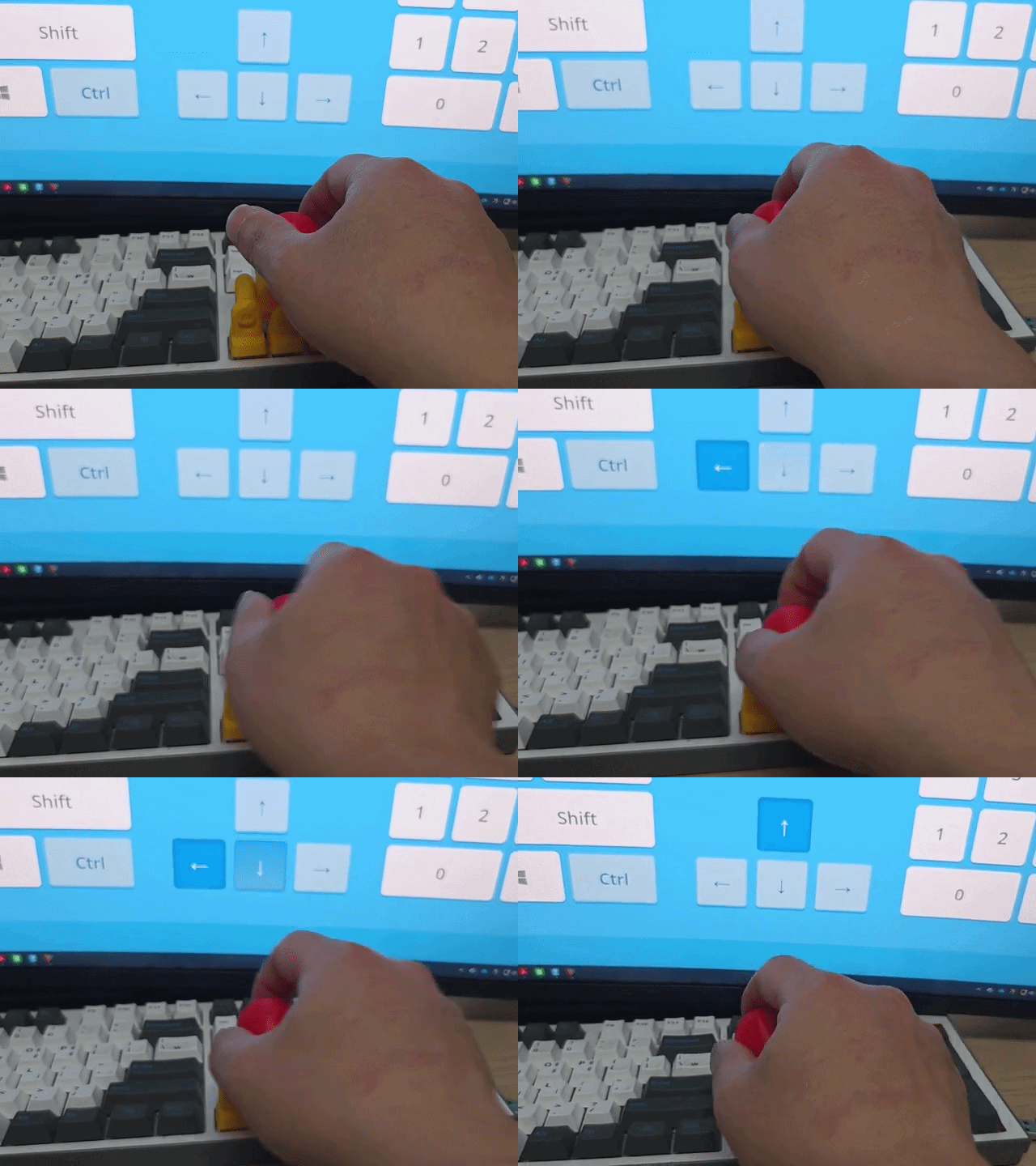
🛠️ For a Perfect Fit: Troubleshooting Guide
The KeyboaStick series is designed to fit standard MX-style switches perfectly. However, depending on your printer’s calibration or filament shrinkage, the fit may occasionally feel loose.
If you experience a loose connection, please try the following simple solutions:
1. Slicer Adjustment (Recommended)
You don't need to change your entire profile. Just adjust this single setting to tighten the fit:
- Setting: Hole Horizontal Expansion (in the Precision/Quality tab)
- Value: Input -0.05mm or -0.1mm
- Effect: This slightly shrinks the inner dimensions of the cross-stem hole, ensuring a tighter grip on the switch.
2. Fine-tune Flow Rate
Increasing the flow rate slightly can help bridge the gap:
- Adjustment: Increase your Flow Rate (Extrusion Multiplier) by 1–2% (e.g., from 0.98 to 1.0).
- Effect: This thickens the walls of the stem mount, making the connection more secure.
3. Quick Physical Fix (No Re-print Required)
If you've already printed the model and it feels a bit loose:
- The Plastic Wrap Trick: Place a tiny piece of thin plastic wrap (clinging film) or a small scrap of paper over the switch stem before pressing the KeyboaStick on. This instantly eliminates any wobble.
- Coating: Apply a tiny drop of superglue inside the cross-hole of the KeyboaStick. Let it dry completely before mounting it to create a thin, grippy internal layer. (Warning: Do not mount while wet!)
_______________
You may also like…
3 in 1 Laptop Stand
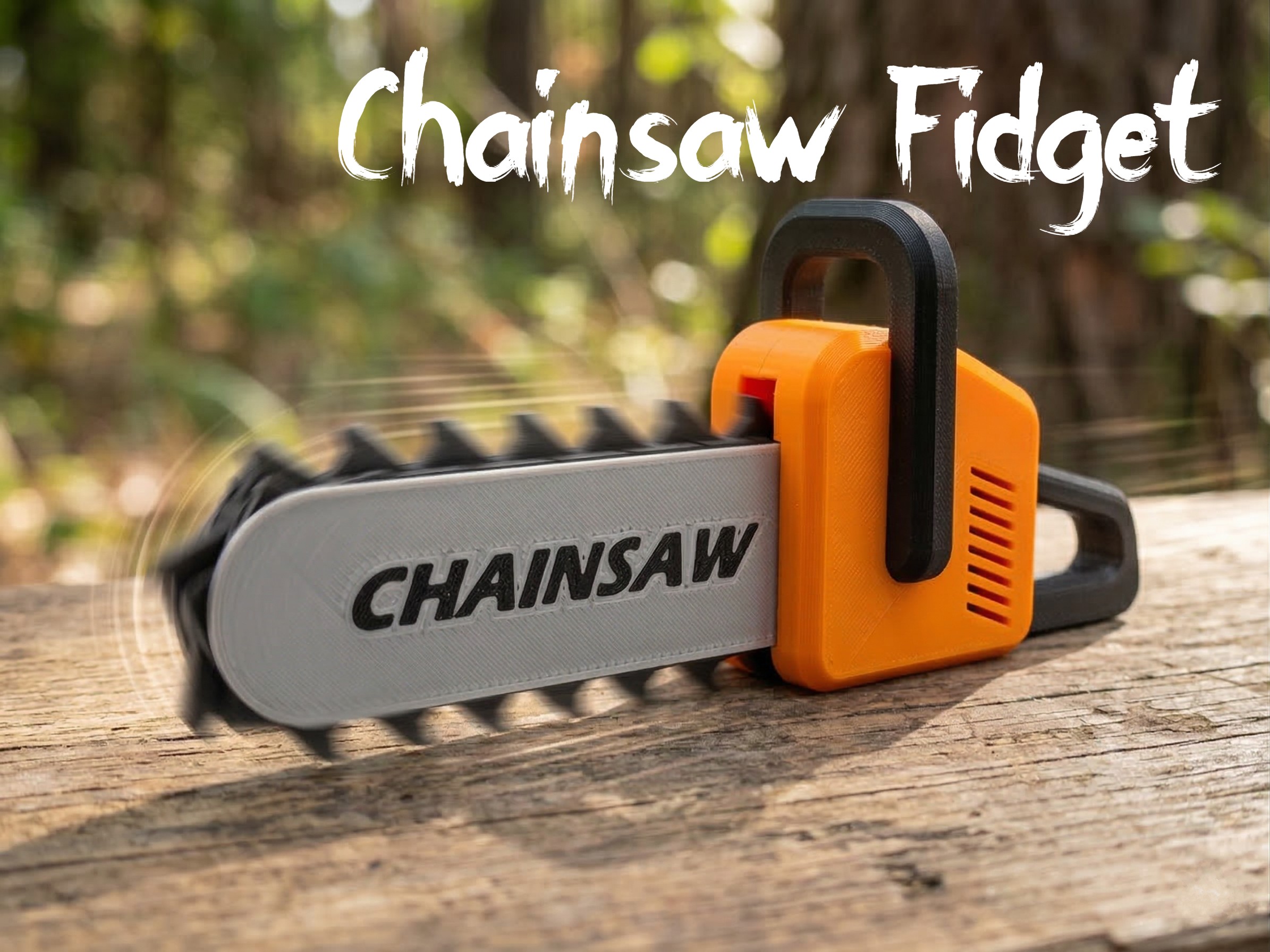
Chainsaw Fidget
Joystick Keycap (KeyboaStick ARROW)

Publicado em 24 de mar de 2026
Gostou deste modelo? Crie uma conta grátis para salvar seus favoritos e voltar a eles depois.
Criar conta