Você está no 3DFinder
Buscamos em Thingiverse, MakerWorld e Printables ao mesmo tempo para te dar o melhor de cada uma.
Descrição
This is a fully customizable, parametric storage system designed to fit any need. Whether you need a rugged organizer for hardware, a sleek case for electronics, a simple tray for sorting, or a desk organizer, this customizer can generate it.
The system is built with 3D printing in mind. It features engineered tolerances, printable overhangs, and a lock mechanism on the cases that snaps shut securely without relying on friction alone.
Key Features
- Three Lid Styles: Choose between a heavy-duty Rugged Slider with a snap-lock, a streamlined Simple Slider, or a standard friction-fit Snap Lid.
- Fully Parametric: Adjust width, depth, height, wall thickness, and corner radii to get the exact dimensions you need.
- Custom Layouts: Define your own grid layouts. Create single large compartments, standard grids, or mix-and-match sizes within the same case.
- Multi-Color Ready: Generate the grid as a separate "insert" to print in a contrasting color from the outer case.
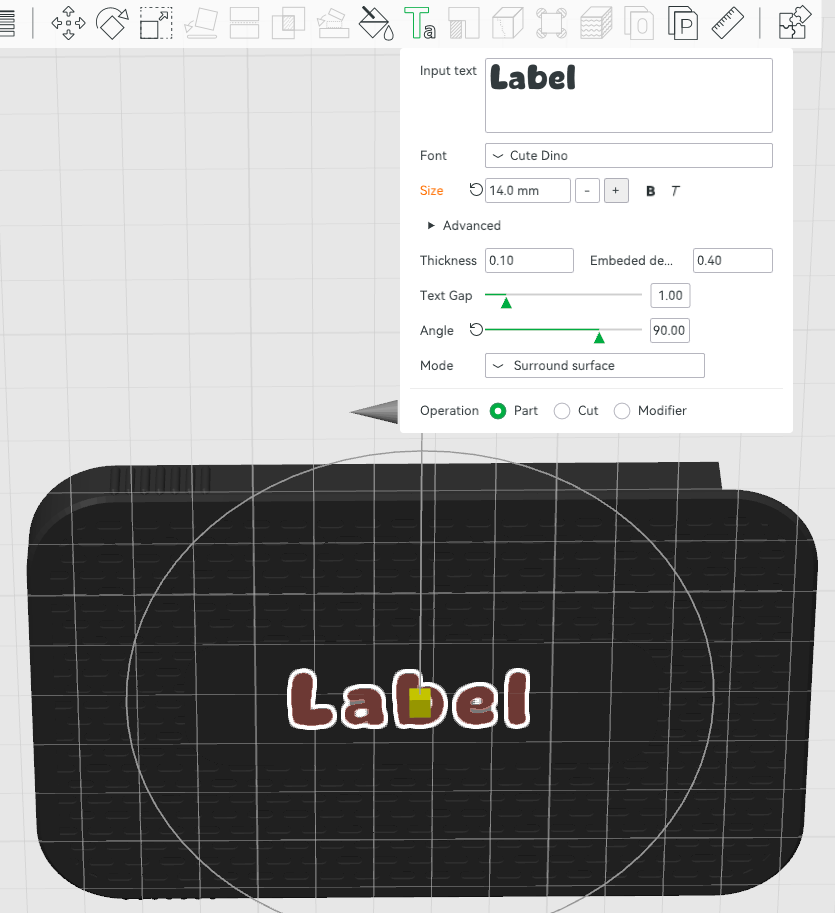
- Textured Lids: Choose from over a dozen surface patterns (Hex, Diamond, Knurled, etc.) and add a custom label zone for easy identification.
- Altoids Tin Ready: The default dimensions create an insert that will fit inside of an Altoids Tin.
Recommended Print Settings
- It is recommended to use half the default speed for overhangs and bridges to get a nice looking pattern.
Configuration Guide
The model is built in OpenSCAD. You can adjust the following settings to generate your custom parts:
1. Main Configuration
- Render Selection: Controls which part is generated.
- Case Only: Generates the outer shell (and grid if "Case" or “Insert” mode is selected).
- Tray Only: Generates just the internal tray (useful for Altoids tin inserts).
- Tray + Rack / Case + Rack: Generates the specialized rack inserts.
- Grid Creation: Determines how the internal compartments are built.
- Case: The grid is fused directly to the floor of the case (single piece).
- Insert: The grid is generated as a separate object that presses into the case (ideal for multi-color printing).
- None: An empty box with no internal dividers.
2. Layout Settings
- Rows & Columns: Sets the base grid density.
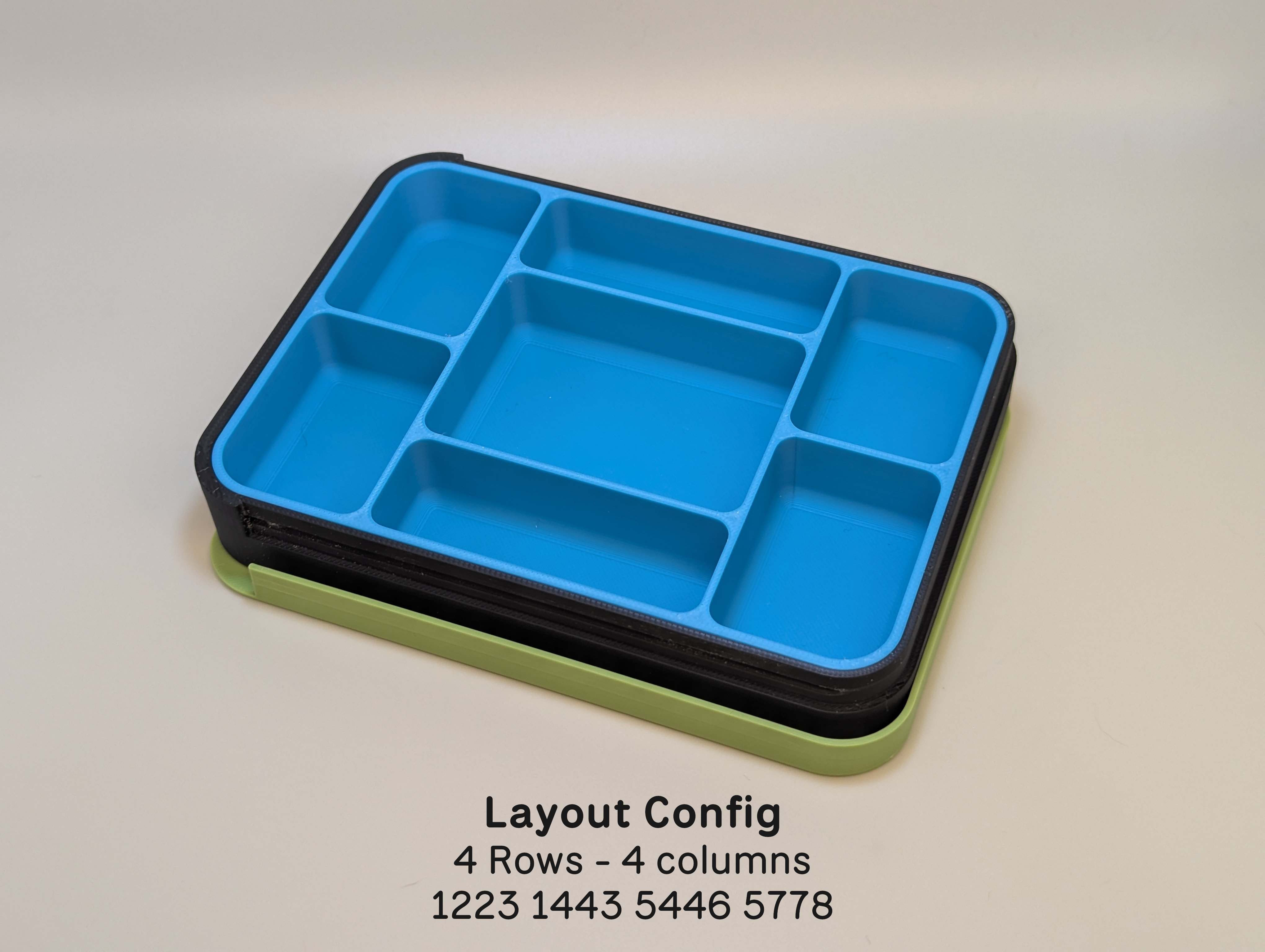
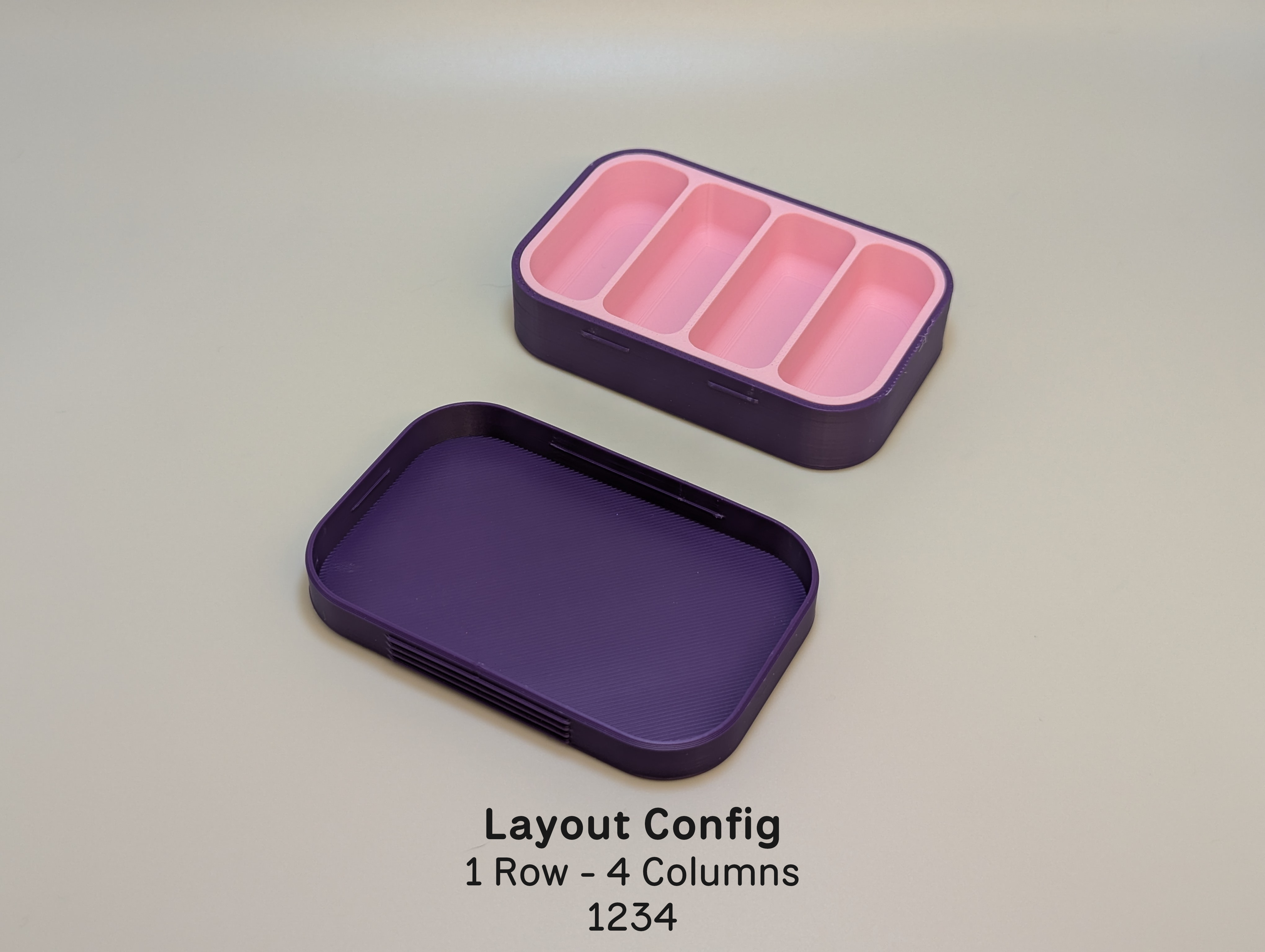
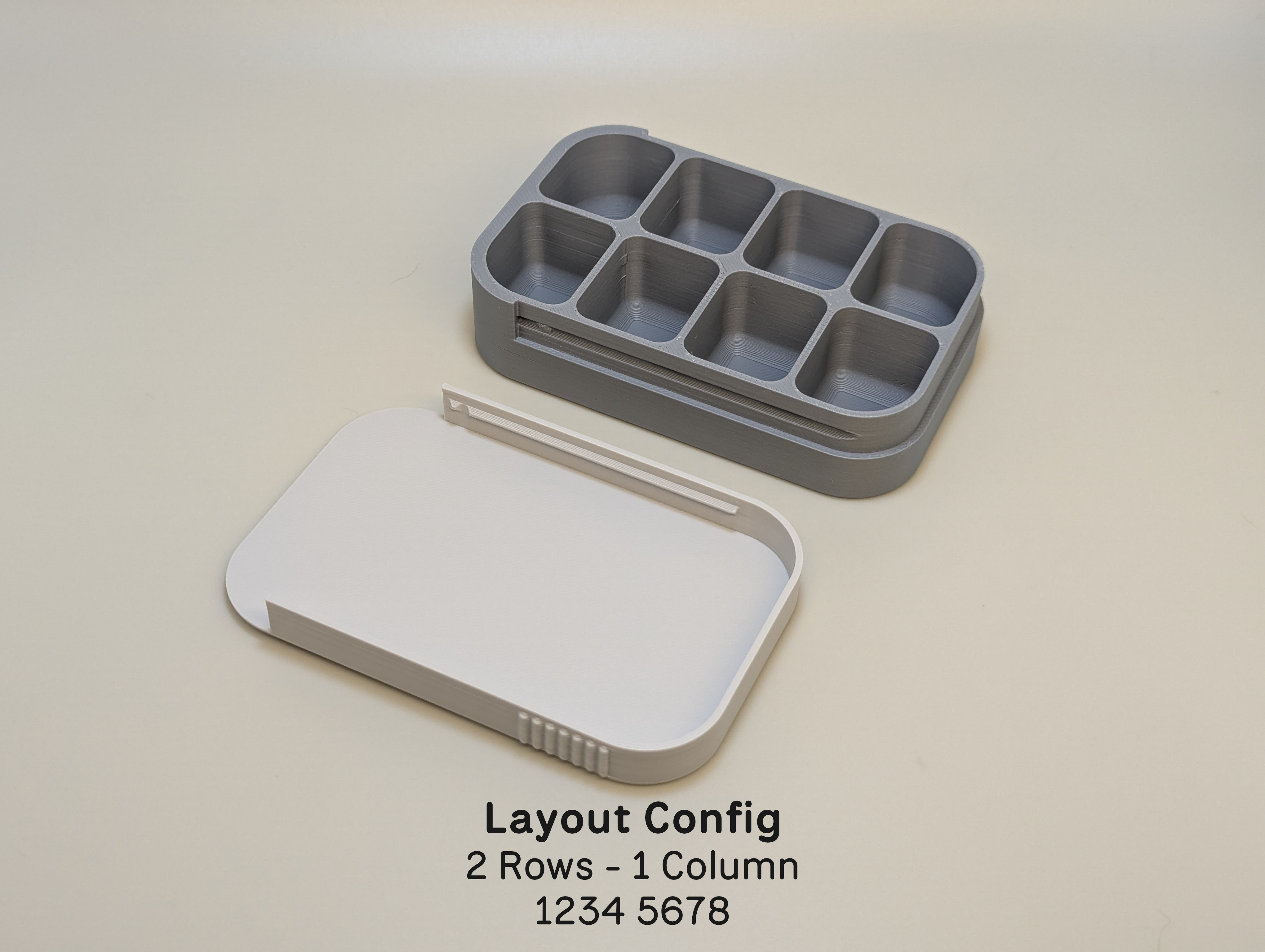
- Layout Config: This text string defines the shape of your compartments.
- Use numbers/characters to represent cells.
- Rows are separated by spaces
- Identical adjacent characters merge those cells into one large compartment.
- Donuts, Ts, Ls are valid
- Validation - If you are missing a row or column, the previous value is used. Extra rows or columns are ignored.
- Example: "1122 3333" creates two medium cells on the top row and one large cell on the bottom row. See the pictures below for more examples.
3. Dimensions
- Tray Width/Depth/Height: The core external dimensions of your insert (or the internal dimensions of the case).
- Tray Corner Radius: Controls how round the corners of the case are. Set to 0 for a sharp rectangular box or higher for a rounded aesthetic.
- Cell Corner Radius: Controls the curvature inside the compartments. Higher values make it easier to scoop small items out with a finger.
4. Case Settings
- Case Wall Thickness: Adjust for durability. 1.6mm is standard, increase to 2.4mm+ for heavy-duty use.
- Case Edge Rounding: Adds a chamfer to the top and bottom exterior edges for a smoother feel.
5. Lid Settings
- Lid Type:
- Rugged Sliding: Features a rail system with a "dimple-and-divot" geometric lock.
- Simple Sliding: A lighter friction-fit sliding lid.
- Snap: A standard top-down removable lid.
- Lid Pattern: Selects the texture applied to the top surface (e.g., Honeycomb, Diamond Plate). There are 15 patterns to choose from.
- Lid Label Zone: When enabled, creates a smooth, flat rectangle in the center of the texture for adding text or labels in your slicer.
6. Rack Settings
- Rack Orientation: Determines if slots run along the depth or width.
- Rack Scoops: Adds a cutout to dividers, making it easier to grab cases.
Customizable Organizer: Cases, Trays, Racks

Publicado em 21 de fev de 2026