Você está no 3DFinder
Buscamos em Thingiverse, MakerWorld e Printables ao mesmo tempo para te dar o melhor de cada uma.
Descrição
Gridfinity boxes with fully configurable internal walls.
Walls can be added, moved, or removed directly in BambuStudio to redesign compartments whenever your needs change.
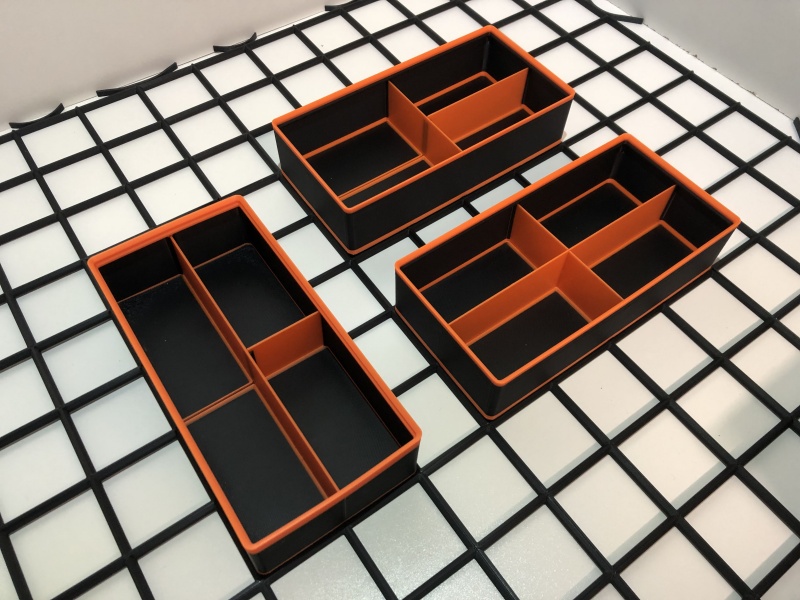 One box, multiple layouts | 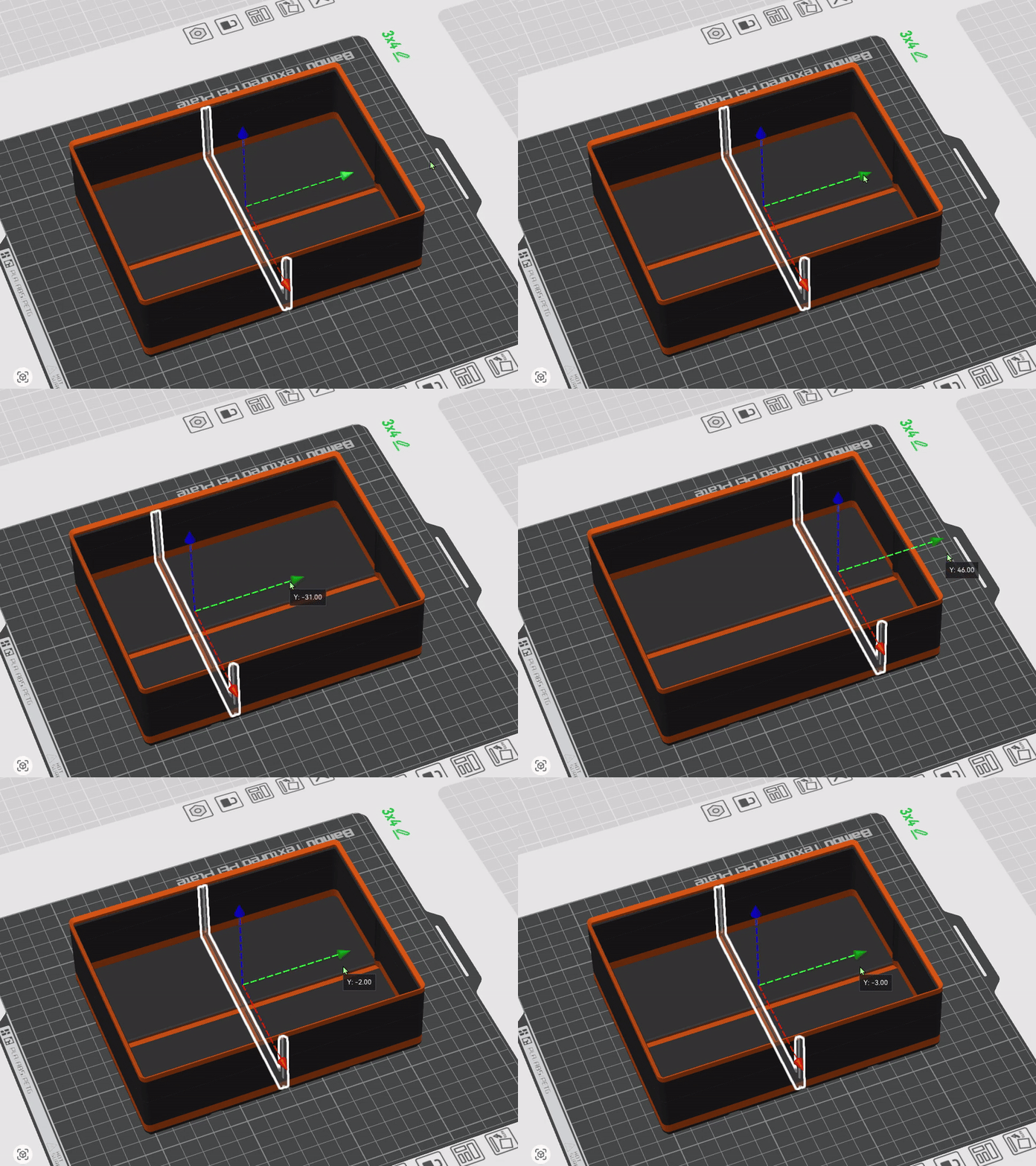 Walls can be moved in Bambu Studio | 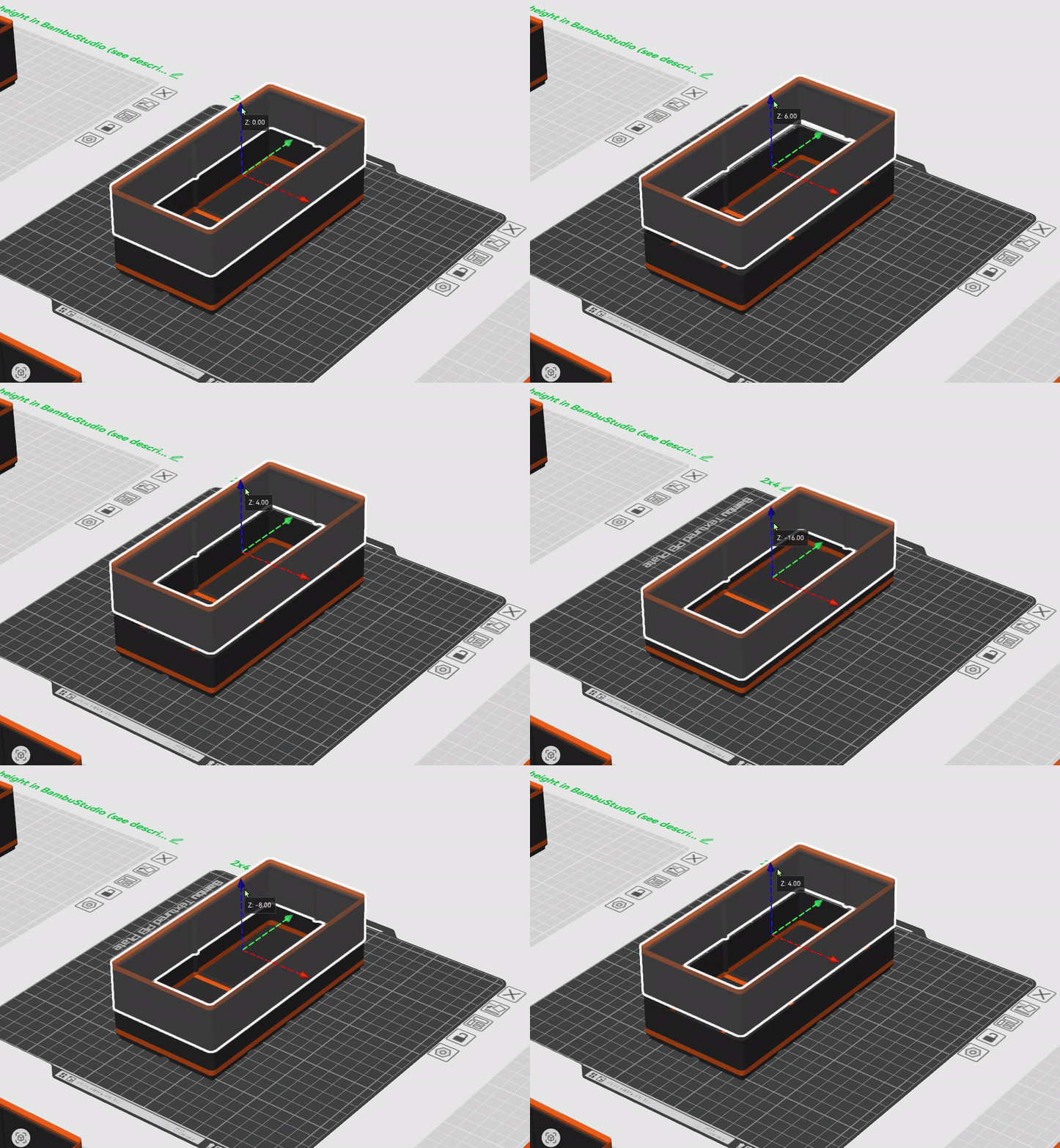 Adjustable height in Bambu Studio |
Overview
While organizing my large drawers using Gridfinity, and after testing many existing boxes, I decided to design my own solution to push flexibility even further.
This project introduces Gridfinity boxes with removable internal walls.
The concept is simple:
- Print a large box
- Add walls to create compartments
- When a compartment becomes too small, remove or reposition a wall instead of reprinting the box
This system allows you to:
- Add internal walls on demand
- Redesign the inside of a box at any time
- Increase the rigidity of large Gridfinity boxes
Project Content
- 75 different boxes available
- Box height adjustable directly in BambuStudio, from H5 to H9
- Fully configurable walls in BambuStudio:
- move
- delete
- duplicate / add
Each plate includes 5 boxes, covering standard heights H5 to H9.
Boxes are provided by default in H7 (53.8 mm).
All size variations from 2× to 6× are available, resulting in 75 box sizes, not counting the countless possible wall configurations.
Adjusting Box Height
📐 To remain Gridfinity-compatible, use height increments of:
Fine adjustments down to 0.1 mm are also possible to perfectly match existing boxes if needed. | 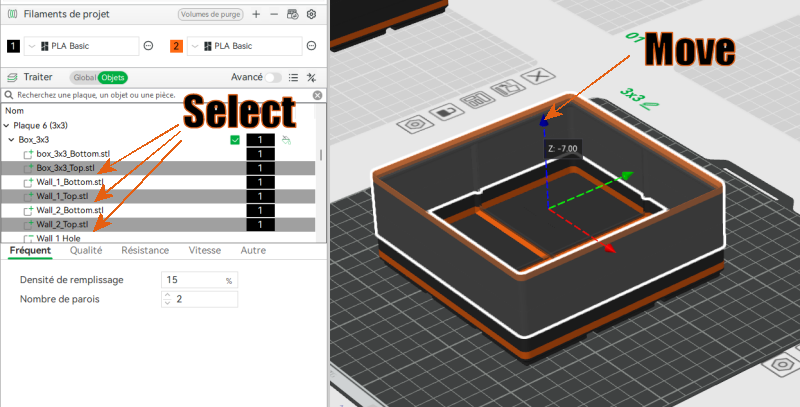 |
Wall Management
Each box contains 2 or 3 independent walls, fully configurable.
Removing a Wall
- Switch to Object mode
- Select all sub-objects named “Wall 1” or “Wall 2”
- Right-click → Delete
or press the DELETE key
Moving a Wall
📏 To stay within Gridfinity standards, prefer movements of:
| 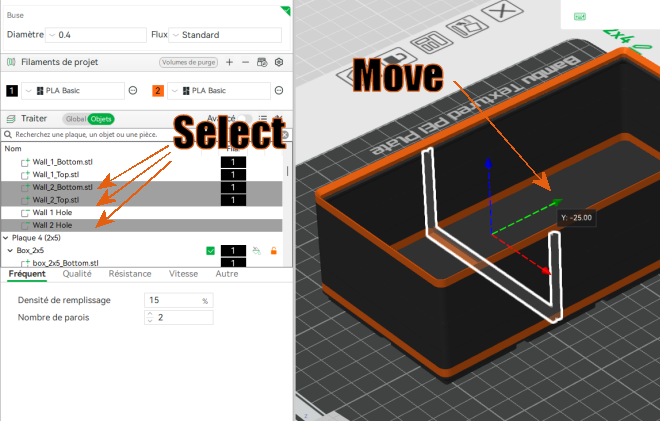 |
Adding a Wall
- Select an existing wall (Wall 1 or Wall 2)
- Copy / Paste (CTRL+C / CTRL+V)
⚠️ Note: BambuStudio keeps the original wall name.
Renaming the duplicated wall is recommended to avoid confusion.
Printing Notes
- Prints as fast as a standard Gridfinity box
- Nearly vase-mode printing:
- two wall perimeters
- a small detour to create the wall notch
Walls are intentionally simple, making it easy to design custom walls if needed.
Dimensions
Standard Box Heights (7 mm increments)
| Height | mm |
|---|---|
| H5 | 39.8 mm |
| H6 | 46.8 mm |
| H7 (default) | 53.8 mm |
| H8 | 60.8 mm |
| H9 | 67.8 mm |
Wall Lengths (42 mm increments)
(Formula: 42 × L − 2)
| Length | mm |
|---|---|
| L1 | 40 |
| L2 | 82 |
| L3 | 124 |
| L4 | 166 |
| L5 | 208 |
| L6 | 250 |
Recommended Print Settings
- BambuStudio profile: 0.20 Standard
- Adjustments:
- Seam position: Back
→ ensures consistent seam placement and smooth circular motion - Flush tower: Disabled
→ only 3 color changes, saves time - Brim type: Painted
→ painted ears are added on large boxes to reduce warping
- Seam position: Back
Optional Color Changes
- First change at 6 mm to highlight bottom separators
- Second change for the top rim of the box
Wall Types
There are three wall types:
🔹 Solid
- Simple divider
- Runs fully across the box without intersecting other walls
🔹 Half-Height Cut
- Allows walls to interlock when crossing each other
🔹 Ribbed (with alignment ridge)
- Allows one wall to stop against another
- Greatly increases layout possibilities
Walls are provided by default for H7 boxes.
Adjusting Wall Height
Wall Heights (7 mm increments) | 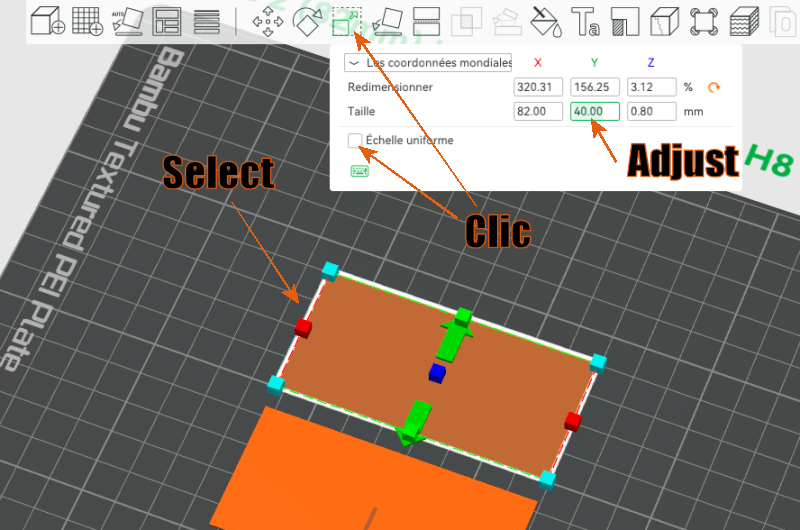 |
If you find this project useful, a boost is always appreciated.
Feedback and ideas are welcome in the comments!
This modular system is designed to evolve with real use.
Do you really need boxes? see my Wallfinity – Modular walls for Gridfinity bases
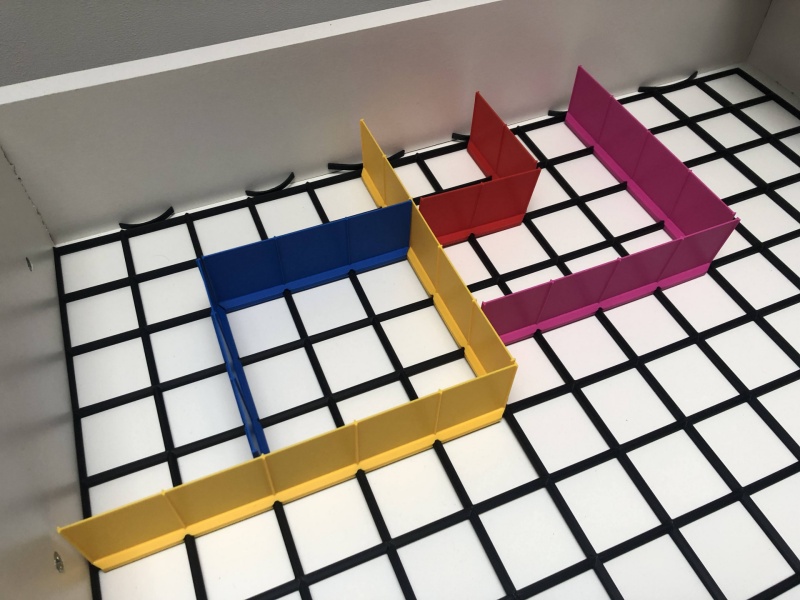
Gridfinity Boxes with Removable Internal Walls

Publicado em 2 de fev de 2026
Gostou deste modelo? Crie uma conta grátis para salvar seus favoritos e voltar a eles depois.
Criar conta