Você está no 3DFinder
Buscamos em Thingiverse, MakerWorld e Printables ao mesmo tempo para te dar o melhor de cada uma.
Descrição
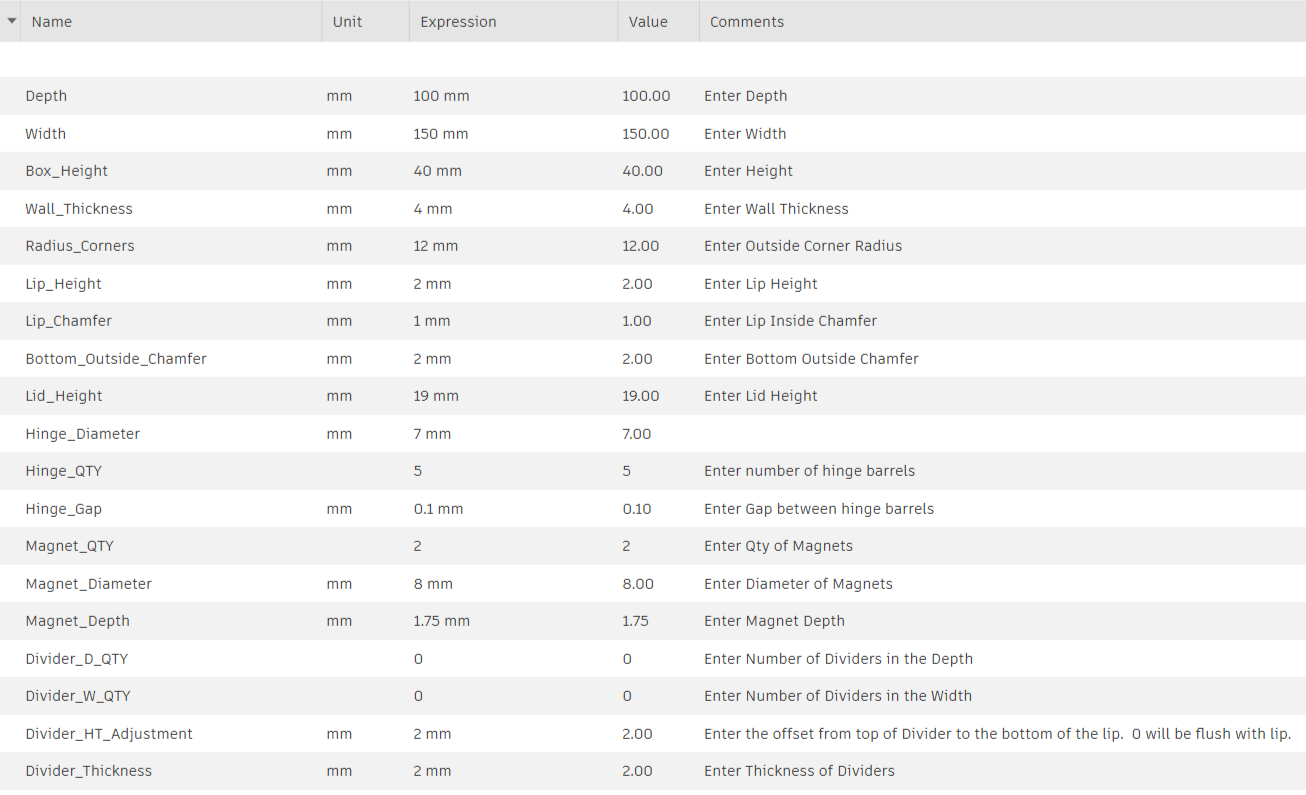
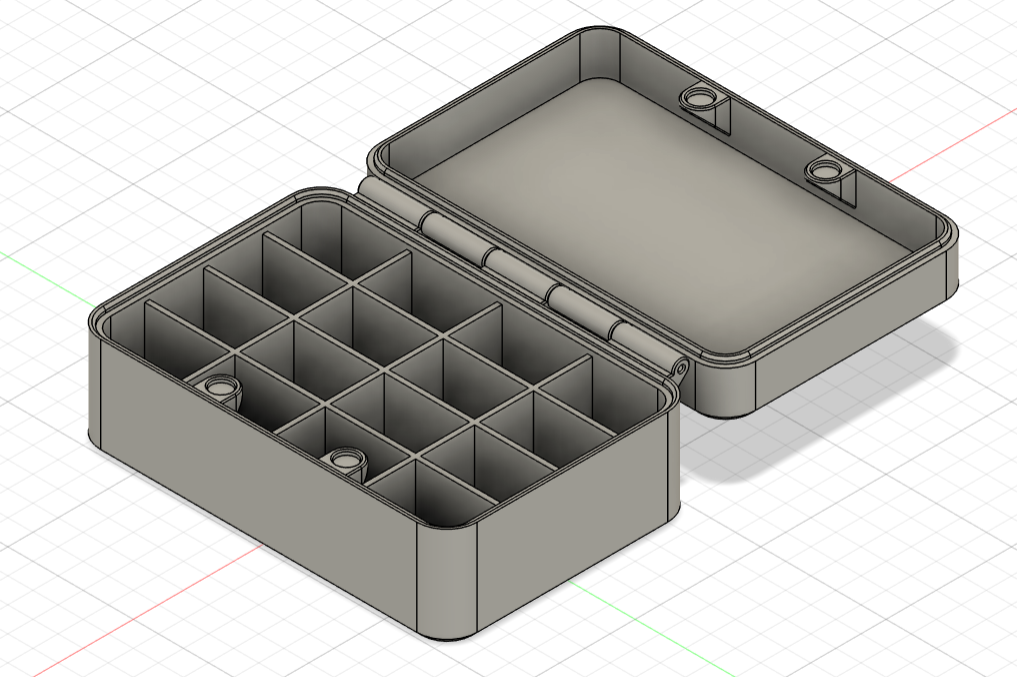
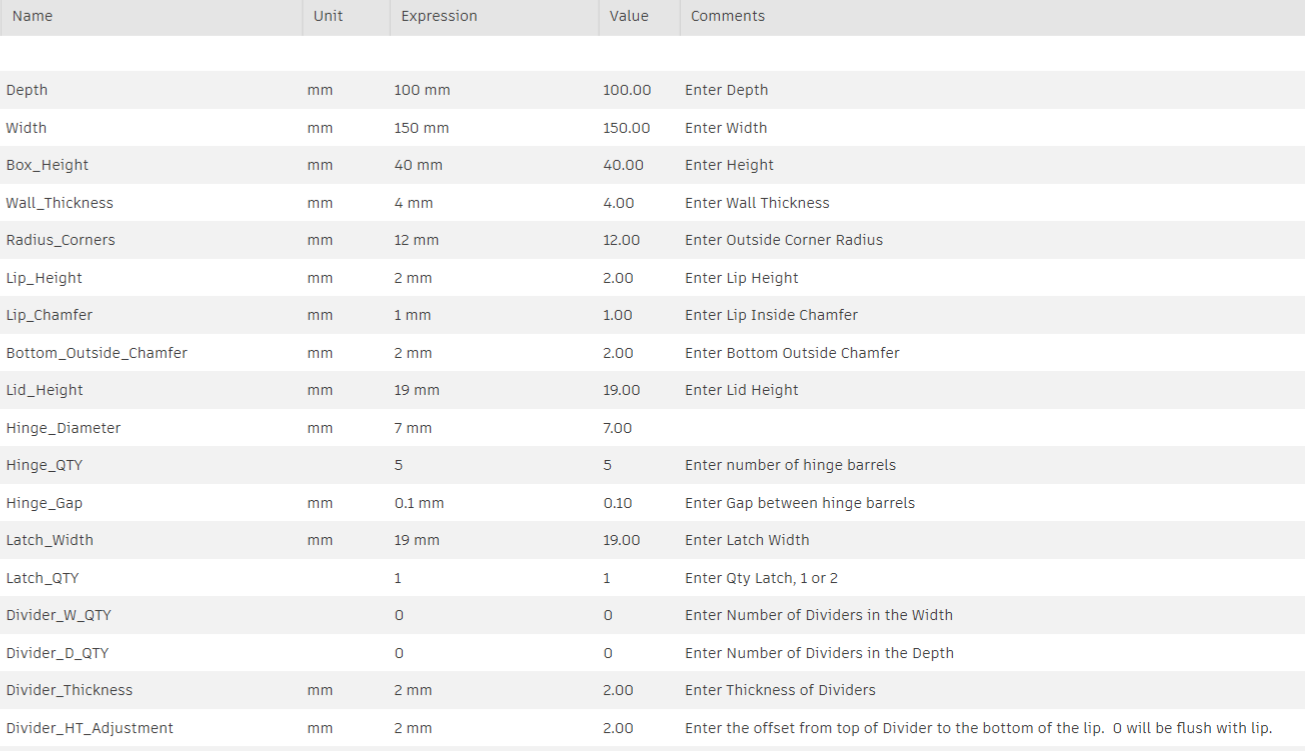
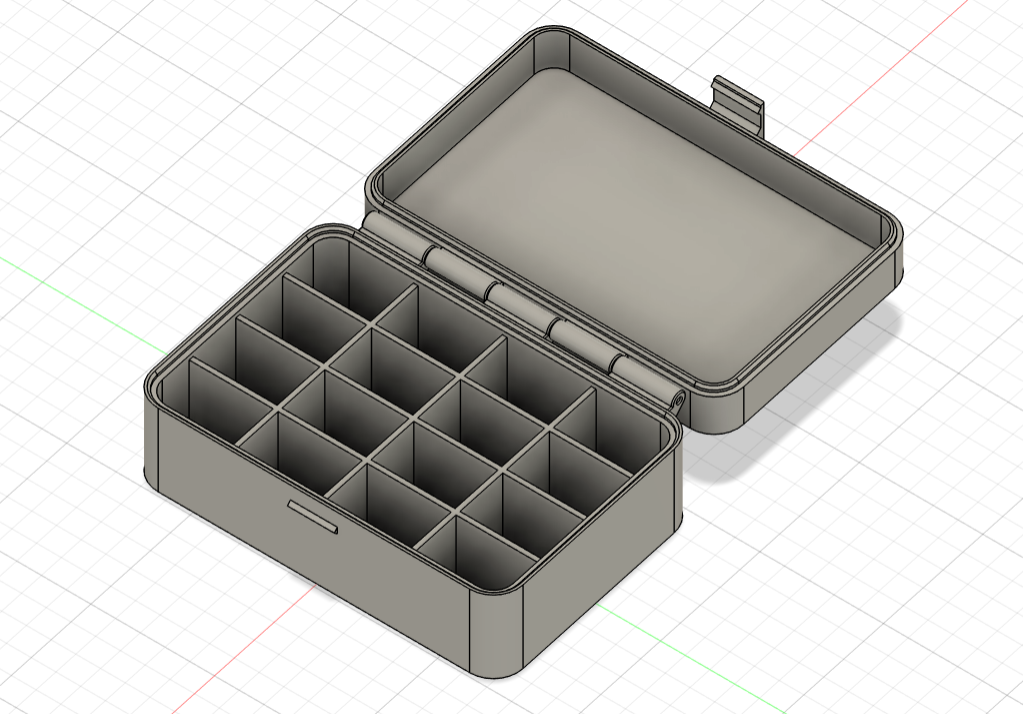
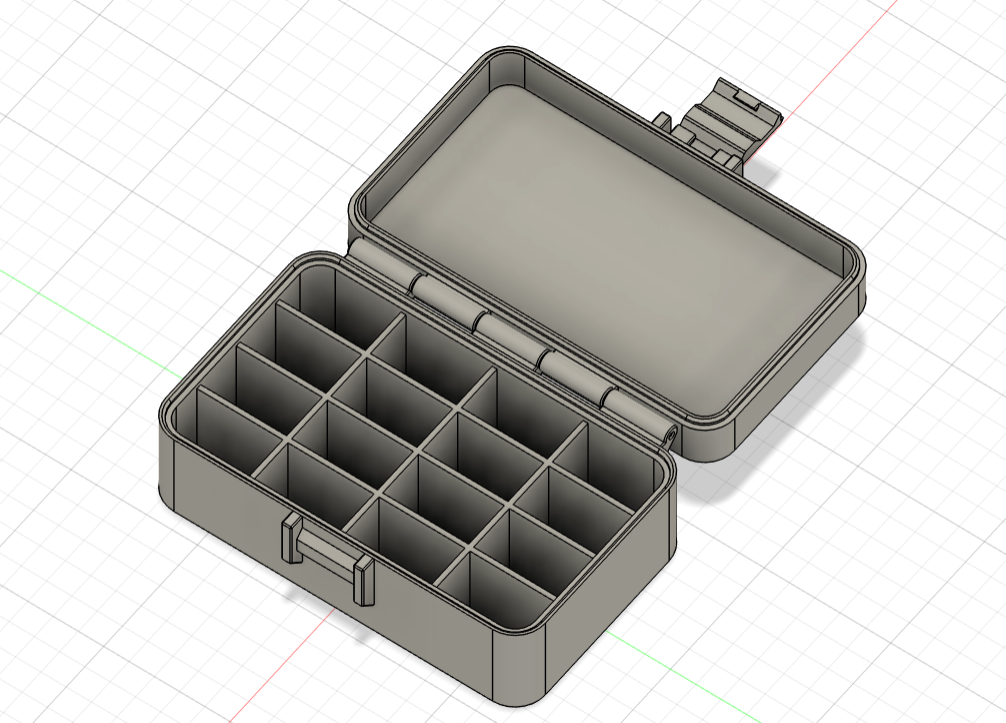
I have wanted to update my simple pencil holder and make it customizable. So I redrew this box in Fusion 360 and made it parametric and I provided 3 different options; Lid with Magnets, Lid with Fixed Latch, and Lid with Hinged Latch.
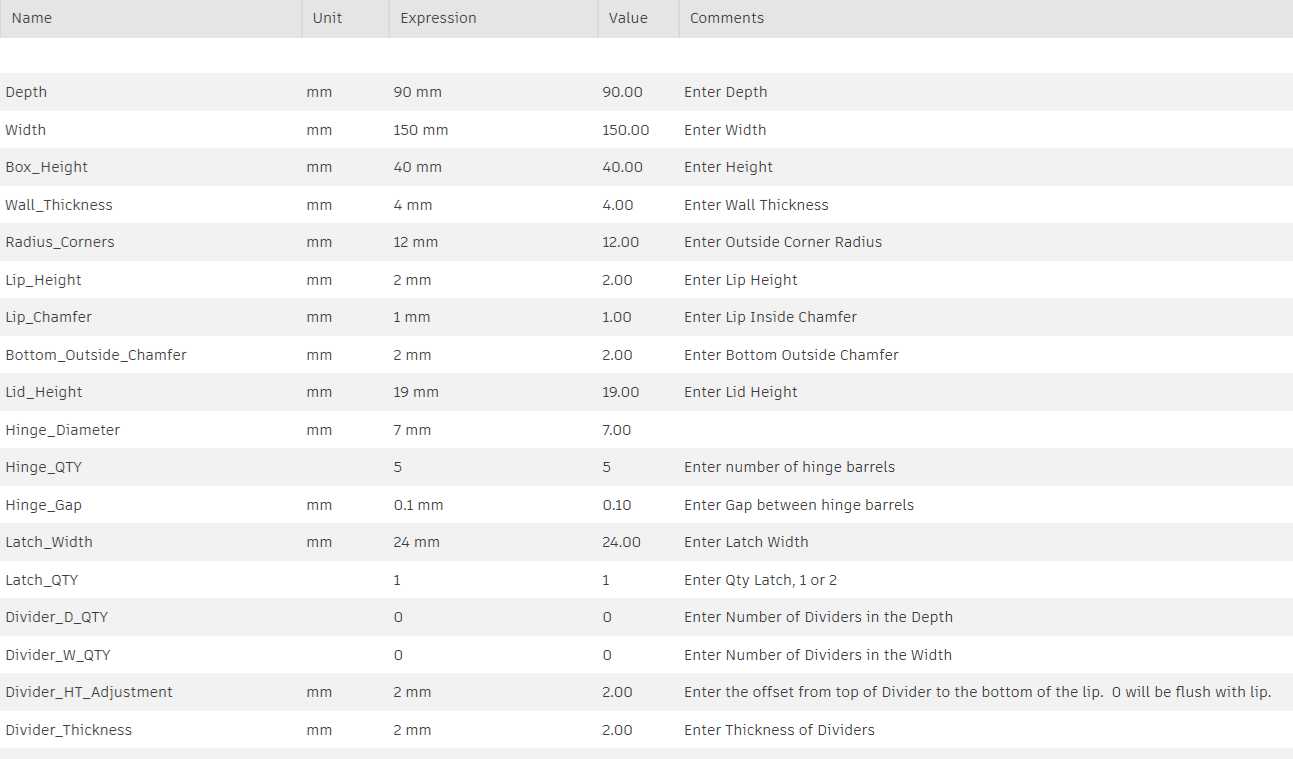
You have options to control the overall size of the box, radius corners, add dividers, etc. There are three customizable options, so you just choose which lid attachment type you want, then change the parameters to your liking. I will add more information in the future to help explain all the different adjustments, but I wanted to release this to get people to look at it.
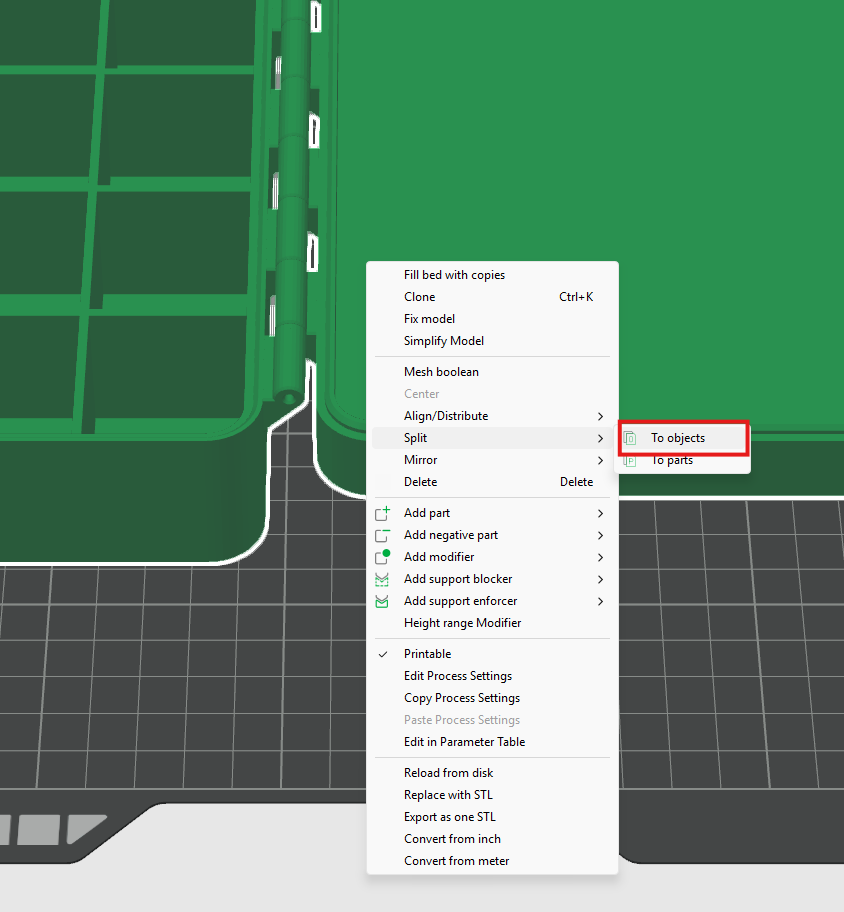
After you make all your modifications in the customization page download the file and open in Bambu Studios. The box, lid, and hinged latch will show up as one object. You will need to select the object, then right click and choose “Split”, then select “To objects”. This will make all the bodies their own object, and you can move the lid, box, and hinged latch wherever you need to on your build plate.
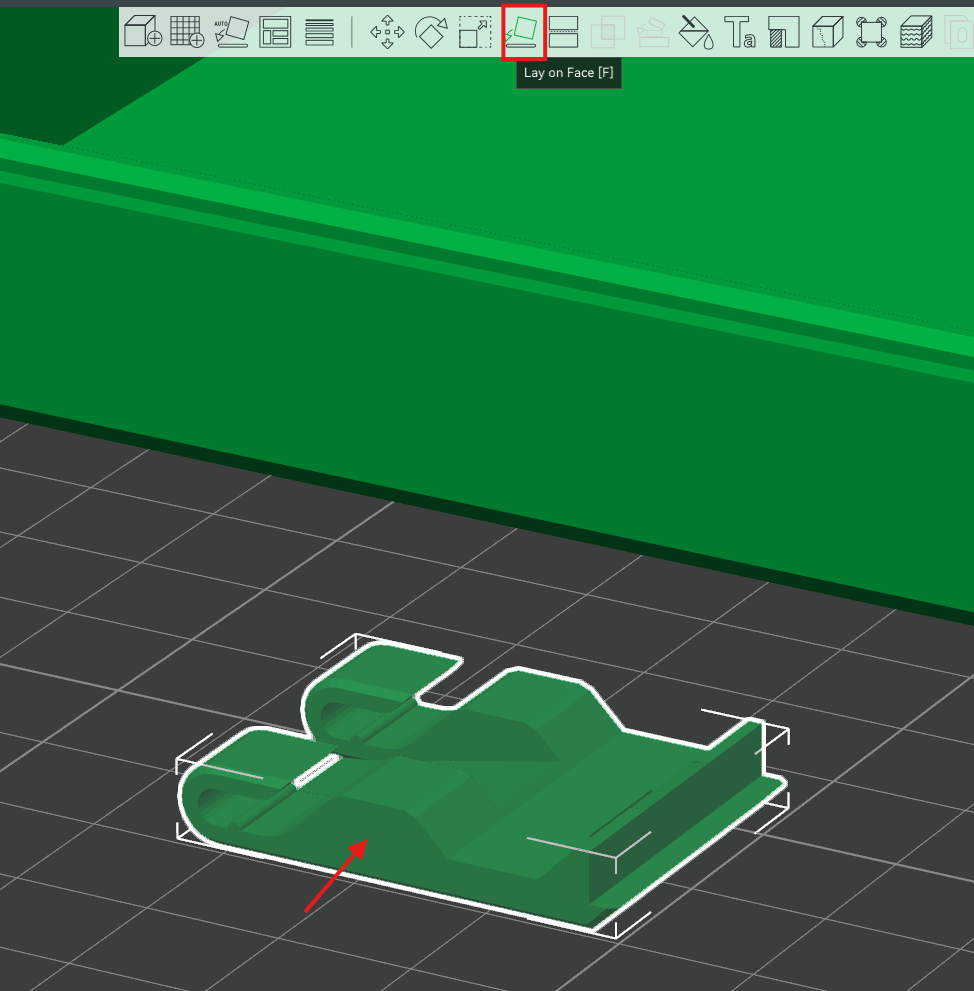
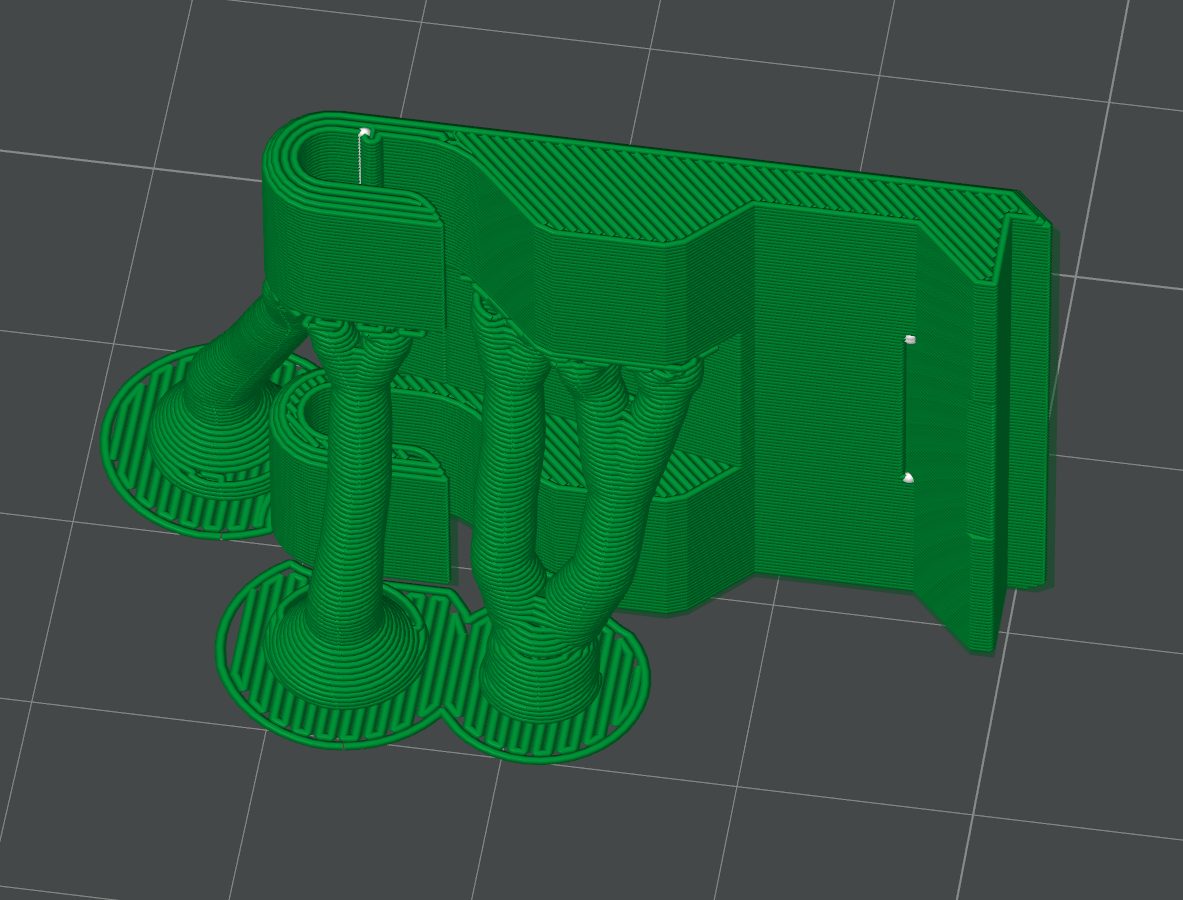
If you have a hinged latch, you will want to place it on the build plate on its edge by selecting “Lay on Face”. You will also want supports turned on for that part. You can see in the sample print profile how the hinged latch is on its face
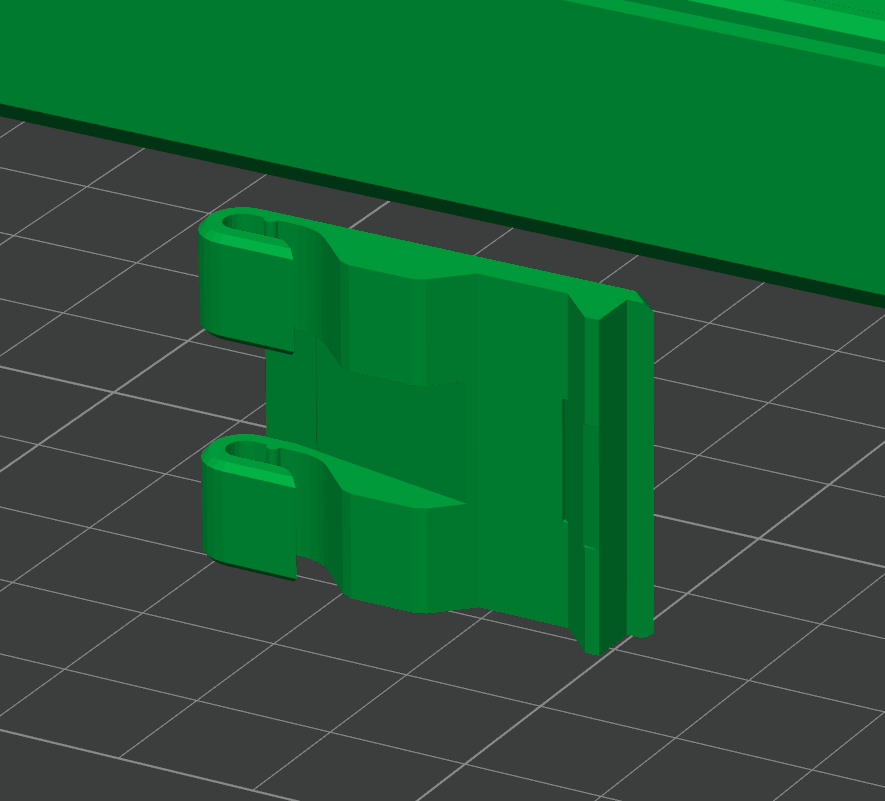
After the lid and box are printed, you can join them together at the hinge with 1.7mm filament. It is a snug fit, but once you put the filament through the holes, it creates a smooth swinging motion. (Let me know if I should add a parameter to control the diameter of the hinge pin if you like to use another type of cylindrical material like metal.)
Parameters for Lid with Magnets:
Parameters for Lid with Fixed Latch:
Parameters for Lid with Hinged Latch:
Customizable Boxes with Hinged Lids

Publicado em 12 de jan de 2026
Gostou deste modelo? Crie uma conta grátis para salvar seus favoritos e voltar a eles depois.
Criar conta