Você está no 3DFinder
Buscamos em Thingiverse, MakerWorld e Printables ao mesmo tempo para te dar o melhor de cada uma.
Descrição
I recently started using the Gridfinity system and I really like it. There are many models available which provides a lot of flexibility. One small downside of the system (in my opinion), is that with the standard 42 mm bin height, there is much space left in e.g. a medium depth drawer. You can stack multiple layers of bins of course, but if you are looking for a specific bin in the bottom layer, you have to pick up all the bins from the top layer until you find the one you are looking for, which can be quite annoying: in comes the Gridfinity Stack 'n Slide!
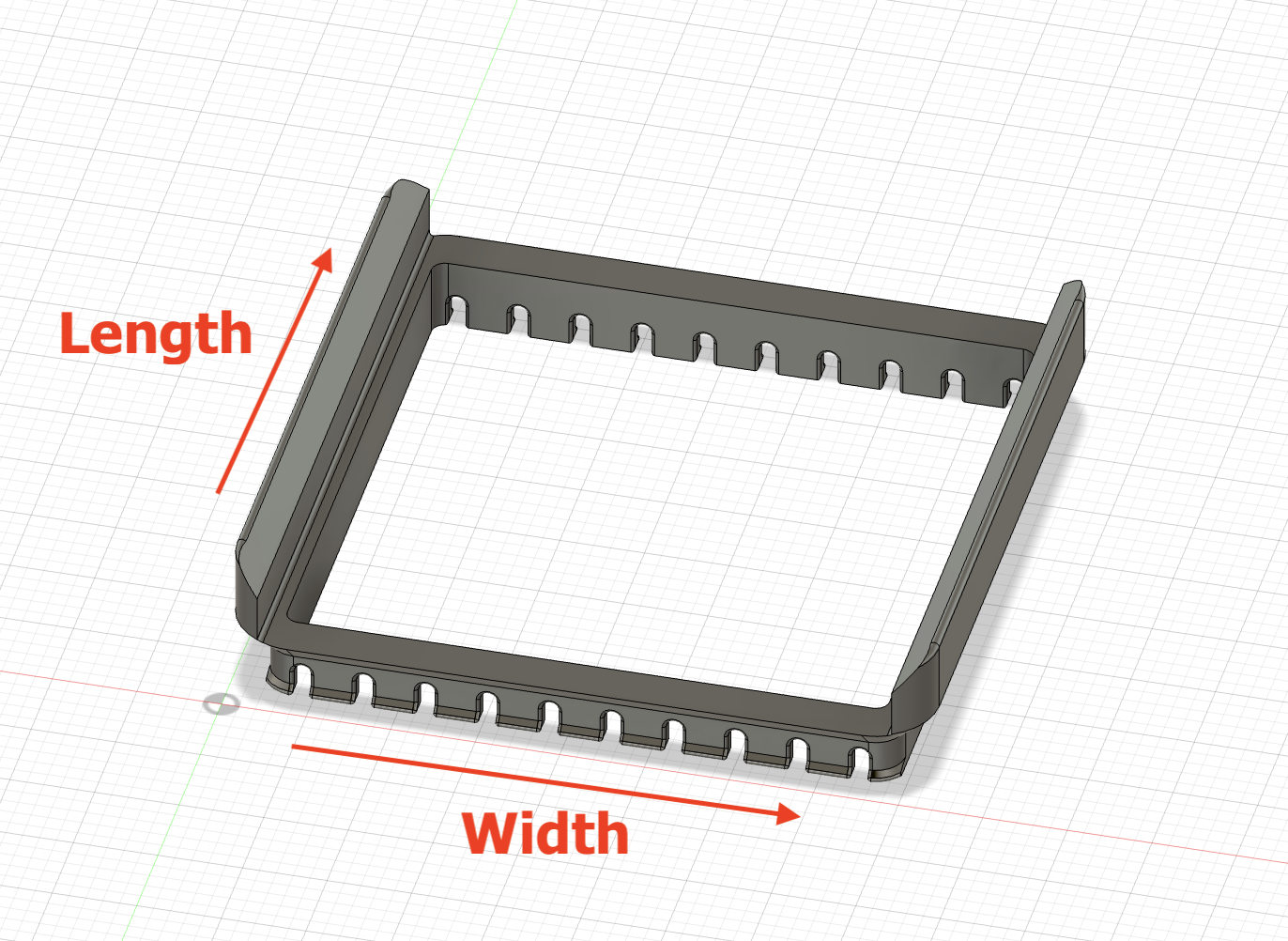
I created a small add-on which you can insert into the top of a bin. The basic idea is that 2 of the sides are removed, so a sort of parallel ‘train track’ is created in which a bin can slide. If all the bins in a bottom layer have a Stack 'n Slide insert, the bins in the top layer can slide freely. This makes looking for that specific bin in the bottom layer much easier as you can just slide the top bins out of the way.
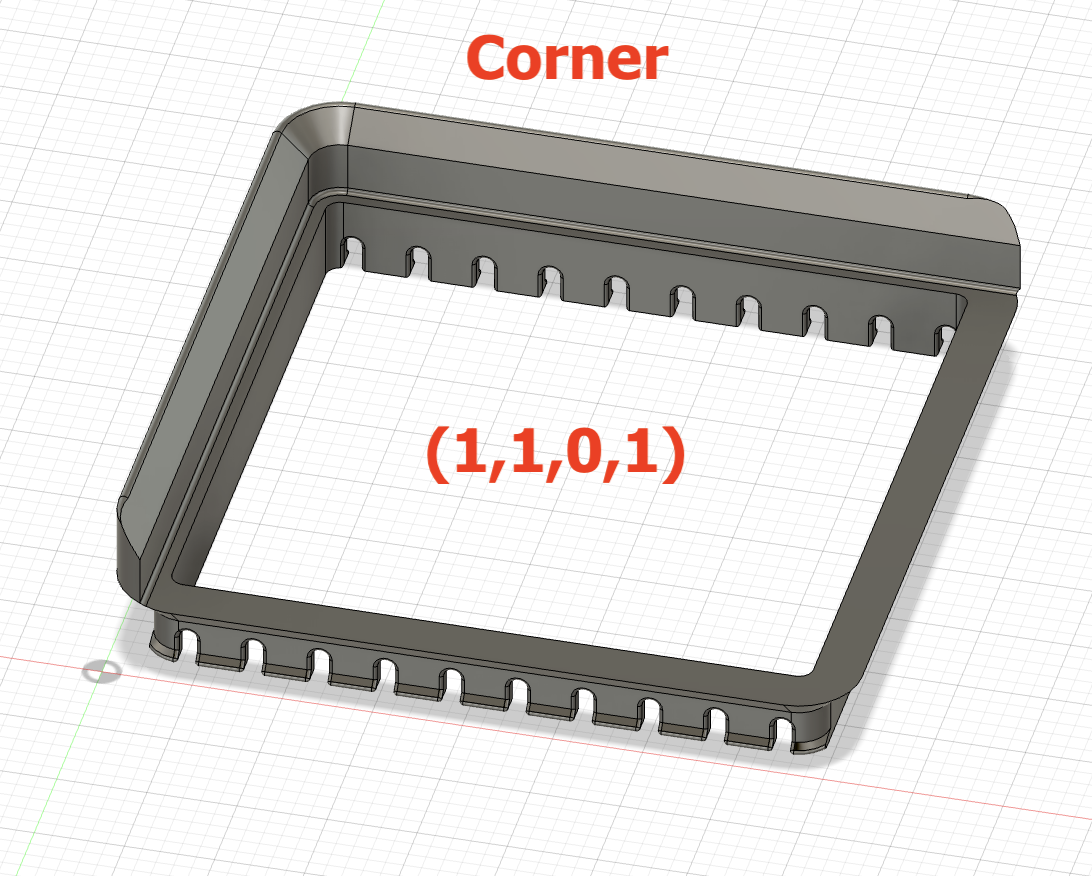
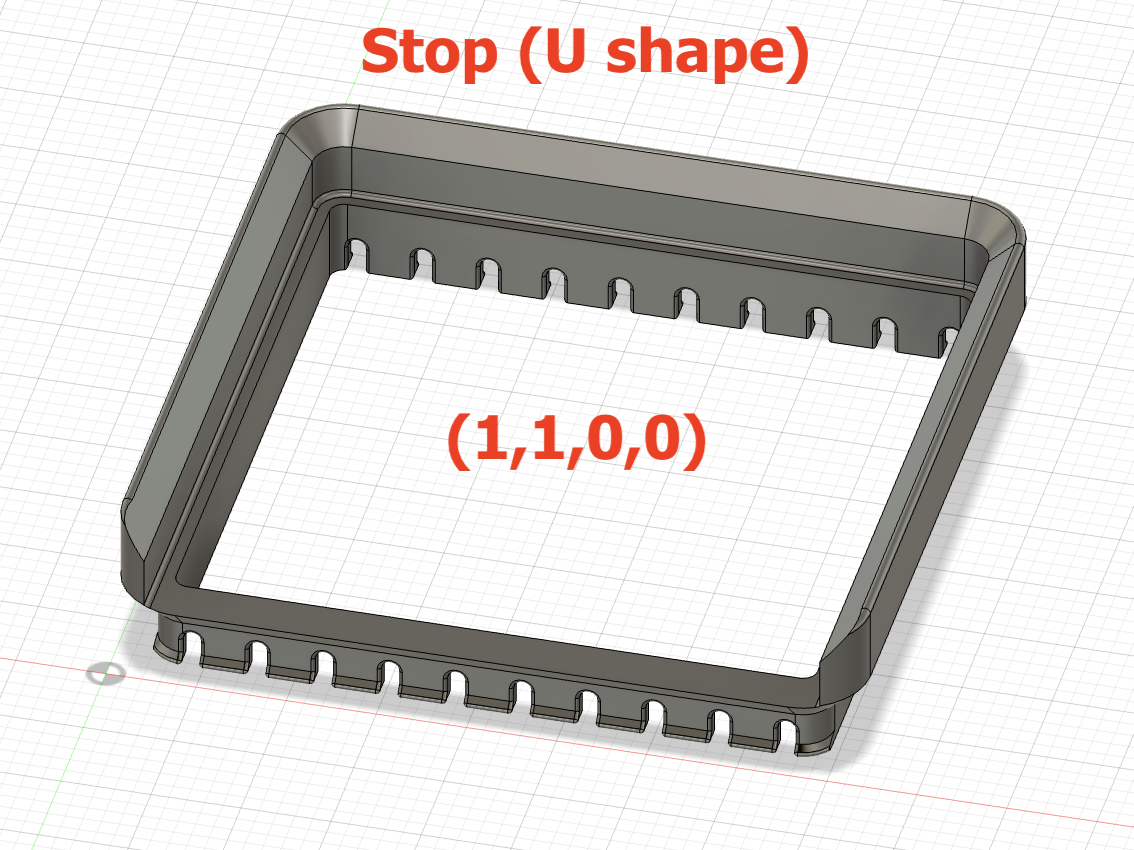
While I was at it, I created a parametric model so you can configure your own size (e.g. 1x1, 2x1, 3x6 etc bins). Additionally you can not only have a standard Stack ‘n Slide (the train track), but also 3 sides (acts as a ’stop'), a corner (2 sides in L shape) and just 1 side. With these options, you can create a maze if you would like to....
Customization
If you want to create a custom Stack ‘n Slide, hit the green ’Customize' button and a Parametric Model Maker will open:
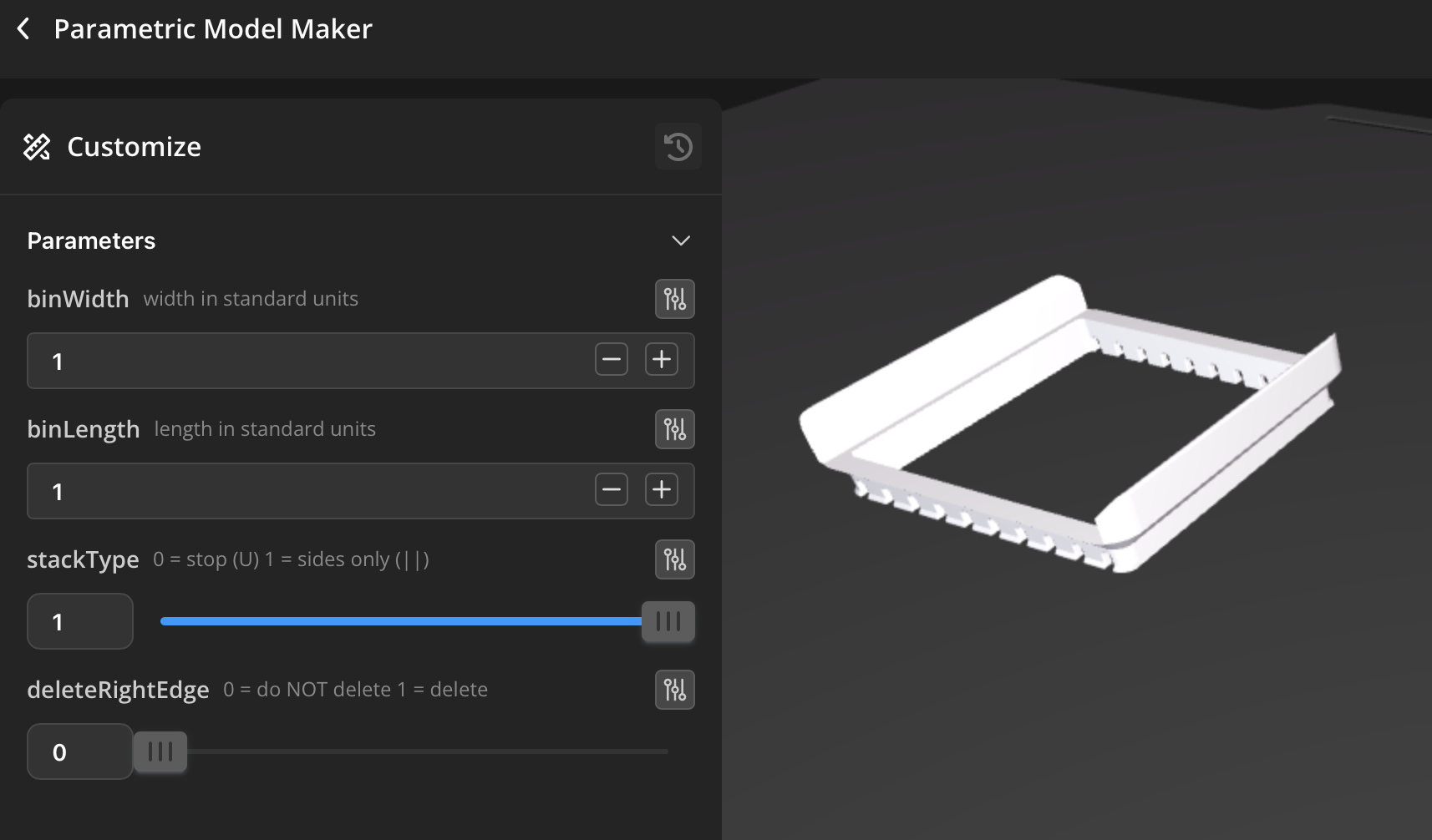
The following parameters can be changed:
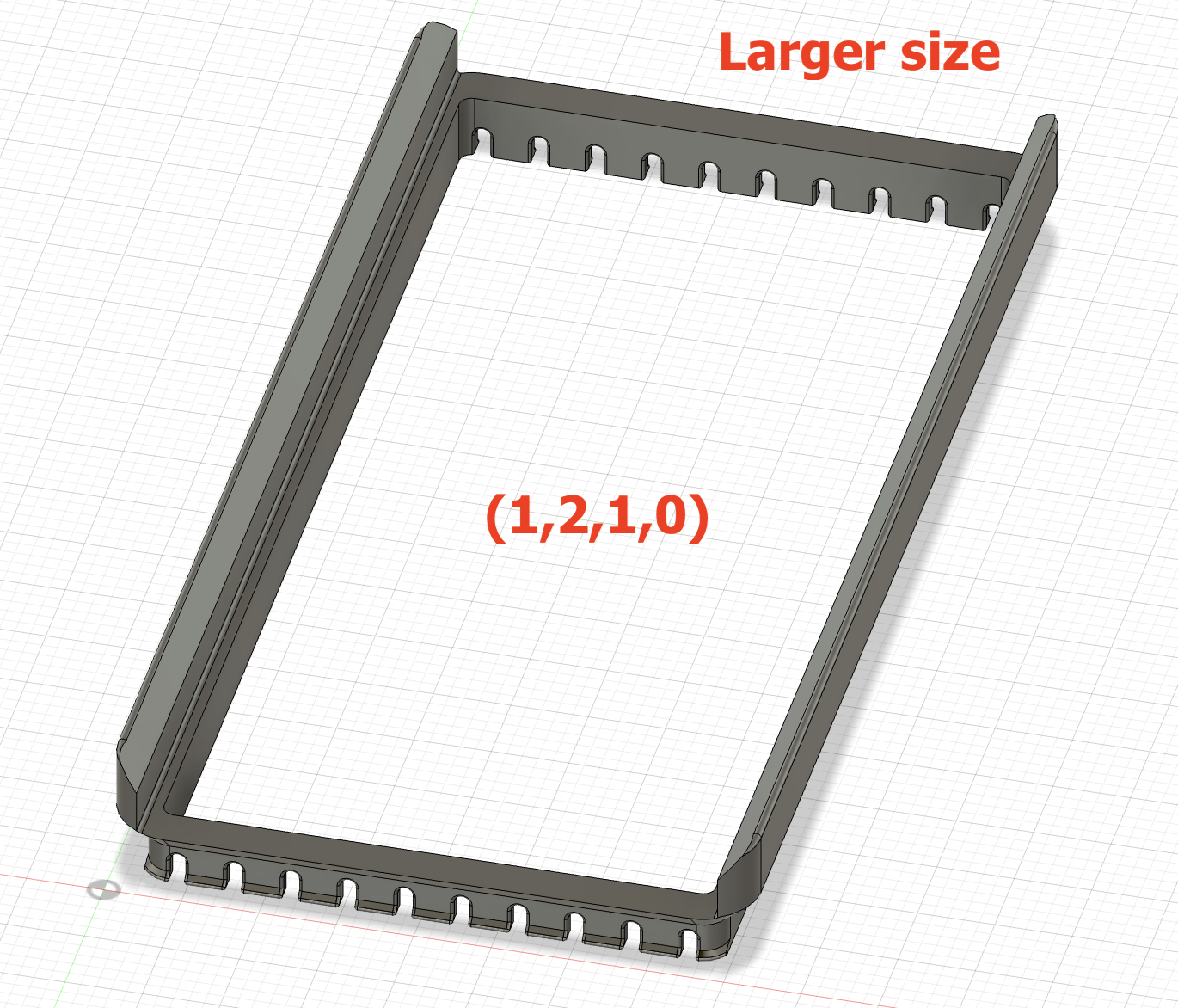
- binWidth: with of the Stack 'n Slide in standard units (default = 1)
- binLength: length of the Stack 'n Slide in standard units (default = 1)
- stackType: either 0 or 1 (default = 1)
- 0: 3 sides (U shape, acts as a ’stop')
- 1: 2 sides (|| shape, parallel ‘train track’)
- deleteRightEdge: To create corners or a single edge, the right edge can be deleted (default = 0)
- 0: do NOT delete right edge
- 1: DELETE right edge
- If stackType = 0 (stop), this creates a corner
- If stackType = 1 (train track), this creates a single edge
Printing
It is a very small and quick print: 1.8 g of filament with 14 minute print time on a A1 mini (the default version). It can be printed without supports or a brim an you can fit more on a plate of course.
I only tested with PLA and used the standard Bambu Studio settings for Bambu PLA Basic.
Examples
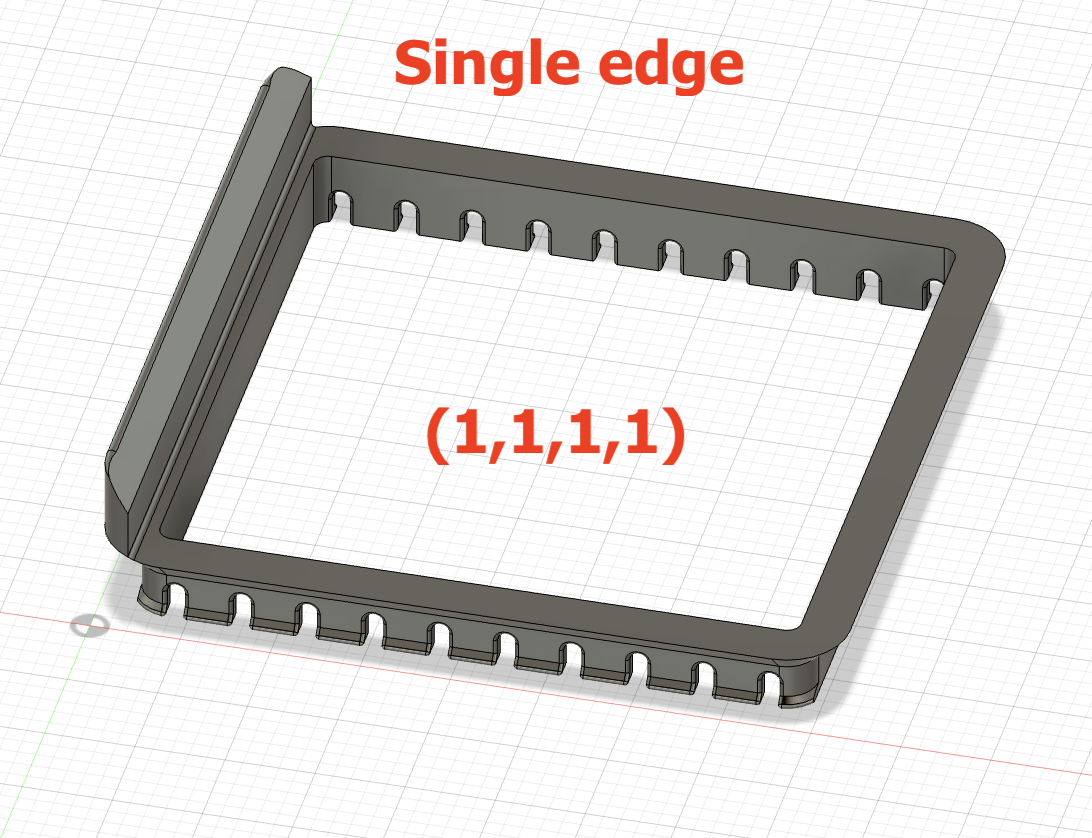
The default layout is a 1x1 Stack 'n Slide with parallel edges:
Settings:
- binWidth: 1
- binLength: 1
- stackType: 1
- deleteRightEdge: 0
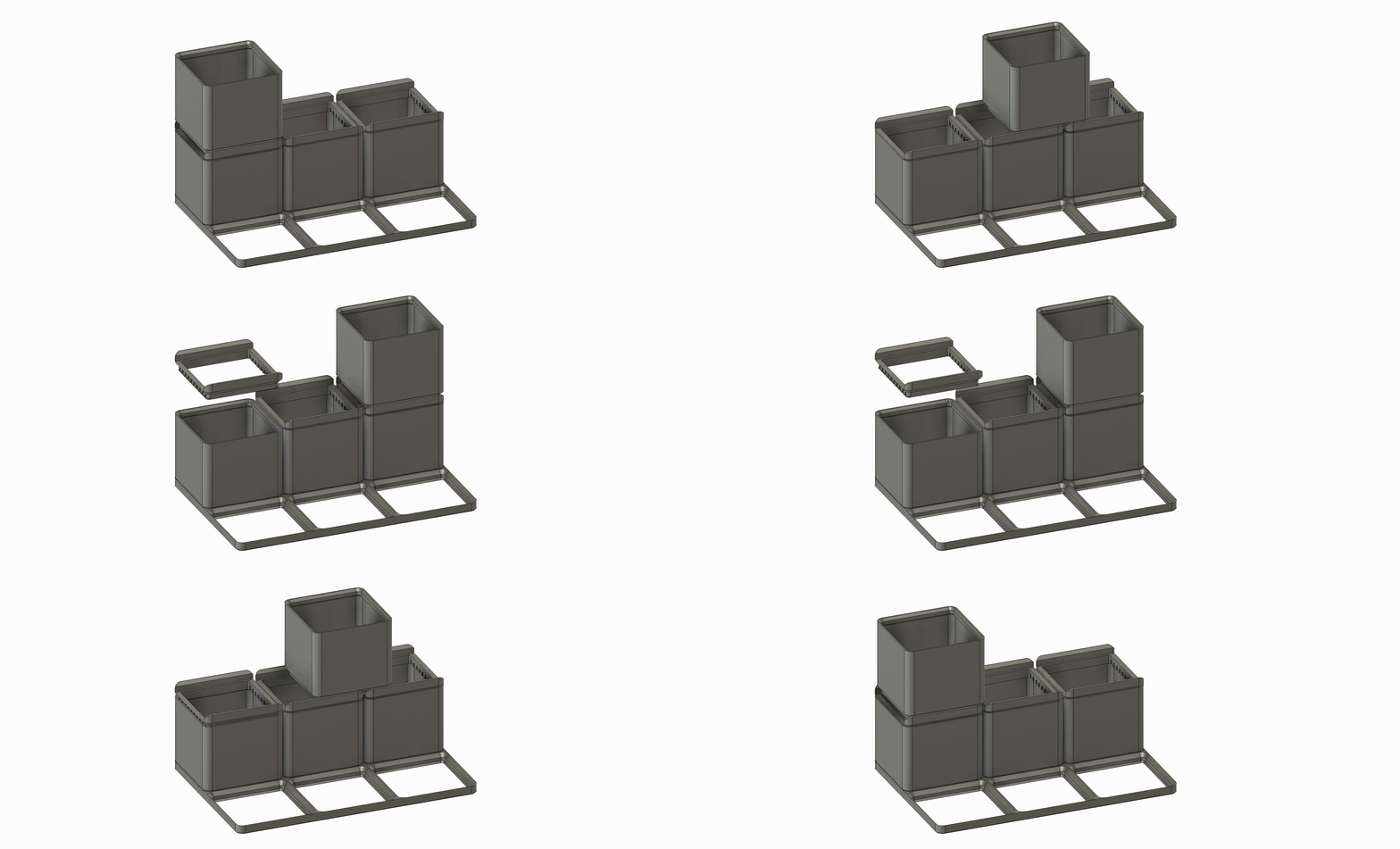
Other examples (number is brackets refer to settings in the order as above):
Feedback
If you have feedback, questions, remarks, requests, or just want to show your print, please leave a comment below!
Gridfinity Stack 'n Slide - fully customizable
Publicado em 7 de jan de 2026