Você está no 3DFinder
Buscamos em Thingiverse, MakerWorld e Printables ao mesmo tempo para te dar o melhor de cada uma.
Descrição
My little Stream Deck, powered by a Raspberry Pico 2. Depending on the programming, each key can send a single letter or an entire text, for example. The possibilities here are almost limitless.
In my case, included in the sample program, keys 1-6 are sent with the Shift key pressed. With a German layout, these would be the characters: !"§$%&
Assembly is relatively simple. In my case, I sanded and painted the upper part so it would match better with my keyboard:
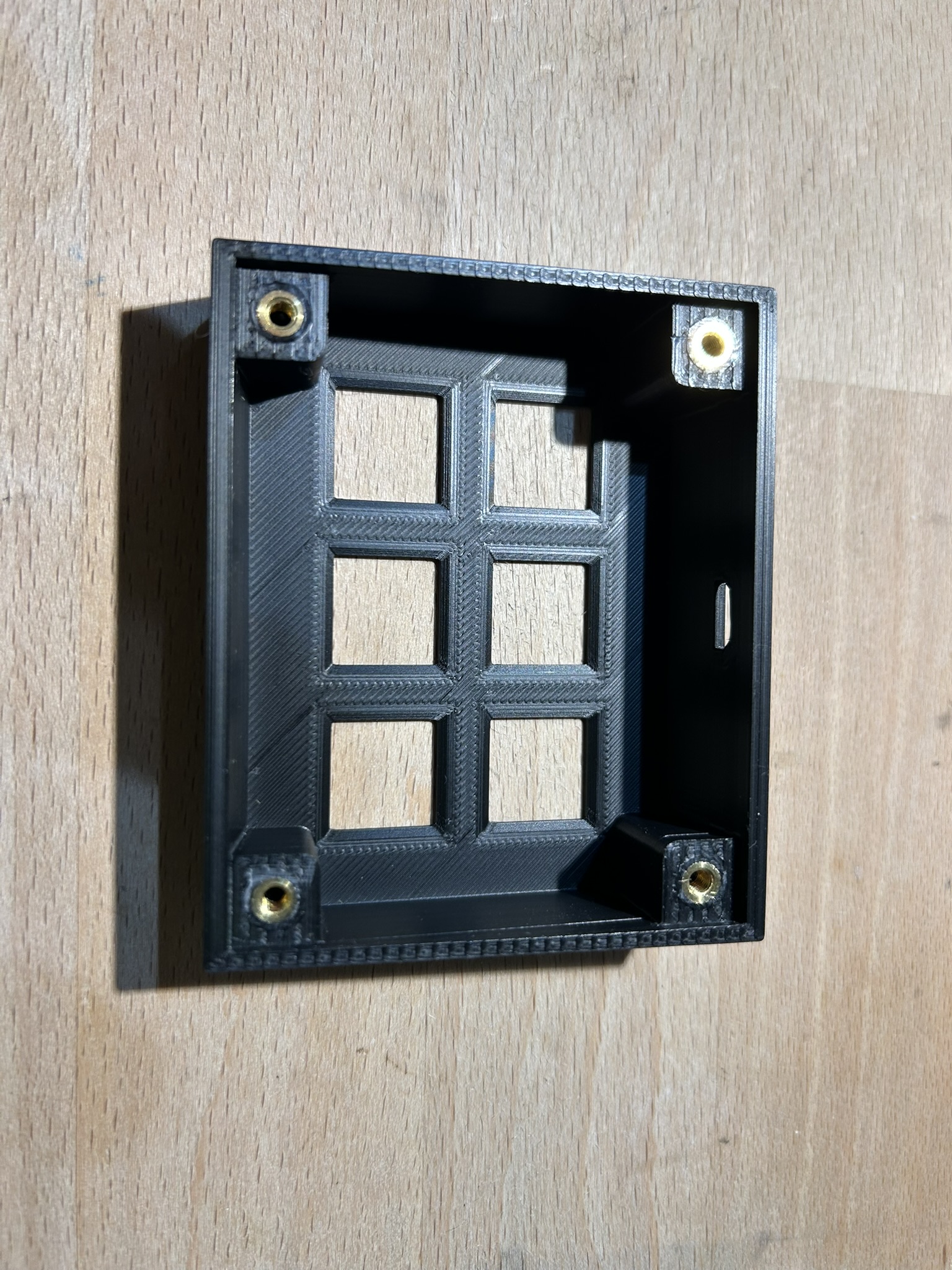
Insert the M3 threaded inserts from below.
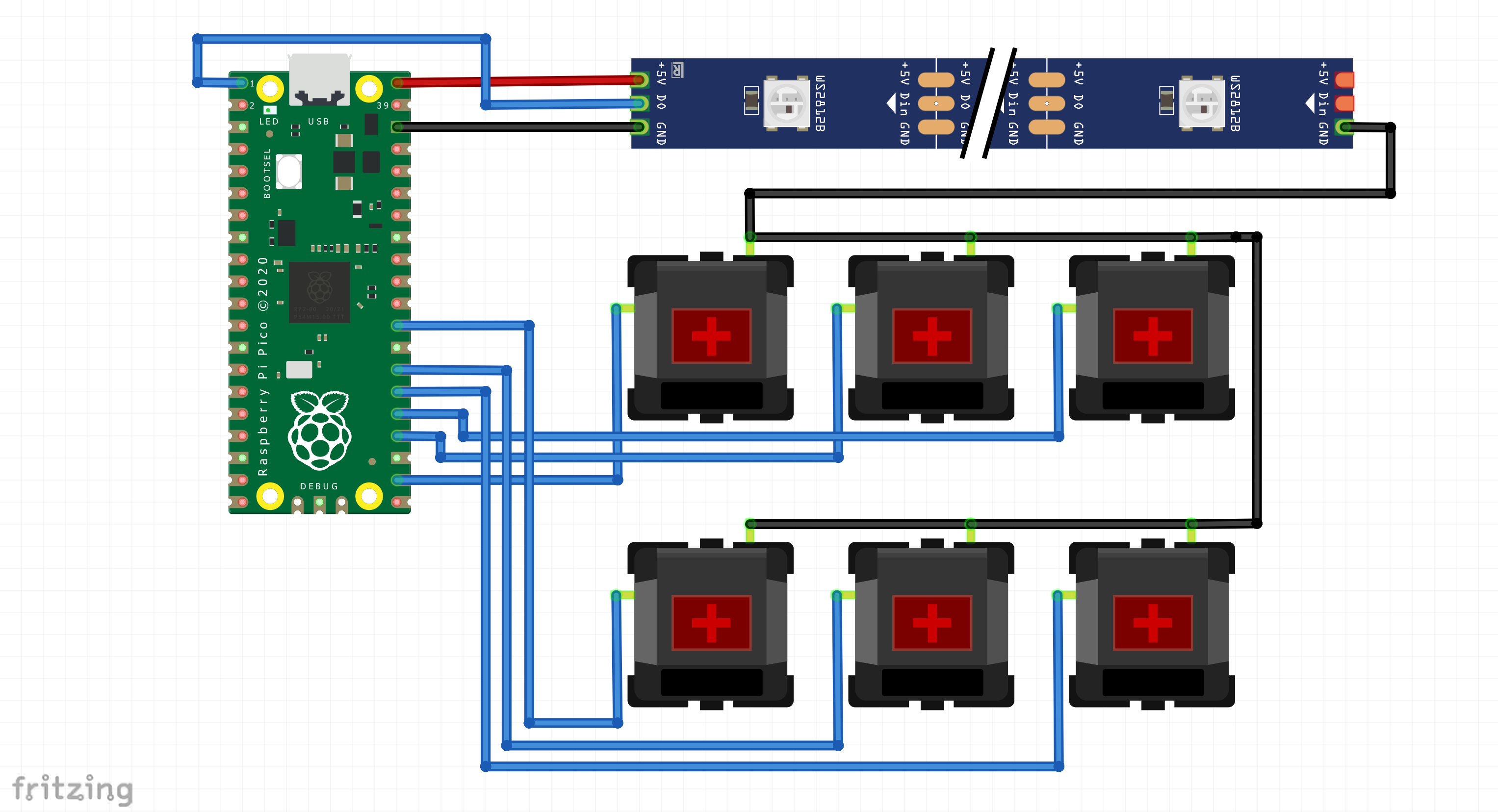
Solder the Raspberry Pico with the Cherry switches and LEDs. Hot glue helps to prevent cables from becoming tangled.
Secure the Raspberry with the four M2 screws in the lower part.
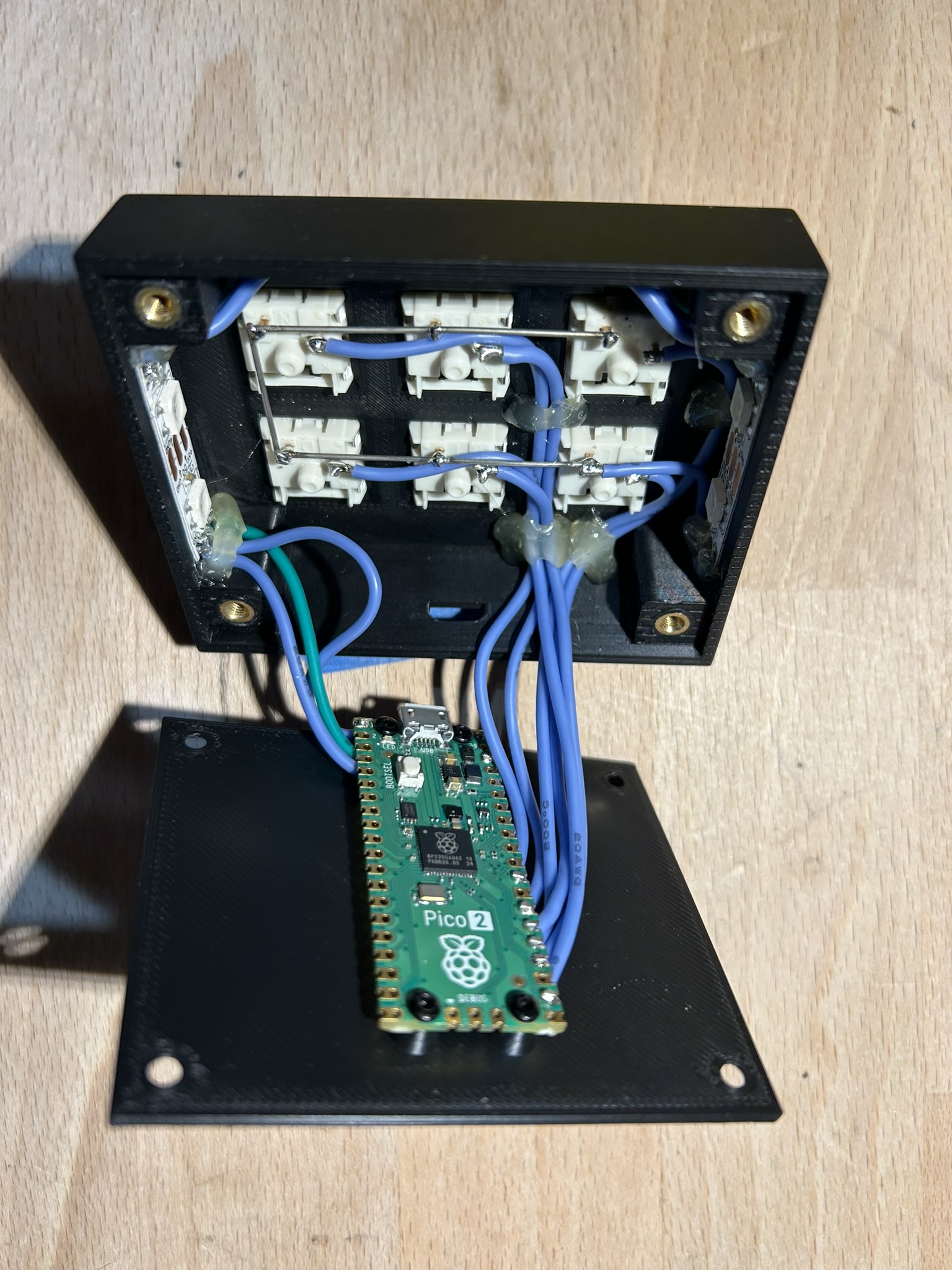
Connect the upper and lower parts switch with the M3 screws.
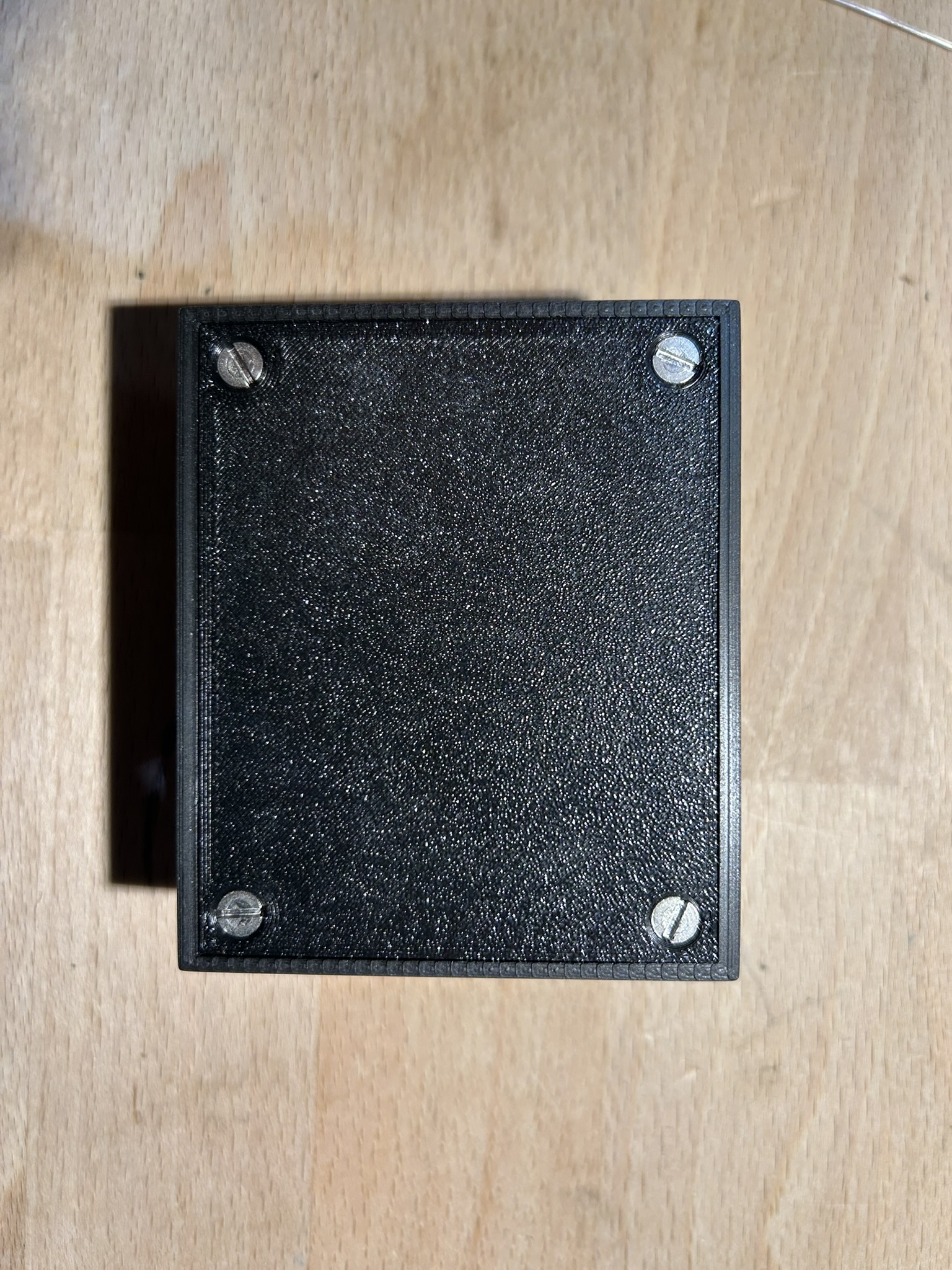
Next, the Raspberry must be programmed:
➡️Open the official CircuitPython download page and download the UF2 file:
- Hold down the BOOTSEL button on the Pico to put it into boot mode. While holding it down, connect the Pico to your computer via USB. Then release the button and the Pico will appear as a new drive.
- Simply drag and drop the downloaded *.uf2 file onto the Pico drive. The Pico will then restart automatically.
Transfer the contents of the ZIP file to the Pico drive and overwrite the existing files.
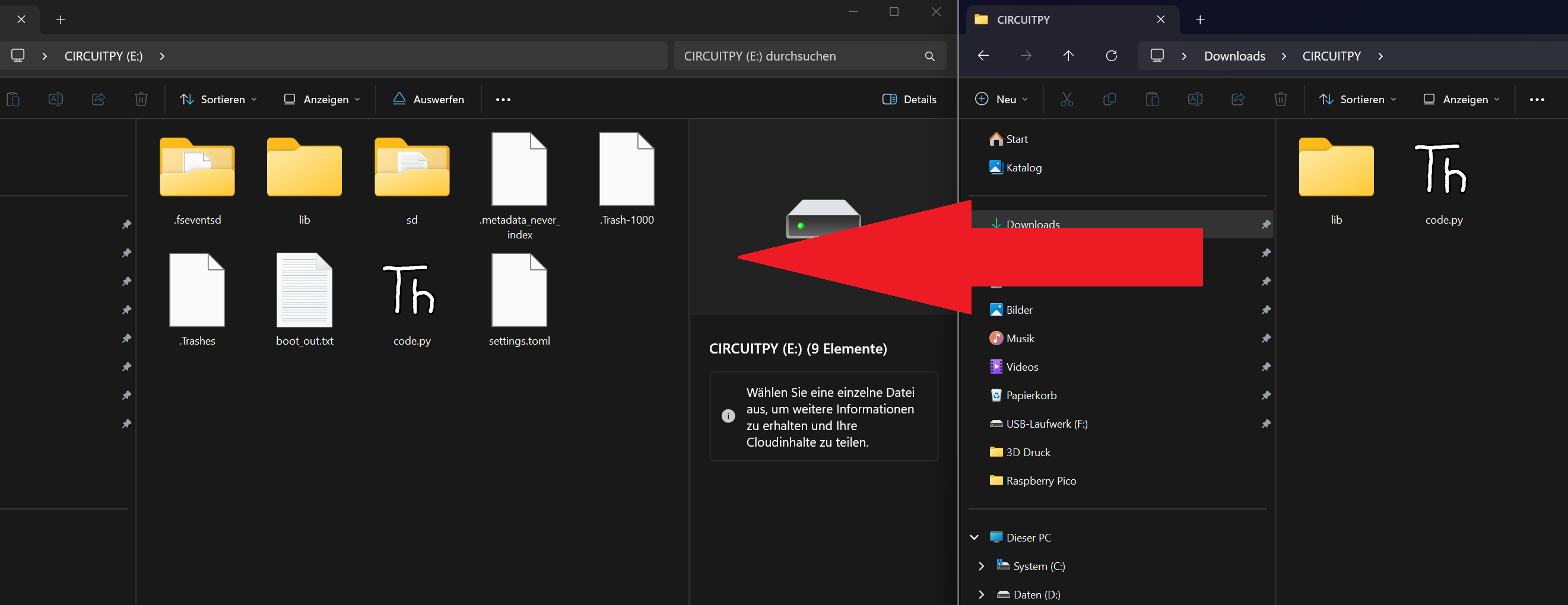
- Restart the Pico by simply disconnecting and reconnecting the USB cable.
Now, if everything has worked, the corresponding character will be sent when a key is pressed. If you don't want to delve deeper into programming, you can change these keys quite easily:
- Open the file “code.py” on the Pico drive with the editor.
Change the corresponding keycode for the corresponding key in lines 45-50.
e.g. (Keycode.SHIFT, Keycode.A) to send a capital A.
- Restart the Pico.
📃Part list:
- Raspberry Pico 2
- 6x Cherry MX Switch
- 6x Cherry MX Kecaps
- 4x WS2812B LEDs
- 4x M3 threaded inserts (M3x4.8x5.0 or M3Sx4.0)
- 4x M3 Countersunk Screws (M3x8-12)
- 4x M2 Srews (M2x4)
- AWG 24 Wire