Você está no 3DFinder
Buscamos em Thingiverse, MakerWorld e Printables ao mesmo tempo para te dar o melhor de cada uma.
Descrição
Plastic canvas box generator.
Create rectangular or square boxes with a grid tailored exactly to your needs! Almost every detail can be adjusted — from the box height and corner style (rounded or straight) to the grid pattern on the lid. Working with thicker yarn? Simply enlarge each cell in the grid. Using fine embroidery floss? Reduce the cell size for more delicate stitching.
If you printed a box from the print profile but found that you would like to tweak it further, look at the documentation section. I have provided a text file which contains the parameters I used to create the different boxes in the print profile.
Printing tips:
- Printing the box and lid requires good bed adhesion. If I find that the bed adhesion is not optimal, I wash my build plate with soap and let it dry before attempting to print. For others, glue might work better. Alternatively, turn on the brim.
- If necessary, I recommend printing at a lower speed for the first few layers.
There are 2 openSCAD-files from which to generate a plastic canvas box.
- Plastic canvas box generator:
- Generates a non-assembled box - meaning that the box and the lid is not put on each other.
- Can export both STL and 3mf.
- Plastic canvas box assembled generator:
- Can generate an assembled box - for seeing how the box looks like when assembled.
- Can also generate a non-assembled box BUT can only export 3mf.
Parameters:
- Grid Parameters:
- Cell size: Size of each cell (e.g. 10 → 10x10mm cell).
- Cells per row: Amount of cells per row.
- Cells per col: Amount of cells per column.
- Cell height: Height of cells (mm). Essentially decides the height of the entire grid.
- I recommend setting a minimum value of 2.
- Values below 2 mm may produce a delicate grid that can break easily.
- Wall thickness of cell: Thickness of cell walls (mm).
- Lid Parameters:
- Lid height: Total height of lid (mm).
- Lid wall thickness: Thickness of lid walls (mm).
Lid grid border: The border surrounding the grid (mm).
- Box Parameters:
- Box height: Height of box (mm).
- This excludes the lid height. The total height of the box when assembled is 'Box height' + 'Lid height'.
- Box base thickness: The thickness of box's bottom (mm).
- I recommend setting a minimum of 3 mm for durability. Thinner bases may be fragile and prone to cracking if dropped.
- Tolerance: Clearance between lid and box for a proper fit.
- I recommend setting the value to 0.3, and then adjusting this parameter further if needed.
- I recommend setting the value to 0.3, and then adjusting this parameter further if needed.
- Box height: Height of box (mm).
- Corner Radius Parameters:
- Corner radius: Rounds the corners of the box and lid (mm).
- For completely straight corner, set value to 0.
- For completely straight corner, set value to 0.
- Corner radius: Rounds the corners of the box and lid (mm).
Information about sizing:
- The box consists of two main parts: the 'main' box section and the insert section, where the lid slides on and secures in place.
- The total wall thickness of the 'main' box is automatically calculated as ‘Lid wall thickness × 2’.
- The height of the insert section on the box is automatically calculated as ‘Lid height – Cell height’.
General tips:
- If the generated box is too big to fit onto your print plate, you will have to take additional steps to separate the pieces. You can do so by following these steps in Bambu Studio:
Select the model, and then press the “Split to objects”-button to separate the box and the lid. Thereafter, press the “Arrange all objects”-button and then press “Arrange”.
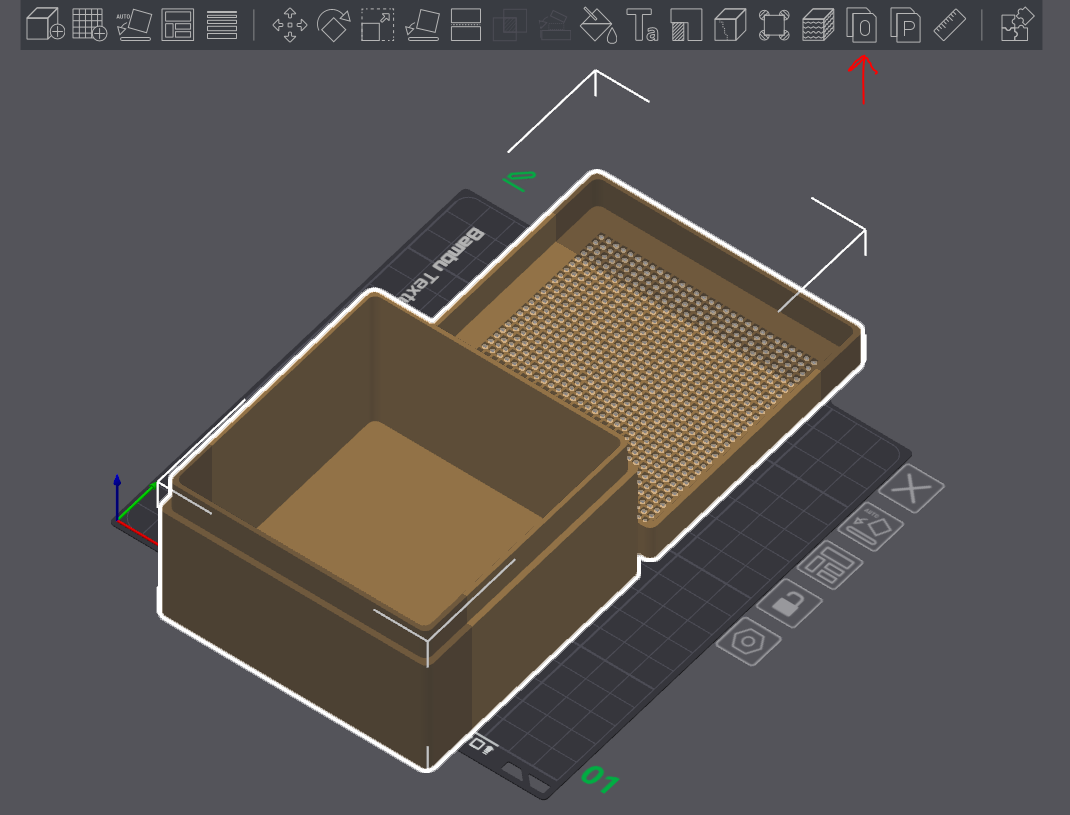
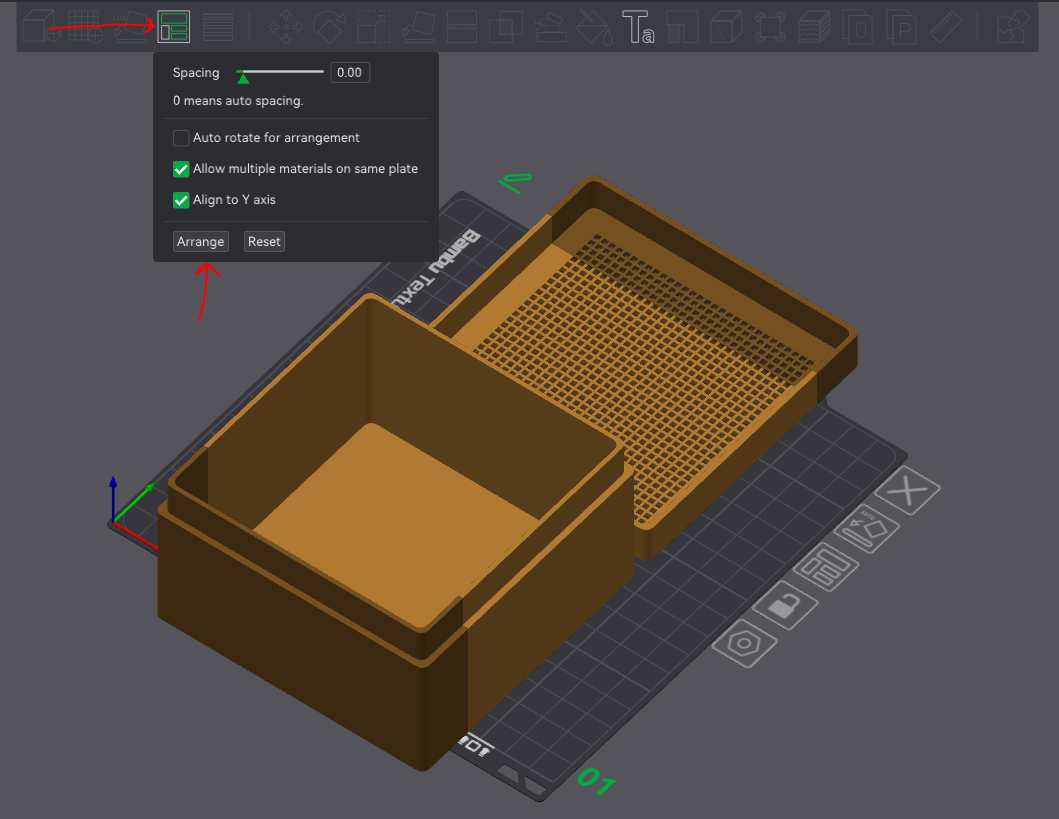
2. The box and the lid should now be placed on 2 different print plates.
If you would like to experiment with the grid sizes before making the box, have a look at my plastic canvas generator:
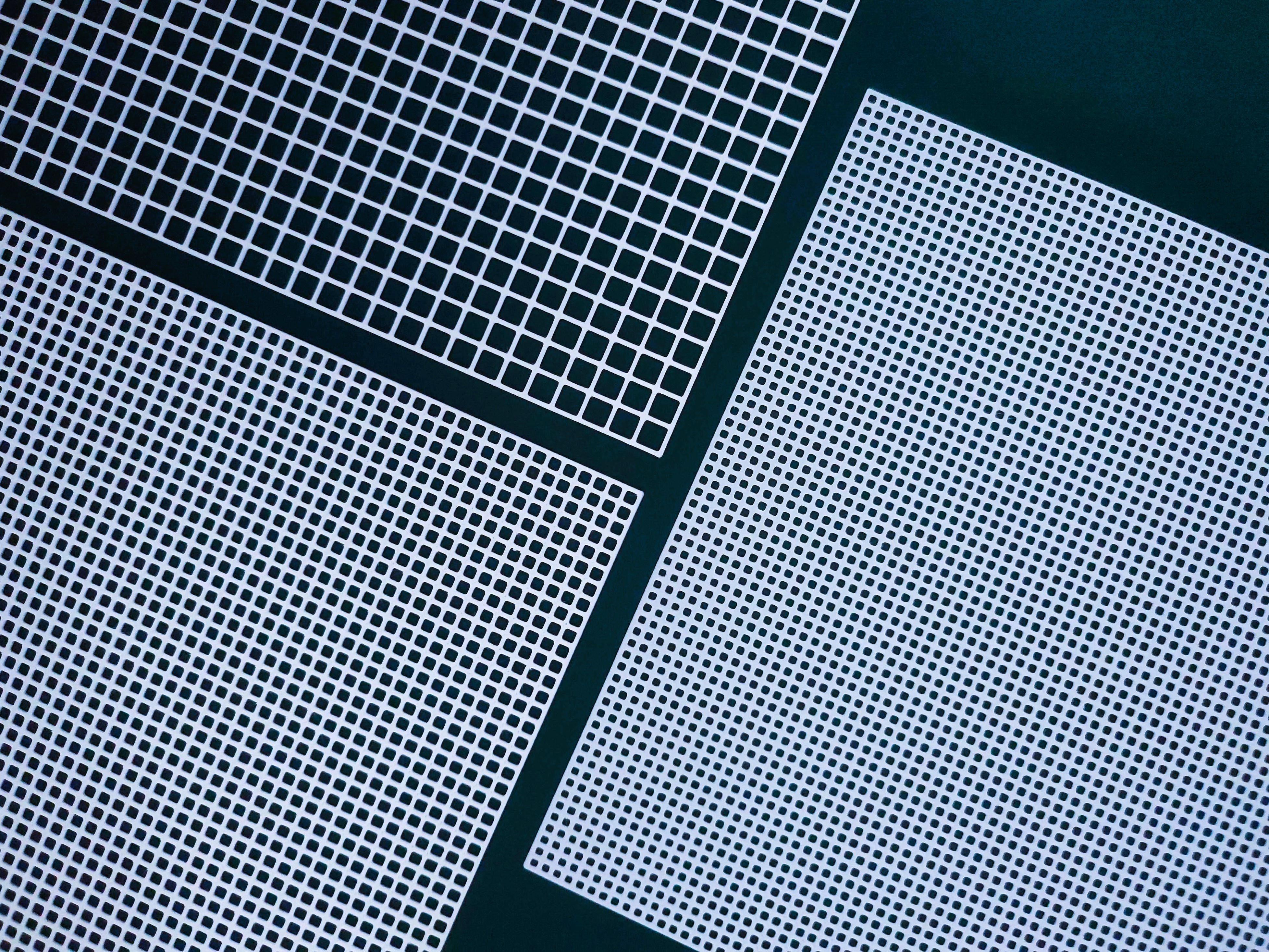
Lastly, I'm always open for questions, feedback and suggestions for improvements. Please let me know how the box works out for you!

Gostou deste modelo? Crie uma conta grátis para salvar seus favoritos e voltar a eles depois.
Criar conta